
Introducció
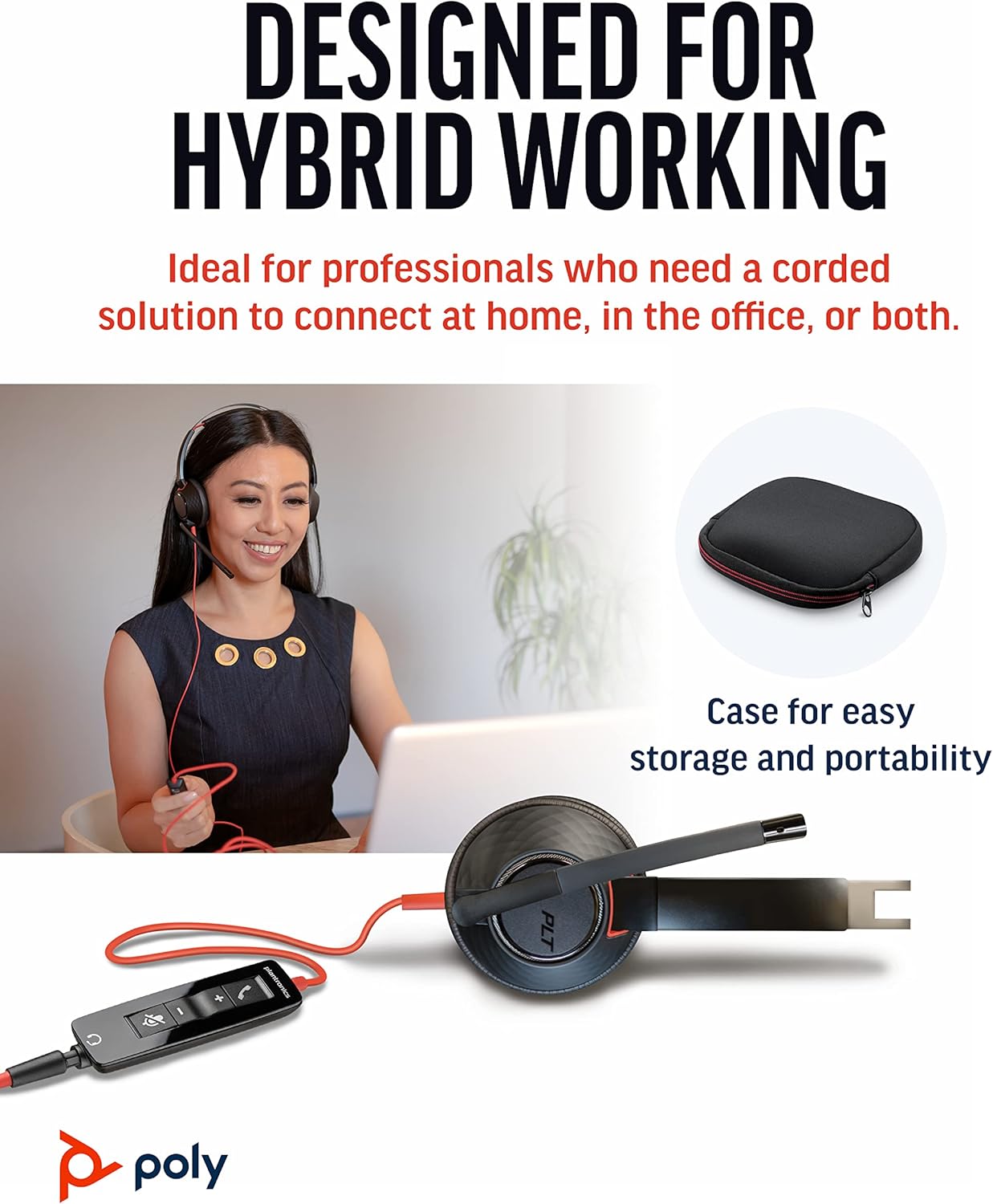
The Poly Blackwire 5220 USB-A Headset is designed for enhanced compatibility, exceptional comfort, and universal connectivity, making it ideal for all-day use in various communication environments. This headset features a noise-canceling microphone with a flexible boom, intuitive inline controls, and soft, conforming ear cushions for passive noise cancellation. It offers flexible connectivity options including USB-A and 3.5 mm, ensuring clear audio and improved productivity for PC, Mac, tablet, and mobile phone users.
Què hi ha a la caixa
- Poly Blackwire 5220 USB-A Headset
Producte acabatview



Configuració
Connectant els auriculars
- Per a PC/Mac: Connect the headset's USB-A connector directly to an available USB-A port on your computer. The headset is plug-and-play, meaning it should be automatically recognized by your operating system.
- For Mobile Phone/Tablet: Connect the headset's 3.5 mm jack to the audio port on your mobile device.
Once connected, your operating system or communication application (e.g., Microsoft Teams, Zoom) should automatically detect the headset as the primary audio input and output device. If not, you may need to select it manually in your device's sound settings or the application's audio preferences.
Instruccions de funcionament
Controls en línia
The Blackwire 5220 features an intuitive inline control unit for easy call management:
- Botó de resposta/finalització de trucada: Premeu per respondre a una trucada entrant o finalitzar una trucada activa.
- Botó per pujar el volum (+): Premeu per augmentar el volum d'escolta.
- Botó per baixar el volum (-): Premeu per reduir el volum d'escolta.
- Botó de silenci: Press to mute or unmute the microphone. A voice alert may indicate the mute status.
Ajust del micròfon
Position the flexible boom microphone approximately two finger-widths from the corner of your mouth for optimal voice pickup. The microphone is designed to be noise-canceling, focusing on your voice and minimizing background distractions.
SoundGuard Digital Protection
The headset incorporates SoundGuard Digital technology to protect your hearing. It safeguards against sound levels over 118 dBA, sudden loud sounds, and long-term exposure to noise, ensuring a safe listening experience.
Manteniment
Neteja
- Wipe the headset, including ear cushions and microphone boom, with a soft, dry cloth.
- Eviteu utilitzar productes químics aggressivs o netejadors abrasius.
Emmagatzematge
- Guardeu els auriculars en un lloc fresc i sec, allunyat de temperatures extremes.
- Utilize the included carrying case for protection during travel or storage.
Resolució de problemes
No Sound or Microphone Not Working
- Ensure the headset is securely plugged into the correct port (USB-A or 3.5 mm).
- Check your computer's or device's sound settings to ensure the Poly Blackwire 5220 is selected as the default playback and recording device.
- Verify that the microphone is not muted using the inline control.
- Test the headset with another application or device to rule out software-specific issues.
Qualitat d'àudio deficient
- Ensure the microphone boom is properly positioned near your mouth.
- Check for any physical obstructions or damage to the cables.
- If using with a computer, ensure your audio drivers are up to date.
Especificacions
| Característica | Detall |
|---|---|
| Nom del model | 5220. Blackwire |
| Número de model de l'article | 207576-01 |
| Tecnologia de connectivitat | Wired (USB-A, 3.5 mm Jack) |
| Estil de vestir | Over-the-head, On-ear, Dual Ear (Stereo) |
| Micròfon | Micròfon boom amb cancel·lació de soroll |
| Audio Protection | SoundGuard Digital (protects above 118 dBA) |
| Resposta de freqüència (auriculars) | 20 Hz |
| Frequency Range (Microphone) | 100 Hz - 6,800 Hz |
| Longitud del cable | 45 polzades |
| Material | Plàstic |
| Color | Negre |
| Pes de l'article | 0.035 unces (aproximadament 1 gram) |
| Dispositius compatibles | PC, Cellphones, Tablets, Mac |
Garantia i Suport
Informació de la garantia
The Poly Blackwire 5220 USB-A Headset comes with a Garantia global d'2 any des de la data de compra. Si us plau, conserveu el comprovant de compra per a reclamacions de garantia.
Suport addicional
For detailed information, advanced settings, or further assistance, please refer to the official User Guide (PDF) available online:
Descarrega la Guia de l'usuari (PDF)
You can also visit the official Poly support weblloc web per a preguntes freqüents, descàrregues de programari i informació de contacte.


