
DOOGEE BL5000
DOOGEE BL5000 Smartphone User Manual
Model: BL5000
Introducció
This user manual provides essential information for the safe and efficient operation of your DOOGEE BL5000 smartphone. Please read this manual thoroughly before using your device to ensure proper functionality and to avoid damage.
The DOOGEE BL5000 is a high-performance smartphone featuring a 5.5-inch FHD display, powered by an Octa-core processor, and equipped with 4GB RAM and 64GB internal storage. It runs on Android v7.0 (Nougat) operating system.
Dispositiu acabatview
Familiarize yourself with the physical components of your DOOGEE BL5000 smartphone.

Figura 1: Davant i lateral view of the DOOGEE BL5000 smartphone, highlighting its sleek design and button placement.
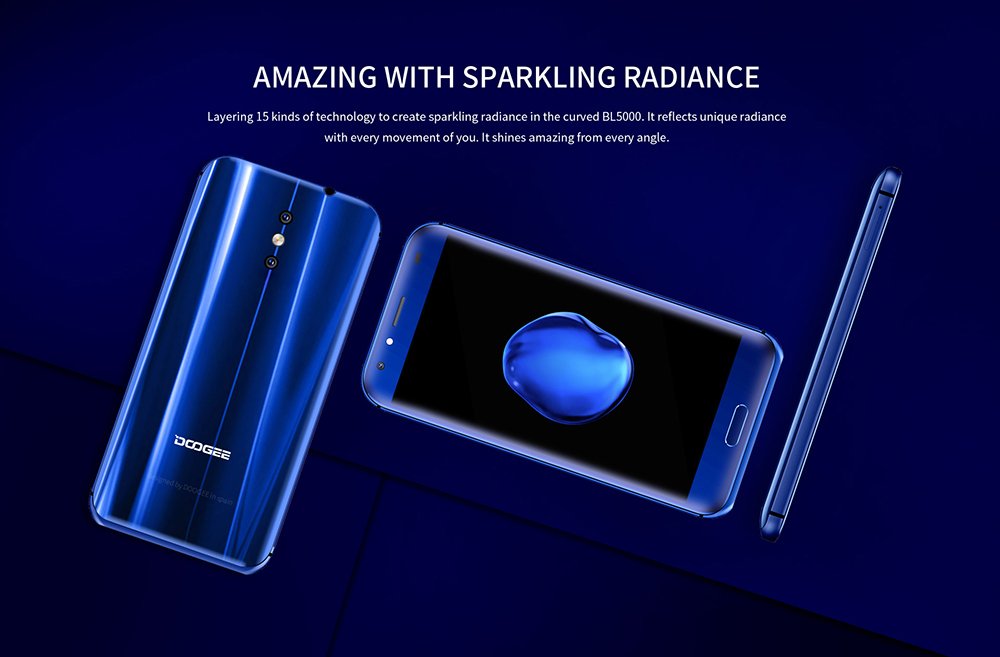
Figura 2: Darrera i davantera view of the DOOGEE BL5000, showcasing its curved design and sparkling radiance achieved through 15 layers of technology.

Figura 3: A display of multiple DOOGEE BL5000 smartphones in blue, gold, and black, emphasizing the 8-sided curved design that provides an ergonomic grip.
Configuració
1. Inserció de targetes SIM i targeta SD
The DOOGEE BL5000 supports dual SIM cards and an expandable memory card. Locate the SIM tray on the side of the device. Use the provided SIM ejector tool to open the tray. Carefully place your Nano-SIM cards and/or microSD card into the designated slots. Ensure the cards are correctly oriented as indicated on the tray. Gently push the tray back into the device until it clicks into place.
2. Assistent d'encesa inicial i configuració
Press and hold the Power button on the side of the phone until the DOOGEE logo appears. The phone will boot up and guide you through the initial setup wizard. Follow the on-screen prompts to select your language, connect to a Wi-Fi network, set up your Google account, and configure security settings (fingerprint, PIN, pattern, or password).
3. Carregant la bateria
Before first use, it is recommended to fully charge the device. Connect the USB cable to the phone's charging port and the other end to a power adapter. Plug the adapter into a wall outlet. The battery indicator on the screen will show charging progress. The BL5000 features a 5050mAh battery and supports 12V-2A quick charging.

Figura 4: Illustration of the DOOGEE BL5000's large 5050mAh battery, designed for extended usage.

Figura 5: The DOOGEE BL5000 supports 12V-2A quick charging, allowing for significant battery charge in a short period, such as 40% in 10 minutes.
Funcionament del telèfon intel·ligent
Navegació bàsica
- Botó d'encesa: Press to wake/sleep the screen. Press and hold to power on/off or restart.
- Botons de volum: Adjust media volume during playback or ringtone volume.
- Botó d'inici: Toqueu per tornar a la pantalla inicial.
- Botó enrere: Toca per tornar a la pantalla anterior.
- Botó d'aplicacions recents: Toqueu per view i canviar entre les aplicacions utilitzades recentment.
Pantalla i brillantor
The BL5000 features a 5.5-inch FHD (1920x1080) display with 650nit brightness, ensuring clear visibility even in bright sunlight. You can adjust the brightness manually or enable auto-brightness in the display settings.

Figura 6: The DOOGEE BL5000's 650nit display ensures excellent visibility and vivid colors, even under direct sunlight.
Característiques de la càmera
The DOOGEE BL5000 is equipped with a dual 13.0MP rear camera system that supports PDAF and a soft flashlight. It can create a blur effect for professional-looking portraits.

Figura 7: The DOOGEE BL5000's dual camera system can produce a natural blur effect, similar to DSLR cameras, enhancing portrait photography.
Connectivitat
The device supports 4G and 4G+ networks with LTE Cat-6, offering faster download and upload speeds. It also includes Wi-Fi, Bluetooth, and USB connectivity options.

Figura 8: The DOOGEE BL5000 supports advanced 4G+ (LTE Cat-6) network technology, providing significantly faster internet speeds compared to standard 4G.
Manteniment
- Neteja: Feu servir un drap suau i sense borrissol per netejar la pantalla i la carcassa del telèfon. Eviteu utilitzar productes químics agressius o materials abrasius.
- Actualitzacions de programari: Regularly check for system updates to ensure optimal performance and security. Go to Settings > About phone > System updates.
- Cura de la bateria: To prolong battery life, avoid exposing the phone to extreme temperatures. Do not let the battery drain completely before recharging frequently.
- Gestió d'emmagatzematge: Esborreu periòdicament la memòria cau, desinstal·leu les aplicacions que no feu servir i transferiu fitxers grans files to external storage (SD card) to maintain sufficient free space. The BL5000 comes with 64GB of internal storage.
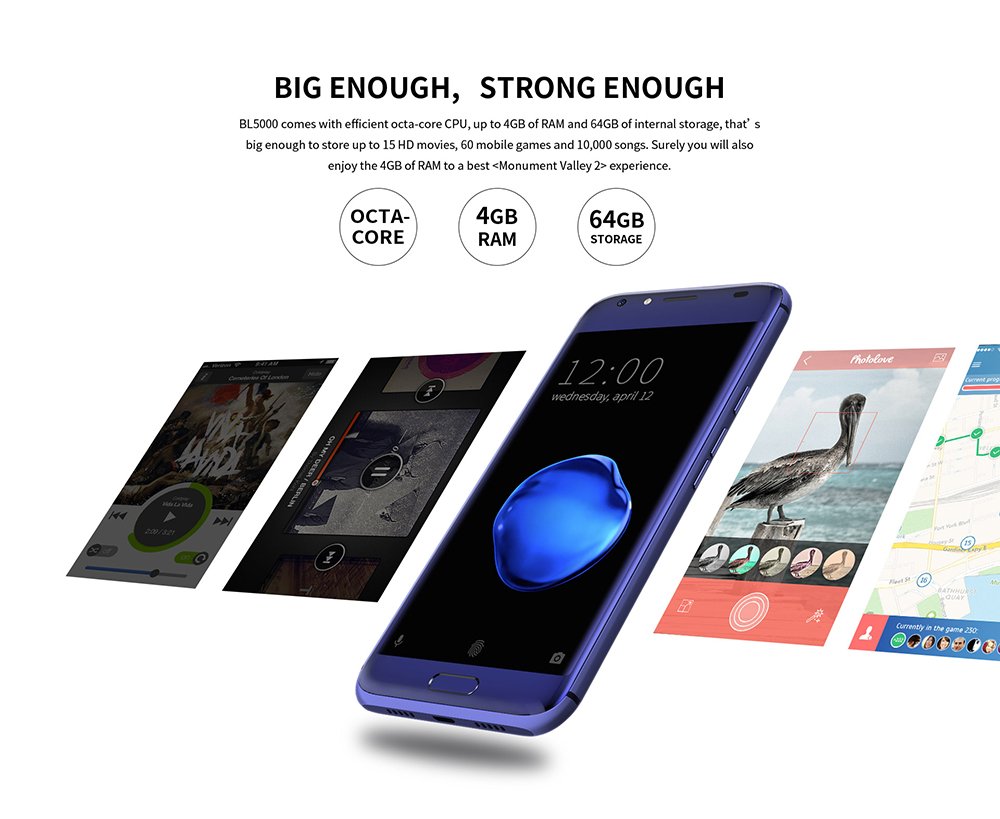
Figura 9: The DOOGEE BL5000 is powered by an efficient Octa-core CPU, 4GB RAM, and 64GB internal storage, providing ample power and space for applications and media.
Resolució de problemes
| Problema | Possible solució |
|---|---|
| El telèfon no s'encén | Ensure the battery is charged. Connect to a charger and wait a few minutes before attempting to power on. |
| Les aplicacions es bloquegen o es bloquegen | Clear the app's cache (Settings > Apps > [App Name] > Storage > Clear cache). If the issue persists, try reinstalling the app or performing a factory reset (backup data first). |
| Senyal de xarxa pobre | Check if SIM card is properly inserted. Try restarting the phone. Ensure you are in an area with network coverage. |
| La bateria s'esgota ràpidament | Reduce screen brightness, disable unused features like Wi-Fi/Bluetooth when not in use, close background apps, and limit location services. |
Especificacions
| Característica | Detall |
|---|---|
| Model | DOOGEE BL5000 |
| Sistema operatiu | Android v7.0 (Nougat) |
| Mostra | 5.5-inch FHD (1920 x 1080) LCD, 650nit brightness |
| Processador | Octa core (1.5 GHz Quad core + 1 GHz Quad core, Cortex A53) |
| RAM | 4 GB |
| Emmagatzematge intern | 64 GB |
| Càmera posterior | Dual 13.0 MP with PDAF and soft flashlight |
| Bateria | 5050 mAh, supports 12V-2A Quick Charge |
| Dimensions (LxWxH) | 15.5 x 7.6 x 1 cm |
| Pes | 210 g |
| Connectivitat | 4G/4G+ (LTE Cat-6), Wi-Fi, Bluetooth, USB |
| GPS | GLONASS |
| Color | Blau |
Garantia i Suport
For warranty information and technical support, please refer to the warranty card included with your product packaging or visit the official DOOGEE weblloc web. Conserveu el rebut de compra com a comprovant de compra per a reclamacions de garantia.
For further assistance, you may contact DOOGEE customer service through their official channels. Details can typically be found on the manufacturer's weblloc web o a la documentació original del producte.
Ask a question about this manual
Ask about setup, troubleshooting, compatibility, parts, safety, or missing instructions. Manuals+ will review the question and use this page’s manual context to help answer it.