
1. Introducció
Gràcies per la compraasing the Andoer HDV-Z20 Digital Camcorder. This manual provides detailed instructions for the proper use, setup, operation, and maintenance of your device. Please read this manual thoroughly before using the camcorder to ensure optimal performance and to prevent damage.
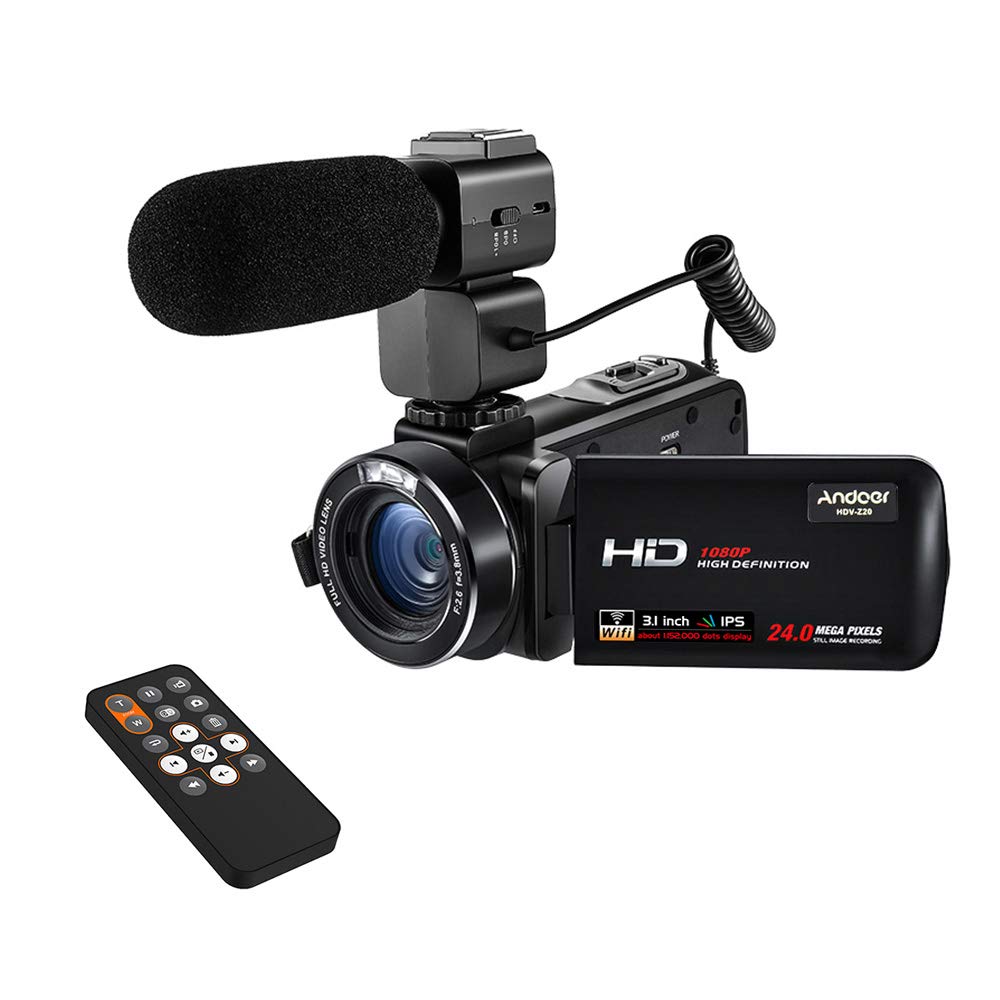
Image 1.1: Andoer HDV-Z20 Digital Camcorder. This image shows the overall design of the camcorder from a front-side angle.
2. Producte acabatview
2.1 Característiques clau
- Imatges d'alta resolució: Equipped with an 8-megapixel CMOS sensor, capable of 1080P Full HD video recording at 30 frames per second and still images up to 24 megapixels (5600 * 4200).
- Micròfon extern: Includes an aluminum alloy external microphone with NCR noise reduction technology, a 3-level anti-vibration design, and a windscreen to minimize environmental noise.
- Visualització: Features a 3.0-inch TFT LCD rotating touchscreen for easy navigation and viewing.
- Zoom and Stabilization: Offers 16x digital zoom and digital image stabilization.
- Connectivitat: Supports WiFi for smartphone app control (LzxViewer app), HDMI output for TV connection, and USB for PC connection.
- Emmagatzematge: Compatible with external SD cards up to 64GB (not included).
- Característiques addicionals: LED fill light for low-light conditions, hot shoe mount for accessories, and a multi-function remote controller.
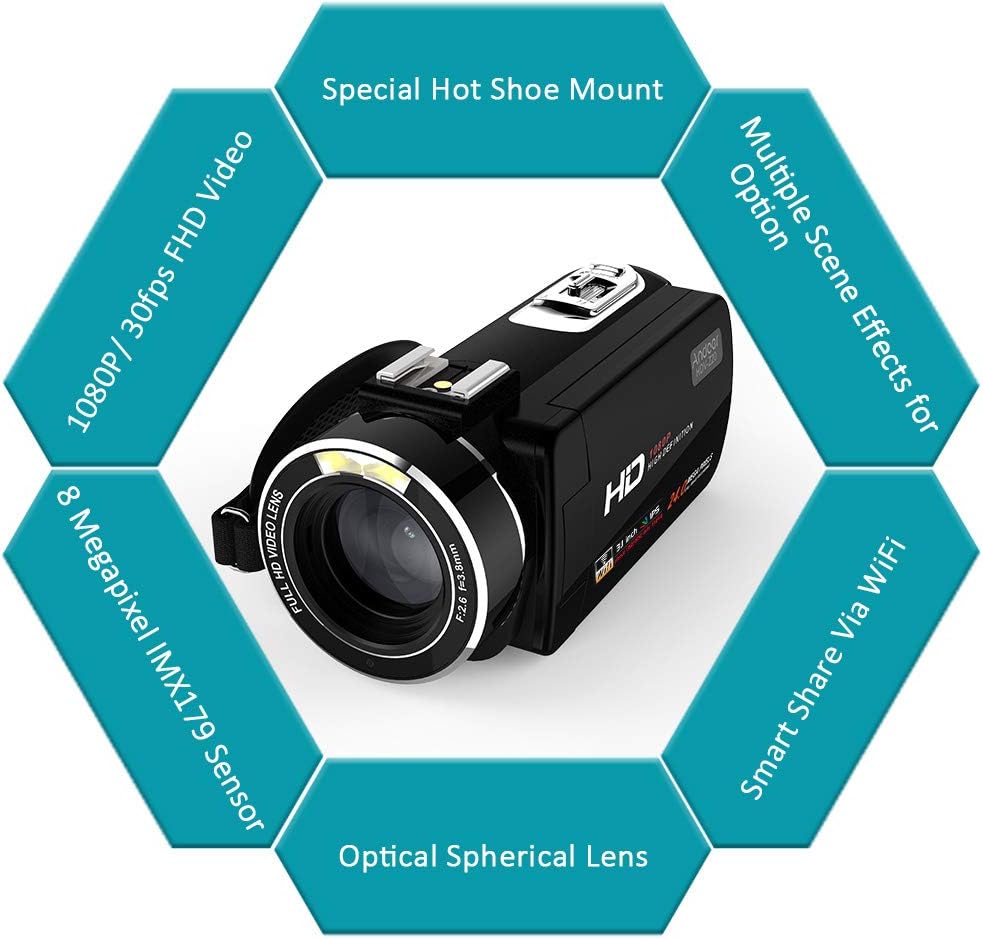
Image 2.1: Key features of the Andoer HDV-Z20 camcorder, including 1080P/30fps FHD Video, 8 Megapixel IMX179 Sensor, Optical Spherical Lens, Smart Share Via WiFi, Multiple Scene Effects, and Special Hot Shoe Mount.
2.2 Contingut del paquet
Si us plau, comproveu el paquet per veure si hi ha els elements següents:
- Andoer HDV-Z20 Digital Video Camera (with NP-40 Li-ion Battery)
- Remote Control (with CR2025 Button Cell Battery)
- External Microphone (with CR2032 Button Cell Battery)
- Lent Cap
- Cable USB
- HD Cable (HDMI)
- Bossa de la càmera
- Corretja
- Camera User Manual (English)
- Microphone User Manual (English/Chinese)
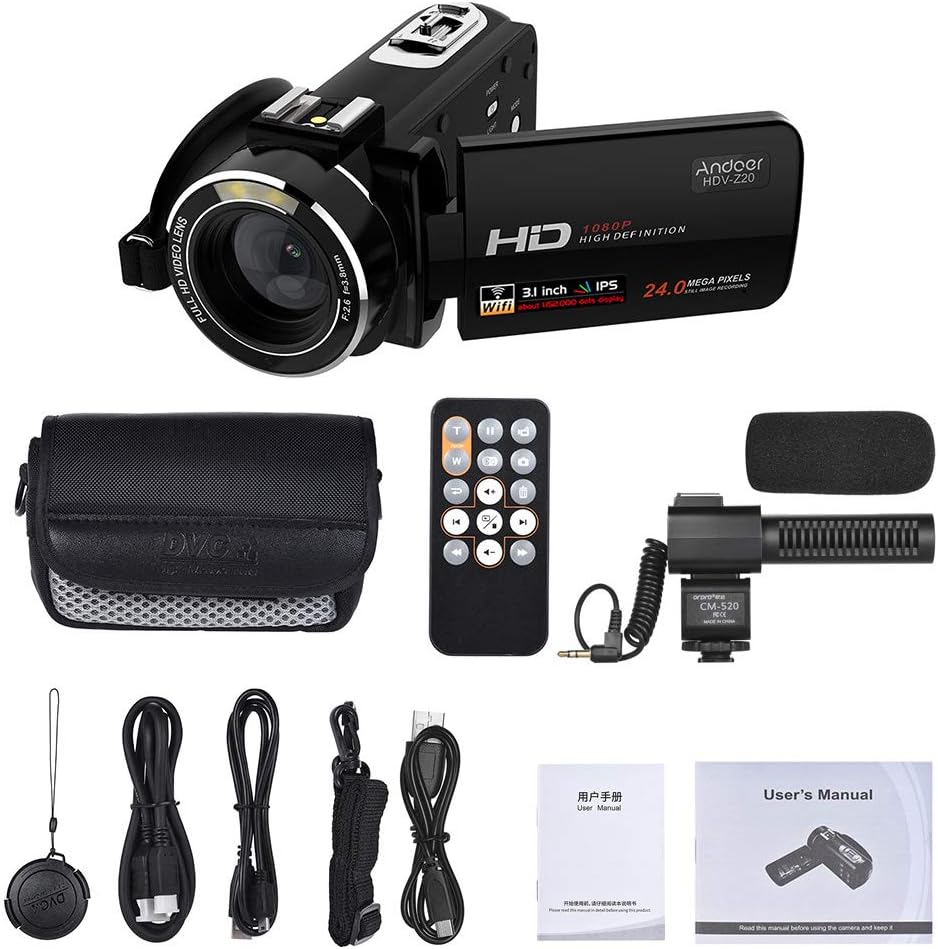
Image 2.2: All items included in the Andoer HDV-Z20 camcorder package, showing the camera, remote, microphone, cables, bag, strap, and manuals.
3. Configuració
3.1 Instal·lació de la bateria
- Obriu la tapa del compartiment de la bateria que es troba a la part inferior de la càmera de vídeo.
- Insert the provided NP-40 Li-ion battery, ensuring the correct polarity. Important: Remove any plastic protective sticker from the battery terminals before insertion.
- Tanqueu bé la tapa del compartiment de la bateria.
- For first use, fully charge the battery using the supplied USB cable and a compatible USB power adapter (not included).
3.2 Instal·lació de la targeta de memòria
The camcorder supports SD cards up to 64GB. A memory card is no inclòs dins del paquet i s'han de comprar per separat.
- Localitza la ranura per a la targeta SD, normalment al lateral o a la part inferior de la càmera de vídeo.
- Insert the SD card with the metal contacts facing the correct direction (refer to the diagram near the slot if available) until it clicks into place.
- Per treure-la, premeu suaument la targeta cap a dins fins que surti.
3.3 External Microphone Installation
- Feu lliscar el micròfon extern al suport de sabata d'accés ràpid situat a la part superior de la càmera de vídeo.
- Secure the microphone by tightening the locking mechanism on its base.
- Connect the microphone's 3.5mm audio jack into the microphone input port on the camcorder.
- Ensure the CR2032 button cell battery is installed in the microphone. Important: Remove any plastic protective sticker from the battery terminals before insertion.

Imatge 3.1: Detallada view of the external microphone, showing its NCR denoise technology, +10dB sensitivity adjustment switch, and windscreen for minimizing environmental noise.
3.4 Encès inicial
- Open the LCD screen. This action typically powers on the camcorder automatically.
- If the camcorder does not power on, press and hold the 'POWER' button.
- Seguiu les instruccions que apareixen a la pantalla per a la configuració inicial, com ara definir la data i l'hora.
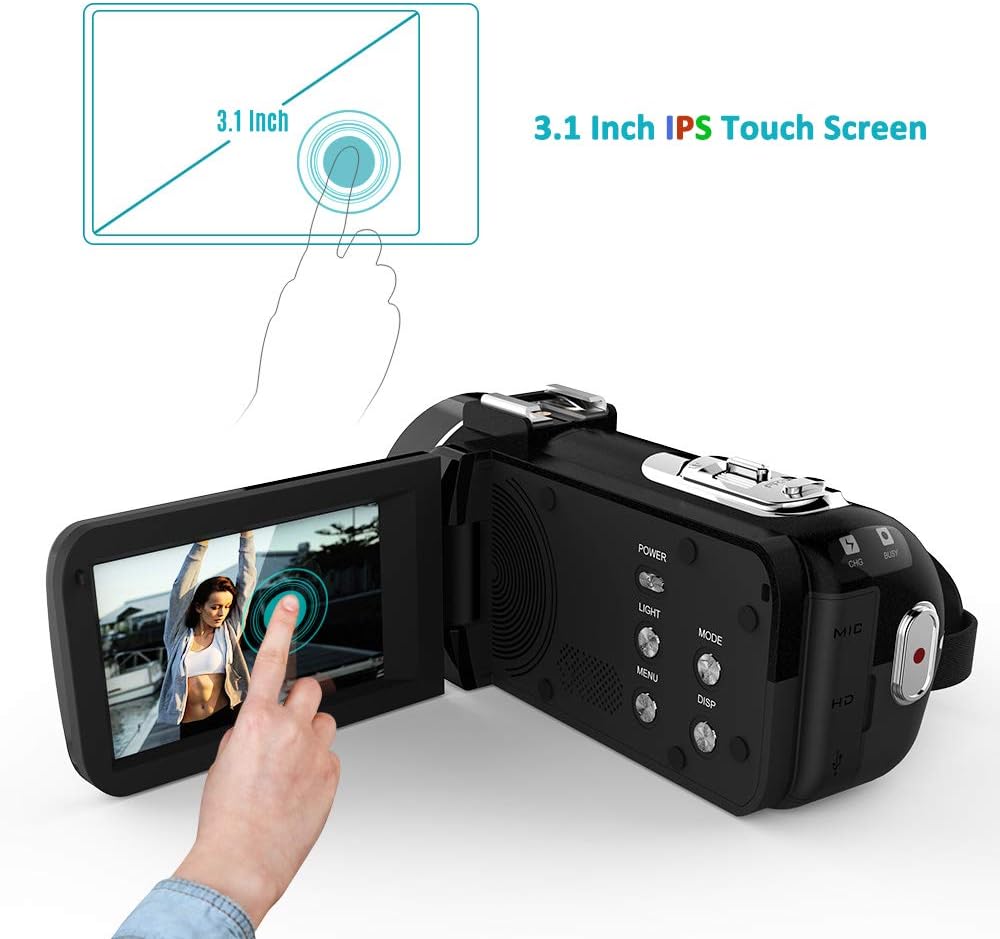
Image 3.2: The 3.0-inch IPS touchscreen of the Andoer HDV-Z20 camcorder, shown open and displaying a live view, with a finger interacting with the screen.
4. Instruccions de funcionament
4.1 Funcionament bàsic
- Encès/apagat: Open the LCD screen to power on. Close the LCD screen or press and hold the 'POWER' button to power off.
- Selecció del mode: Use the 'MODE' button or the touchscreen interface to switch between video recording mode, photo capture mode, and playback mode.
- Gravació de vídeo: In video mode, press the 'RECORD' button (usually a red circle) to start recording. Press it again to stop.
- Captura de fotos: In photo mode, press the 'SHUTTER' button to take a picture.
- Zoom: Use the 'W' (Wide) and 'T' (Telephoto) buttons to adjust the 16x digital zoom.

Image 4.1: Illustration of the 24-megapixel photo capability and the 16x digital zoom function, showing how zooming in magnifies a subject.
4.2 Funcions avançades
- WiFi Connectivity & App Control:
- Enable WiFi on the camcorder via the menu settings.
- Download the 'LzxViewer' app on your smartphone (available for iOS and Android).
- Connect your smartphone to the camcorder's WiFi network (SSID and password will be displayed on the camcorder screen).
- Once connected, you can control the camcorder remotely, view viu footage, take photos, record videos, and transfer files mitjançant l'aplicació.
- Comandament a distància: Use the included remote control for convenient operation from a distance, including starting/stopping recording, taking photos, and navigating menus. Important: Ensure the CR2025 button cell battery is installed in the remote and any plastic protective sticker is removed.
- Llum de farciment LED: Activate the built-in LED light for additional illumination in dark environments. This option is usually found in the camcorder's menu or via a dedicated button.
- Timing Photography: The camcorder supports timing photography, allowing you to set a delay before a photo is taken, useful for selfies or group shots.

Image 4.2: Illustration of the camcorder's WiFi remote control feature, showing the camcorder connected to smartphones via the LzxViewer app for shooting, recording, and zooming.
4.3 Connecting to TV/PC
- HDMI Output (to TV): Use the supplied HD cable to connect the camcorder's HDMI output port to an HDMI input port on your television. Switch your TV's input source to the corresponding HDMI port to view les teves gravacions.
- USB Connection (to PC): Use the supplied USB cable to connect the camcorder to your computer. The camcorder will typically appear as a removable storage device, allowing you to transfer photos and videos.

Image 4.3: The camcorder connected to a computer via USB and displaying its output on a monitor, demonstrating 1080P/30fps Full HD video recording and HDMI output capabilities.
5. Manteniment
5.1 Neteja
- Lent: Use a soft, lint-free cloth specifically designed for camera lenses to gently wipe the lens. For stubborn smudges, use a small amount of lens cleaning solution. Avoid touching the lens with your fingers.
- Pantalla LCD: Wipe the touchscreen with a soft, dry microfiber cloth. Do not use abrasive cleaners or solvents.
- Cos: Clean the camcorder body with a soft, dry cloth. If necessary, slightly dampNetegeu el drap amb aigua i eixugueu-lo immediatament.
5.2 Emmagatzematge
- Store the camcorder in a cool, dry place away from direct sunlight, extreme temperatures, and high humidity.
- When storing for extended periods, remove the battery from the camcorder and store it separately.
- Use the provided camera bag to protect the camcorder from dust and scratches.
6. Solució De Problemes
| Problema | Causa possible | Solució |
|---|---|---|
| La càmera de vídeo no s'encén. | Battery is dead or not installed correctly. Protective sticker on battery terminals. | Charge the battery. Ensure the battery is inserted with correct polarity. Remove any plastic protective sticker from battery terminals. |
| No es pot gravar vídeo ni fer fotos. | No SD card or SD card full/corrupted. Incorrect mode selected. | Insert a compatible SD card. Format the SD card (this will erase all data). Switch to video or photo mode. |
| Poor audio quality with external microphone. | Microphone not connected properly. Microphone battery low/dead. Sensitivity setting incorrect. | Ensure microphone is securely connected to the hot shoe and audio jack. Check/replace microphone battery. Adjust microphone sensitivity (+10dB switch). |
| Problemes de connexió Wi-Fi. | Incorrect WiFi password. App not installed or outdated. Distance too far. | Verify WiFi password. Ensure 'LzxViewer' app is installed and updated. Stay within 3 meters of the camcorder for optimal connection. |
| Les imatges/vídeos estan borrosos. | Lens is dirty. Digital image stabilization off. | Clean the lens. Ensure digital image stabilization is enabled in settings. |
7. Especificacions
| Característica | Detall |
|---|---|
| Nom del model | HDV-Z20 |
| Sensor d'imatge | Sensor CMOS de 8 megapíxels |
| Resolució de vídeo | 1080P (1920*1080) 30fps, 720P, VGA |
| Resolució d'imatge | 24M (5600*4200), 20M, 16M, 12M, 10M, 7MHD, 5M, 3M, 2MHD, VGA |
| Format de vídeo | MOV |
| Format d'imatge | JPEG |
| Lent | F=3.8mm, fno: 2.6, 37mm wire |
| Zoom | Zoom digital de 16x |
| Pantalla de visualització | 3.0-inch TFT LCD Touchscreen |
| Mitjans d'emmagatzematge | SD Card, Max 64GB (not included) |
| Connectivitat | USB, HDMI, WiFi |
| Bateria de la càmera | 3.7V 1250mAh NP-40 Li-ion Battery |
| Bateria de control remot | CR2025 3V Button Cell Battery |
| Bateria del micròfon | CR2032 3V Button Cell Battery |
| Resposta de freqüència del micròfon | 50 Hz - 16 kHz |
| Sensibilitat del micròfon | -37dB ± 3dB (0dB=1V/Pa at 1kHz), +10dB enhancement |
| Dimensions (càmera) | 12.6 * 6.1 * 5.8 cm / 5 * 2.4 * 2.3 in (L*H*W) |
| Pes (càmera) | 320 g / 11.3 oz |
8. Garantia i Suport
For warranty information and technical support, please refer to the documentation provided with your purchase or contact Andoer customer service through their official weblloc web. Si us plau, conserveu el comprovant de compra per a qualsevol reclamació de garantia.
