
Producte acabatview
The Panasonic ER-SB40-K Beard Trimmer is designed for precise grooming of beards, mustaches, and hair. It features a high-performance linear motor, ultra-sharp blades, and multiple adjustable settings for a customized trimming experience. The device is washable for easy cleaning and supports both cordless and corded operation.
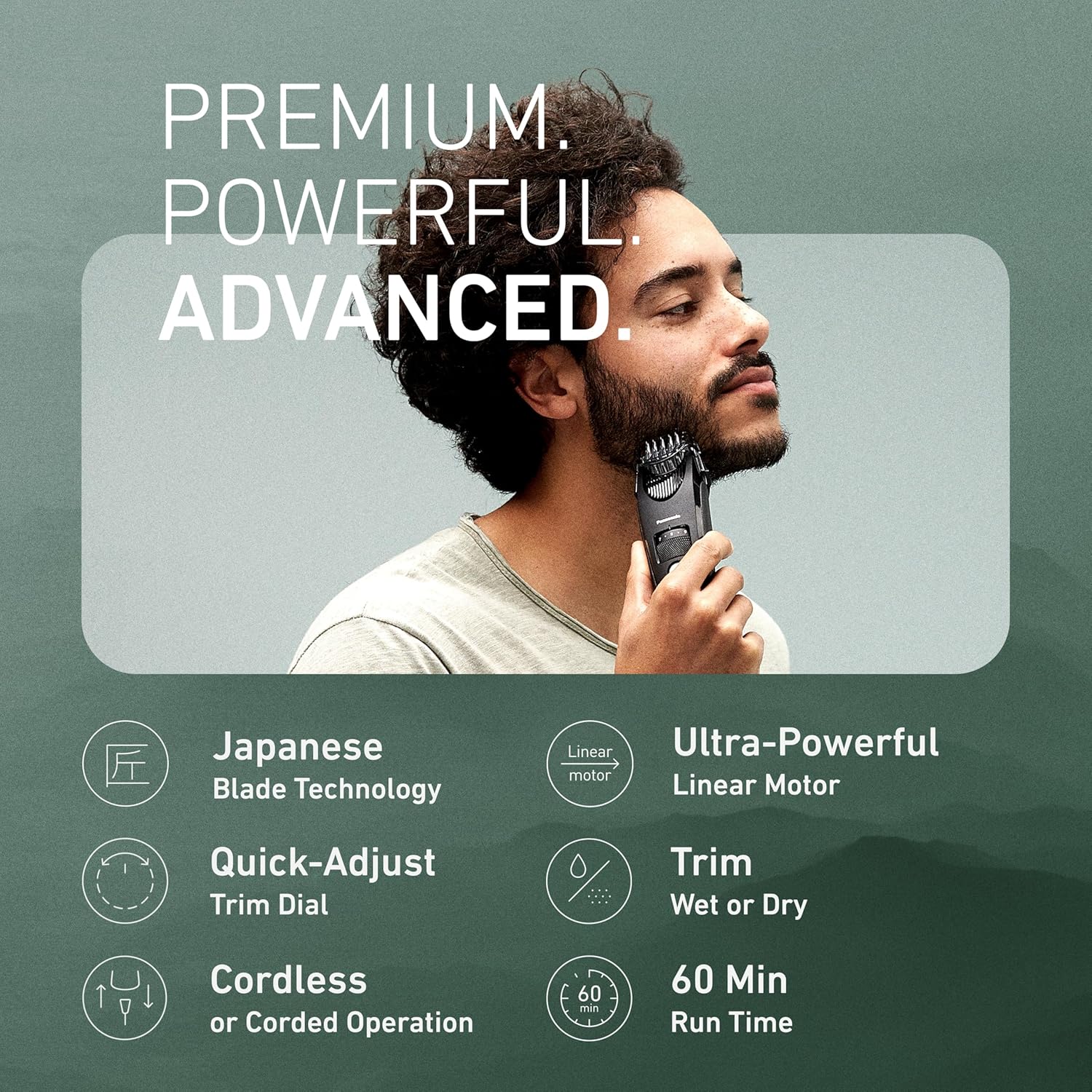
Image: Panasonic ER-SB40-K Beard Trimmer, showcasing its key features including Japanese blade technology, ultra-powerful linear motor, quick-adjust trim dial, wet/dry trimming, and 60-minute run time.
1. Configuració
1.1 Desembalatge i components inclosos
Before first use, ensure all components are present:
- Panasonic ER-SB40-K Beard Trimmer
- Complement de pentinat
- Raspall de neteja
- Oli de fulla
- Carregador/adaptador de CA

Image: Contents of the box, including the trimmer, comb attachment, blade oil, cleaning brush, AC adapter, and a travel pouch.
1.2 Càrrega de la talladora
The trimmer operates on rechargeable battery power. For optimal performance, fully charge the device before its first use.
- Connect the AC adapter/charger to the trimmer's charging port.
- Plug the charger into a universal voltage (AC 100-240V) outlet.
- Una càrrega completa proporciona fins a 60 minuts de funcionament sense fil.
1.3 Attaching and Detaching the Comb Attachment
The comb attachment allows for various cutting lengths.
- To attach: Align the comb attachment with the trimmer head and gently push until it clicks into place.
- To detach: Press the release buttons on the sides of the comb attachment and pull it away from the trimmer head.

Image: Close-up of the Panasonic ER-SB40-K showing the snap-on comb attachment.
2. Instruccions de funcionament
2.1 Adjusting Cutting Lengths
The quick-adjust trimmer dial offers 19 precision settings for lengths from 0.5mm to 10mm.
- Rotate the dial located on the front of the trimmer to select your desired cutting length.
- The comb attachment will move up or down to correspond with the selected length.

Image: A hand adjusting the quick-adjust trim dial on the trimmer, showing length settings from 0.5mm to 10mm.
2.2 Powering On/Off and Travel Lock
- Per engegar: premeu el botó d'engegada una vegada.
- To power off: Press the power button once.
- To activate Travel Lock: Press and hold the power button for approximately 3 seconds until the lock icon illuminates. This prevents accidental activation during travel.
- To deactivate Travel Lock: Press and hold the power button for approximately 3 seconds until the lock icon turns off.
2.3 Tècniques de retall
For best results, ensure your beard is clean and dry before trimming. Use smooth, even strokes against the direction of hair growth.
- Beard and Mustache: Select your desired length. Hold the trimmer with the blades facing your beard and move it slowly against the direction of hair growth.
- Detailing and Outlining: Remove the comb attachment for precise shaping and outlining around the edges of your beard, mustache, or sideburns.

Image: A man using the Panasonic ER-SB40-K to trim his beard, illustrating the trimmer's powerful motor for smooth cutting.
Video: Official tutorial demonstrating the features and usage of the Panasonic ER-SB40-K Beard Trimmer, including length adjustment and trimming techniques.
3. Manteniment
3.1 Neteja de la talladora
The Panasonic ER-SB40-K is 100% washable for easy cleaning.
- After each use, remove the comb attachment.
- Rinse the trimmer head and blades thoroughly under warm running water to remove hair clippings.
- Use the provided cleaning brush to dislodge any stubborn hairs.
- Allow the trimmer to air dry completely before storing.

Image: The Panasonic ER-SB40-K being held under running water, demonstrating its washable feature.
3.2 Blade Oiling
To maintain blade sharpness and longevity, apply blade oil regularly.
- Apply a few drops of the provided blade oil to the blades before and after each use.
- Engegueu la retalladora durant uns segons per distribuir l'oli uniformement.
3.3 Recanvi de fulla
For optimal performance, replace the blade when it becomes dull. Replacement blades can be purchased separately from authorized Panasonic retailers.
4. Solució De Problemes
- El tallador no s'encén: Ensure the travel lock is deactivated. Check if the battery is charged; connect to the AC adapter if needed.
- Mal rendiment de retallada: Clean the blades and comb attachment thoroughly. Apply blade oil. Ensure the blades are not dull and replace if necessary.
- Indicador de bateria: The LED display shows the battery level (High, Mid, Low). Recharge the trimmer when the indicator shows 'Low' or blinks.
5. Especificacions
| Característica | Detall |
|---|---|
| Número de model | ER-SB40-K |
| Marca | Panasonic |
| Rendiment motor | 9,800 cuts per minute linear motor |
| Material de la fulla | Stainless Steel (hypoallergenic wide tip blades) |
| Cutting Length Settings | 19 (0.5mm - 10mm) |
| Font d'alimentació | Cordless/Corded Electric |
| Temps de funcionament sense fil | Fins a 60 minuts |
| Rentable | Yes (100% washable) |
| Dimensions | 1.78 x 1.89 x 7.05 polzades |
| Pes | 2.88 unces |
| Components inclosos | AC Adapter/Charger, Beard Trimmer, Blade Oil, Cleaning Brush, Comb Attachment |
6. Garantia i assistència
6.1 Garantia del fabricant
This Panasonic ER-SB40-K Beard Trimmer comes with a 2-year manufacturer's warranty. Please retain your proof of purchase for warranty claims.
6.2 Atenció al client
For further assistance, product inquiries, or warranty service, please contact Panasonic customer support. Refer to the contact information provided in the product packaging or on the official Panasonic weblloc.