
1. Introducció
This manual provides comprehensive instructions for the i-tec USB 3.0/USB-C 5K Universal Dual Display Docking Station. It covers setup, operation, maintenance, and troubleshooting to ensure optimal performance and longevity of your device.
This docking station is designed to expand the connectivity of your notebook or tablet, supporting a wide range of operating systems including Windows, macOS, Linux, and Android.
2. Característiques clau
- Compatibilitat universal: Compatible with USB 3.0, USB-C, and Thunderbolt 3 notebooks. Supports Windows 7/8/8.1/10 (32/64 bit), macOS X, Linux Ubuntu 14.04/16.04, and Android 6 and later.
- Solució de cable únic: Connect all peripherals via a single USB 3.0, USB-C, or Thunderbolt 3 port.
- Connectivitat de la pantalla: Supports dual 4K/60Hz external displays or a single 5K/60Hz display via 2x HDMI and 2x DisplayPort. Lower resolution displays are also supported.
- Ports USB: Six USB 3.0 ports (USB 2.0 compatible) for connecting various USB devices, supporting USB hot-swap.
- Preses d'àudio: Separate audio input and output jacks on the front panel for speakers or microphones.
- Gigabit Ethernet: RJ-45 port for reliable 10/100/1000 Mbps internet connection with Wake-on-LAN (WoL) S3/S4 support.
- Seguretat: Kensington lock slot for physical security. Optional i-tec Docker Pro software for MAC address cloning (Windows 7/10).
- Plug & Play: Includes a 40W (20V, 2A) power supply and a 100 cm USB-C 3.1 cable with USB-C and USB 3.0 plugs for immediate use.

Figure 2.1: Universal compatibility with notebooks and tablets running different operating systems.

Figure 2.2: Outstanding graphics support for up to two 4K resolution monitors.

Figure 2.3: Connectivity options including 6 USB 3.0 ports and an Ethernet connection.
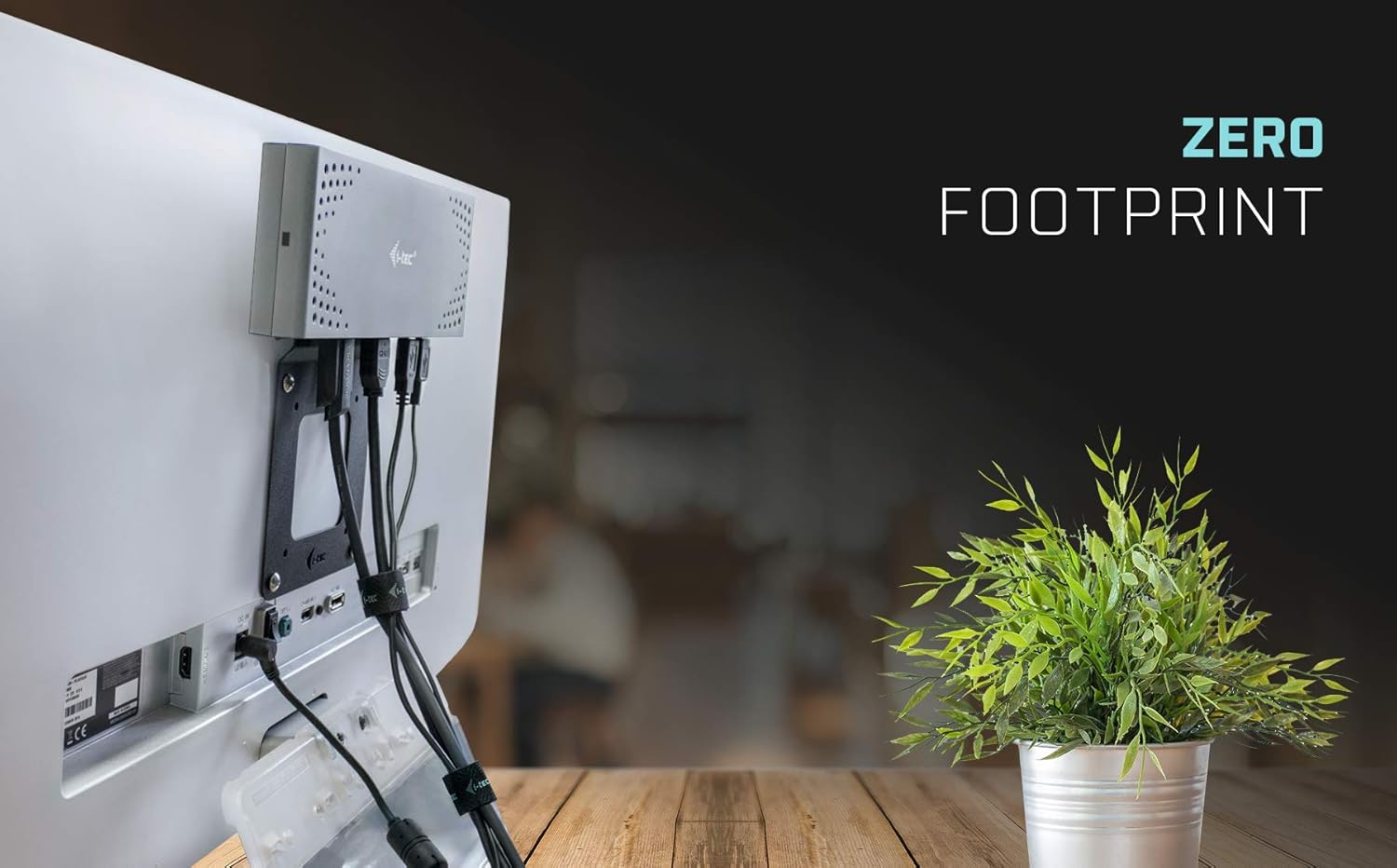
Figure 2.4: Compact design allowing for a zero footprint setup behind a monitor.
3. Contingut del paquet
Verifiqueu que tots els elements siguin presents al paquet:
- i-tec USB 3.0/USB-C 5K Universal Dual Display Docking Station
- USB-C cable with USB-C to USB-A adapter (100cm)
- Power adapter (DC cable 120cm)
- Guia d'inici ràpid

Figura 3.1: Tots els components inclosos al paquet del producte.
4. Instruccions de configuració
Segueix aquests passos per configurar la teva estació d'acoblament i-tec:
- Connectar l'alimentació: Connect the provided power adapter to the docking station's power input port, then plug the adapter into a power outlet.
- Connecta't al dispositiu amfitrió: Use the included USB-C cable. If your notebook or tablet has a USB-C or Thunderbolt 3 port, connect the USB-C end directly. If your device has a standard USB 3.0 (Type-A) port, attach the USB-C to USB-A adapter to the cable and then connect it to your device.
- Instal·leu els controladors: For optimal functionality, especially for display output, ensure the necessary drivers are installed. In most cases, your operating system will automatically install the required drivers upon connection. If not, please visit the official i-tec support website for the latest drivers specific to your operating system.
- Connecta les pantalles: Connect your external monitors to the docking station using HDMI or DisplayPort cables. The docking station supports up to two 4K/60Hz displays or one 5K/60Hz display.
- Connecteu els perifèrics: Connect your USB devices (e.g., keyboard, mouse, external drives), Ethernet cable, and audio devices (headphones, speakers, microphone) to the respective ports on the docking station.

Figure 4.1: Connection diagram for the docking station and peripherals.

Figura 4.2: Example of a fully connected workstation setup using the docking station.
5. Operating the Docking Station
Once connected and drivers are installed, your operating system should automatically detect the docking station and all connected peripherals. You can configure display settings and other device preferences through your operating system's control panel or system preferences.
5.1. Configuració de la pantalla
L'estació d'acoblament admet diverses configuracions de pantalla:
- Dual 4K Displays: Connect two monitors via HDMI or DisplayPort for resolutions up to 4096x2160@60Hz each.
- Single 5K Display: Connect one monitor for a resolution up to 5120x2880@60Hz.
- Mode d'escriptori estès: Extend your desktop across multiple screens for increased workspace and productivity.
- Mode mirall: Duplicate your primary display on external monitors, useful for presentations.
5.2. Ports USB
The six USB 3.0 ports provide high-speed data transfer for your peripherals such as external hard drives, flash drives, keyboards, and mice. These ports are backward compatible with USB 2.0 devices.
5.3. Connexió a la xarxa
The Gigabit Ethernet port provides a stable and fast wired network connection, supporting 10/100/1000 Mbps speeds. It also supports Wake-on-LAN (WoL) S3/S4, allowing you to remotely wake up your computer.
5.4. Àudio
Use the front-panel audio input and output jacks to connect headphones, speakers, or a microphone for your audio needs.
6. Manteniment i cura
Per garantir la longevitat i el funcionament correcte de la vostra estació d'acoblament, seguiu aquestes pautes de manteniment:
- Keep the docking station in a dry, well-ventilated area to prevent overheating.
- Eviteu exposar el dispositiu a temperatures extremes, humitat o llum solar directa.
- Clean the exterior with a soft, dry, lint-free cloth. Do not use liquid cleaners, aerosols, or abrasive materials.
- Ensure all cables are securely connected and not under excessive strain, which could damage the ports or cables.
- Periodically check for and install any available firmware or driver updates from the i-tec website to maintain optimal performance and compatibility.
7. Solució De Problemes
If you encounter issues with your docking station, refer to the following troubleshooting steps:
7.1. Sense sortida de pantalla
- Verify all display cables (HDMI/DisplayPort) are securely connected to both the docking station and the monitors.
- Ensure the docking station is powered on and correctly connected to your host device's USB 3.0, USB-C, or Thunderbolt 3 port.
- Check your operating system's display settings to ensure external monitors are detected and configured correctly (e.g., extended or mirrored mode).
- Update display drivers for your graphics card and the docking station. Visit the i-tec support weblloc per als darrers controladors.
- If experiencing a delay in graphics display after re-connection (especially on Linux systems), try restarting your host device.
7.2. USB Devices Not Working
- Ensure the USB device is properly plugged into a USB 3.0 port on the docking station.
- Try connecting the USB device to a different port on the docking station or directly to your host device to rule out device issues.
- Check your host device's Device Manager (Windows) or System Information (macOS) to see if the USB device is recognized.
7.3. Sense connexió de xarxa
- Verifiqueu que el cable Ethernet estigui connectat correctament tant a l'estació d'acoblament com al vostre encaminador/mòdem.
- Comproveu la configuració de xarxa al dispositiu amfitrió.
- Ensure the network adapter drivers for the docking station are installed and up to date.
7.4. Problemes d'àudio
- Confirm your speakers/headphones are correctly plugged into the audio output jack.
- Check your operating system's sound settings to ensure the docking station's audio output is selected as the default device.
7.5. Docking Station Not Recognized
- Ensure the docking station is connected to a compatible USB 3.0, USB-C, or Thunderbolt 3 port on your host device.
- Try connecting the docking station to a different port or a different host device to isolate the issue.
- Reinstall the docking station drivers from the i-tec support weblloc.
8. Especificacions tècniques
| Característica | Detall |
|---|---|
| Marca | i-tec |
| Model | USB 3.0/USB-C 5K Universal Dual Display Docking Station |
| Color | Negre |
| Interfície del maquinari | USB tipus C |
| Dispositius compatibles | Notebooks, Tablets, Speakers |
| Ports USB totals | 6 (USB 3.0, backward compatible with USB 2.0) |
| Ports HDMI | 2 |
| DisplayPort | 2 |
| Ethernet | 1x Gigabit Ethernet RJ-45 (10/100/1000 Mbps) |
| Àudio | 1x Audio Input, 1x Audio Output |
| Resolució màxima de pantalla | Dual 4K (4096x2160@60Hz) or Single 5K (5120x2880@60Hz) |
| Font d'alimentació | 40W (20V, 2A) |
| Pes de l'article | 338 grams |
| Sistemes operatius | Windows 7/8/8.1/10 (32/64 bit), macOS X, Linux Ubuntu 14.04/16.04, Android 6 and later |
| Kensington Lock | Sí |
9. Garantia i suport tècnic
For detailed warranty information and technical assistance, please refer to the official i-tec weblloc web o contacteu directament amb el seu servei d'atenció al client. Es recomana conservar el rebut de compra per a qualsevol reclamació de garantia.
Online resources, driver downloads, and frequently asked questions may be available at the official i-tec weblloc: i-tec.cz.