
abode 856160
Manual d'usuari del sensor de porta/finestra Abode Mini
Model: 856160 | Brand: abode
Introducció
The Abode Mini Door/Window Sensor is a compact, wireless device designed to enhance your home security by detecting the opening and closing of doors and windows. When paired with an Abode gateway (such as iota or Smart Security Kit), it provides immediate alerts and integrates seamlessly with smart home platforms like Apple HomeKit, Alexa, and Google Assistant. This manual provides detailed instructions for setup, operation, maintenance, and troubleshooting to ensure optimal performance of your sensor.
Què hi ha a la caixa
- 1 x Abode Mini Door/Window Sensor (main unit and magnet)
- Adhesive strips for installation
- 1 x CR2032 Lithium Ion battery (pre-installed)

Configuració
1. Pairing with Abode Gateway
Before physical installation, it is recommended to pair your Mini Door/Window Sensor with your Abode gateway (iota or Smart Security Kit). Follow the instructions within the Abode mobile application to add a new device. Ensure your gateway is powered on and within range.

2. Instal·lació física
The sensor consists of two parts: the main sensor unit and a smaller magnet. These two parts must be installed on the door/window and its frame, respectively, with a gap of no more than 0.75 inches when the door/window is closed. Use the included adhesive strips for easy, tool-free installation.
- Clean the surface where the sensor will be mounted to ensure proper adhesion.
- Connecteu la unitat de sensor principal al marc de la porta o de la finestra.
- Attach the magnet to the moving part of the door or window, aligning it with the main sensor unit.
- Ensure the two parts are within 0.75 inches of each other when the door/window is closed.


Video Guide: Abode Door/Window Sensors Overview
Vídeo: Un overview of Abode door/window sensors, including the Mini Door/Window Sensor, demonstrating their features and installation process. This video is provided by Abode Systems Inc.
Instruccions de funcionament
Immediate Alerts and Notifications
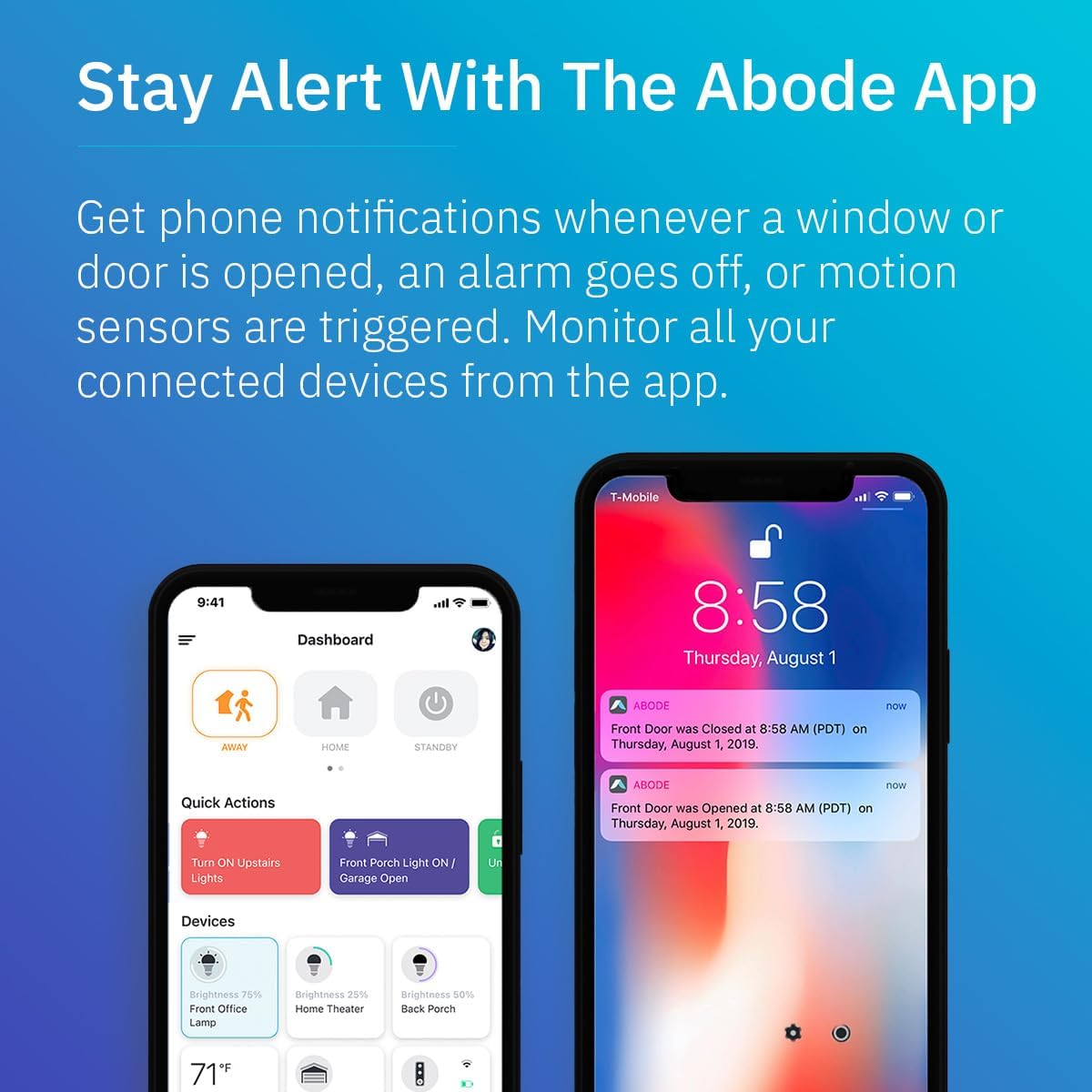
Once installed and paired, the sensor will trigger your Abode alarm system and send notifications to your smartphone whenever a monitored door or window is opened or closed. This provides real-time awareness of your home's entry points.
Compatibilitat amb la llar intel·ligent
The Abode Mini Door/Window Sensor is compatible with leading smart home ecosystems:
- Apple HomeKit: Integrate the sensor into your Apple Home app for control via Siri and automation with other HomeKit devices.
- Amazon Alexa: Ask Alexa for the status of your doors and windows, and configure Alexa to announce when a specific entry point is opened.
- Assistent de Google: Use Google Assistant to check sensor status and incorporate it into your Google Home routines.

Customization and Monitoring
- Unique Naming: Assign distinct names to each sensor (e.g., "Front Door," "Kitchen Window") within the Abode app to quickly identify the location of any triggered event.
- Activity History: View a detailed timeline of all open and close events for each sensor directly within the Abode application.
- Smart Automations: Utilize sensor triggers to activate other smart home devices or routines, such as turning on lights when a door opens or adjusting thermostat settings.
- Mode Customization: Configure sensor behavior based on your Abode system's security modes (e.g., active only in "Away" mode, or always active).
Manteniment
Canvi de bateria
The Abode Mini Door/Window Sensor is powered by a single CR2032 Lithium Ion battery, which is included and pre-installed. The battery typically lasts up to 4 years under normal usage conditions. The Abode app will notify you when the battery level is low, prompting for replacement.
Per substituir la bateria:
- Gently slide open the battery compartment cover on the main sensor unit.
- Traieu la bateria CR2032 antiga.
- Introduïu una pila CR2032 nova, assegurant-vos de la polaritat correcta (+/-).
- Tanqueu bé la tapa del compartiment de la bateria.
- Verify the sensor reconnects to your Abode system via the app.
Resolució de problemes
Sensor Not Responding / Offline
- Comproveu la bateria: Assegureu-vos que la bateria no estigui esgotada. Substituïu-la si cal.
- Interval: Verify the sensor is within effective wireless range of your Abode gateway. Obstacles like thick walls can reduce range.
- Torna a emparellar: Try removing the sensor from your Abode app and re-pairing it.
- Gateway Status: Ensure your Abode gateway is online and functioning correctly.
False Alarms / Incorrect Status
- Alineació: Check that the main sensor unit and the magnet are properly aligned and within the 0.75-inch gap when the door/window is closed.
- Muntatge segur: Ensure both parts are securely attached and not shifting, which could cause intermittent contact.
- Interferència: While rare, strong electromagnetic interference nearby could potentially affect performance.
Especificacions
| Característica | Detall |
|---|---|
| Marca | residència |
| Número de model | 856160 |
| Font d'alimentació | Funciona amb bateria |
| Tipus de bateria | 1 x CR2032 Lithium Ion (included) |
| Durada de la bateria | Fins a 4 anys |
| Tecnologia de connectivitat | Sense fil |
| Tipus d'instal·lació | Wireless DIY (Adhesive) |
| Tipus d'alerta | Entrada |
| Dispositius compatibles | Abode Home Security Systems (iota, Smart Security Kit) |
| Mètode de control | App (Abode App) |
| Dimensions (paquet) | 3.23 x 1.89 x 0.94 polzades |
| Pes de l'article | 1.13 unces |
| Fabricant | Abode Systems, Inc. |
| País d'origen | Taiwan |
Garantia i Suport
For warranty information, technical support, or further assistance with your Abode Mini Door/Window Sensor, please contact Abode Systems, Inc. directly. You can find their contact details on the official Abode website or through the Abode mobile application's support section.
Visit the official Abode Store for more information: Abode Store on Amazon
Ask a question about this manual
Ask about setup, troubleshooting, compatibility, parts, safety, or missing instructions. Manuals+ will review the question and use this page’s manual context to help answer it.