
Introducció
This manual provides detailed instructions for the installation, operation, and maintenance of your Amazon Basics Dual Monitor Stand, model DLB112. This desk-mounted stand is designed to support two monitors, enhancing your workspace ergonomics and organization. Please read this manual thoroughly before installation and use to ensure proper setup and safe operation.
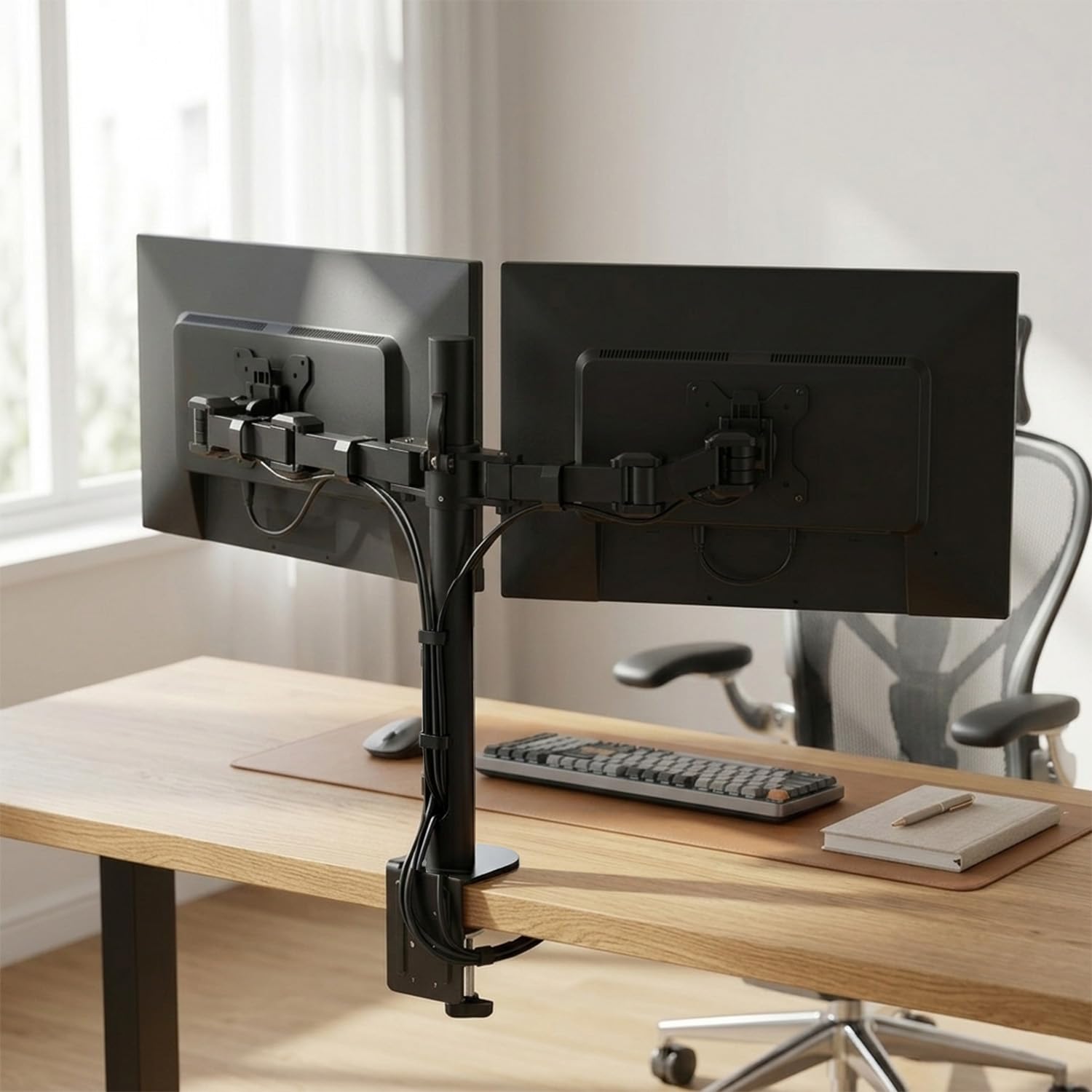
The Amazon Basics Dual Monitor Stand provides a stable and adjustable solution for two displays.
Informació de seguretat
- Llegeix totes les instruccions: Assegureu-vos d'entendre totes les instruccions de muntatge i funcionament abans d'utilitzar-lo.
- Capacitat de pes: Do not exceed the maximum weight capacity of 10 kg (22 lbs) per arm. Overloading can cause instability and potential damage.
- Mida del monitor: This stand is designed for monitors between 13 and 30 inches.
- Gruix de l'escriptori: Ensure your desk is between 0.8 to 3.9 inches thick for secure clamp instal·lació.
- Punts de pinçament: Be aware of potential pinch points during adjustment and installation. Keep hands clear of moving parts.
- Instal·lació segura: Verify that all screws and connections are securely tightened before placing monitors on the stand.
- Nens i animals de companyia: Keep children and pets away from the stand during installation and adjustment.
Contingut del paquet
Abans de començar la instal·lació, assegureu-vos que totes les peces hi siguin presents i no estiguin danyades. Si falta alguna peça o està danyada, no continueu amb el muntatge i poseu-vos en contacte amb el servei d'atenció al client.
- Monitor Arm Body (Pole and Arms)
- Escriptori Clamp Assemblea
- VESA Plates (Detachable)
- All necessary tools and hardware (screws, washers, Allen wrenches)
- Manual de funcionament (aquest document)
Instruccions de configuració
Follow these steps carefully to install your dual monitor stand.
Step 1: Prepare Your Desk
Ensure your desk surface is clean and clear. The desk clamp requires a desk thickness between 0.8 and 3.9 inches for secure attachment.
Step 2: Assemble the Desk Clamp i Pol
- Col·loca l'escriptori clamp base to the main pole using the provided screws and tools.
- Position the assembled clamp and pole on the edge of your desk.
- Apretar el clamp securely to the desk using the adjustment knob until the pole is stable and does not wobble.

L'escriptori clamp securely attaches the monitor stand pole to your desk surface.
Pas 3: connecteu les plaques VESA als monitors
Each monitor requires a VESA plate to be attached to its back panel.
- Identify the VESA mounting holes on the back of your monitors. This stand supports VESA patterns of 75x75mm and 100x100mm.
- Align a detachable VESA plate with the mounting holes on the back of one monitor.
- Secure the VESA plate to the monitor using the appropriate screws and washers provided. Do not overtighten.
- Repetiu el procés per al segon monitor.

Col·loqueu la placa VESA a la part posterior del monitor amb els cargols que es proporcionen.
Pas 4: Muntar els monitors als braços
With the VESA plates attached to your monitors, you can now mount them onto the stand's arms.
- Carefully slide the monitor (with the attached VESA plate) onto the VESA head of one arm.
- Ensure the monitor is securely seated and the locking mechanism engages.
- Repeat for the second monitor on the other arm.
Step 5: Adjust Arm Height and Position
Once both monitors are mounted, you can adjust the arms along the pole to your desired height and position.
- Loosen the adjustment collars on the pole to move the arms up or down.
- Position the arms so your monitors are at an ergonomic viewing height. The horizontal arm mount adjusts from 7.9 to 14.2 inches high.
- Tighten the adjustment collars firmly to secure the arms in place.

The stand allows for height adjustment of the monitors for better posture and viewing.
Instruccions de funcionament
The Amazon Basics Dual Monitor Stand offers various adjustments for optimal viewcomoditat.
Rotació del monitor
Each monitor can be rotated 360 degrees, allowing for quick switching between landscape and portrait modes. Simply grasp the edges of your monitor and rotate it to the desired orientation.
Ajust de la inclinació de la pantalla
The screen tilt can be adjusted from -15 to +85 degrees. Loosen the tilt adjustment knob behind the VESA plate, tilt the monitor to your preferred angle, and then re-tighten the knob to secure it.

Monitors can be rotated 360 degrees and tilted from -15 to +85 degrees for flexible viewing.
Gestió de cables
The stand features an integrated cable-management system to keep your workspace tidy. Route monitor cables through the clips or channels along the arms and down the main pole. This helps to reduce clutter and maintain a clean appearance.

Integrated cable management helps organize monitor cables for a clutter-free desk.
Manteniment
- Comprovacions periòdiques: Reviseu periòdicament tots els cargols, perns i connexions per assegurar-vos que romanen ajustats. Torneu a apretar-los si cal per mantenir l'estabilitat.
- Neteja: Clean the stand with a soft, dry cloth. For stubborn marks, a slightly damp cloth can be used, followed by drying. Avoid using abrasive cleaners, solvents, or strong chemicals, as these can damage the finish.
- Lubricació: No lubrication is required for the moving parts.
Resolució de problemes
- Monitors are tilting or not holding position: Ensure the tilt adjustment knob behind the VESA plate is securely tightened. Some models may have an additional adjustment screw beneath a cover on the arm; check and tighten this if present.
- Stand wobbles: Verifiqueu que l'escriptori estigui ben tancatamp is fully and securely tightened to the desk surface. Ensure the desk itself is stable.
- Difficulty adjusting arm height: Loosen the adjustment collars on the main pole sufficiently before attempting to move the arms. Once at the desired height, re-tighten firmly.
- Els monitors no estan anivellats: Slight adjustments can be made by carefully rotating the VESA plate on the arm or by adjusting the height of individual arms if your model allows for independent height adjustment.
Especificacions
| Número de model | DLB112 |
| Marca | conceptes bàsics d'Amazon |
| Tipus de muntatge | Suport de taula (Cl)amp) |
| Tipus de moviment | Rotate, Tilt |
| Material | Acer d'aliatge |
| Color | Negre |
| Dispositius compatibles | Monitor |
| Minimum Supported Screen Size | 13 polzades |
| Maximum Supported Screen Size | 30 polzades |
| Capacitat màxima de pes | 10 kg (22 lbs) per arm |
| Angle d'inclinació màxim | 15 Degrees (up to +85 degrees) |
| Interval d'ajust d'altura | De 7.9 a 14.2 polzades |
| Compatibilitat VESA | 75x75mm, 100x100mm |
| Desk Thickness Compatibility | De 0.8 a 3.9 polzades |
| Recompte d'unitats | 1 recompte |
| País d'origen | Xina |
| Pes de l'article | 9.63 lliures |
| Fabricant | Loctek Ergonomic Technology Corp. |
Garantia
This Amazon Basics Dual Monitor Stand comes with a Garantia limitada d'1 any from the date of purchase. This warranty covers manufacturing defects and material flaws under normal use. It does not cover damage caused by misuse, accidents, unauthorized modifications, or exceeding the specified weight limits.
Conserveu el vostre comprovant de compra per a reclamacions de garantia.
Suport
For warranty-related queries, technical assistance, or any other support needs, please contact:
- Telèfon: 1800-419-2373
- Correu electrònic: clicktech@blubirch.com
- Horari de treball: Monday - Saturday, 10:00 AM to 6:00 PM (excluding National Holidays)
Manufacturer Contact Information: Loctek Ergonomic Technology Corp., No.588 Qihang South Road, Binhai Industrial Zone Administrative Committee, Yinzhou District, Ningbo, China.