
Andoer HDV-534K
Andoer HDV-534K 4K 48 MP WiFi Digital Video Camera User Manual
Model: HDV-534K
Introducció
This manual provides comprehensive instructions for the operation and maintenance of your Andoer HDV-534K 4K 48 MP WiFi Digital Video Camera. Please read this manual thoroughly before using the camera to ensure proper functionality and to maximize your user experience.
The Andoer HDV-534K is a high-definition digital video camera capable of recording 4K (2880 x 2160) video at 24 frames per second (interpolated) and capturing still photos at 48MP (9212 x 5184) (interpolated). It features a 3-inch capacitive touchscreen for intuitive control and vivid display.
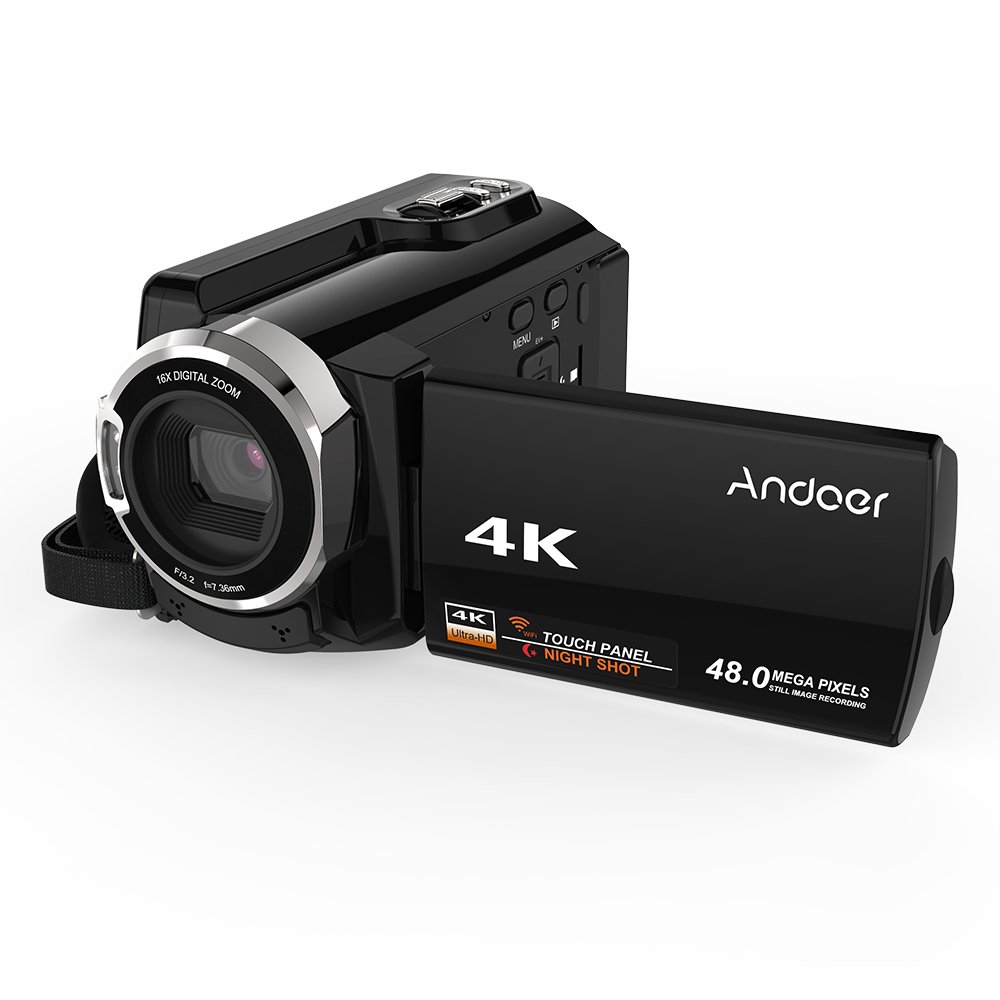
Figure 1: Andoer HDV-534K Digital Video Camera. This image shows the camera from the front-right, with the screen open, displaying the "4K" and "Andoer" branding.
Components i controls del producte
Familiarize yourself with the various parts and controls of your Andoer HDV-534K camera.

Figure 2: Detailed diagram of the Andoer HDV-534K camera, highlighting key components and controls such as the 3-inch touchscreen, MENU button, Playback button, T/W (Telephoto/Wide) zoom, Photo button, Mode button, Up/EV+, Right/IR, T-Flash Card Slot, AV/USB/HD Port, Left/Timed, Power button, Display/WiFi, Down/EV-, Infrared Light (IR), Lens, Mic, Secure Digital Memory Card Slot, Power Light, Charging Light, Start/Stop button, Strap, and Battery compartment.
Components clau:
- Lent: Captura imatges i vídeo.
- Llum infraroja (IR): Used for night vision recording.
- 3-inch Capacitive Touchscreen: Per viewing and navigating menus.
- Compartiment de la bateria: Conté la bateria recarregable.
- Secure Digital Memory Card Slot: For inserting SD/SDHC memory cards (not included).
- AV/USB/HD Port: Multi-functional port for connecting to external devices.
- 1/4" Tripod Thread: Located at the bottom for mounting on a tripod.
Guia de configuració
1. Carregant la bateria
Before first use, fully charge the camera's battery. The Andoer HDV-534K uses a 3.8V 2500mAh lithium polymer battery, designed for longer service time.
- Insert the battery into the battery compartment, ensuring correct orientation.
- Connecteu la càmera a una font d'alimentació amb el cable USB i l'adaptador de corrent proporcionats.
- The Charging Light will indicate the charging status. Refer to the camera's display for battery level.

Figure 3: Image showing the camera with the battery inserted, emphasizing the "Bigger Capacity Longer Service Time" feature of the 3.8V 2500mAh lithium polymer battery.
2. Inserció d'una targeta de memòria
The camera requires an SD/SDHC memory card (not included) to store photos and videos.
- Locate the Secure Digital Memory Card Slot on the camera.
- Insert the memory card with the metal contacts facing the correct direction until it clicks into place.
- Per treure-la, premeu suaument la targeta fins que surti disparada.
3. Engegada inicial
- Obriu la pantalla LCD.
- Manteniu premut el botó Poder button until the camera turns on.
- Follow any on-screen prompts for initial setup, such as setting date and time.
Instruccions de funcionament
Gravació de vídeos
- Ensure the camera is in video recording mode. If not, press the Mode botó per canviar.
- Frame your shot using the 3-inch touchscreen.
- Premeu el botó Inici/Parada per començar a gravar. L'indicador de gravació apareixerà a la pantalla.
- Premeu el botó Inici/Parada botó de nou per aturar la gravació.

Figure 4: The Andoer HDV-534K camera held in hand, displaying a 4K Ultra HD picture on its screen, demonstrating its video recording capability.
Fer Fotos
- Canvieu al mode foto prement el botó Mode botó.
- Compon la teva foto.
- Premeu el botó Foto button to capture an image.
Funció de zoom
The camera features 16x digital zoom.
- Utilitza el T/W (Telephoto/Wide) button to zoom in (T) or zoom out (W).
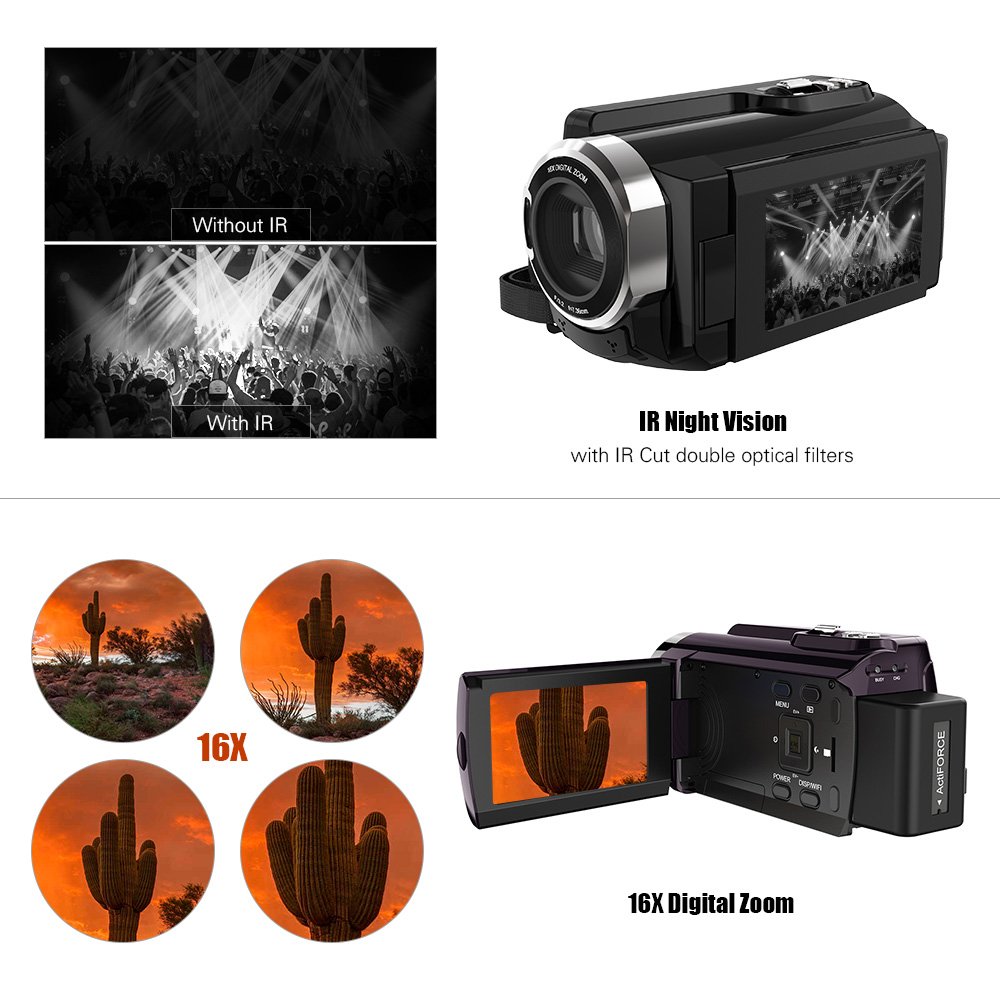
Figure 5: Illustration of the 16x digital zoom capability, showing four magnified views of a cactus, and a comparison of video quality with and without IR night vision.
Infrared (IR) Night Vision
Activate IR night vision for recording in low-light or dark conditions.
- Premeu el botó Right/IR button to toggle IR night vision on or off.
Connecting to Other Devices (WiFi & USB/HDMI)
The camera supports WiFi connectivity for wireless transfer and control, and can also connect via AV/USB/HD cable.
- WiFi: Premeu el botó Display/WiFi button to activate WiFi. Use the dedicated app on your smartphone or tablet to connect and transfer files.
- AV/USB/HD Cable: Connect the camera to a computer or TV using the appropriate cable for file transfer or direct viewing.

Figure 6: Diagram illustrating the connectivity options of the Andoer HDV-534K, showing connection via AV/USB/HD Cable to a laptop and via WiFi to smartphones.
Manteniment
Neteja de la càmera
- Feu servir un drap suau i sec per netejar el cos de la càmera.
- For the lens and touchscreen, use a specialized lens cleaning cloth and solution to avoid scratches.
- No utilitzeu detergents ni dissolvents forts.
Cura de la bateria
- Guardeu la bateria en un lloc fresc i sec quan no la feu servir.
- Eviteu descarregar completament la bateria amb freqüència per allargar-ne la vida útil.
- Si l'emmagatzemeu durant períodes prolongats, carregueu la bateria fins a aproximadament un 50% de la seva capacitat.
Emmagatzematge
- Store the camera in a dust-free environment, preferably in a camera bag.
- Eviteu temperatures extremes i humitat elevada.
Resolució de problemes
| Problema | Causa possible | Solució |
|---|---|---|
| La càmera no s'encén. | La bateria està esgotada o inserida incorrectament. | Carregueu la bateria completament. Assegureu-vos que la bateria estigui inserida amb la polaritat correcta. |
| No es poden gravar vídeos/fer fotos. | La targeta de memòria està plena, no està inserida o està malmesa. | Check memory card. Delete unnecessary files or insert a new card. Format the card if necessary (this will erase all data). |
| Mala qualitat d'imatge/vídeo. | Lens is dirty. Insufficient lighting. Incorrect settings. | Clean the lens. Ensure adequate lighting or activate IR night vision. Check resolution settings. |
| Problemes de connexió Wi-Fi. | Incorrect WiFi settings. App issues. | Ensure WiFi is enabled on camera and device. Restart both devices. Reinstall the camera's companion app. |
Especificacions
The following are the technical specifications for the Andoer HDV-534K Digital Video Camera:
| Característica | Detall |
|---|---|
| Model | HDV-534K |
| Resolució de captura de vídeo | 4K (2880 x 2160) 24fps (interpolation) |
| Resolució fotogràfica | 48MP (9212 x 5184) (interpolation) |
| Mida de la pantalla | 3 Inches Capacitive Touchscreen |
| Zoom digital | 16x |
| Tecnologia de connectivitat | Wi-Fi |
| Tecnologia del sensor fotogràfic | CMOS |
| Apertura màxima | 1.8 f |
| Tipus de memòria flash | SmartMedia, SDHC |
| Format de captura de vídeo | MP4 |
| Format d'àudio compatible | MP4 (AAC/MP3) |
| Pes de l'article | 640 g |
| Fabricant | Xina |
| Primera data disponible | 11 d'octubre de 2017 |
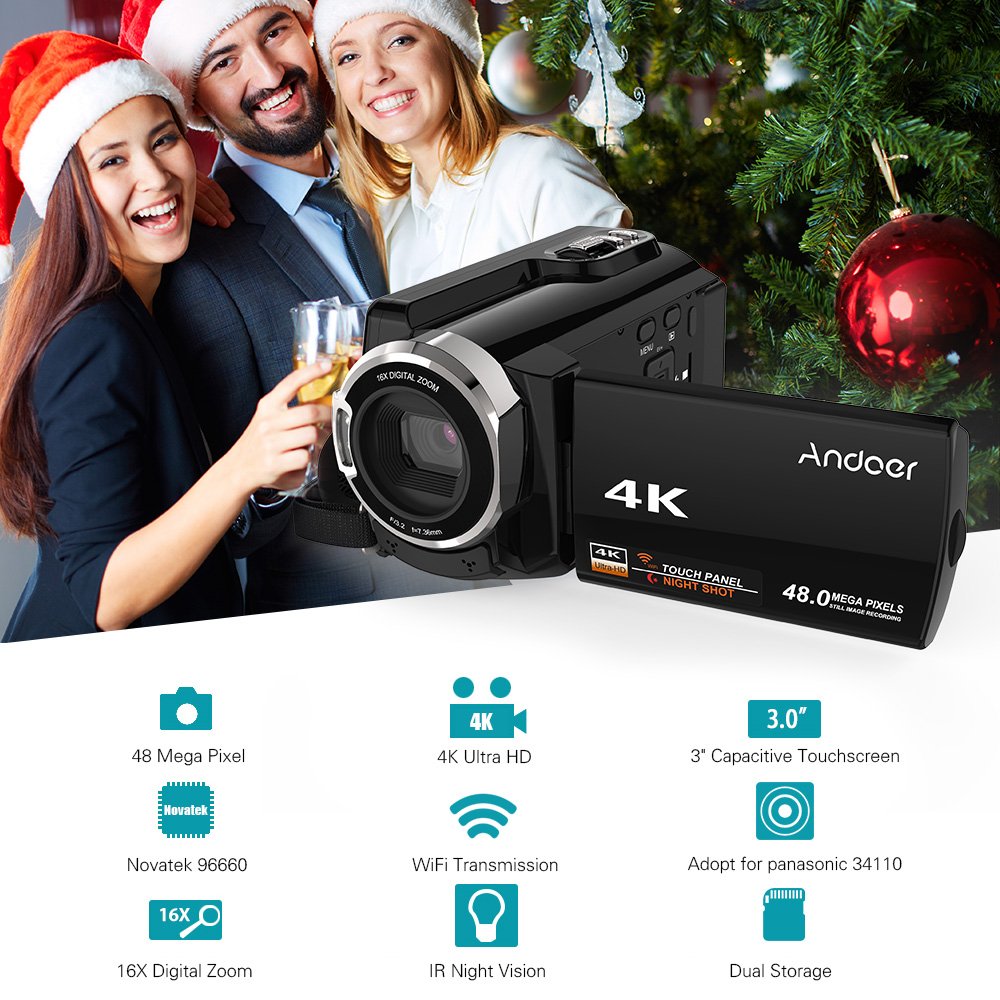
Figure 7: Infographic summarizing key features of the Andoer HDV-534K, including 48 Megapixel, 4K Ultra HD, 3.0" Capacitive Touchscreen, Novatek 96660 processor, 16X Digital Zoom, WiFi Transmission, IR Night Vision, and Dual Storage.
Garantia i Suport
For warranty information and customer support, please refer to the documentation included with your purchase or contact Andoer customer service directly. Specific warranty terms and conditions may vary by region and retailer.
Si us plau, conserveu el comprovant de compra per a qualsevol reclamació de garantia.
Ask a question about this manual
Ask about setup, troubleshooting, compatibility, parts, safety, or missing instructions. Manuals+ will review the question and use this page’s manual context to help answer it.