
Introducció
The uxcell BT168 is a compact and lightweight universal battery tester designed to quickly assess the charge status of various household batteries. This device operates without requiring its own internal batteries, drawing power directly from the battery being tested.
It features an easy-to-read analog display that indicates the battery's condition as "Good," "Low," or "Replace/Recharge" using a color-coded scale. The BT168 is suitable for testing standard and rechargeable batteries, including AA, AAA, C, D, 1.5V button cells, and 9V batteries.
Informació de seguretat
- Do not attempt to test batteries that are visibly damaged or leaking.
- Ensure correct polarity when inserting batteries into the tester. Incorrect polarity may not damage the tester but will prevent an accurate reading.
- Mantingueu el dispositiu allunyat de l'aigua i de la humitat excessiva.
- This device is for testing purposes only. Do not use it as a charger or for any other unintended purpose.
- Mantenir fora de l'abast dels nens.
Configuració
The uxcell BT168 battery tester requires no assembly or internal batteries. It is ready for immediate use upon removal from its packaging.
Instruccions de funcionament
Follow these steps to test your batteries:
- Identifica el tipus de bateria: Determine the type of battery you wish to test (e.g., AA, AAA, C, D, 9V, 1.5V button cell).
-
Insereix la bateria:
- For 1.5V Batteries (AA, AAA, C, D, Button Cell): Place the battery between the two testing arms. The positive (+) terminal should contact the fixed positive contact, and the negative (-) terminal should contact the movable arm. Gently slide the movable arm to secure the battery.
- Per a bateries de 9V: Connect the terminals of the 9V battery to the two contacts located at the top of the tester, ensuring correct polarity.
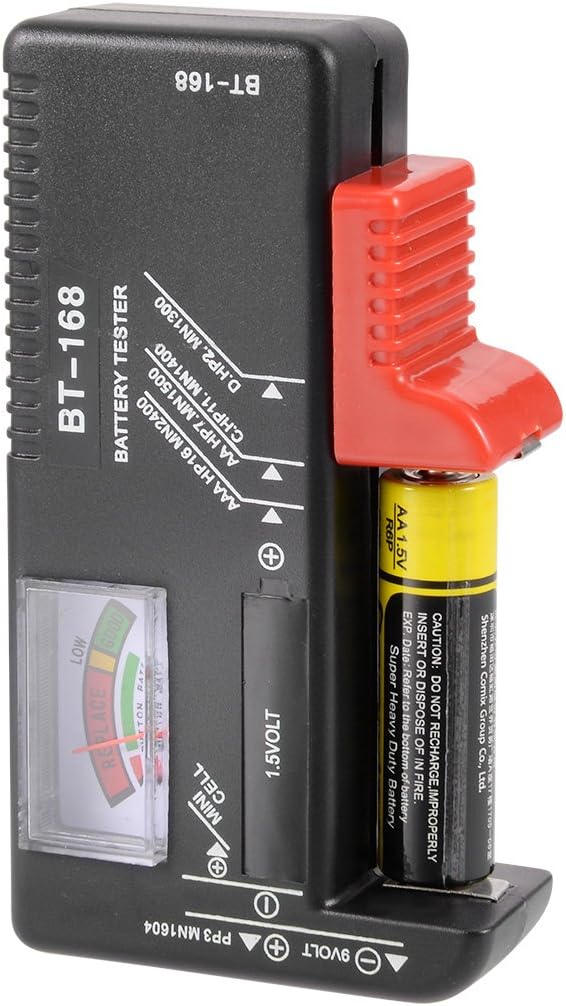
Figure 1: Correct insertion of a 1.5V AA battery into the tester.

Figura 2: superior view of the tester showing the 9V battery contacts and the analog display.
-
Llegeix la pantalla: Once the battery is correctly inserted, the analog needle on the display will move to indicate the battery's charge level.
- Green Zone ("GOOD"): La bateria té prou càrrega.
- Yellow Zone ("LOW"): The battery charge is low and may need replacement or recharging soon.
- Red Zone ("REPLACE" / "RECHARGE"): The battery is depleted and needs to be replaced or recharged immediately.
- Traieu la bateria: After reading the result, carefully remove the battery from the tester.
Manteniment
- Neteja: Netegeu el provador amb un drap suau i sec. No utilitzeu productes de neteja abrasius ni dissolvents.
- Emmagatzematge: Guardeu el dispositiu en un lloc fresc i sec, allunyat de la llum solar directa i de temperatures extremes.
- Inspecció: Periodically check the testing contacts for any dirt or corrosion and clean if necessary to ensure accurate readings.
Resolució de problemes
| Problema | Causa possible | Solució |
|---|---|---|
| Needle does not move. |
|
|
| Lectures inconsistents. |
|
|
Especificacions
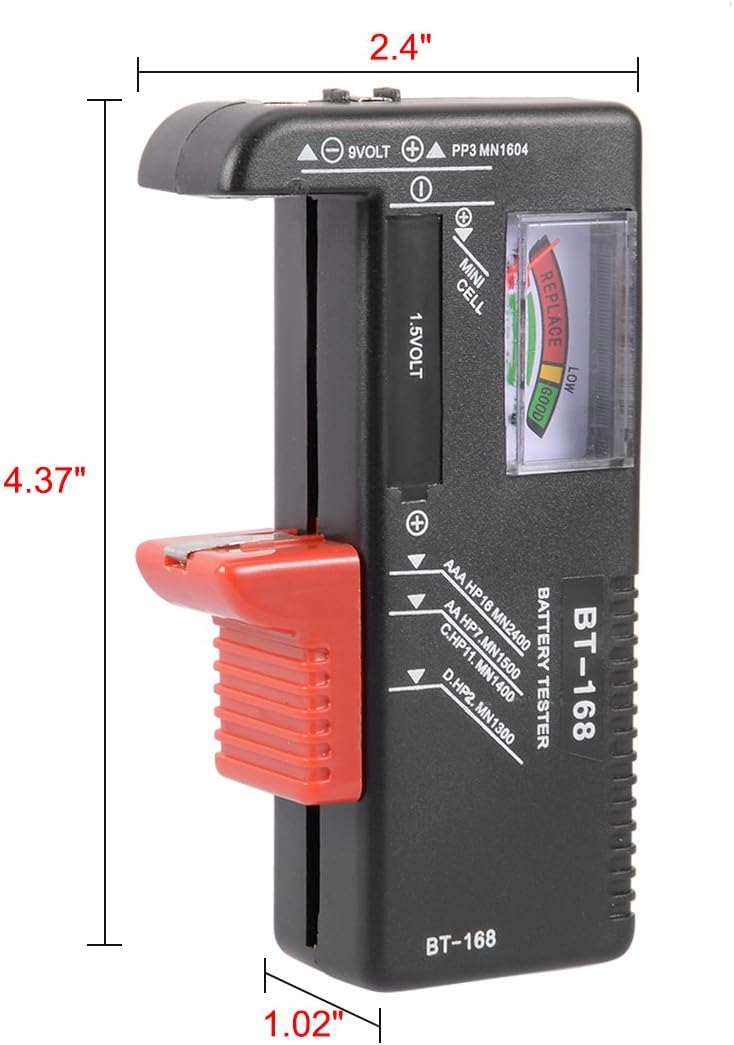
Figure 3: Dimensions of the uxcell BT168 battery tester.
- Model: BT168
- Número de peça: a17090100ux0119
- Tipus de bateries compatibles: AA, AAA, C, D, 9V (PP3, MN1604, 6F22, 006P), 1.5V Button Cell (all kinds)
- Font d'alimentació: Battery Powered (uses power from the battery being tested)
- Material: Plàstic, metall
- Pes de l'article: Aproximadament 2.39 unces (67.7 grams)
- Dimensions del paquet: Aproximadament 6.8 x 4 x 1 polzades
Garantia i Suport
For warranty information and customer support, please refer to the documentation provided with your purchase or contact the seller directly. You may also visit the official uxcell store on Amazon per a més detalls.