
1. Introducció
This manual provides essential information for the safe and efficient operation of your InFocus IN3148HD 1080p 5000 Lumen Professional Projector. Please read these instructions thoroughly before using the projector and retain them for future reference. The InFocus IN3148HD is designed for professional environments, offering high brightness, full HD resolution, and versatile connectivity for various presentation needs.

Figura 1: Frontal view of the InFocus IN3148HD Projector.
2. Característiques clau
The InFocus IN3148HD projector offers a range of features designed for high-performance presentations:
- 1080p (1920 x 1080) Native Resolution: Delivers crisp, high-definition images.
- Brillantor de 5000 lúmens: Ensures clear visibility in well-lit rooms.
- Zoom òptic 1.5x: Provides flexibility in projector placement and image sizing.
- Suport 3D: Compatible with Blu-ray and other 3D content sources.
- 10W Speaker: Integrated audio for presentations.
- Múltiples opcions de connectivitat: Includes two HDMI 1.4 ports, VGA, and more.
- Monitorització de la xarxa: Allows for remote management and control.
Vídeo 1: Un overview of the InFocus IN3148HD projector's features and capabilities.
3. Configuració i instal·lació
3.1 Desembalatge
Carefully remove the projector and all accessories from the packaging. Verify that all components listed in the packing list are present and undamaged. Keep the original packaging for future transport or storage.
3.2 Col·locació
Position the projector on a stable, flat surface or mount it securely. Ensure adequate ventilation around the unit to prevent overheating. Consider the throw distance and screen size for optimal image quality. The projector supports both tabletop and ceiling mount installations.

Figure 2: Projector dimensions for installation planning.
4. Connectivitat
The IN3148HD offers a variety of input and output ports for connecting to different devices.
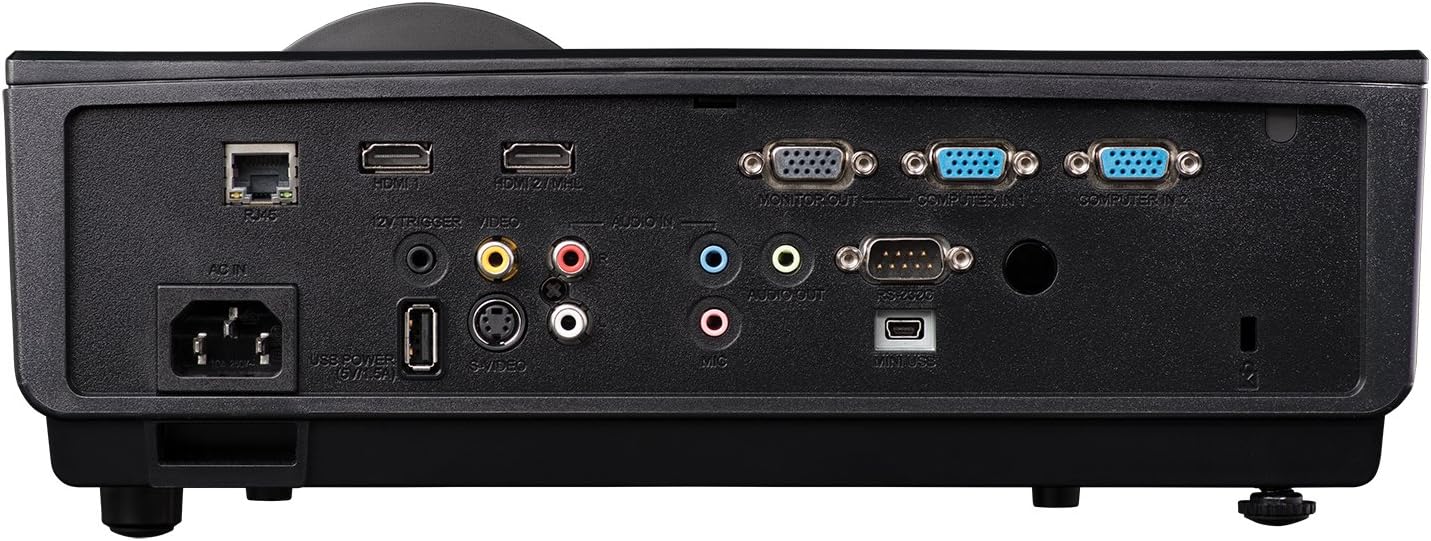
Figure 3: Rear panel showing available connection ports.
- HDMI (x2): For digital video and audio input from computers, Blu-ray players, and other HDMI-enabled devices.
- VGA (x2): For analog video input from computers.
- USB: Per a actualitzacions de servei o firmware.
- Xarxa (RJ45): Per al control i la monitorització de la xarxa.
- Entrada/Sortida d'àudio: 3.5mm jacks for external audio sources or output to external speakers.
- Vídeo (RCA): For composite video input.
5. Funcionament
5.1 Encès/Apagat
- Encès: Connect the power cord and press the power button on the projector or remote control. The power indicator light will turn blue.
- Apagar: Press the power button twice. The projector will enter a cooling cycle before shutting down completely.
5.2 Ajust de la imatge
- Focus: Gireu l'anell d'enfocament de l'objectiu fins que la imatge quedi nítida.
- Zoom: Adjust the zoom ring on the lens to change the image size.
- Correcció Keystone: Use the keystone correction function in the OSD (On-Screen Display) menu to correct trapezoidal image distortion.
6. 3D Functionality
The InFocus IN3148HD projector supports 3D content from compatible sources, such as Blu-ray players. To experience 3D, you will need active 3D glasses (sold separately) and a 3D-enabled source device.
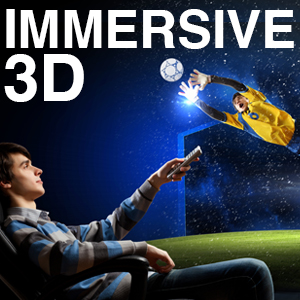
Figure 4: Visual representation of 3D content viewing.
7. Manteniment
Un manteniment regular garanteix un rendiment òptim i allarga la vida útil del projector.
- Lamp Substitució: El lamp has a limited lifespan. Refer to the OSD menu for lamp informació horària. Substitueix la lamp when its brightness significantly decreases or when the lamp indicator light illuminates. Always use genuine InFocus replacement lamps.
- Neteja de filtres: Clean the air filter regularly to prevent dust buildup, which can affect cooling and image quality. Refer to the full user manual for specific instructions on accessing and cleaning the filter.
- Neteja de lents: Use a soft, lint-free cloth and a specialized lens cleaning solution to gently clean the projector lens. Avoid abrasive materials.
8. Solució De Problemes
If you encounter issues with your projector, consult the table below for common problems and solutions.
| Problema | Causa possible | Solució |
|---|---|---|
| No es mostra cap imatge | Power cable disconnected, input source not selected, lamp fracàs. | Check power connection, select correct input source, replace lamp si cal. |
| La imatge és borrosa | Lens out of focus, incorrect throw distance. | Ajusteu l'anell d'enfocament, reposicioneu el projector. |
| Sense àudio | Volume too low, audio cable disconnected, incorrect audio source. | Increase volume, check audio cable connections, select correct audio input. |
| El projector es sobreescalfa | Blocked ventilation, dirty air filter. | Ensure clear ventilation, clean air filter. |
9. Especificacions
Detailed technical specifications for the InFocus IN3148HD projector.
| Característica | Especificació |
|---|---|
| Marca | Enfoc |
| Nom del model | IN3148HD |
| Resolució de visualització | 1920 x 1080 (1080p) |
| Brillantor | 5000 Lumens (ANSI) |
| Relació de contrast | 1000:1 |
| Tipus de visualització | DLP |
| Tecnologia de connectivitat | HDMI, USB, VGA |
| Característica especial | Transmissió en 3D |
| Lamp Wattage | 310 watts |
| Vida operativa de la font de llum | 4500 hores |
| Pes de l'article | 4.47 quilos |
10. Garantia i Suport
For warranty information, technical support, or service inquiries, please refer to the warranty card included with your product or visit the official InFocus weblloc web. Conserveu el rebut de compra com a comprovant de compra per a reclamacions de garantia.