
Introducció
Welcome to the user manual for your FOREO ISSA 2 Sonic Electric Toothbrush. This device is designed to provide an advanced oral care experience, combining enhanced sonic pulse technology with a unique brush head. Please read these instructions carefully before first use to ensure optimal performance and longevity of your device.

Imatge: Frontal view of the FOREO ISSA 2 Sonic Electric Toothbrush in Mint color.

Image: A collection of FOREO ISSA toothbrushes in various colors, showcasing the design.
Informació de seguretat
- This device is intended for oral hygiene as described in this manual. Any other use may result in damage to the device or injury.
- Consult a dentist or physician before use if you have any oral health concerns or medical conditions.
- Do not use the device if it appears damaged in any way.
- Mantingueu-ho fora de l'abast dels nens. Aquest dispositiu no és una joguina.
- Eviteu utilitzar productes de neteja o productes químics abrasius al dispositiu.
Què hi ha a la caixa
Your FOREO ISSA 2 package includes the following items:
- FOREO ISSA 2 Sonic Electric Toothbrush Unit
- Cable de càrrega USB

Image: The FOREO ISSA 2 Sonic Electric Toothbrush displayed in its original retail packaging.
Configuració
Càrrega del dispositiu
Before first use, fully charge your ISSA 2 device. A full charge provides extended usage time.
- Locate the charging port at the base of the toothbrush.
- Connecteu el cable de càrrega USB proporcionat al dispositiu.
- Plug the other end of the USB cable into any compatible USB power source (e.g., wall adapter, computer USB port).
- El llum indicador del dispositiu mostrarà l'estat de càrrega. Consulteu els patrons de llum específics del dispositiu per obtenir la indicació de càrrega completa.
The device requires 1 Lithium Polymer battery, which is included and integrated.
Primer ús
After charging, your ISSA 2 is ready for use. Ensure the brush head is securely attached.
Instruccions de funcionament
Raspallar-se les dents
- Dampen the brush head and apply your preferred toothpaste.
- Premeu el botó d'engegada per activar el dispositiu.
- Brush your teeth for two minutes using circular motions, similar to how you would use a manual toothbrush. The device may have a built-in timer to guide you.
- After brushing, press the power button again to turn off the device.
- Rinse your mouth and the ISSA 2 with water. If using fluoride toothpaste, you may choose to avoid rinsing your mouth immediately after brushing to maximize fluoride benefits, but always rinse the device.

Image: A user demonstrating the brushing motion with the FOREO ISSA 2 toothbrush.
Using the Tongue Cleaner
The ISSA 2 features an integrated tongue cleaner on the back of the brush head to help complete your oral care routine.
- After brushing your teeth, turn the device over so the back of the brush head faces your tongue.
- Gently glide the tongue cleaner across your tongue from back to front.
- Rinse your mouth and the device thoroughly after use.

Imatge: Enrere view of the FOREO ISSA 2, highlighting the integrated tongue cleaner.
Manteniment
Neteja del dispositiu
To maintain hygiene and performance, clean your ISSA 2 after each use.
- Rinse the brush head and the entire device under running water.
- Wipe the body of the device with a clean, dry cloth.
- Avoid using alcohol, petrol, or acetone-based cleaning products, as these may damage the silicone material.
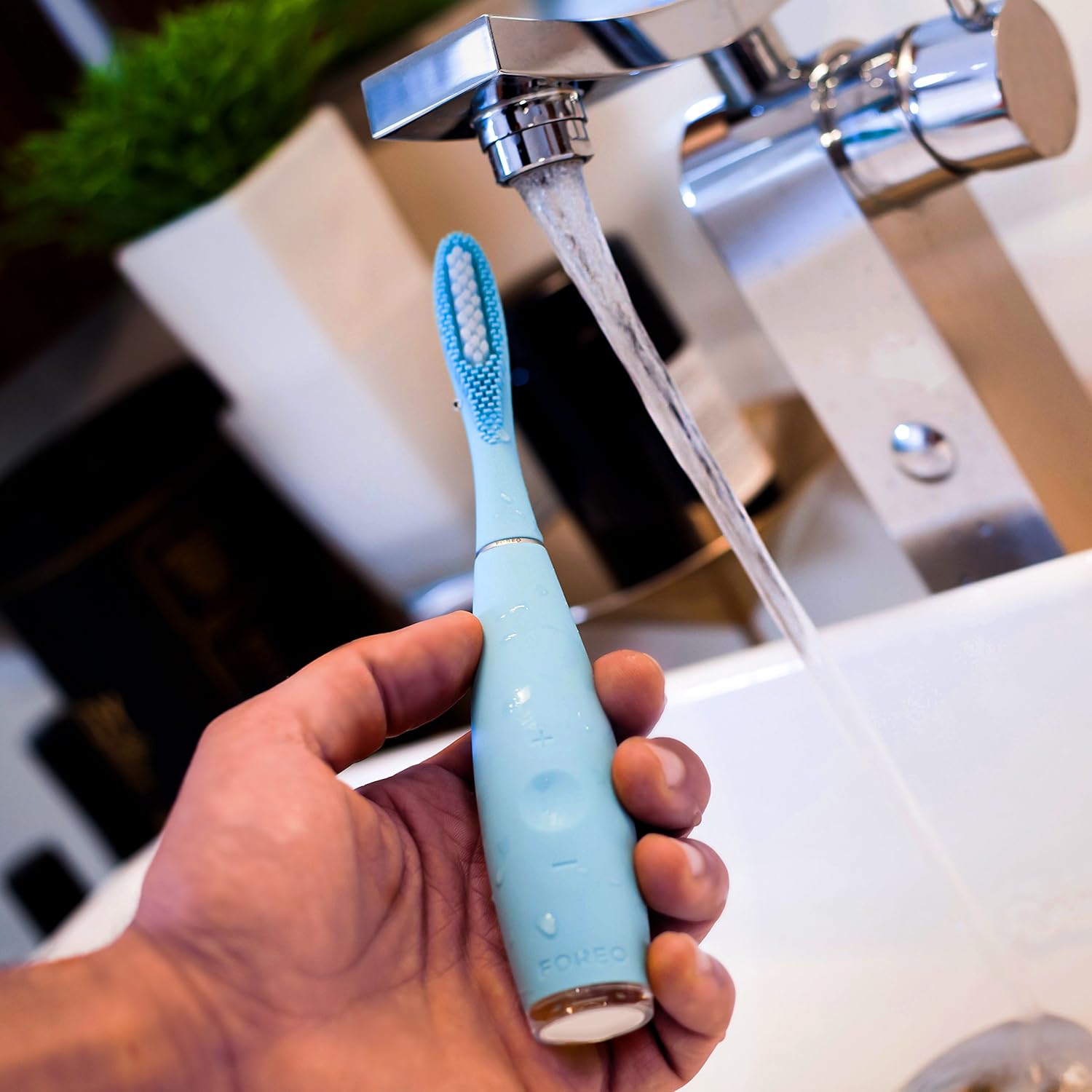
Image: The FOREO ISSA 2 toothbrush being rinsed under running water for cleaning.
Substitució del capçal del raspall
For optimal oral hygiene and performance, it is recommended to replace the brush head every six months.
- Grip the handle of the ISSA 2 firmly.
- Gently pull the current brush head straight off the handle.
- Align the new brush head with the handle and push it down until it clicks securely into place.
Resolució de problemes
If you encounter any issues with your FOREO ISSA 2, please refer to the following common solutions:
- El dispositiu no s'encén: Ensure the device is fully charged. If the issue persists, try charging it with a different USB port or adapter.
- El dispositiu no es carrega: Check that the USB cable is securely connected to both the device and the power source. Verify the power source is active.
- Rendiment reduït: The brush head may need replacement. Ensure the brush head is securely attached.
For further assistance, please contact FOREO customer support.
Especificacions
| Marca | FORO |
| Número de model | 2028686 (F3616) |
| ASIN | B077V4P76W |
| Descripció del rang d'edat | Adult |
| Font d'alimentació | Funciona amb bateria |
| Tipus de bateria | 1 bateria de polímer de liti (inclosa) |
| Dimensions del producte | 2.79 x 2.79 x 15.24 cm |
| Pes de l'article | 77.11 grams |
| Característica especial | Integrated Tongue Scraper |
| Product Firmness | Suau |
| Color | Menta |
| Brush Head Material | PBT Polymer and Silicone |
| Toothbrush Head Shape | Ronda |
| Primera data disponible | 30 de març de 2018 |
Informació de la garantia
FOREO products are manufactured with the highest quality standards. For detailed information regarding the warranty coverage for your ISSA 2 device, please refer to the official FOREO weblloc web o la targeta de garantia inclosa amb la compra. Conserveu el comprovant de compra per a reclamacions de garantia.
Atenció al client
If you have any questions, concerns, or require technical assistance with your FOREO ISSA 2, please contact FOREO customer support. Contact details can typically be found on the official FOREO weblloc web o dins de l'embalatge del producte.