
Instruccions importants de seguretat
Please read all instructions carefully before using your Royal 89140X 1830MX Cross-Cut Paper Shredder. Keep this manual for future reference.
- ADVERTIMENT: Mantingueu els nens i les mascotes lluny de la trituradora.
- ADVERTIMENT: Keep loose clothing, hair, and jewelry away from the shredder opening.
- ADVERTIMENT: No introduïu els dits ni altres parts del cos a l'obertura de la trituradora.
- Do not use the shredder if the power cord is damaged. Contact customer support for assistance.
- Desendolleu sempre la trituradora abans de moure, netejar o buidar el contenidor d'escombraries.
- No tritureu etiquetes adhesives, formularis continus ni làmines de plàstic que no siguin targetes de crèdit.
- No ruixeu cap producte inflamable ni lubricant a la trituradora.
- Assegureu-vos que la trituradora estigui col·locada sobre una superfície estable i anivellada.
- Do not exceed the maximum sheet capacity (18 sheets of 20 lb bond paper) to prevent jams and motor strain.
- Observe the duty cycle to prevent overheating. Allow the shredder to cool down if the overheat indicator illuminates.
Producte acabatview
Familiarize yourself with the components of your Royal 89140X 1830MX Cross-Cut Paper Shredder.

Figura 1: Davant-superior view of the Royal 89140X 1830MX Cross-Cut Paper Shredder, showing the paper entry slot, control panel, and waste bin handle.
- Paper Entry Slot: For shredding paper documents.
- CD/Credit Card Entry Slot: Separate slot for shredding optical media and plastic cards.
- Tauler de control: Includes status indicators and function buttons.
- Paperera: Collects shredded materials.
- Rodes de rodes: For easy mobility of the shredder.
- Interruptor d'alimentació: Situat a la part posterior de la unitat.
Configuració
- Desembaleu la trituradora: Carefully remove the shredder from its packaging. Ensure all packing materials are removed from the shredder head and waste bin.
- Posicioneu la trituradora: Col·loqueu la trituradora sobre una superfície plana i estable. Assegureu-vos que hi hagi prou espai al voltant de la unitat per a la ventilació i l'accés al contenidor de residus.
- Connectar l'alimentació: Connecteu el cable d'alimentació a una presa estàndard de 120 V CA.
- Activar: Locate the main power switch on the rear of the shredder and switch it to the "ON" position. The shredder will enter standby mode.
Instruccions de funcionament
Paper de trituració
- Ensure the shredder is plugged in and the main power switch is ON.
- The shredder should be in "Auto" mode (indicated by a green light on the control panel).
- Insert up to 18 sheets of 20 lb bond paper straight into the paper entry slot. The shredder will automatically start and stop once the paper has passed through.
- For optimal performance, avoid exceeding the maximum sheet capacity.
- The shredder can also shred small paper clips and staples along with paper.
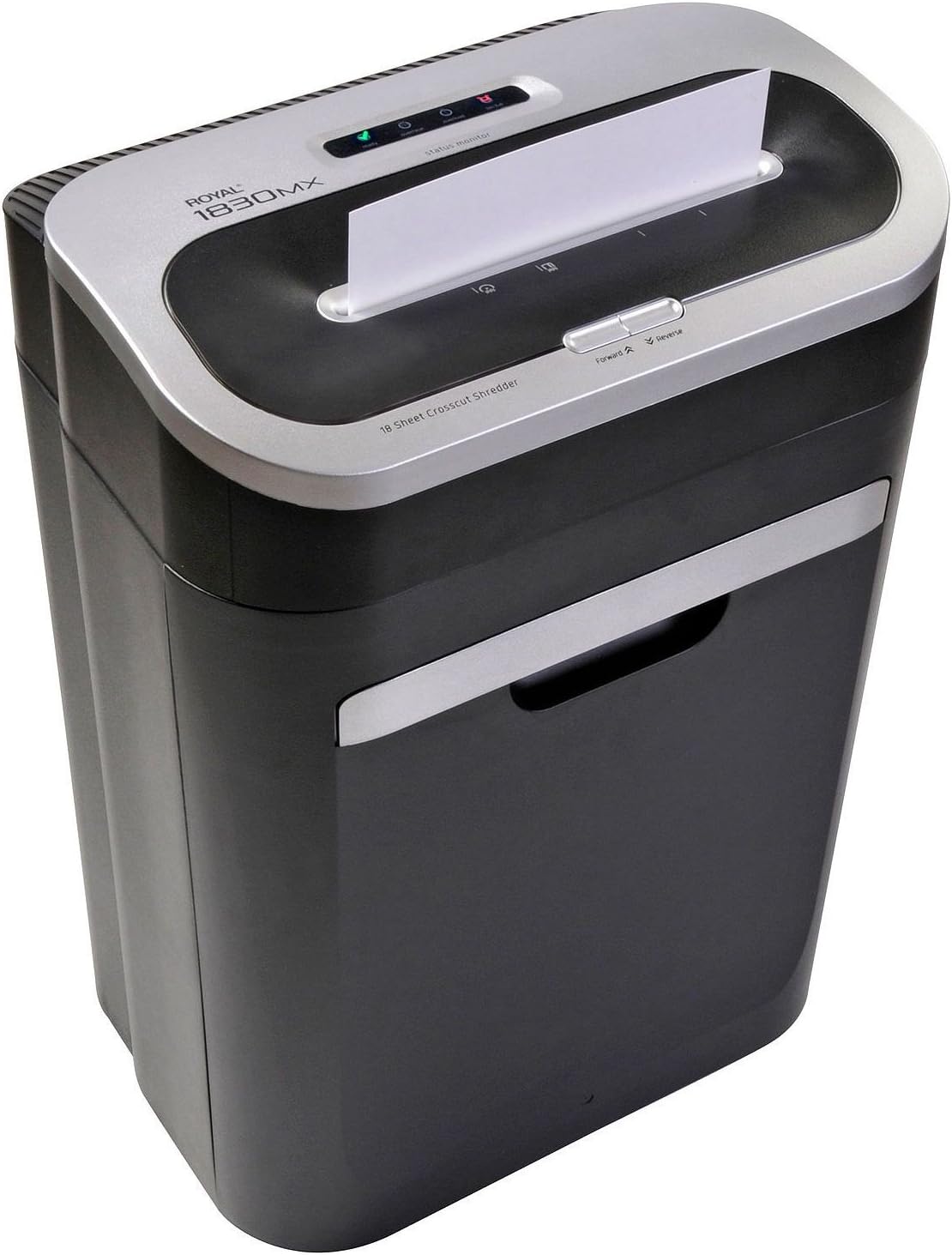
Figura 2: Correctly inserting paper into the shredder's main entry slot.
Shredding CDs and Credit Cards
- Ensure the shredder is in "Auto" mode.
- Insert one CD or credit card at a time into the dedicated CD/Credit Card entry slot.
- The shredder will automatically start and stop.
- Do not attempt to shred more than one CD or credit card at a time.

Figura 3: Inserting a CD into the dedicated media shredding slot.
Forward and Reverse Functions
- Endavant (FWD): Press the "Forward" button to manually run the shredder blades forward. This can be used to clear minor obstructions or to ensure all material has passed through.
- Reverse (REV): Press the "Reverse" button to manually run the shredder blades in reverse. This is useful for clearing paper jams.
Manteniment
Buidatge de la paperera
The shredder features a "Bin Full" indicator. When this light illuminates, the waste bin needs to be emptied.
- Switch the main power to "OFF" and unplug the shredder.
- Carefully pull the waste bin straight out from the front of the shredder.
- Desfeu-vos del material triturat.
- Slide the waste bin back into the shredder until it clicks securely into place. The shredder will not operate if the bin is not properly seated.
- Plug in the shredder and switch the main power to "ON".
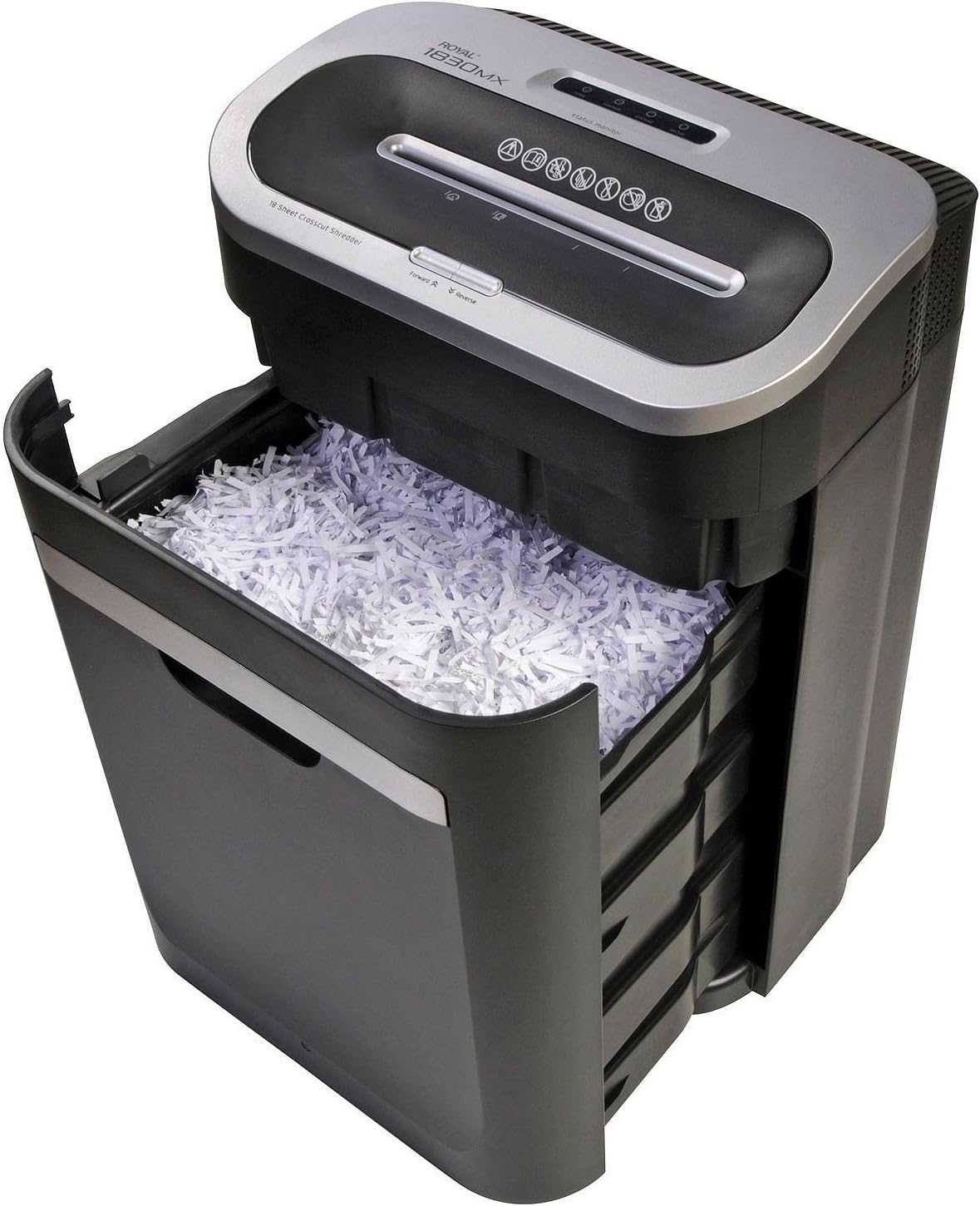
Figura 4: The waste bin pulled out, showing shredded material.
Lubricació de les fulles de la trituradora
Regular oiling helps maintain shredder performance and extends its lifespan. Oil the blades after every 30 minutes of continuous shredding or at least twice a month with regular use.
- Apliqueu oli per a trituradores de paper (dissenyat específicament per a trituradores de paper) en ziga-zaga a la ranura d'entrada de paper.
- Run the shredder in "Forward" mode for 5-10 seconds to distribute the oil.
- Shred a few sheets of plain paper to absorb any excess oil.
Neteja de la trituradora
- Desendolleu sempre la trituradora abans de netejar-la.
- Netegeu l'exterior de la trituradora amb un drap suau i sec. No utilitzeu productes de neteja abrasius ni dissolvents.
- Periodically clean the sensors located inside the paper entry slot to ensure proper "Auto" function and "Bin Full" detection. Use a cotton swab to gently wipe away dust.
Resolució de problemes
Consulteu aquesta secció per obtenir solucions a problemes comuns que podeu trobar.
| Problema | Causa possible | Solució |
|---|---|---|
| La trituradora no s'encén. |
|
|
| Emballament de paper. |
|
|
| Shredder stops during operation (Overheat). |
|
|
| "Bin Full" indicator remains on after emptying. |
|
|
Especificacions
| Característica | Detall |
|---|---|
| Model | 89140X 1830MX |
| Tipus de trituració | Tall de creu |
| Capacitat del full | 18 fulls (paper bond de 20 lliures) |
| Trituradors | Paper, Staples, Small Paper Clips, CDs, Credit Cards |
| Capacitat de la paperera | 7.5 galons (aproximadament) |
| Dimensions del producte | 23 x 17.5 x 12.7 polzades |
| Pes de l'article | 35 lliures |
| Característiques especials | Automatic Start/Stop, Overheat Protection, Bin Full Indicator, Forward/Reverse Function |
Garantia i Suport
For warranty information or technical support, please refer to the warranty card included with your product or visit the official Royal weblloc web. Conserveu el rebut de compra com a comprovant de compra.
Fabricant: Reial
Marca: Reial


