
1. Introducció
This manual provides instructions for the installation, operation, and maintenance of your Gembird 3.5" SATA USB 3.0 External HDD Enclosure. This device allows you to convert an internal 3.5-inch SATA hard disk drive into a portable external storage solution, utilizing the high-speed USB 3.0 interface for data transfer.
2. Contingut del paquet
Si us plau, reviseu atentament el contingut del paquet. Si falta algun article o hi ha algun dany, poseu-vos en contacte amb el vostre distribuïdor.
- Gembird 3.5" SATA USB 3.0 External HDD Enclosure (Model: EE3-U3S-3)
- Cable de dades USB 3.0
- Adaptador de corrent
- Screws and screwdriver (if applicable for assembly)
- Manual d'usuari (aquest document)
3. Configuració
3.1 Installing a 3.5" SATA Hard Drive
- Obriu amb cura la carcassa casing.
- Connect your 3.5-inch SATA hard drive to the SATA data and power connectors inside the enclosure. Ensure a firm connection.
- Secure the hard drive within the enclosure using the provided screws, if necessary.
- Feu lliscar la carcassa casintorneu a col·locar-la al seu lloc fins que quedi ben tancada.
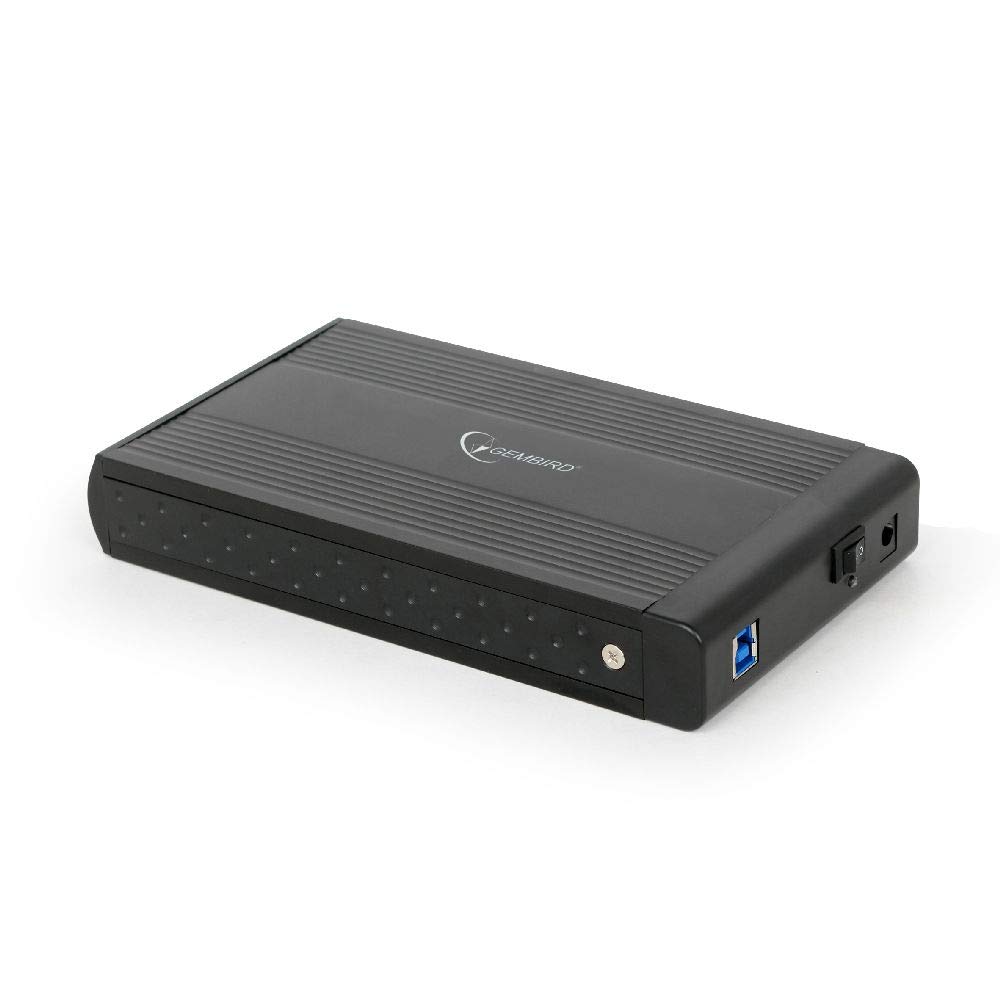
Image: The Gembird 3.5-inch SATA USB 3.0 External HDD Enclosure. This image shows the sleek black aluminum casing of the enclosure, designed to house a 3.5-inch SATA hard drive and connect to a computer via USB 3.0.
3.2 Connexió a l'ordinador
- Connect the power adapter to the enclosure's power input port and then plug it into an electrical outlet.
- Connect one end of the supplied USB 3.0 cable to the USB 3.0 port on the enclosure.
- Connect the other end of the USB 3.0 cable to an available USB 3.0 port on your computer. For optimal performance, use a USB 3.0 port (typically blue). The enclosure is backward compatible with USB 2.0, but data transfer speeds will be limited.
- Your operating system should automatically detect and install the necessary drivers. The hard drive will appear as a new storage device.
4. Instruccions de funcionament
4.1 Transferència de dades
Once the enclosure is connected and recognized by your computer, you can drag and drop files to and from the external hard drive, or use it for backup purposes. The USB 3.0 interface supports data transfer speeds up to 5 Gbps (Gigabits per second), significantly faster than USB 2.0.
4.2 Eliminació segura
Always safely remove the external hard drive before disconnecting it from your computer to prevent data corruption. In Windows, use the "Safely Remove Hardware and Eject Media" icon in the system tray. On macOS, drag the drive icon to the Trash or use the Eject option in Finder.
5. Manteniment
Per garantir la longevitat i el rendiment òptim del vostre recinte:
- Mantingueu la carcassa neta i sense pols. Feu servir un drap suau i sec per netejar-la.
- Eviteu exposar la carcassa a temperatures extremes, humitat o llum solar directa.
- Do not drop or subject the enclosure to strong impacts, as this can damage the internal hard drive.
- Ensure proper ventilation to prevent overheating, especially during prolonged use.
6. Solució De Problemes
6.1 Enclosure Not Detected
- Check power: Ensure the power adapter is securely connected to both the enclosure and a working electrical outlet.
- Check USB connection: Verify that the USB cable is firmly connected to both the enclosure and a functional USB port on your computer. Try a different USB port or cable.
- Hard drive installation: Re-open the enclosure and ensure the SATA hard drive is correctly seated and connected to the internal connectors.
- Disk Management (Windows) / Disk Utility (macOS): Check if the drive appears in your operating system's disk management tools. If it appears but is unallocated or unformatted, you may need to initialize and format it (note: formatting will erase all data on the drive).
6.2 Slow Data Transfer Speeds
- Port USB 3.0: Assegureu-vos que esteu connectat a un port USB 3.0 de l'ordinador. Els ports USB 2.0 limitaran la velocitat.
- USB 3.0 cable: Use the provided USB 3.0 cable or another certified USB 3.0 cable.
- Hard drive performance: The speed of the internal hard drive itself can be a limiting factor. Older or slower HDDs will not achieve maximum USB 3.0 speeds.
7. Especificacions
| Model | EE3-U3S-3 |
| Factor de forma | 3.5 polzades |
| Interface (Internal) | SATA |
| Interface (External) | USB 3.0 |
| Velocitat de transferència de dades | Fins a 5 Gbps (USB 3.0) |
| Material | Alumini |
| Color | Negre |
| Dispositius compatibles | 3.5" SATA HDDs |
| Pes | 235 grams |
8. Garantia i Suport
Gembird products are designed for reliability and performance. For warranty information, please refer to the warranty card included with your product or visit the official Gembird website. For technical support or further assistance, please contact your retailer or the Gembird customer support team.


