
UHURU 8541649271
UHURU Wireless Keyboard and Mouse Combo User Manual
Model: 8541649271
Introducció
This user manual provides comprehensive instructions for setting up, operating, and maintaining your UHURU Wireless Keyboard and Mouse Combo. Designed for seamless connectivity and ergonomic comfort, this combo enhances your productivity across various devices. Please read this manual thoroughly to ensure optimal performance and longevity of your product.
Producte acabatview
The UHURU Wireless Keyboard and Mouse Combo offers a reliable 2.4G wireless connection, ergonomic design, and convenient multimedia shortcuts. It is compatible with a wide range of operating systems and devices.

Image: The complete UHURU Wireless Keyboard and Mouse Combo, including the keyboard, mouse, USB receiver, and mouse pad.
Característiques principals:
- Reliable 2.4G Wireless Connection: Advanced chip provides 33 feet wireless automatic connection for fast data transmission without delays or dropouts.
- 2-in-1 Nano Receiver: Unifies keyboard and mouse connections into one USB port for quick plug-and-play setup.
- Disseny ergonòmic: Full-size keyboard with Crater-Switch keys for smooth typing and foldable stands for comfortable angle. Ergonomic optical mouse with frosted sides for better grip.
- 6-Button Mouse & 13 Multimedia Shortcuts: Mouse features two side buttons for navigation and adjustable DPI (800/1200/1600). Keyboard includes hotkeys for media control, internet, and more (Note: Multimedia shortcuts not compatible with Mac system).
- Long Battery Life & Auto Sleep Mode: Keyboard powered by 1 AAA battery, mouse by 1 AA battery. Automatically enters energy-saving sleep mode after 8 minutes of inactivity.
- Àmplia compatibilitat: Compatible with Windows 10/11/8/7/Vista/XP, Mac, PC, Laptop, Smart TV, Surface Pro, and more.
Configuració
1. Instal·lació de la bateria:
The keyboard requires 1 AAA battery and the mouse requires 1 AA battery. Batteries are included with the combo. Ensure you remove the small sticker from the battery compartment before use.
- Obriu el compartiment de la bateria a la part inferior del ratolí.
- Inseriu una pila AA, assegurant-vos de la polaritat correcta (+/-).
- Tanqueu el compartiment de la bateria.
- Obriu el compartiment de la bateria a la part inferior del teclat.
- Inseriu una pila AAA, assegurant-vos de la polaritat correcta (+/-).
- Tanqueu el compartiment de la bateria.

Imatge: Detallada view of battery and USB receiver placement in both the keyboard and mouse.
2. Connecting the USB Receiver:
The 2-in-1 Nano USB receiver is typically stored inside the mouse's battery compartment for convenience.
- Locate and remove the Nano USB receiver from the mouse's battery compartment.
- Connecteu el receptor USB a un port USB disponible del vostre ordinador, portàtil, televisor intel·ligent o altre dispositiu compatible.
- The keyboard and mouse are plug-and-play and should automatically connect within a few seconds.

Image: Illustration of the 2.4GHz wireless connection between the USB receiver and a laptop, indicating a range of up to 33 feet (10 meters).
Guia de vídeo de configuració:
Video: Official UHURU WKM-13, WKM-23 Wireless Keyboard and Mouse Combo Set setup and feature overview. This video demonstrates the initial setup and key functionalities of the product.
Video: Full-Size Wireless Keyboard and Mouse Set demonstration. This video provides a visual guide to the product's features and how to get started.
Instruccions de funcionament
Ús del teclat:
- Mecanografia: The full-size keyboard features Crater-Switch keys designed for a smooth and comfortable typing experience.
- Suports plegables: Adjust the keyboard's angle using the foldable stands on the underside for optimal ergonomic comfort.
- Dreceres multimèdia: Use the 13 hotkeys (F1-F12, Esc) in combination with the Fn key to instantly access functions like media playback, volume control, internet, and email. Note: These multimedia shortcuts are not compatible with Mac systems.
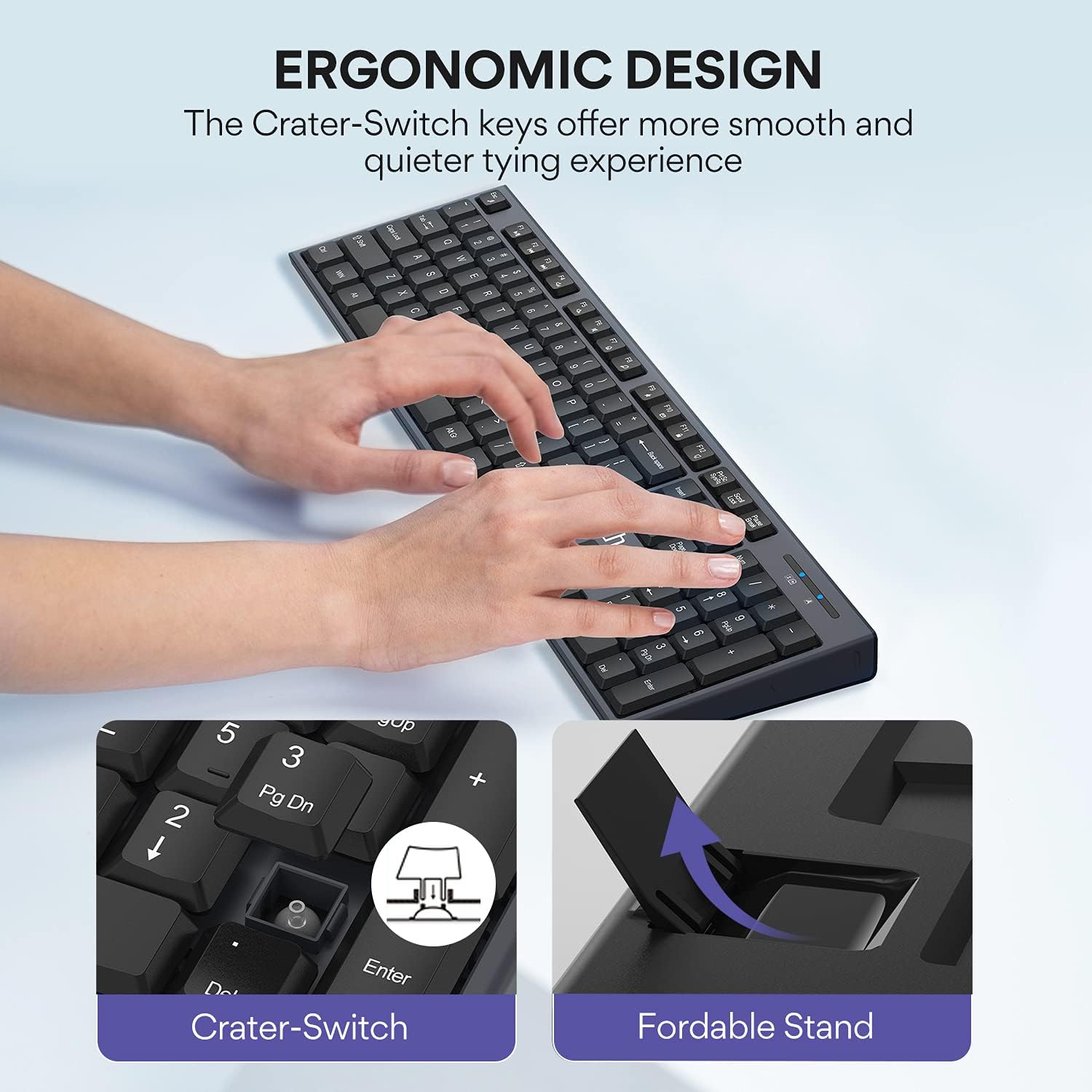
Imatge: Primer pla view highlighting the Crater-Switch keys for smooth typing and the foldable stand for adjustable keyboard angle.

Image: Visual guide to the keyboard's 13 multimedia shortcuts and the mouse's 3 adjustable DPI settings (800/1200/1600).
Ús del ratolí:
- 6 Botons: The mouse features standard left/right click, scroll wheel, DPI button, and two convenient side buttons for "Previous Page" and "Next Page" navigation.
- DPI ajustable: Cycle through 3 DPI settings (800, 1200, 1600) by pressing the DPI button located below the scroll wheel. This allows you to adjust cursor sensitivity to your preference.
Mode de repòs automàtic:
To conserve battery life, both the keyboard and mouse will automatically enter an energy-saving sleep mode after 8 minutes of no operation. To wake them up, simply click any key on the keyboard or move/click the mouse. They will reconnect in several seconds.
Manteniment
Proper maintenance ensures the longevity and optimal performance of your UHURU Wireless Keyboard and Mouse Combo.
- Neteja: Feu servir un drap suau i sec per netejar les superfícies del teclat i el ratolí. Per a la brutícia persistent, netegeu lleugerament.amp Es pot fer servir un drap amb sabó suau, però assegureu-vos que no entri líquid al dispositiu. Eviteu netejadors o dissolvents abrasius.
- Substitució de la bateria: Replace batteries when the low battery indicator light on the keyboard illuminates or when performance degrades. Refer to the "Battery Installation" section under Setup for instructions.
- Emmagatzematge: When not in use for extended periods, remove the batteries to prevent leakage and store the devices in a cool, dry place.
Resolució de problemes
If you encounter any issues with your UHURU Wireless Keyboard and Mouse Combo, please refer to the following common troubleshooting steps:
| Problema | Causa possible | Solució |
|---|---|---|
| El teclat/ratolí no respon | Bateries baixes o esgotades. | Replace batteries in both keyboard (1 AAA) and mouse (1 AA). |
| El teclat/ratolí no respon | USB receiver not properly connected or recognized. | Assegureu-vos que el receptor USB estigui ben connectat a un port USB que funcioni. Proveu-ho amb un altre port USB. |
| El teclat/ratolí no respon | Interferències d'altres dispositius sense fil. | Move the keyboard and mouse closer to the USB receiver. Remove other wireless devices that might be causing interference. |
| Retard o resposta retardada | Distance from receiver or interference. | Reduce the distance between the devices and the USB receiver. Ensure no large metal objects are between them. |
| Multimedia shortcuts not working on Mac | Incompatibility with Mac OS. | This is a known limitation. The 13 multimedia shortcuts are not compatible with Mac systems. Basic typing and mouse functions will still work. |
Especificacions
| Característica | Detall |
|---|---|
| Dimensions del producte | 17.3 x 4.9 x 0.9 polzades |
| Pes de l'article | 1.43 lliures |
| Número de model de l'article | 8541649271 |
| Bateria del teclat | 1 bateria AAA (inclosa) |
| Bateria del ratolí | 1 bateria AA (inclosa) |
| Tecnologia de connectivitat | Sense fil 2.4G (receptor USB) |
| abast sense fils | Fins a 33 peus (10 metres) |
| Configuració de DPI del ratolí | 800 / 1200 / 1600 |
| Color | Gris |
| Dispositius compatibles | Laptop, Television, Personal Computer (Windows 10/11/8/7/Vista/XP, Mac, Surface Pro) |

Image: Detailed dimensions of the keyboard (17.2in x 5.0in) and mouse (2.81in x 4.12in).
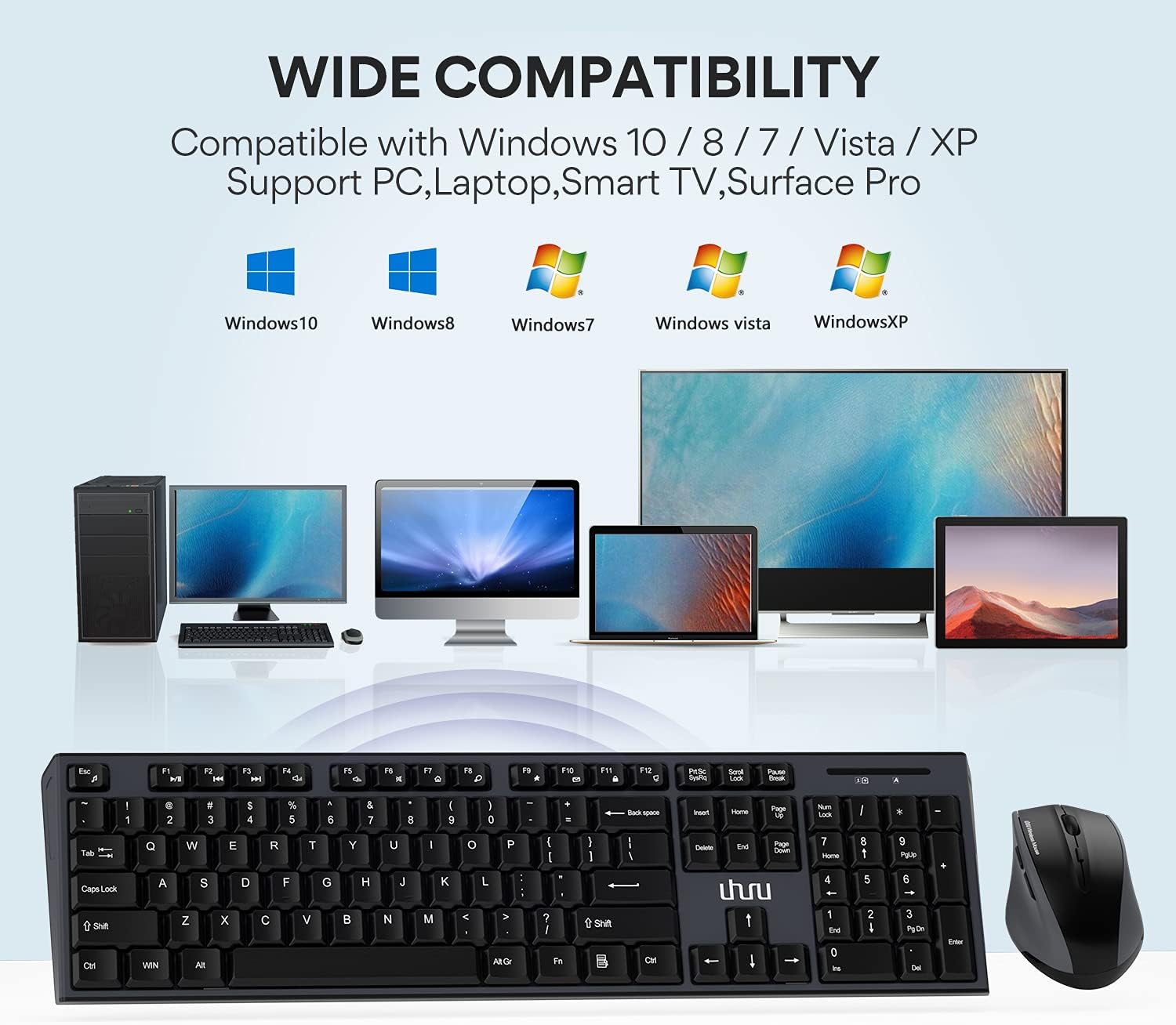
Image: Visual representation of the wide compatibility with Windows 10, 8, 7, Vista, XP, and devices like PC, Laptop, Smart TV, and Surface Pro.
Garantia i Suport
UHURU provides a 12 mesos de garantia for this product, ensuring peace of mind regarding manufacturing defects or performance issues. We are committed to friendly and responsive customer service.
For any inquiries, technical support, or warranty claims, please contact our customer service team through the following channels:
- Formulari de contacte en línia: Visit the official UHURU website and navigate to the contact section. http://www.uhurumobility.com/Home/About/contact
- Suport per correu electrònic: Refer to the contact information provided on the product packaging or official weblloc web per a assistència directa per correu electrònic.
Our team is dedicated to solving your problems within 12 hours and offers lifetime support for major damages. We also provide 24-hour online quick fix support as part of our RU Care Program.
Ask a question about this manual
Ask about setup, troubleshooting, compatibility, parts, safety, or missing instructions. Manuals+ will review the question and use this page’s manual context to help answer it.