
1. Introducció
The JDIAG JD101 is a compact and user-friendly diagnostic tool designed to read and clear trouble codes from your vehicle's On-Board Diagnostics II (OBDII) system. It supports all OBDII, EOBD, and CAN protocols, providing essential information for vehicle maintenance and repair. This manual provides detailed instructions for the proper use and care of your JD101 scanner.
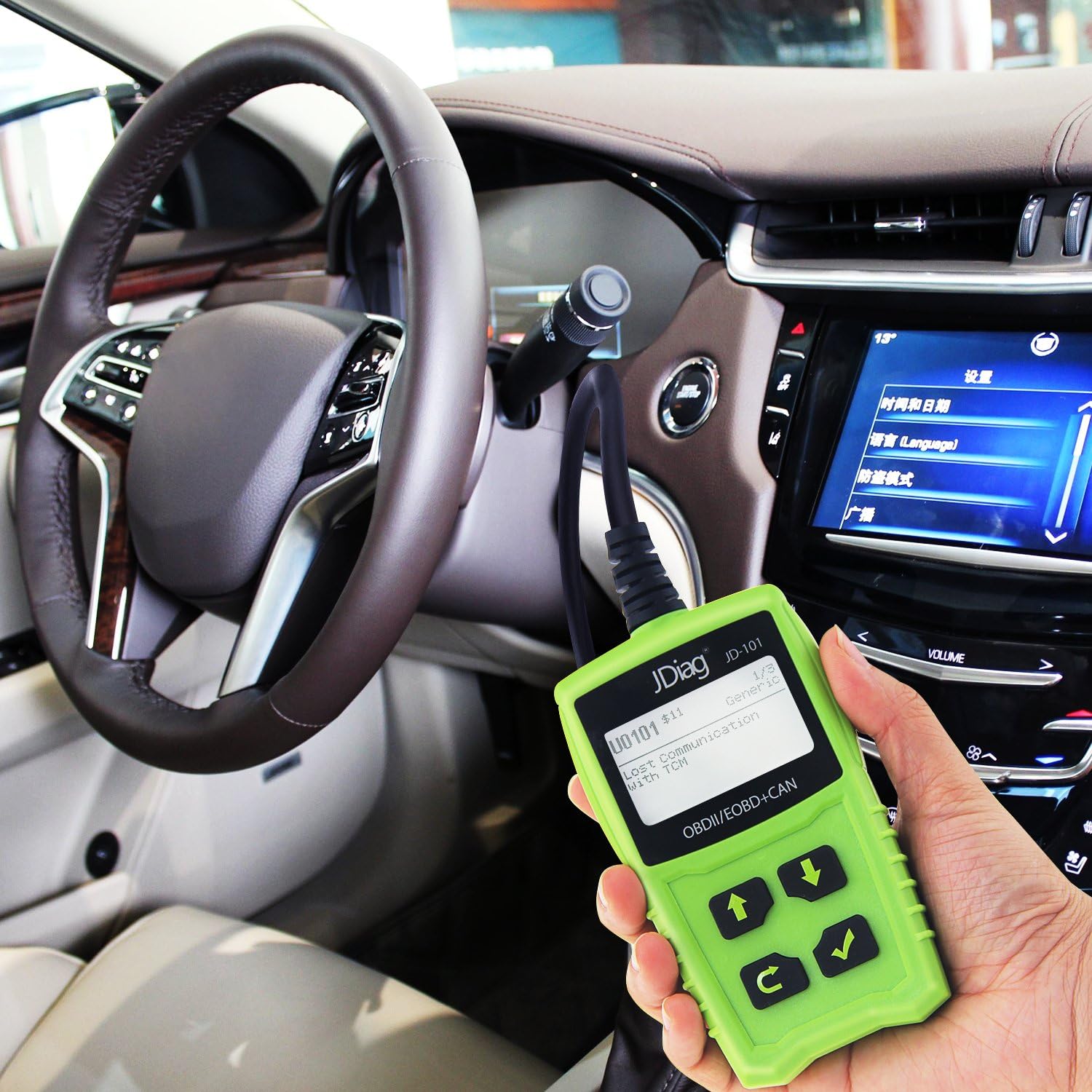
Imatge 1.1: The JDIAG JD101 OBD2 scanner connected to a vehicle's diagnostic port, showing its display screen. This image illustrates the device in use within a car's interior.
2. Informació de seguretat
Always observe safety precautions when working on a vehicle. Failure to do so may result in personal injury or damage to the vehicle or the diagnostic tool.
- Funcionament del vehicle: Operate the vehicle in a well-ventilated work area to avoid inhaling exhaust fumes.
- Protecció del medi ambient: Keep the device away from corrosive substances and water to prevent damage.
- Seguretat personal: Do not wear loose clothing or jewelry when working on a vehicle. Ensure the vehicle is in park with the parking brake engaged before connecting or disconnecting the tool.
- Manual del vehicle: Always refer to your vehicle's service manual for specific diagnostic procedures and safety precautions.

Imatge 2.1: La part posterior view of the JDIAG JD101 scanner, displaying a warning label regarding operation in a well-ventilated area and protection from corrosive substances and water. This image also shows some operational specifications.
3. Producte acabatview
The JDIAG JD101 scanner features a clear LCD display and intuitive buttons for easy navigation and operation. Familiarize yourself with the components below.

Imatge 3.1: A detailed diagram of the JDIAG JD101 scanner, highlighting its key components: the LCD Display, Up Scroll Button, Exit Button, Down Scroll Button, Enter Button, and the OBD II Connector. This helps users identify each part of the device.
Components del dispositiu:
- Pantalla LCD: Shows test results, menu options, and diagnostic information.
- Up Scroll Button: Moves the cursor up or scrolls up through menu options.
- Down Scroll Button: Moves the cursor down or scrolls down through menu options.
- Botó de sortida: Returns to the previous menu or cancels an operation.
- Botó Enter: Confirma una selecció o entra a un menú.
- OBD II Connector: Connecta l'escàner al connector d'enllaç de dades (DLC) del vehicle.
4. Característiques
The JDIAG JD101 offers a range of diagnostic capabilities to help you understand and maintain your vehicle.

Imatge 4.1: An infographic showcasing the multiple functions of the JDIAG JD101, such as reading and clearing fault codes, retrieving vehicle information, viewing freeze frame data, and supporting online upgrades and multiple languages.
- Compatibilitat àmplia de vehicles: Works on most vehicles manufactured from 1996 onwards that support OBD II and CAN protocols, including domestic and imported models.
- Recuperació de codi: Retrieves generic (P0, P2, P3, and U0) and manufacturer-specific (P1, P3, and U1) diagnostic trouble codes (DTCs). Capable of reading pending codes, stored codes, and freeze frame codes.
- MIL Management: Turns off the Malfunction Indicator Light (MIL), clears DTCs, and resets monitors after repairs.
- Definicions de DTC: Displays DTC definitions directly on the 2.4-inch LCD screen for quick understanding.
- Flux de dades en directe: Reads live data stream (PID) with over 130 parameters, providing real-time vehicle sensor information.
- Informació del vehicle: Retrieves vehicle information such as Vehicle Identification Number (VIN), Calibration ID (CIN), and Calibration Verification Number (CVN).
- Suport multilingüe: Features a multilingual menu and DTC definitions, including English, Spanish, French, Russian, German, Italian, Japanese, and Chinese.
- Actualització en línia: Supports online software upgrades to ensure compatibility with newer vehicles and updated diagnostic protocols.
5. Especificacions
Technical specifications for the JDIAG JD101 scanner.

Imatge 5.1: This image details the driving information and communication protocols supported by the JDIAG JD101, such as AUTO, ISO15765-4 (CAN11/250), EOBD, and OBD II standards. It also provides examples of VIN and Calibration ID retrieval.
| Especificació | Detall |
|---|---|
| Marca | JDIAG |
| Model | JD101 |
| Mida de la pantalla | 2.4 polzades |
| Font d'alimentació | Vehicle's OBDII port (Battery powered) |
| Voltage | 12 V |
| Alimentació externa | 8.0 to 18.0 V via vehicle battery |
| Temperatura de funcionament | De 0 a 60 °C (de 32 a 140 °F) |
| Temperatura d'emmagatzematge | -20 a 70 °C (-4 a 158 °F) |
| Protocols compatibles | AUTO, ISO15765-4 (CAN11/250), EOBD, OBD II |
6. Configuració
Follow these steps to connect and power on your JDIAG JD101 scanner.
- Locate the DLC: Identify the vehicle's 16-pin Data Link Connector (DLC). This is usually located under the dashboard on the driver's side.
- Encesa ON: Turn the vehicle's ignition key to the "ON" position. The engine should be off.
- Connecta l'escàner: Plug the OBDII connector of the JD101 scanner firmly into the vehicle's DLC.
- Encès: The scanner will automatically power on and display the main menu. If it does not power on, check the connection and the vehicle's battery.
7. Instruccions de funcionament
This section outlines the basic operations of the JDIAG JD101 scanner.
7.1. Reading Diagnostic Trouble Codes (DTCs)
- From the main menu, use the Up/Down Scroll Buttons to navigate to "Read Codes" and press the Botó Enter.
- Select "Stored Codes" to view current fault codes or "Pending Codes" to view intermittent codes.
- The screen will display the DTCs and their definitions. Use the Up/Down Scroll Buttons a view all codes if multiple are present.
7.2. Esborrar els codis de diagnòstic d'errors (DTC)
Nota: Clearing DTCs will also turn off the Malfunction Indicator Light (MIL) and reset all monitor status to a non-ready state. Ensure the underlying issue has been resolved before clearing codes.
- From the main menu, navigate to "Erase Codes" and press the Botó Enter.
- A confirmation message will appear. Select "Yes" and press the Botó Enter per confirmar.
- The scanner will confirm that the codes have been cleared.
7.3. ViewTransmissió de dades en directe
- From the main menu, navigate to "Live Data" and press the Botó Enter.
- Select the desired data parameters (PIDs) to view.
- The screen will display real-time sensor data.
7.4. Viewcongelació de dades de fotogrames
Freeze Frame Data is a snapshot of the vehicle's operating conditions at the moment an emission-related fault occurred.
- From the main menu, navigate to "Freeze Frame" and press the Botó Enter.
- The scanner will display the recorded parameters.
7.5. Retrieving Vehicle Information
This function allows you to retrieve the Vehicle Identification Number (VIN), Calibration ID (CIN), and Calibration Verification Number (CVN).
- From the main menu, navigate to "Vehicle Info" and press the Botó Enter.
- L'escàner mostrarà la informació disponible del vehicle.
8. Manteniment
Proper maintenance ensures the longevity and reliable operation of your JDIAG JD101 scanner.
- Neteja: Feu servir un drap suau i sec per netejar la part frontal de l'escàner.asing i pantalla. No utilitzeu productes de neteja abrasius ni dissolvents.
- Emmagatzematge: Store the tool in a cool, dry place, away from direct sunlight and extreme temperatures.
- Manipulació: Eviteu deixar caure l'escàner ni sotmetre'l a impactes forts.
- Inspecció del cable: Regularly inspect the OBDII cable for any signs of damage, such as cuts, fraying, or bent pins. Replace if damaged.
- Actualitzacions de programari: Check the official JDIAG website periodically for available software updates to ensure your scanner has the latest features and vehicle compatibility.
9. Solució De Problemes
If you encounter issues with your JDIAG JD101, refer to the following common problems and solutions.
9.1. Scanner Does Not Power On
- Comprova la connexió: Assegureu-vos que el connector OBDII estigui ben connectat al DLC del vehicle.
- Estat d'encesa: Verify that the vehicle's ignition is in the "ON" position (engine off).
- Bateria del vehicle: Confirm the vehicle's battery has sufficient charge.
- DLC Fuse: Check the vehicle's fuse for the DLC (often labeled as cigarette lighter, accessory, or OBD).
9.2. "Link Error" or "No Communication" Message
- Verifica la connexió: Re-check that the OBDII connector is properly seated in the DLC.
- Estat d'encesa: Assegureu-vos que el contacte estigui encès.
- Compatibilitat de vehicles: Confirm your vehicle is OBDII compliant (generally 1996 and newer for US vehicles, 2001 for petrol EU vehicles, 2004 for diesel EU vehicles).
- Other Modules: Ensure no other diagnostic tools are connected to the vehicle.
9.3. Incorrect Data Displayed
- Actualització de programari: Ensure the scanner's software is up to date.
- Vehicle Specifics: Some data parameters may vary or not be supported by all vehicles.
10. Garantia i Suport
For warranty information, technical assistance, or customer service inquiries regarding your JDIAG JD101 scanner, please refer to the manufacturer's official website or contact their customer support channels. Details are typically provided with your product packaging or on the manufacturer's weblloc.


