
1. Introducció i finalview
The Cherry MW4500 is an ergonomic wireless optical mouse designed to provide a natural and comfortable hand position, reducing strain during extended use. Its 45-degree design helps prevent wrist and tendon issues. This manual provides essential information for setting up, operating, and maintaining your MW4500 mouse.

The Cherry MW4500 mouse is designed for ergonomic comfort, fitting naturally in the hand.
Característiques principals:
- Ergonomic form in a 45° design for reduced wrist strain.
- Precise optical sensor with 3-level adjustable resolution (600/900/1200 dpi).
- Status LED to indicate low battery charge.
- Six buttons and a scroll wheel for enhanced functionality.
- Pleasant and abrasion-proof surface finish for durability and comfort.

The 45-degree ergonomic design of the MW4500 promotes a natural hand position, reducing wrist and tendon strain compared to traditional mice.
2. Instruccions de configuració
2.1 Instal·lació de la bateria
- Localitzeu el compartiment de la bateria a la part inferior del ratolí.
- Obriu la tapa del compartiment de la bateria.
- Introduïu dues piles AA, assegurant-vos de la polaritat correcta (+/-).
- Tanqueu bé la tapa del compartiment de la bateria.
2.2 Connecting the Wireless Receiver
- Remove the nano USB receiver from its storage slot on the underside of the mouse.
- Plug the nano USB receiver into an available USB port on your computer (Laptop, PC, or Mac).
- The mouse will automatically connect to your computer using 2.4 GHz RF technology. No additional drivers are typically required for basic functionality.

Utilizing wireless 2.4 GHz RF technology, the mouse offers plug-and-play convenience with a nano USB receiver that can be stored within the mouse.
3. Instruccions de funcionament
3.1 Funcions dels botons
- Botó esquerre de clic: Selecció i activació estàndard.
- Botó dret: Accedeix als menús contextuals.
- Roda de desplaçament: Scrolls content vertically. Can also be pressed for middle-click functionality.
- Botó d'ajust de DPI: Cycles through resolution settings (600, 900, 1200 dpi).
- Forward/Backward Thumb Buttons: Navigates forward and backward in web browsers or other compatible applications.
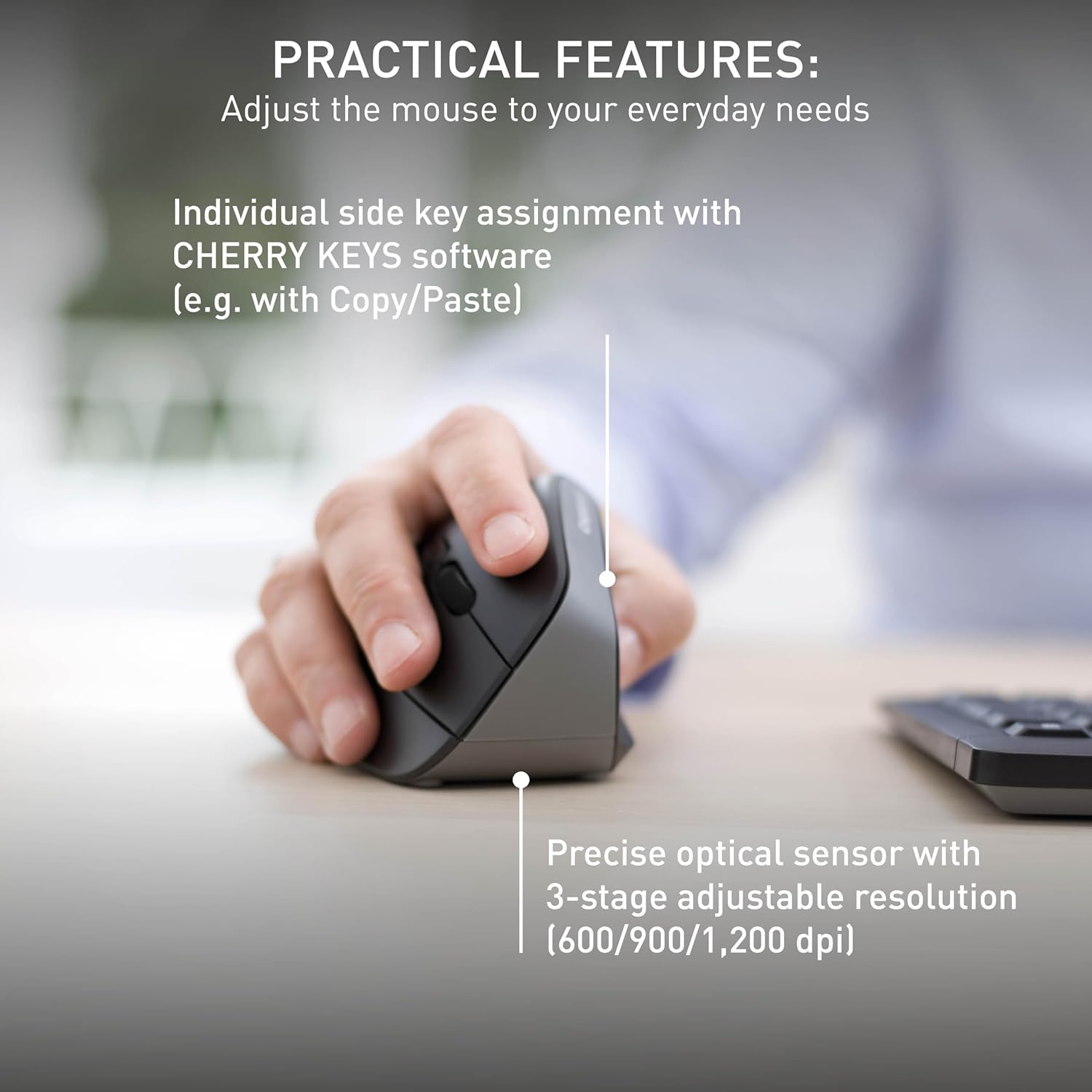
The mouse features a precise optical sensor with a 3-stage adjustable resolution (600/900/1,200 dpi) for customized sensitivity.
3.2 Ajust de DPI
Press the DPI adjustment button located near the scroll wheel to change the mouse's sensitivity. The mouse will cycle through three preset DPI levels: 600, 900, and 1200 dpi. Select the setting that best suits your preference and task.
4. Manteniment
4.1 Neteja
To clean your Cherry MW4500 mouse, use a soft, dry cloth. For stubborn dirt, a slightly damp cloth with mild soap can be used. Avoid using harsh chemicals or abrasive materials, as these can damage the abrasion-proof surface finish.
4.2 Substitució de la bateria
When the status LED on the mouse indicates a low battery charge, it is time to replace the batteries. Follow the battery installation steps in Section 2.1 to replace the two AA batteries. Dispose of old batteries responsibly according to local regulations.
5. Solució De Problemes
5.1 El ratolí no respon
- Comproveu les bateries: Ensure the batteries are correctly installed and not depleted. Replace if necessary.
- Comprovació del receptor: Make sure the nano USB receiver is securely plugged into a working USB port on your computer. Try a different USB port.
- Distància: Ensure the mouse is within the effective range of the receiver (up to 10 meters).
- Interferència: Move the mouse away from other wireless devices that might cause interference.
5.2 Cursor Movement is Erratic or Inaccurate
- Neteja el sensor: Assegureu-vos que el sensor òptic de la part inferior del ratolí estigui net i lliure de pols o residus.
- Superfície: Use the mouse on a suitable, non-reflective surface or a mouse pad.
- Configuració de DPI: Adjust the DPI setting using the DPI button to find a comfortable and accurate sensitivity level.
6. Especificacions
| Característica | Detall |
|---|---|
| Marca | Cirera |
| Nom del model | CIRER MW 4500 |
| Número de model | JW-4500 |
| Color | Negre |
| Tecnologia de connectivitat | Radio Frequency (2.4 GHz) |
| Tecnologia de detecció de moviment | Òptic |
| Mouse Maximum Sensitivity | 1200 Dots per Inch (DPI) |
| Nivells de DPI | 3-level adjustable (600, 900, 1200 dpi) |
| Quantitat de botons | 6 (Esquerra, Dreta, Roda de desplaçament, DPI, Endavant, Enrere) |
| Orientació de la mà | D'acord |
| Dispositius compatibles | Personal Computer (Laptop, PC, Mac) |
| Sistema operatiu | Windows 10, Windows 7, Windows 8.1, Mac OS |
| Font d'alimentació | Funciona amb bateria |
| Tipus de bateria | 2 piles AA (no incloses) |
| Durada mitjana de la bateria | 6 mesos |
| abast sense fils | Fins a 10 metres (32 peus) |
| Pes de l'article | 120 grams |
| Material de tancament | Plàstic |
7. Garantia i Suport
7.1 Informació de la garantia
The Cherry MW4500 Wireless Vertical Ergonomic Optical Mouse comes with a 3 any de garantia des de la data de compra. Si us plau, conserveu el comprovant de compra per a reclamacions de garantia.
7.2 Atenció al client
For technical assistance, troubleshooting, or further product information, please visit the official Cherry website or contact Cherry customer support through their provided channels.
8. Vídeo del producte
This official video from Cherry Americas, LLC demonstrates the ergonomic benefits and features of the CHERRY ERGO LINE, including the MW 4500 mouse.