
Producte acabatview
The Amazon Basics Full Size Ergonomic Wireless Mouse is designed for comfort and seamless functionality, ideal for right-hand use. This black wireless mouse provides reliable performance for both laptops and PCs, enhancing your computing experience with its advanced features.
Key features include fast-scrolling capabilities, a clickable scroll wheel, and convenient forward/back thumb buttons for streamlined navigation. It connects via a compact USB receiver, allowing for a tidy workspace without occupying additional ports. The optical sensor offers a 1600 DPI resolution for smooth and accurate tracking on most surfaces. An integrated on/off switch helps extend battery life, making it a dependable choice for continuous use. The mouse operates on a stable 2.4 GHz non-Bluetooth wireless connection and comes with 2 AA batteries and a battery LED light for user convenience.
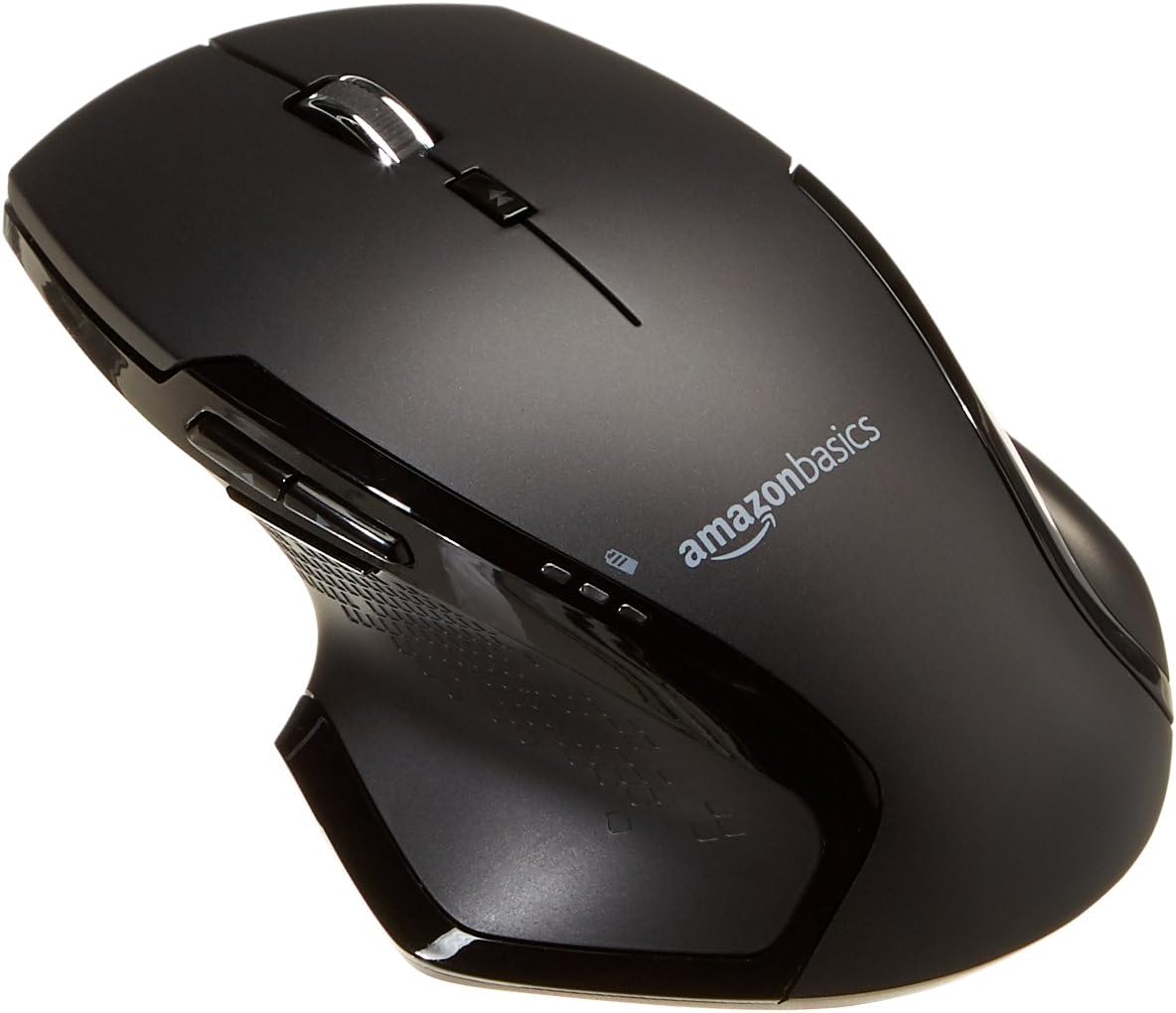
Imatge: Superior view of the Amazon Basics Full Size Ergonomic Wireless Mouse, showcasing its black finish and ergonomic design.
Contingut del paquet
Assegureu-vos que hi hagi tots els elements abans de continuar amb la configuració:
- Ratolí sense fil
- 2 x piles AA
- Receptor USB
Configuració
1. Instal·lació de bateries
- Turn the mouse upside down.
- Localitzeu la tapa del compartiment de la bateria a la part inferior del ratolí.
- Feu lliscar la coberta oberta.
- Introduïu les dues (2) piles AA, assegurant-vos de la polaritat correcta (+/-) tal com s'indica a l'interior del compartiment.
- Tanqueu bé la tapa del compartiment de la bateria.

Image: Underside of the mouse with the battery compartment open, showing the slots for two AA batteries and the stored USB receiver.
2. Connexió del receptor USB
- Remove the USB receiver from its storage slot within the battery compartment of the mouse.
- Connecteu el receptor USB a un port USB disponible del vostre ordinador (PC o Mac).
- Gireu el ratolí ON using the on/off switch located on the underside of the mouse.
- L'ordinador hauria de detectar i instal·lar automàticament els controladors necessaris. Això pot trigar uns instants.

Image: The Amazon Basics wireless mouse positioned next to a laptop, illustrating a typical setup.
The mouse is plug-and-play and does not require additional software installation. For pointer speed adjustments, refer to your operating system's system settings.
Instruccions de funcionament
Funcions bàsiques
- Clic esquerre: Botó principal per seleccionar elements, obrir files, i interactuant amb el programari.
- Clic dret: Botó secundari per accedir als menús contextuals i a les opcions addicionals.
- Roda de desplaçament: Desplaça't amunt o avall pels documents i web pages. The wheel is also clickable for middle-click functions.

Imatge: Lateral view of the Amazon Basics wireless mouse, highlighting its ergonomic contours and side buttons.
Advanced Functions (Thumb Buttons)
- Botó Endavant: Navega cap endavant web navegadors o file exploradors.
- Botó enrere: Navega cap enrere web navegadors o file exploradors.

Image: A hand demonstrating the ergonomic grip on the Amazon Basics wireless mouse, showing natural placement of fingers and thumb on the buttons.
Manteniment
- Neteja: Feu servir un drap suau i sec per netejar el ratolí. Per a la brutícia persistent, feu un drap lleugerament sec.amp Es pot fer servir un drap, però assegureu-vos que no entri humitat als components interns.
- Substitució de la bateria: When the battery LED light indicates low power, replace both AA batteries promptly to ensure optimal performance.
- Emmagatzematge: When not in use for extended periods, turn off the mouse using the on/off switch to conserve battery life. The USB receiver can be stored inside the battery compartment for safekeeping.
Resolució de problemes
| Problema | Causa possible | Solució |
|---|---|---|
| El ratolí no respon. |
|
|
| El moviment del cursor és erràtic o irregular. |
|
|
| Forward/Back buttons not working on Mac. |
|
|
Especificacions
| Característica | Detall |
|---|---|
| Marca | Conceptes bàsics d'Amazon |
| Número de model | GP8-BK |
| Tecnologia de connectivitat | Sense fil de 2.4 GHz (receptor USB) |
| Tecnologia de detecció de moviment | Òptic |
| Resolució DPI | 1600 DPI |
| Font d'alimentació | 2 piles AA (incloses) |
| Color | Negre |
| Pes de l'article | 8 unces (aproximadament 227 grams) |
| Dimensions del producte (LxWxH) | 4.96 x 1.77 x 3.24 polzades (aprox. 12.6 x 4.5 x 8.2 cm) |
| Sistemes operatius compatibles | PC (Windows 7 and above), Mac, Laptop, Chromebook |
Garantia i suport
Per obtenir informació sobre la garantia i l'atenció al client, consulteu els conceptes bàsics oficials d'Amazon. website or the documentation included with your product. You can also find additional resources and contact information via the following links:
For further assistance, please contact Amazon Basics customer service.