
1. Introducció i finalview
The Roccat Horde AIMO RGB Gaming Keyboard is designed for optimal gaming performance and user customization. It features a precision key layout, quick-fire macro keys, a configurable tuning wheel, and advanced AIMO intelligent lighting. This manual provides essential information for setting up, operating, maintaining, and troubleshooting your keyboard.
Característiques principals:
- Precision Key Layout: Finger-cap design for enhanced key distinction and dirt resistance.
- AIMO Lighting System: Intelligent lighting that synchronizes across multiple compatible devices.
- Il·luminació RGB: Configurable, multi-zone, multi-color illumination.
- Membrane Keys: Engineered for a precise actuation point.
- Configurable Tuning Wheel & Buttons: On-the-fly control for multimedia, lighting, and more.
- Quick-Fire Macros: Pro baixfile macro keys designed to prevent accidental activation.
- Enhanced Anti-Ghosting: Ensures every key press is registered accurately.
- Detachable Palm Rest: Ergonomic design for increased comfort during extended gaming sessions.
- Roccat Swarm: Comprehensive driver and software system for customization.
2. Configuració
2.1 Connexió del teclat
Connect the keyboard to your computer using the integrated USB 2.0 cable. Ensure the USB connector is fully inserted into an available USB port on your PC.
2.2 Software Installation (Roccat Swarm)
For full functionality and customization, install the Roccat Swarm software. An internet connection is required for driver installation and software updates.
- Visit the official Roccat website to download the latest version of the Roccat Swarm software.
- Executeu l'instal·lador i seguiu les instruccions a la pantalla.
- Reinicieu l'ordinador si se us demana.
Requisits del sistema: The keyboard is compatible with Windows 8 and Windows 10 operating systems.
2.3 Attaching the Palm Rest
The detachable palm rest provides ergonomic support. Align the palm rest with the bottom edge of the keyboard and gently push until it clicks into place. To remove, pull the palm rest away from the keyboard.
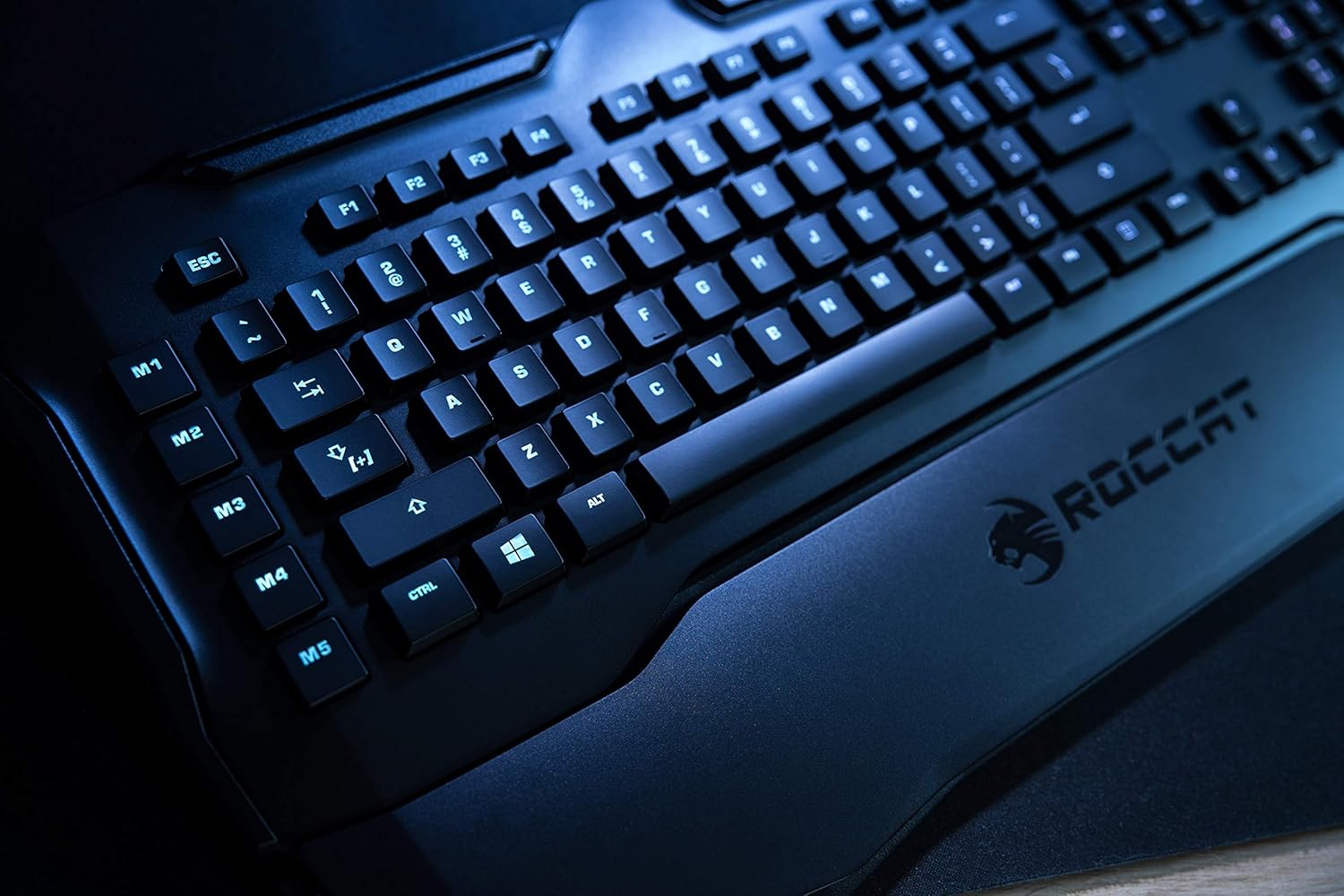
Figure 1: Roccat Horde AIMO keyboard with detachable palm rest.
3. Funcionament del teclat
3.1 AIMO and RGB Lighting
The AIMO intelligent lighting system provides dynamic, multi-zone RGB illumination. You can customize lighting effects, colors, and synchronization with other AIMO-compatible devices through the Roccat Swarm software.

Figure 2: Roccat Horde AIMO keyboard showcasinIl·luminació RGB g.
3.2 Configurable Tuning Wheel and Buttons
The tuning wheel and dedicated buttons located on the top right of the keyboard allow for quick adjustments without interrupting your workflow or game. These can be configured via Roccat Swarm to control multimedia playback, adjust lighting brightness, switch profiles, i més.

Figure 3: Detail of the tuning wheel and numpad.
3.3 Quick-Fire Macro Keys (M1-M5)
The five dedicated macro keys (M1-M5) on the left side of the keyboard can be programmed for complex commands or frequently used actions. Their low-profile design helps prevent accidental presses during intense gaming. Use the Roccat Swarm software to assign macros.

Figure 4: Macro keys M1-M5 and WASD section.
3.4 Anti-ghosting
The enhanced anti-ghosting feature ensures that all simultaneous key presses are registered accurately, which is crucial for fast-paced gaming scenarios.
4. Manteniment
4.1 Neteja del teclat
Per mantenir el rendiment i l'aspecte del teclat:
- Desconnecteu el teclat de l'ordinador abans de netejar-lo.
- Utilitzeu un suau, lleugerament damp cloth to wipe down the surface of the keyboard and keys.
- Eviteu l'ús de productes químics agressius, netejadors abrasius o humitat excessiva.
- Per a la pols i les restes entre les tecles, feu servir aire comprimit.
4.2 Palm Rest Care
The detachable palm rest can be cleaned with a damp cloth. Ensure it is completely dry before reattaching it to the keyboard.
5. Solució De Problemes
If you encounter issues with your Roccat Horde AIMO keyboard, please refer to the following common solutions:
- El teclat no respon:
- Assegureu-vos que el cable USB estigui connectat correctament tant al teclat com a l'ordinador.
- Prova de connectar el teclat a un port USB diferent.
- Reinicieu l'ordinador.
- Problemes d'il·luminació:
- Verify that the Roccat Swarm software is installed and up to date.
- Check lighting settings within the Roccat Swarm software.
- Assegureu-vos que no s'estigui executant cap programari conflictiu que pugui interferir amb el control RGB.
- Les macros no funcionen:
- Open Roccat Swarm and confirm that your macros are correctly assigned and saved to the active profile.
- Assegureu-vos que el programari s'executa en segon pla.
- El programari no detecta el teclat:
- Reinstall the Roccat Swarm software.
- Actualitzeu el vostre sistema operatiu a la darrera versió.
For further assistance, please visit the official Roccat support weblloc.
6. Especificacions
| Marca | ROCCAT |
| Nom del model | Horde AIMO |
| Model Number Item | ROC-12-350-BK |
| Dimensions del producte | 5.5 x 47 x 20 cm; 1.1 kg |
| Color | Negre |
| Tecnologia de connectivitat | USB |
| Nombre de ports USB 2.0 | 1 |
| Voltage | 5 Volts |
| Font d'alimentació | USB |
| Sistema operatiu | Windows 10 |
| Programari compatible | Windows 8 |
| Descripció del teclat | Ergonòmic |
| Usos recomanats | Gaming, PC / Server |
| Característiques especials | Repòs de canell |
| Primera data disponible | 15 de gener de 2020 |
7. Garantia i Suport
7.1 Garantia del producte
Your Roccat Horde AIMO RGB Gaming Keyboard is covered by a manufacturer's warranty. Please refer to the warranty card included with your product or visit the official Roccat weblloc web per obtenir informació detallada sobre els termes i condicions de garantia específics de la vostra regió.
7.2 Suport tècnic
For technical assistance, software updates, and frequently asked questions, please visit the Roccat support page on their official website. The Roccat Swarm software also provides access to support resources and ensures your device firmware is up to date.
Roccat Official Weblloc: www.roccat.com