
Riwbox XBT-80
Riwbox XBT-80 Bluetooth Wireless Headphones User Manual
Model: XBT-80 | Brand: Riwbox
Introducció
The Riwbox XBT-80 Bluetooth Wireless Headphones are designed to provide a superior audio experience with versatile connectivity options. Featuring impressive sound quality, comfortable design, and dual-mode operation (wireless and wired), these headphones are perfect for music, travel, fitness, and calls.
Característiques clau
- Qualitat de so impressionant: Equipped with 50mm large diameter aperture drivers for precise deep bass and high clarity sound. Built-in high-detail microphone for clear communication.
- Disseny còmode: Memory-protein ear cushions simulate human skin texture for lasting comfort. Stainless steel slider and softly padded headband ensure a perfect fit and excellent durability.
- Modes de funcionament dual: Enjoy up to 13 hours of music time or 15 hours of talk time in wireless mode with the built-in 420mAh battery. For continuous use, switch to wired mode using the provided audio cable.
- Portàtil i plegable: Space-saving foldable design makes these headphones easy to carry for study, work, or travel.
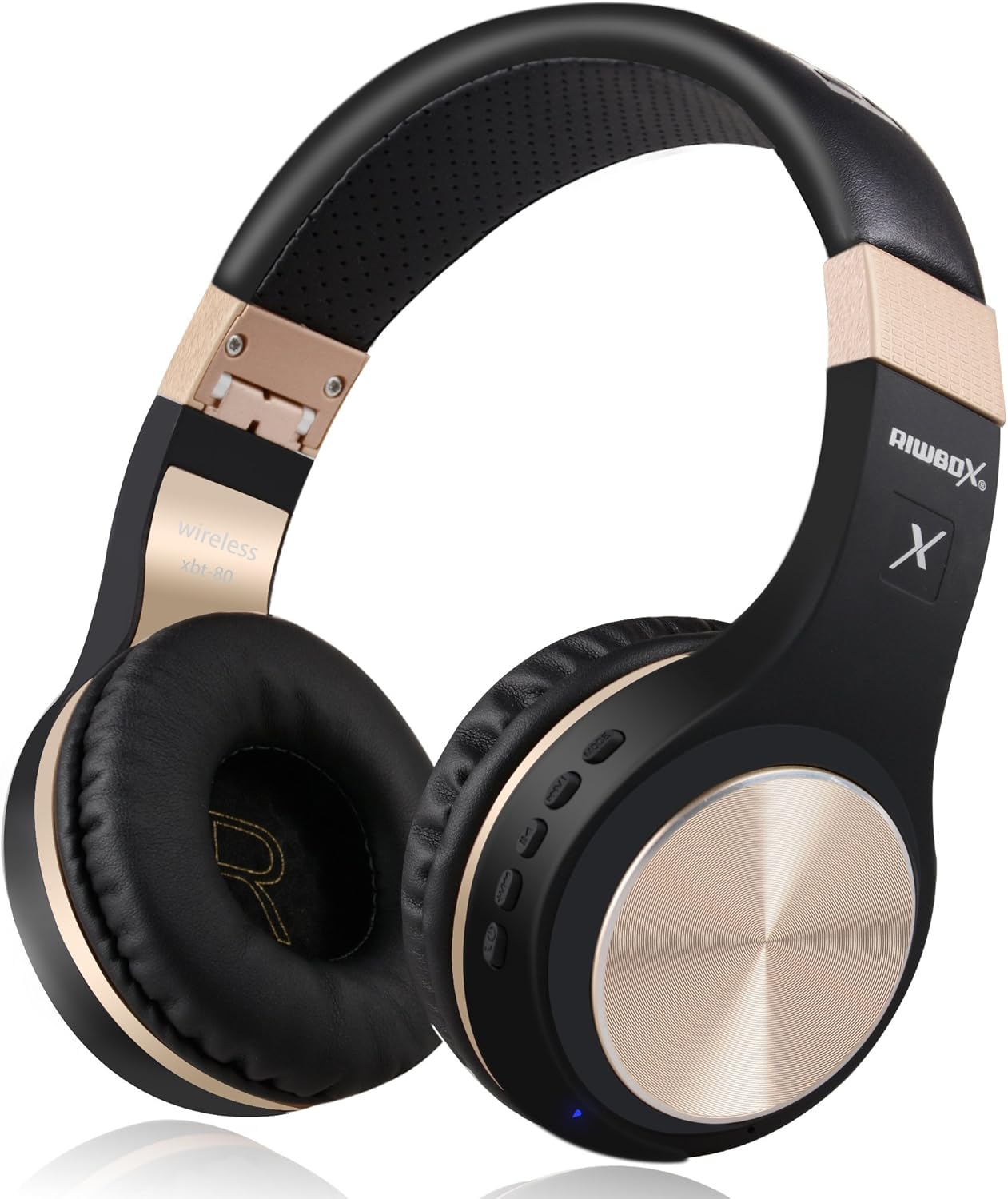
Figure 1: Riwbox XBT-80 Bluetooth Wireless Headphones (Black Gold).
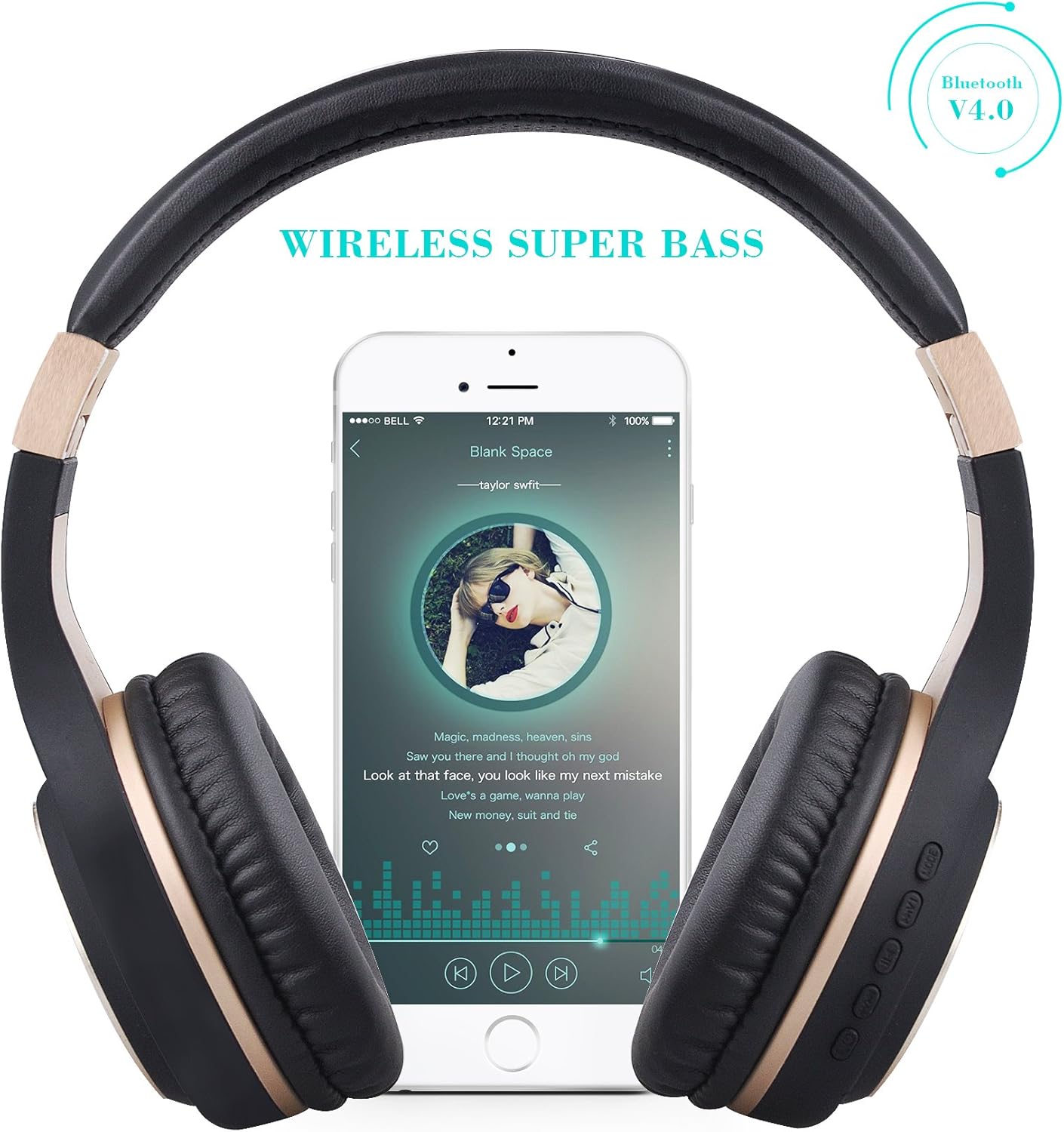
Figure 2: Wireless Super Bass feature with a smartphone connected.
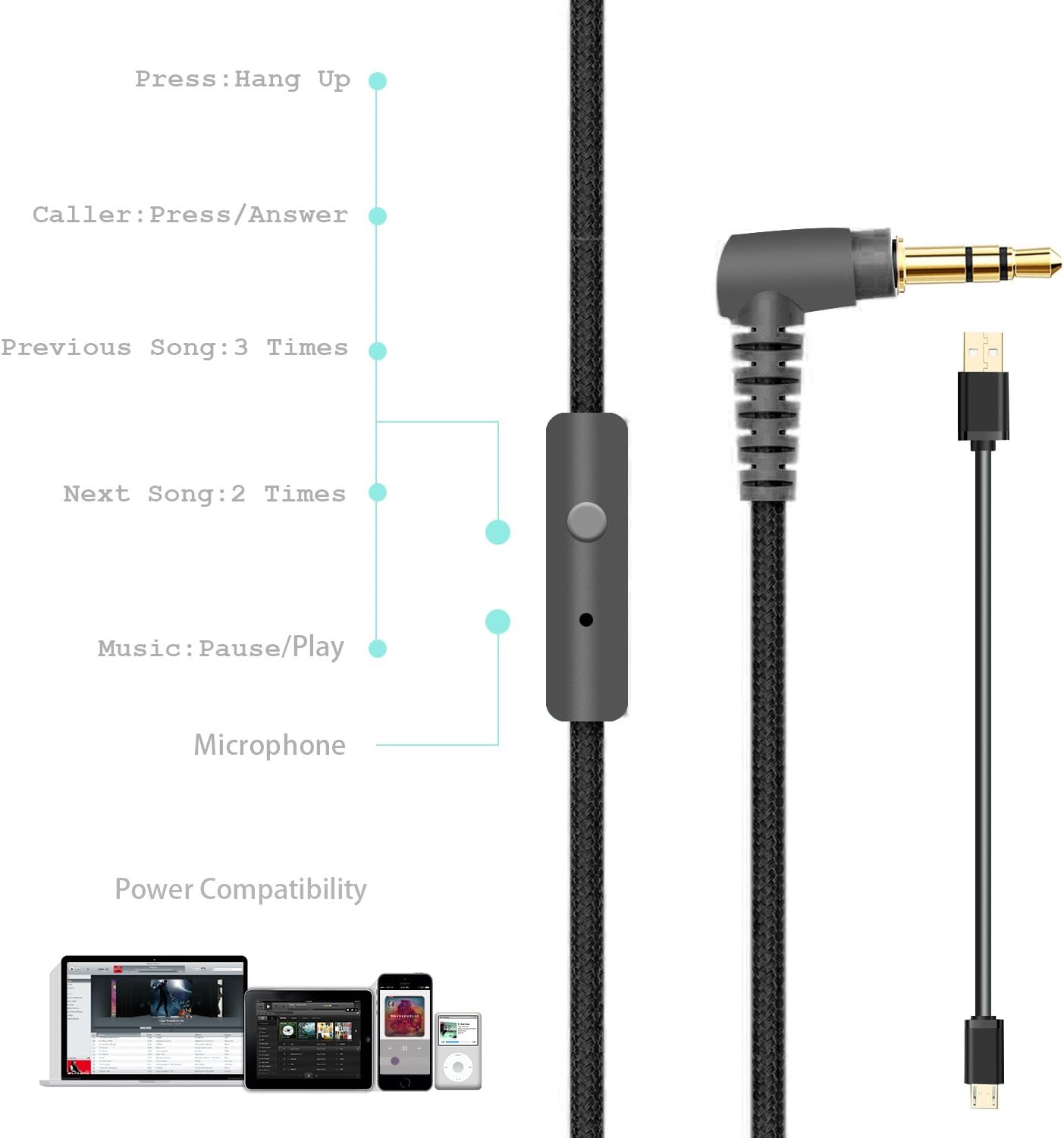
Figure 3: Foldable design for portability, showing charge, play, and standby times.
Contingut del paquet
Your Riwbox XBT-80 headphones package includes:
- Riwbox XBT-80 Bluetooth Wireless Headphones
- Cable de càrrega
- Cable d'àudio (3.5 mm)
Configuració
1. Càrrega dels auriculars
Before first use, fully charge your headphones. Connect the provided charging cable to the micro-USB port on the headphone (refer to Figure 4 for port location) and the other end to a USB power source (e.g., computer USB port, USB wall adapter).
- The LED indicator (Figure 4) will illuminate during charging.
- El temps de càrrega és d'aproximadament 3 hores.
- The LED indicator will change or turn off once charging is complete.
2. Emparellament Bluetooth
- Assegureu-vos que els auriculars estiguin apagats.
- Press and hold the Power button (Figure 4) until the LED indicator flashes blue and red alternately, indicating pairing mode.
- Al dispositiu (telèfon intel·ligent, tauleta, PC), activeu el Bluetooth i cerqueu els dispositius disponibles.
- Select "XBT-80" from the list of found devices.
- Once successfully paired, the LED indicator will flash blue slowly.
3. Connexió per cable
To use the headphones in wired mode, simply plug one end of the provided 3.5mm audio cable into the AUX port on the headphone (Figure 4) and the other end into your audio device's 3.5mm jack. The headphones will automatically switch to wired mode.
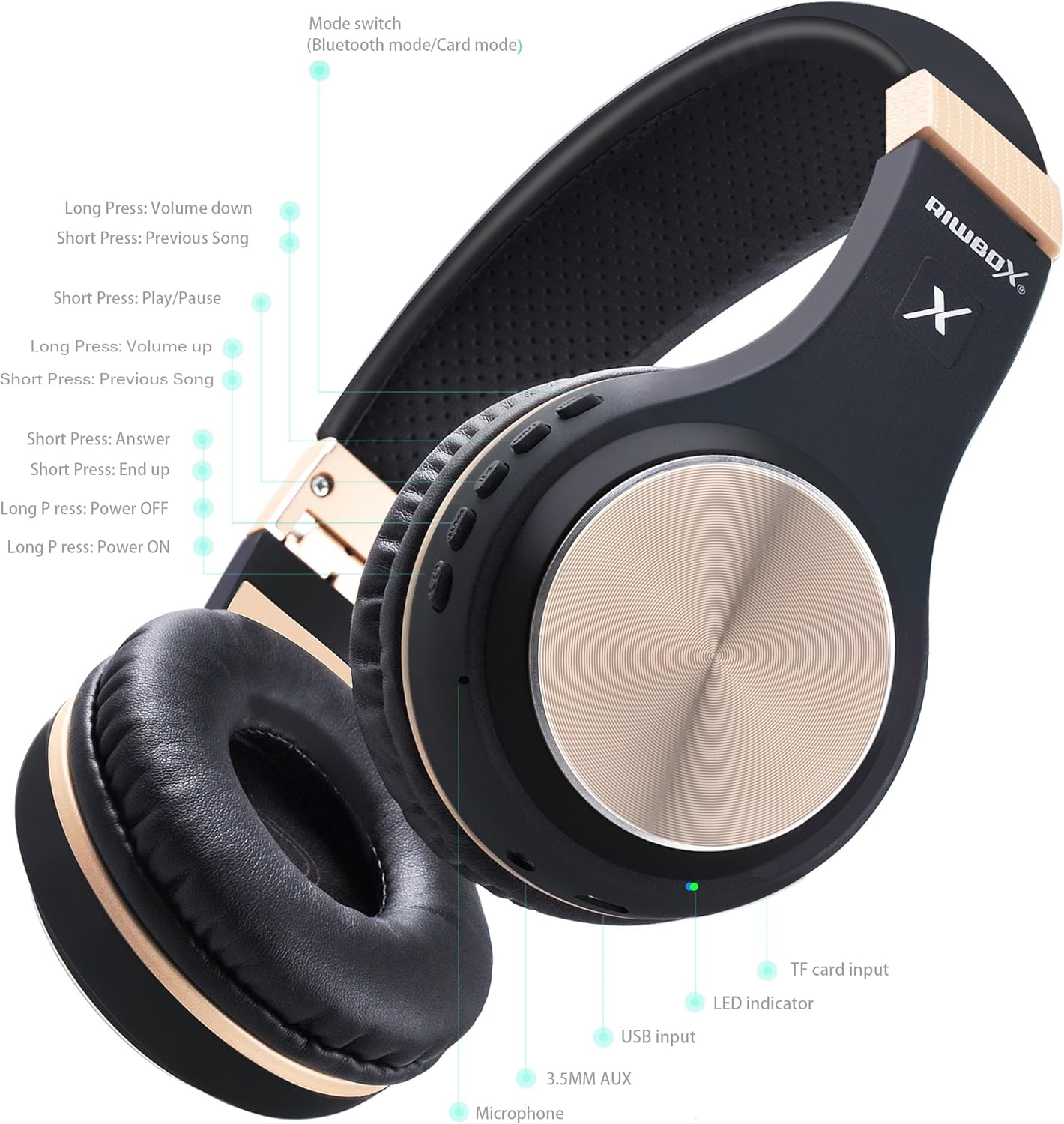
Figura 4: Detallada view of headphone controls, ports (USB input, 3.5mm AUX), and LED indicator.

Figure 5: The wired audio cable with inline microphone and controls for music and calls.
Instruccions de funcionament
Encès/Apagat
- Encès: Long press the Power button (Figure 4) until the LED indicator lights up.
- Apagar: Long press the Power button (Figure 4) until the LED indicator turns off.
Music Playback Control (Wireless Mode)
- Reproduir/pausa: Short press the Play/Pause button (Figure 4).
- Pujar el volum: Short press the Volume Up button (Figure 4).
- Baixar el volum: Short press the Volume Down button (Figure 4).
- Següent cançó: Long press the Volume Up button (Figure 4).
- Cançó anterior: Long press the Volume Down button (Figure 4).
Call Management (Wireless Mode)
- Respon a la trucada: Short press the Answer button (Figure 4).
- Finalitzar la trucada: Short press the End Call button (Figure 4).
Canvi de mode
The headphones support Bluetooth mode and Card mode (for TF card playback). Use the Mode switch button (Figure 4) to toggle between these modes.
Manteniment
- Neteja: Feu servir un drap suau i sec per netejar els auriculars. Eviteu utilitzar productes químics agressius o materials abrasius.
- Emmagatzematge: When not in use, fold the headphones (Figure 3) and store them in a cool, dry place away from direct sunlight and extreme temperatures.
- Cura de la bateria: Per allargar la durada de la bateria, eviteu descarregar completament els auriculars amb freqüència. Carregueu-los regularment, fins i tot si no els feu servir constantment.
Resolució de problemes
| Problema | Solució |
|---|---|
| Els auriculars no s'engeguen. | Assegureu-vos que els auriculars estiguin carregats. Connecteu-los a una font d'alimentació i torneu-ho a provar. |
| No es pot emparellar per Bluetooth. | Ensure headphones are in pairing mode (flashing blue/red). Make sure Bluetooth is enabled on your device and it's within range (10 meters). Forget previous pairings on your device and try again. |
| No hi ha so en mode sense fil. | Check headphone and device volume levels. Ensure headphones are properly paired. Try restarting both devices. |
| No hi ha so en mode amb cable. | Ensure the 3.5mm audio cable is fully inserted into both the headphone and the audio device. Test with a different audio cable if available. |
Especificacions
| Característica | Detall |
|---|---|
| Nom del model | XBT-80 |
| Tecnologia de connectivitat | Sense fil (Bluetooth), amb cable (connector de 3.5 mm) |
| Versió Bluetooth | 5.0 |
| Interval Bluetooth | 10 metres |
| Mida del controlador d'àudio | 50 mil·límetres |
| Durada de la bateria | 13 Hours (Music Playback), 15 Hours (Talking Time) |
| Temps de càrrega | 3 hores |
| Material | Imitació de pell |
| Pes de l'article | 330 grams (11.6 unces) |
| Dimensions del producte | 7.09 x 5.91 x 3.54 polzades |
| Control de soroll | Cap |
Vídeo oficial del producte
Vídeo 1: Acabatview of Riwbox XBT-80 Bluetooth Wireless Headphones, highlighting key features and design.
Garantia i Suport
For warranty information and customer support, please refer to the product's official Amazon listing or contact Riwbox customer service directly. Details can typically be found on the product packaging or the brand's official weblloc.
Per obtenir més ajuda, visiteu el Riwbox Store on Amazon.
Ask a question about this manual
Ask about setup, troubleshooting, compatibility, parts, safety, or missing instructions. Manuals+ will review the question and use this page’s manual context to help answer it.