
Introducció
This user manual provides comprehensive instructions for the VTech VM3252-2 Digital Video Baby Monitor. Please read this manual thoroughly before using the product to ensure proper operation and safety. Keep this manual for future reference.
Contingut del paquet
Your VTech VM3252-2 package includes:
- One (1) Parent Unit with 2.8-inch color LCD screen
- Two (2) Baby Units (cameras)
- Three (3) Power Adapters (one for Parent Unit, two for Baby Units)
- One (1) Rechargeable Battery (pre-installed in Parent Unit)
- Manual d'usuari (aquest document)

Image: The VTech VM3252-2 Digital Video Baby Monitor system, showing the parent unit and two baby units.
Configuració
1. Charging the Parent Unit Battery
The parent unit operates on a rechargeable battery or AC power. To maximize battery life, charge the parent unit for at least 12 hours before initial use. The battery icon on the screen indicates the charge level.
- Connect the small plug of the parent unit power adapter to the power jack on the side of the parent unit.
- Connect the large end of the power adapter to a wall outlet.
2. Connecting the Baby Units (Cameras)
The baby units operate on AC power only. Ensure they are placed within range of the parent unit and have a clear line of sight to the baby.
- Connect the small plug of the baby unit power adapter to the power jack on the back of the baby unit.
- Connect the large end of the power adapter to a wall outlet.
- Position the baby unit at least 3 feet (1 meter) away from the baby.
- Adjust the camera angle manually to get the desired view.

Image: A hand demonstrates adjusting the camera angle of the baby unit.
3. Encès / apagat
- Per encendre la unitat dels pares, premeu i manteniu premut el botó PODER button until the VTech logo appears.
- To turn off the parent unit, press and hold the PODER botó fins que la pantalla s'apagui.
- To turn on a baby unit, slide the ON/OFF canviar a ON posició.
- To turn off a baby unit, slide the ON/OFF canviar a OFF posició.
Funcionament
1. Monitoring Your Baby
Once both units are powered on and linked, the parent unit will automatically display video from the baby unit. If you have two cameras, the parent unit will cycle between them or allow manual selection.

Image: The parent unit's 2.8-inch color LCD screen showing a clear view d'un nadó.
2. Two-Way Talk Intercom
You can speak to your baby through the baby unit from the parent unit.
- Manteniu premut el botó PARLAR button on the parent unit.
- Speak clearly into the microphone on the parent unit.
- Allibera el PARLAR button to stop speaking and hear your baby.

Image: A user interacting with the parent unit, demonstrating the two-way talk feature.
3. Sons i cançons de bressol calmants
The baby unit can play pre-set lullabies and soothing sounds to help calm your baby.
- Access the menu on the parent unit.
- Navigate to the Lullaby/Sound option.
- Select a melody or sound to play.
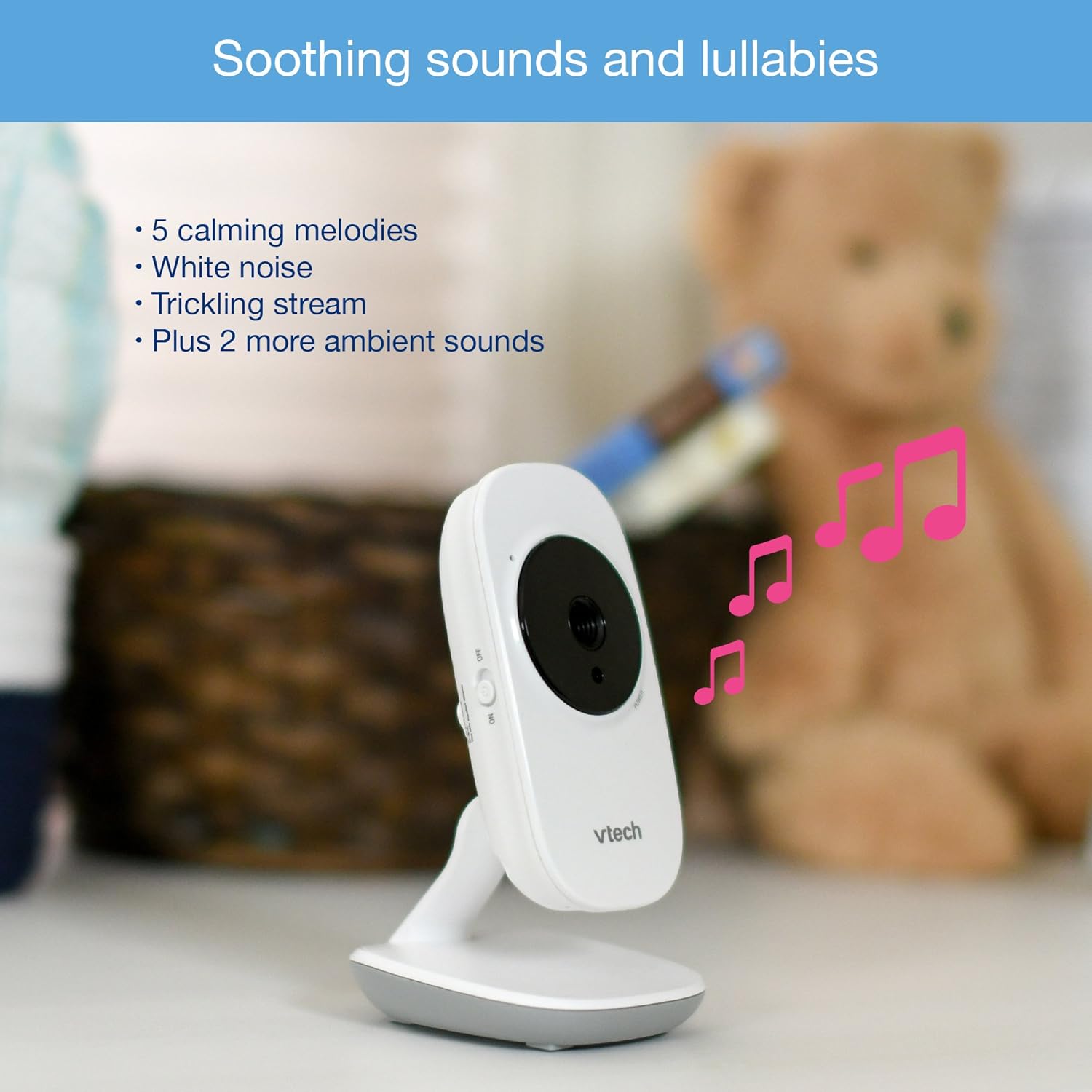
Image: The baby unit, illustrating its ability to play soothing sounds and lullabies.
4. Control de volum
Adjust the listening volume on the parent unit using the volume buttons.
- Premeu el botó PUJAR VOLUMEN botó per augmentar el volum.
- Premeu el botó BAIXAR VOLUM botó per baixar el volum.
- The parent unit features a 6-level sound indicator to visually represent the sound level detected by the baby unit.
Característiques clau
- High-Resolution 2.8-inch Color LCD Screen: Provides a clear video feed of your baby.
- Visió nocturna infraroja automàtica: Automatically activates in low-light conditions for clear viewa les fosques.
- Sensor de temperatura: Monitors the room temperature around the baby unit and displays it on the parent unit. Alerts can be set for temperature fluctuations.
- Angle de càmera ajustable: Manually adjust the baby unit's camera to achieve the optimal viewangle de ing.
- Zoom digital 2x: Zoom in on your baby for a closer look.
- Up to 1,000 feet of Range: Stay connected to your baby from various rooms in your home.

Image: A visual summary of key features including temperature monitoring, night vision, adjustable camera, and sound indicators.
Manteniment
Neteja del monitor
- Wipe the surfaces of the parent unit and baby units with a soft, damp tela.
- No utilitzeu sprays de neteja ni netejadors líquids.
- Ensure the units are dry before reconnecting to power.
Cura de la bateria
- The parent unit uses a rechargeable battery. If the battery life significantly decreases, it may need replacement.
- Only use the specified replacement battery type.
- Do not dispose of batteries in fire. Check local regulations for proper battery disposal.
Resolució de problemes
No Link / Out of Range
If the parent unit displays "No Link" or "Out of Range":
- Ensure both the parent unit and baby units are powered on.
- Apropeu la unitat dels pares a la unitat del nadó.
- Relocate the baby unit to a position with fewer obstructions (e.g., walls, furniture).
- Avoid placing the monitor near other electronic devices that may cause interference (e.g., Wi-Fi routers, cordless phones).
Poor Picture Quality / Blurry Night Vision
- Assegureu-vos que la lent de la càmera estigui neta i sense pols ni taques.
- Check for adequate lighting in the room during daytime use.
- During night vision, ensure there are no direct light sources near the baby unit that could interfere with the infrared sensors.
- Adjust the position of the baby unit for a clearer view.
Short Battery Life on Parent Unit
- Ensure the parent unit is fully charged for at least 12 hours before use.
- Reduce screen brightness to conserve battery.
- If the battery life remains significantly short after full charging, the rechargeable battery may need to be replaced.
- Keep the parent unit plugged into the power adapter for continuous use.
Monitor Randomly Turns Off
- Check if the parent unit battery is low. Recharge the unit.
- Ensure the power adapter is securely connected to both the parent unit and the wall outlet.
- Si el problema persisteix, poseu-vos en contacte amb el servei d'atenció al client.
Especificacions
| Característica | Detall |
|---|---|
| Número de model | VM3252-2 |
| Mida de la pantalla | 2.8 polzades |
| Resolució de captura de vídeo | 720p |
| Nombre de càmeres | 2 |
| Tecnologia de connectivitat | Sense fil |
| Font d'alimentació | AC Powered (Baby Units), Rechargeable Battery / AC Powered (Parent Unit) |
| Visió nocturna | Visió nocturna infraroja automàtica |
| Zoom digital | 2x |
| Intercomunicador | Xerrada bidireccional |
| Sensor de temperatura | Sí |
| Lullabies/Sounds | Sí |
| Dimensions de l'article | 4.89 x 4.77 x 2.83 polzades |
| Pes de l'article | 1.88 lliures |
| Color | Blanc |
Informació de la garantia
VTech products are designed with quality and reliability in mind. For detailed warranty information, please refer to the warranty card included in your product packaging or visit the official VTech weblloc web. Conserveu el rebut de compra com a comprovant de compra.
Atenció al client
If you have any questions or require assistance with your VTech VM3252-2 Digital Video Baby Monitor, please contact VTech customer support:
- Weblloc: www.vtechbabycare.com
- Correu electrònic: suport@vtechbabycare.com
For additional resources and FAQs, please visit the VTech support page online.
Producte acabatview Vídeo
Video: An official VTech overview of the VM3252-2 Digital Video Baby Monitor, highlighting its features and ease of use.