
Introducció
The j5create JCC153G is a 6-foot USB Type-C to HDMI cable designed to connect your USB Type-C enabled device to an HDMI display. This cable supports 4K video resolution at 60Hz, providing a high-quality visual experience. It is compatible with devices supporting DisplayPort Alternate Mode over USB-C, including Thunderbolt 3/4, MacBook Pro/Air, iPad Pro/Air 4, and Chromebooks.
This manual provides detailed instructions for setting up, operating, maintaining, and troubleshooting your JCC153G cable.

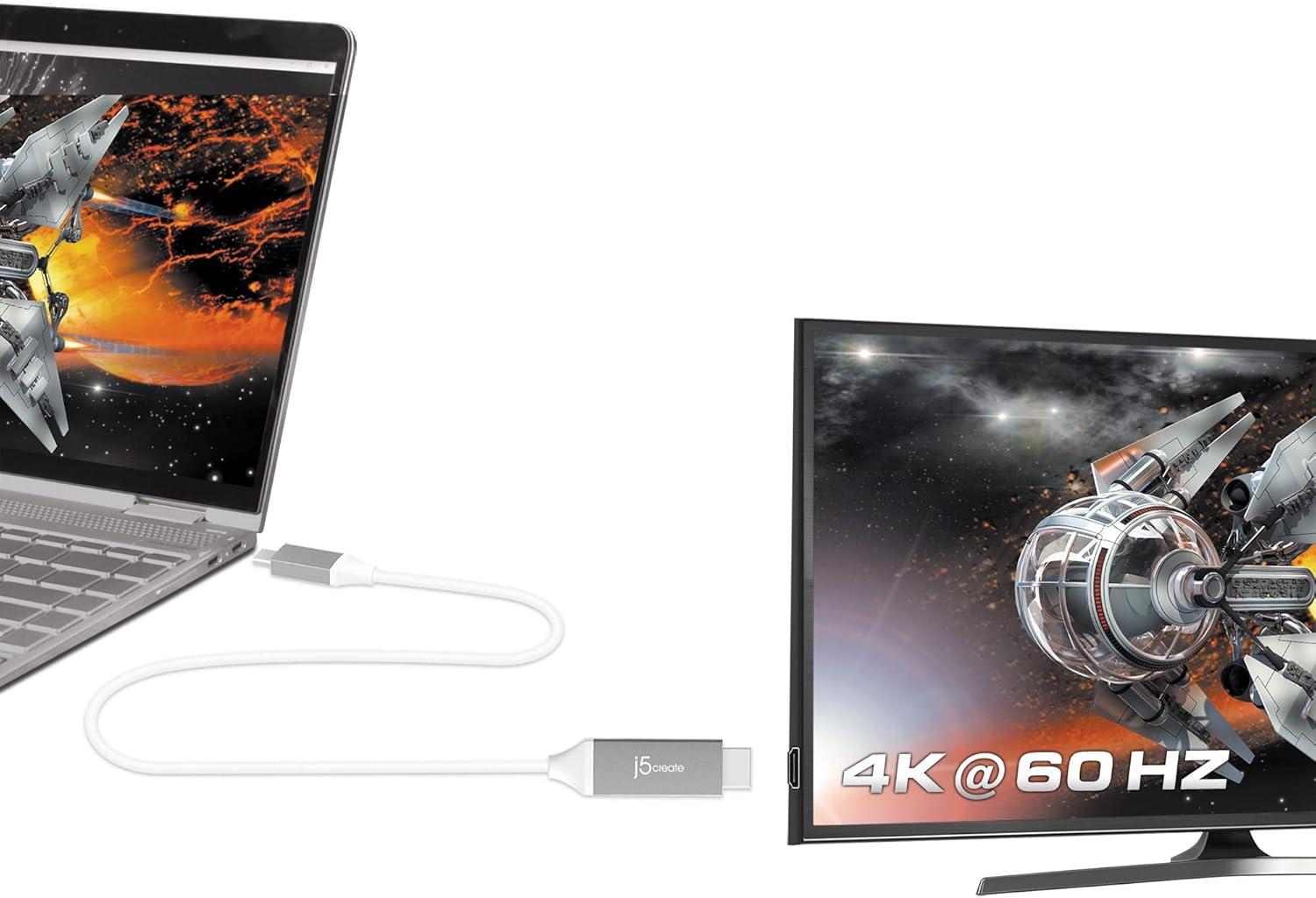
Image: The j5create USB Type-C to HDMI cable connecting a laptop to a 4K monitor, displaying a high-resolution image.
Instruccions de configuració
Follow these steps to connect your j5create JCC153G cable:
- Identifica els ports: Ensure your source device (laptop, tablet) has a USB Type-C port that supports DisplayPort Alternate Mode (Alt Mode). Ensure your display device (monitor, TV, projector) has an HDMI input port.
- Connect USB Type-C: Plug the USB Type-C connector of the JCC153G cable into the USB Type-C port on your source device.
- Connecta HDMI: Plug the HDMI connector of the JCC153G cable into an available HDMI input port on your display device.
- Dispositius d'encesa: Activeu tant el dispositiu font com el dispositiu de visualització.
- Seleccioneu l'entrada: On your display device, use the input/source selection button to choose the HDMI input port to which the cable is connected.
Imatge: Un primer pla view of the j5create USB Type-C and HDMI connectors, highlighting the cable's design.
Instruccions de funcionament
Once connected, your display should automatically detect the signal from your source device. If not, you may need to adjust display settings on your computer or device.
- Modes de visualització: Most operating systems allow you to choose how your external display functions:
- Duplicate/Mirror: Shows the same content on both your source device and the external display.
- Ampliar: Amplia l'escriptori a les dues pantalles, permetent més espai de treball.
- Només segona pantalla: Displays content only on the external display, turning off your source device's screen.
- Configuració de resolució: To achieve 4K@60Hz, ensure your source device and display both support this resolution and refresh rate. You can adjust display resolution settings in your operating system's display preferences.
- Sortida d'àudio: Audio is typically transmitted through the HDMI cable. You may need to select the HDMI display as your audio output device in your operating system's sound settings.

Image: A laptop connected to an external monitor, clearly showing "4K @ 60 Hz" on the monitor, indicating high-resolution output.
Manteniment
Proper care will extend the life of your j5create JCC153G cable:
- Emmagatzematge: Store the cable in a cool, dry place away from direct sunlight and extreme temperatures. Avoid tightly coiling or bending the cable sharply, as this can damage internal wires.
- Neteja: Feu servir un drap suau i sec per netejar el cable i els connectors. No utilitzeu netejadors líquids ni dissolvents.
- Manipulació: Agafeu sempre el capçal del connector quan connecteu o desconnecteu el cable, en comptes de tirar del cable en si.
- Protecció: Avoid placing heavy objects on the cable or exposing it to pets that might chew on it.
Resolució de problemes
Si trobeu problemes, proveu les solucions següents:
| Problema | Solució |
|---|---|
| No es mostra cap pantalla al monitor extern. |
|
| Low resolution or incorrect refresh rate. |
|
| No audio from external monitor. |
|
| Senyal intermitent o parpelleig. |
|
Especificacions
- Model: JCC153G
- Marca: j5crear
- Tipus de connector: USB Type-C (Male) to HDMI (Male)
- Longitud del cable: 6 peus (aproximadament 1.8 metres)
- Resolució de vídeo: Up to 4K (3840 x 2160) at 60Hz
- Velocitat de transferència de dades: 6 gigabits per segon
- Dispositius compatibles: Laptops, Monitors, PCs, Projectors, Tablets, Televisions with USB Type-C ports supporting DisplayPort Alt Mode (e.g., Thunderbolt 3/4, MacBook Pro/Air, iPad Pro/Air 4, Chromebooks)
- Característica especial: Universal compatibility with DisplayPort Alt Mode over USB-C
- Color: Gris/Plata
- Material: Polyvinyl Chloride (Outer Material)
- Certificacions: HDMI™ Certification (ATC Certified)
- UPC: 847626002397

Image: The j5create USB Type-C to HDMI cable, featuring the HDMI ATC Certificate logo, indicating compliance with HDMI standards.
Informació de la garantia
The j5create JCC153G USB Type-C to 4K@60Hz HDMI Cable comes with a Garantia limitada de 1 anys from the date of purchase. This warranty covers defects in materials and workmanship under normal use. It does not cover damage caused by accident, misuse, abuse, unauthorized modification, or external causes.
For warranty claims or further details, please contact j5create customer support.
Atenció al client
For technical assistance, product inquiries, or warranty support, please visit the official j5create weblloc o poseu-vos en contacte amb el seu departament d'atenció al client.
Oficial Weblloc: www.j5create.com
Please have your product model (JCC153G) and purchase information ready when contacting support.