
1. Introducció
The Trevi XR JUMP XR 84 BT is a portable amplified speaker designed for wireless audio playback. This device integrates an MP3 player, USB input, Micro-SD card slot, FM radio with auto-scan, and an auxiliary input for versatile connectivity. Its compact design and built-in microphone allow for hands-free phone calls, making it suitable for various environments. The rechargeable lithium battery ensures extended use on the go.
2. Informació de seguretat
- No exposeu el dispositiu a temperatures extremes, llum solar directa ni humitat elevada.
- Eviteu deixar caure o sotmetre l'altaveu a forts impactes.
- Mantingueu l'altaveu allunyat de l'aigua o altres líquids.
- No intenteu desmuntar ni reparar la unitat vosaltres mateixos. Encarregueu tot el manteniment a personal qualificat.
- Use only the specified charging cable and power source to prevent damage.
- Assegureu-vos que hi hagi una ventilació adequada quan feu servir l'altaveu.
3. Contingut del paquet
Si us plau, comproveu que tots els elements siguin presents al paquet:
- Trevi XR JUMP XR 84 BT Portable Speaker
- Cable de càrrega USB
- Cable d'àudio auxiliar
- Manual d'usuari
4. Producte acabatview
Controls i Ports
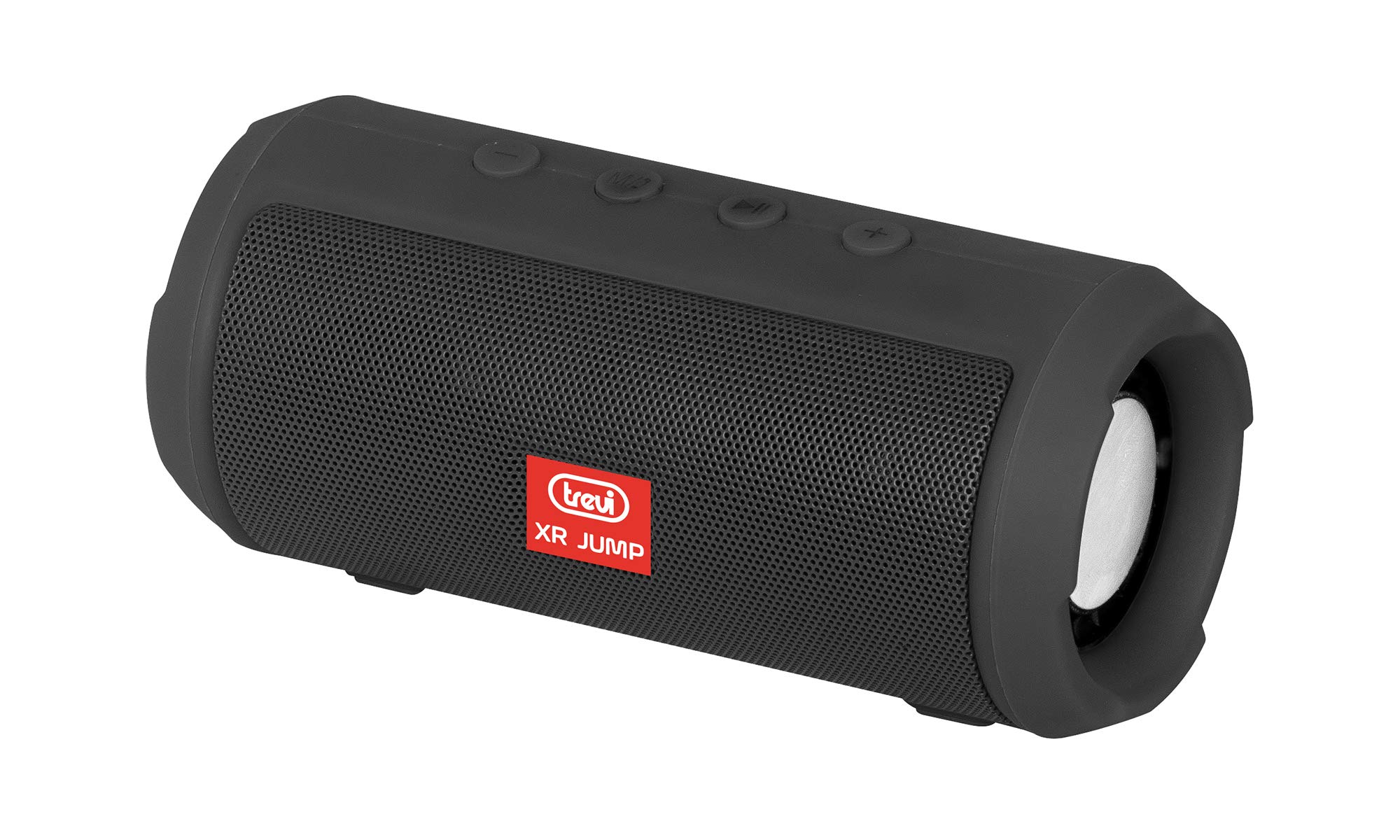
Imatge 1: Frontal view of the Trevi XR JUMP XR 84 BT Portable Speaker, showcasing the speaker grille and Trevi XR JUMP logo.

Imatge 2: Lateral view of the Trevi XR JUMP XR 84 BT Portable Speaker, showing the control buttons and compact design.
While specific button labels are not provided, typical controls on this type of speaker include:
- Botó d'encesa: Per encendre o apagar l'altaveu.
- Botó de mode: To switch between Bluetooth, FM Radio, USB, Micro-SD, and AUX modes.
- Botó Pujar volum/Pista següent: Premeu curt per a la següent pista, premeu llargament per pujar el volum.
- Botó per baixar el volum/pista anterior: Premeu curt per a la pista anterior, premeu llargament per baixar el volum.
- Botó Reproduir/Pausa/Trucada: To play/pause music, answer/end calls.
- Port micro-USB: Per carregar l'altaveu.
- Port USB: Per reproduir música des d'una unitat flash USB.
- Ranura per a targetes microSD: For playing music from a Micro-SD card.
- Port AUX-IN: Per connectar dispositius d'àudio externs mitjançant un cable d'àudio de 3.5 mm.
- Micròfon: Per a trucades amb mans lliures.
5. Configuració
5.1 Càrrega inicial
Before first use, fully charge the speaker. Connect the supplied USB charging cable to the speaker's Micro-USB port and the other end to a USB power adapter (not included) or a computer's USB port. The charging indicator light will typically illuminate during charging and turn off or change color when fully charged. Charging time may vary.
5.2 Engegada/apagada
- Per girar ON: Press and hold the Power button for a few seconds until you hear an audible prompt or see an indicator light.
- Per girar OFF: Press and hold the Power button again for a few seconds until the speaker powers down.
6. Instruccions de funcionament
6.1 Vinculació Bluetooth
- Ensure the speaker is powered on and in Bluetooth mode (indicated by a flashing LED or audible prompt). If not, press the Mode button to switch to Bluetooth.
- Activeu el Bluetooth al vostre telèfon intel·ligent, tauleta o altre dispositiu compatible amb Bluetooth.
- Cerca available devices. The speaker will appear as "TREVI XR 84 BT" or similar.
- Select the speaker from the list to pair. Once paired, you will hear a confirmation sound, and the LED indicator will stop flashing.
- Ara pots reproduir àudio des del teu dispositiu a través de l'altaveu.
Reproducció de MP3 6.2 (USB/Micro-SD)
- Insert a USB flash drive or a Micro-SD card (pre-loaded with MP3 audio files) into the corresponding port on the speaker.
- The speaker should automatically detect the storage device and switch to MP3 playback mode. If not, press the Mode button to select the correct input.
- Feu servir els botons Reprodueix/Pausa, Pista següent i Pista anterior per controlar la reproducció.
6.3 Ràdio FM
- Premeu el botó Mode per canviar al mode de ràdio FM.
- To perform an automatic station scan, press and hold the Play/Pause button. The speaker will scan and save available FM stations.
- Use the Next Track and Previous Track buttons to navigate through the saved stations.
6.4 Entrada AUX
- Connect one end of the 3.5mm auxiliary audio cable to the speaker's AUX-IN port.
- Connecteu l'altre extrem del cable a la presa d'auriculars o a la sortida d'àudio del dispositiu extern.
- Premeu el botó Mode per canviar al mode AUX.
- Controla la reproducció i el volum directament des del teu dispositiu extern.
6.5 Trucades de mans lliures
When the speaker is connected to your smartphone via Bluetooth:
- Respondre una trucada: Press the Play/Pause/Call button once to answer an incoming call.
- Finalització d'una trucada: Press the Play/Pause/Call button once to end an active call.
- Rebutjar una trucada: Mantingueu premut el botó Reproduir/Pausa/Trucada per rebutjar una trucada entrant.
- Remarcació: Double-press the Play/Pause/Call button to redial the last number.
7. Manteniment
- Neteja: Feu servir un drap suau i sec per netejar l'exterior de l'altaveu. No utilitzeu productes de neteja abrasius ni dissolvents.
- Emmagatzematge: Quan no l'utilitzeu durant períodes prolongats, guardeu l'altaveu en un lloc fresc i sec, allunyat de la llum solar directa i de temperatures extremes.
- Cura de la bateria: Per allargar la durada de la bateria, eviteu descarregar-la completament amb freqüència. Carregueu l'altaveu regularment, fins i tot si no l'esteu fent servir.
8. Solució De Problemes
| Problema | Causa possible | Solució |
|---|---|---|
| L'altaveu no s'encén. | La bateria està esgotada. | Carregueu l'altaveu completament. |
| No hi ha so de l’altaveu. | Volume is too low; device not paired; incorrect mode selected. | Increase volume; re-pair Bluetooth device; switch to correct input mode (Bluetooth, USB, Micro-SD, AUX, FM). |
| Connexió Bluetooth inestable. | Device is too far from the speaker; interference. | Move the device closer to the speaker (within 10 meters); avoid obstacles; turn off other Bluetooth devices. |
| Cannot play music from USB/Micro-SD. | Incorrecte file format; storage device not properly inserted. | Assegureu-vos files are in MP3 format; re-insert USB drive or Micro-SD card; press Mode button to select correct input. |
| La recepció de ràdio FM és deficient. | Senyal feble; interferències ambientals. | Move the speaker to a different location; ensure no large metal objects are nearby. |
9. Especificacions
| Característica | Especificació |
|---|---|
| Nom del model | XR 84 BT |
| Número de model | 0XR08400 |
| Marca | Trevi |
| Tecnologia de connectivitat | Bluetooth |
| Característiques especials | Portable, Radio |
| Tipus d'altaveu | Subwoofer (with passive woofers) |
| Potència màxima de sortida de l'altaveu | 3.5 watts |
| Font d'alimentació | Battery (1 Lithium-ion, included) |
| Dimensions del producte (L x A x A) | 14.2 x 6.5 x 6.5 cm |
| Pes del producte | 310 grams |
| Dispositius compatibles | Dispositius compatibles amb Bluetooth |
| Color | Negre |
10. Garantia i Suport
This product is covered by a manufacturer's warranty. For detailed warranty information, please refer to the warranty card included in your package or contact Trevi customer support. For technical assistance or service inquiries, please visit the official Trevi weblloc o poseu-vos en contacte amb el seu departament d'atenció al client.
Note: Software updates are not guaranteed for this product.