
1. Introducció
Welcome to the user manual for your Braeburn 7205 Digital Programmable Wi-Fi Thermostat. This device is designed to provide efficient and convenient control over your home's heating and cooling system. Featuring Wi-Fi connectivity, you can manage your climate settings remotely using the Braeburn BlueLink app on your smartphone or tablet. The thermostat supports 7-day programming and is compatible with conventional HVAC equipment, often without requiring a common wire.

Figure 1.1: Contents of the Braeburn 7205 thermostat package, including the thermostat unit, batteries, and mounting hardware.
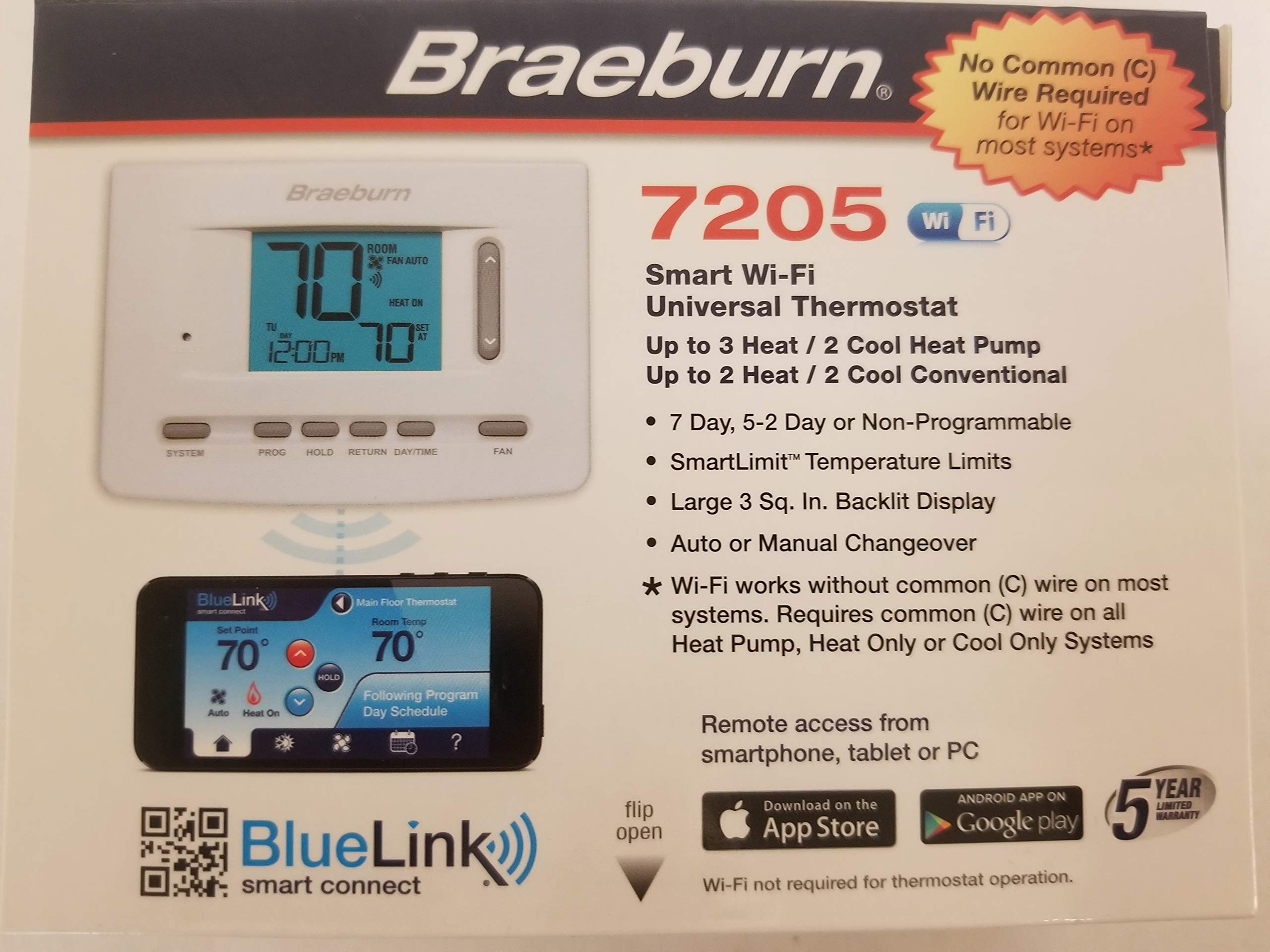
Figura 1.2: Mésview of Braeburn BlueLink app features for smart control and scheduling. Download the app from goo.gl/9jhYnT.
2. Configuració i instal·lació
2.1 Contingut del paquet
Abans de començar la instal·lació, assegureu-vos que hi hagi tots els components:
- Braeburn 7205 Thermostat Unit
- Maquinari de muntatge (cargols i ancoratges de paret)
- Bateries AA (2)
- Instruccions d'instal·lació i funcionament
2.2 Passos d'instal·lació
Follow these general steps for installation. Refer to the detailed wiring diagrams included with your product for specific connections.
- Apagar: Turn off the power to your heating and cooling system at the main circuit breaker.
- Elimina el termòstat antic: Traieu amb cura el termòstat antic de la paret. Feu una foto de les connexions del cablejat com a referència.
- Mount Thermostat Base: Install the new Braeburn 7205 thermostat base plate to the wall using the provided mounting hardware.
- Connexions de cable: Connect the HVAC system wires to the appropriate terminals on the new thermostat base. The Braeburn 7205 can operate without a common (C) wire on most conventional systems, but a C-wire is recommended for consistent Wi-Fi operation.
- Instal·leu el termòstat: Attach the thermostat unit to its base plate.
- Insereix les piles: Install the two AA batteries into the designated compartment.
- Encès: Restore power to your heating and cooling system at the circuit breaker.

Figura 2.1: Frontal view of the Braeburn 7205 thermostat, showing the digital display and control buttons.

Figura 2.2: posterior view of the Braeburn 7205 thermostat, displaying wiring terminals and FCC information.
2.3 Connexió Wi-Fi
To enable Wi-Fi features and remote control:
- Download the Braeburn BlueLink app from the Apple App Store or Google Play Store.
- Creeu un compte o inicieu sessió si ja en teniu un.
- Follow the in-app instructions to add your new Braeburn 7205 thermostat to your account and connect it to your home Wi-Fi network.
3. Instruccions de funcionament
3.1 Controls bàsics
The Braeburn 7205 features several buttons for direct control:
- SISTEMA: Cycles through system modes: OFF, HEAT, COOL, AUTO, EM HEAT (if applicable).
- PROG: Accesses programming settings for scheduling.
- MANTENIR: Initiates or cancels a temporary temperature hold.
- TORNADA: Navigates back through menus or confirms selections.
- DIA/HORA: Sets the current day and time.
- VENTILADOR: Cycles through fan modes: AUTO (fan runs only when heating/cooling) or ON (fan runs continuously).
- Fletxes amunt/avall: Ajusta els punts de consigna de temperatura o navega per les opcions del menú.
3.2 Calendari de programació
The thermostat allows for 7-day programmable scheduling to optimize energy usage and comfort. To set a program:
- Premeu el botó PROG botó.
- Utilitza el Fletxes amunt/avall to select the day or group of days you wish to program.
- Follow the on-screen prompts to set desired temperatures for different time periods (e.g., Wake, Leave, Return, Sleep).
- Utilitza el TORNAR button to confirm settings and exit programming mode.
3.3 Funció Hold
The HOLD function allows you to temporarily override the programmed schedule. This is useful if you are home during a time you would normally be away, or vice versa.
- To initiate a hold: Adjust the temperature using the Fletxes amunt/avall. The thermostat will automatically enter a temporary hold. Press MANTENIM to make it a permanent hold until cancelled.
- To cancel a hold: Press the MANTENIM button again. The thermostat will revert to its programmed schedule.
4. Manteniment
4.1 Substitució de la bateria
The Braeburn 7205 uses two AA alkaline batteries for backup power and can also operate on hardwired 24V power. When the battery indicator appears on the display, replace the batteries promptly.
- Gently pull the thermostat unit away from its wall plate.
- Remove the old AA batteries from the compartment.
- Introduïu dues piles alcalines AA noves, assegurant-vos de la polaritat correcta.
- Snap the thermostat unit back onto its wall plate.
4.2 Neteja
To clean your thermostat, gently wipe the exterior with a soft, damp drap. No utilitzeu productes de neteja abrasius ni dissolvents, ja que poden danyar la pantalla o laasing.
5. Solució De Problemes
If you experience issues with your Braeburn 7205 thermostat, refer to the following common problems and solutions:
| Problema | Causa possible | Solució |
|---|---|---|
| La pantalla del termòstat està en blanc | No power (batteries dead or 24V power off) | Replace batteries. Check circuit breaker for HVAC system. Ensure 24V wiring is secure. |
| El sistema no respon a la configuració del termòstat | Incorrect wiring, system mode incorrect, safety lockout | Verify wiring connections. Ensure SYSTEM mode is set to HEAT or COOL. Wait 5 minutes for system lockout to reset. |
| Problemes de connexió Wi-Fi | Weak signal, incorrect password, router issues | Ensure thermostat is within Wi-Fi range. Re-enter Wi-Fi password in the BlueLink app. Restart your home router. Ensure a C-wire is connected for stable Wi-Fi. |
| La lectura de temperatura sembla inexacta | Thermostat exposed to drafts or direct sunlight | Assegureu-vos que el termòstat no estigui exposat a la llum solar directa ni a prop de fonts de calor o corrents d'aire. |
| Cannot program schedule | In HOLD mode, or incorrect button sequence | Cancel HOLD mode. Refer to Section 3.2 for programming steps. |
If problems persist, you may need to reset the thermostat. A small RESET button is located on the front of the unit (refer to Figure 2.1). Use a small pointed object to press it.
6. Especificacions
| Característica | Detall |
|---|---|
| Marca | Braeburn |
| Número de model | 7205 |
| Tecnologia de connectivitat | Wi-Fi |
| Font d'alimentació | Dual Powered (Battery/Hardwire) |
| Voltage | 24 Volts |
| Tipus de visualització | Digital |
| Mida de la pantalla | 3 polzades |
| Tipus de control | Push Button, Remote (via app) |
| Tipus de muntatge | Muntatge de paret |
| Llum de fons | Sí |
| Bateries | 2 piles AA (incloses) |
| Pes de l'article | 15.2 unces |
| Característica especial | Programmable (7-day) |
| Usos específics per al producte | Heat Pump, Conventional HVAC |
| UPC | 833732001799 |
| ID de la FCC | 2ADX6-7205 |
7. Garantia i Suport
Your Braeburn 7205 Digital Programmable Wi-Fi Thermostat is backed by a manufacturer's warranty. Please refer to the warranty card included in your product packaging for specific terms and conditions. For technical support, troubleshooting assistance, or to learn more about your thermostat's features, please visit the official Braeburn website or contact their customer service department. The BlueLink Smart Connect app also provides additional support resources.