
1. Introducció
This manual provides detailed instructions for the installation, operation, and maintenance of your SV3C 5MP PoE Security Camera. This camera is designed for both outdoor and indoor surveillance, featuring high-definition video, starlight night vision, and robust weather resistance. Please read this manual thoroughly before using the product to ensure proper setup and functionality.
2. Contingut del paquet
Verifiqueu que tots els elements que s'enumeren a continuació s'inclouen al vostre paquet. Si falta algun element o hi ha algun malmès, poseu-vos en contacte amb l'atenció al client.
- SV3C PoE IP Camera
- Cable de xarxa
- Power Adapter (optional use)
- Guia d'inici ràpid / Manual d'usuari
- Waterproof Lid for Ethernet Connector
- Mounting Screws and Hex Key

Image: Contents of the SV3C 5MP PoE Camera package.
3. Característiques del producte
- Super HD 5MP Resolution: Captures video at 2560x1920 pixels at 12.5 frames per second for clear imaging.
- Visió nocturna avançada: Equipped with a 3.6mm fixed lens and 335 Sensor for starlight illumination, providing night vision up to 65-100ft.
- Alimentació per Ethernet (PoE): Simplifies installation by delivering both power and data through a single Cat5 cable. A power adapter is also included for non-PoE setups.
- H.265/H.264 Video Compression: Efficient video coding saves storage space and ensures smooth playback.
- Detecció de moviment intel·ligent: Configurable motion detection triggers alerts to your mobile phone and sends images to Email/FTP.
- IP66 Weatherproof Design: Full aluminum casing ensures durability and protection against complex outdoor environments, operating from -4°F to 140°F.
- Àmplia compatibilitat: Supports ONVIF and is compatible with Blue Iris, Ispy, Zoneminder, VLC, and various NVR devices.
- Accés remot: View viu footage and recordings via the Camhipro app (iOS/Android) or HIP2P software (PC/Mac).

Image: Day and night vision capabilities of the 5MP camera.
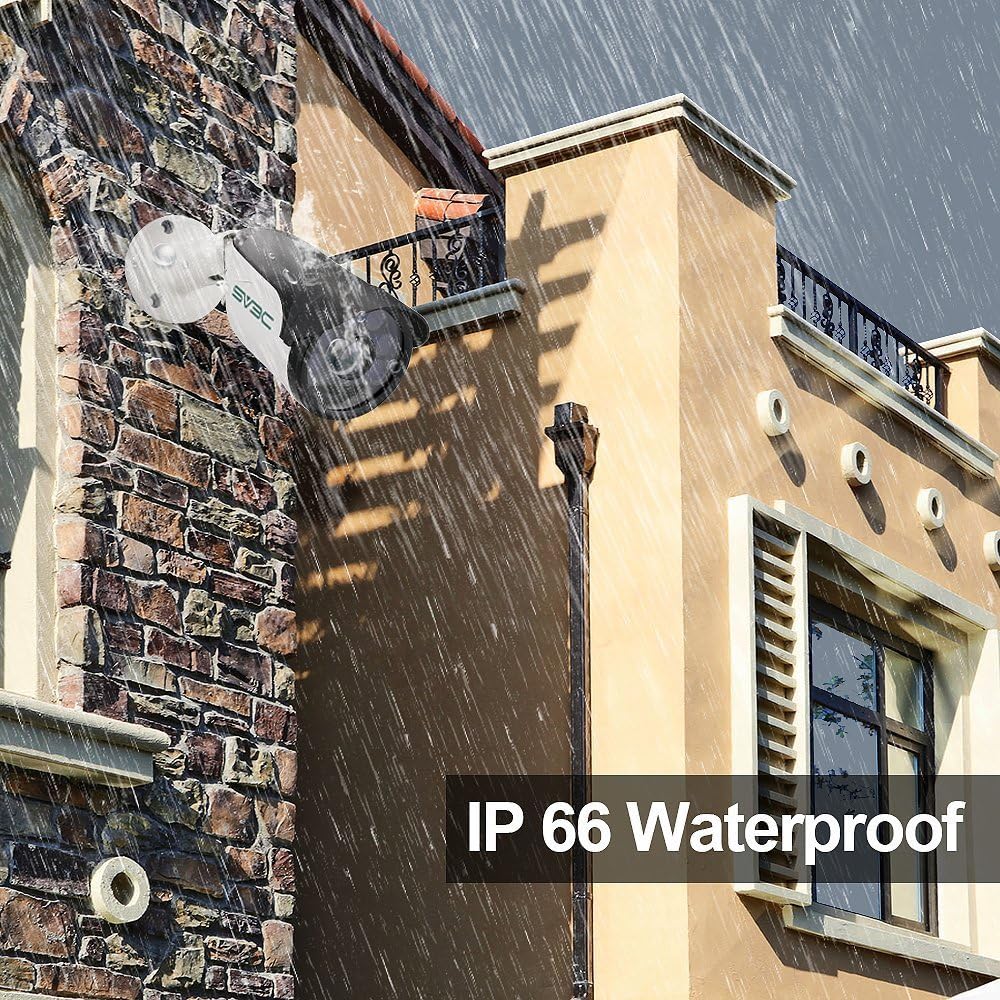
Image: The camera's IP66 waterproof design in an outdoor setting.
4. Configuració i instal·lació
4.1 Engegar la càmera
La càmera admet dues opcions d'alimentació:
- Alimentació per Ethernet (PoE): Connect a single Cat5 (or higher) Ethernet cable from a PoE switch or PoE injector directly to the camera's Ethernet port. This cable will provide both power and data.
- Adaptador d'alimentació: If not using PoE, connect the included power adapter to the camera's power input and plug it into a standard electrical outlet. Then, connect a standard Ethernet cable from your router/switch to the camera's Ethernet port.
4.2 Instal·lació física
Choose a suitable location for mounting the camera, ensuring it has a clear field of view and is within range of your network connection. Use the provided screws and hex key to securely mount the camera. Adjust the camera's angle as needed.

Image: Installation diagram for the camera.
4.3 Network Connection and Initial Setup
- Connecteu la càmera a la vostra xarxa mitjançant un cable Ethernet.
- Descarrega't el Camhipro app for iOS/Android or HIP2P software for PC/Mac.
- Follow the in-app/software instructions to discover and add your camera to the system. This typically involves scanning a QR code on the camera or searching for devices on the local network.
- Change the default password for security purposes.

Image: Multi-platform viewing options for the camera.
5. Funcionament
5.1 Viu View i Enregistrament
Once connected, you can access the live view of your camera through the Camhipro app or HIP2P software. You can initiate manual recordings or configure continuous recording settings.
5.2 Detecció de moviment i alertes
The camera features smart motion detection. To configure:
- Access the camera settings via the app or software.
- Navigate to the motion detection section.
- Adjust sensitivity and define detection zones as required.
- Set up alert notifications to your mobile phone, email, or FTP server.

Image: Motion detection alarm feature.
5.3 Visió nocturna
The camera automatically switches to infrared (IR) night vision in low-light conditions, providing clear black and white images. The starlight illumination feature enhances low-light performance before full IR activation.
5.4 Opcions d'emmagatzematge
- NVR (Enregistrador de vídeo en xarxa): The camera is compatible with various NVR devices supporting ONVIF. Refer to your NVR's manual for integration instructions.
- Servei al núvol: A cloud storage option is available for video and picture storage (free for the first 30 days). Activate this service through the Camhipro app if desired.
6. Manteniment
To ensure optimal performance and longevity of your SV3C 5MP PoE Security Camera, follow these maintenance guidelines:
- Neteja: Regularly clean the camera lens with a soft, dry cloth to remove dust and smudges. Avoid abrasive cleaners.
- Protecció del medi ambient: The camera has an IP66 waterproof rating, designed to withstand harsh weather. However, avoid directing high-pressure water jets directly at the camera.
- Inspecció del cable: Periodically check the network and power cables for any signs of wear or damage. Ensure the waterproof lid for the Ethernet connector is securely in place for outdoor installations.
- Actualitzacions de firmware: Check the SV3C official website for any available firmware updates to ensure your camera has the latest features and security enhancements.
7. Solució De Problemes
Si teniu problemes amb la càmera, consulteu les solucions habituals següents:
| Problema | Possible solució |
|---|---|
| La càmera no s'encén | Check power connection (PoE switch/injector or power adapter). Ensure the power source is active. |
| No video feed / Offline | Verify network cable connection. Ensure the camera is properly added to the app/software. Check router/network status. |
| Mala qualitat d'imatge | Clean the camera lens. Ensure sufficient lighting for optimal performance. Check resolution settings in the app/software. |
| La detecció de moviment no funciona | Check motion detection settings (sensitivity, zones). Ensure notifications are enabled in the app/software. |
| Cannot connect to NVR | Ensure NVR supports ONVIF. Verify network connectivity between camera and NVR. Consult NVR manual for adding IP cameras. |
For further assistance, please contact SV3C customer support.
8. Especificacions
| Característica | Detall |
|---|---|
| Número de model | SV-B01POE-5MPL-A |
| Resolució | 5MP (2560x1920) |
| Velocitat de fotogrames | 25 fotogrames per segon |
| Lent | Objectiu fix 3.6mm |
| Gamma de visió nocturna | 65-100 feet (Starlight Illumination) |
| Compressió de vídeo | H.265/H.264 |
| Connectivitat | Wired (PoE or 12V DC Power Adapter) |
| Resistència a la intempèrie | Impermeable IP66 |
| Temperatura de funcionament | -4 °F a 140 °F (-20 °C a 60 °C) |
| Dimensions | 7.09 x 3.15 x 3.15 polzades |
| Pes | 1.25 lliures |
| Dispositius compatibles | Desktop, Smartphone (iOS/Android) |
| Certificacions | FCC, ONVIF |
9. Garantia i Suport
SV3C products are designed for reliability and performance. For warranty information, please refer to the documentation included with your purchase or visit the official SV3C website. For technical support, troubleshooting assistance, or any inquiries, please contact SV3C customer service through their official channels.
Recursos en línia:
- SV3C Official Weblloc: www.sv3c.com (Nota: Això és un marcador de posició URL, consulteu la documentació del producte real per obtenir informació correcta weblloc.)
- Support Email: Refer to your Quick Start Guide or product packaging.