
TECKNET 8541666472
Manual d'instruccions del ratolí Bluetooth TECKNET
Model: 8541666472
Introducció
Thank you for choosing the TECKNET Bluetooth Mouse. This manual provides detailed instructions for setting up, operating, maintaining, and troubleshooting your new wireless mouse. Designed for comfort and precision, this mouse offers adjustable DPI settings and broad compatibility for an enhanced computing experience.

Imatge: De dalt a baix view of the TECKNET Bluetooth Mouse, showcasinel seu disseny ergonòmic i la roda de desplaçament central.
Configuració
Instal·lació de la bateria
The TECKNET Bluetooth Mouse requires two AA batteries (not included) for operation. Follow these steps to install the batteries:
- Localitzeu el compartiment de la bateria a la part inferior del ratolí.
- Obriu la tapa del compartiment de la bateria.
- Introduïu dues piles AA, assegurant-vos de la polaritat correcta (+/-) tal com s'indica a l'interior del compartiment.
- Tanqueu bé la tapa del compartiment de la bateria.

Image: The underside of the mouse showing the open battery compartment, ready for two AA batteries, and the Bluetooth pairing button.
Emparellament Bluetooth
To connect your TECKNET Bluetooth Mouse to your device, follow these pairing instructions:
- Ensure the mouse has fresh batteries installed.
- Slide the power switch on the underside of the mouse to the Bluetooth position.
- Press and hold the pairing button (located near the battery compartment) for 2-3 seconds until the LED indicator on the mouse begins to flash. This indicates the mouse is in pairing mode.
- Al vostre ordinador o dispositiu, aneu a la configuració de Bluetooth.
- Cerca new devices and select "BT5.0 Mouse" or "TECKNET Mouse" from the list of available devices.
- Click "Pairing" or "Connect" on your device and wait for the connection to be established. The LED on the mouse will stop flashing and remain solid or turn off once connected.
Nota: If the mouse is idle for an extended period, it will automatically enter sleep mode to conserve battery. Click any button to wake it up and re-establish connection.

Image: A visual representation of the Bluetooth wireless connection, showing the mouse and a laptop with a 15-meter working range.
Instruccions de funcionament
Ajust de DPI
The TECKNET Bluetooth Mouse features six adjustable DPI (Dots Per Inch) levels, allowing you to customize cursor sensitivity to your preference. The available DPI settings are 800, 1200, 1600, 2400, 3200, and 4800 DPI.
To change the DPI setting, press the DPI button located just below the scroll wheel. Each press will cycle through the available DPI levels. The mouse's tracking speed will adjust instantly.

Image: A diagram illustrating the six adjustable DPI levels (800 to 4800) and the button used to change them.
Funcions del botó
Your mouse is equipped with six efficient buttons:
- Clic esquerre: Selecció i activació estàndard.
- Clic dret: Accedeix als menús contextuals.
- Roda de desplaçament: Scrolls content vertically. Can also be pressed for middle-click functionality.
- Botó DPI: Ajusta la sensibilitat del cursor (nivells de DPI).
- Botó Endavant (lateral): Navega cap endavant web navegadors o file exploradors.
- Botó enrere (lateral): Navega cap enrere web navegadors o file exploradors.
Nota: The side buttons (Forward/Backward) are not compatible with macOS.
TruWave Technology
The mouse incorporates TruWave Technology, providing accurate and responsive tracking on a variety of surfaces commonly encountered in daily use. This includes wood, paper, cloth, and leather, ensuring smooth and precise cursor movement without delay.
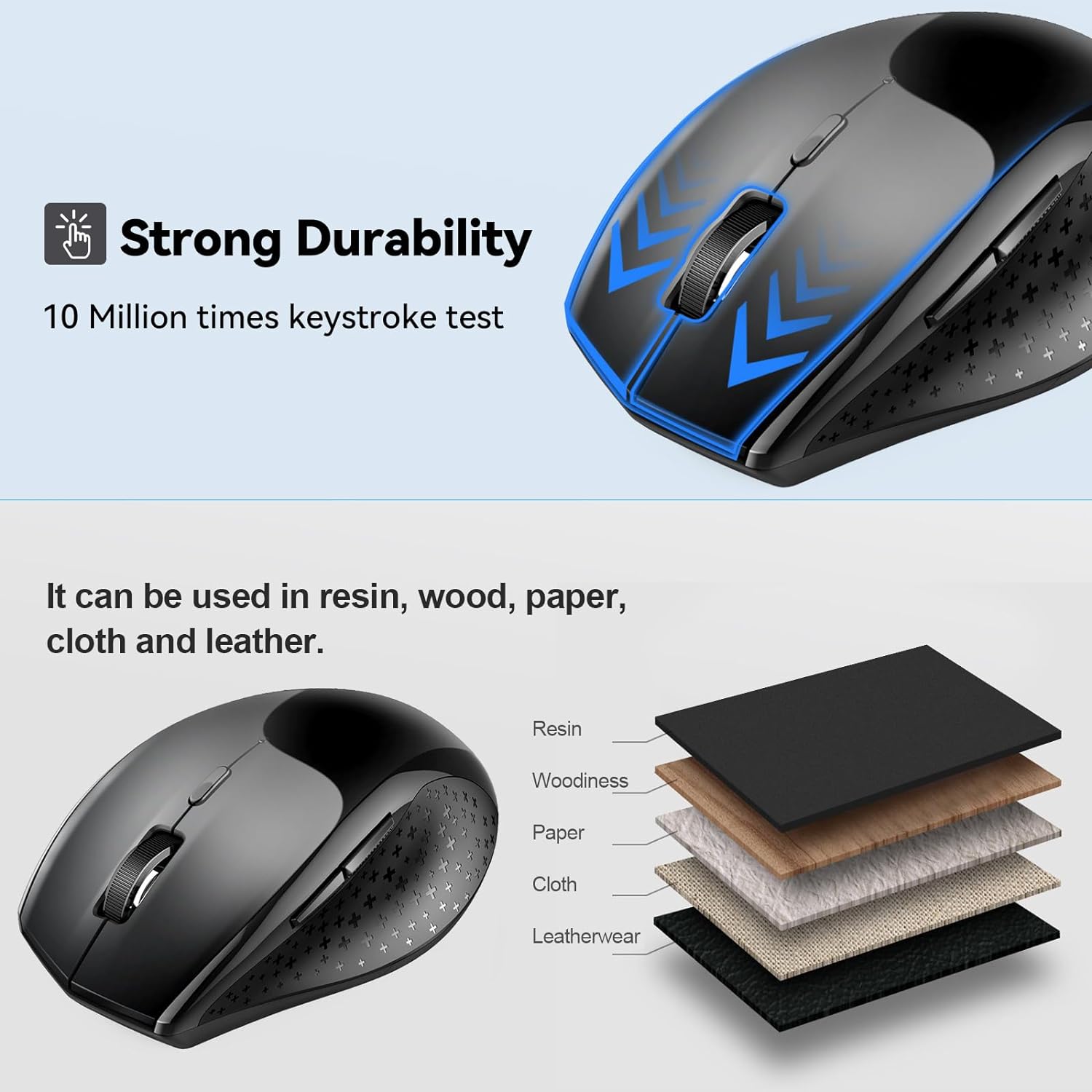
Image: The mouse positioned on different material layers, illustrating its compatibility with resin, wood, paper, cloth, and leather surfaces.
Disseny ergonòmic
The mouse is designed with an ergonomic shape and a soft rubber grip to fit comfortably in your hand, reducing wrist fatigue during prolonged use. Its compact size makes it convenient for both home and travel.

Image: A hand comfortably gripping the TECKNET Bluetooth Mouse, demonstrating its ergonomic design and the smooth click action.
Manteniment
Durada de la bateria i substitució
The TECKNET Bluetooth Mouse offers an impressive battery life of up to 24 months with two AA batteries. When the mouse's performance degrades or the LED indicator signals low power, it is time to replace the batteries. Follow the battery installation steps outlined in the "Setup" section.
Neteja
To maintain optimal performance and hygiene, regularly clean your mouse. Use a soft, lint-free cloth lightly dampened with water or a mild cleaning solution. Avoid excessive moisture and abrasive cleaners. Ensure the mouse is powered off before cleaning.
Resolució de problemes
| Problema | Causa possible | Solució |
|---|---|---|
| Mouse not connecting/pairing. | Low battery; mouse not in pairing mode; Bluetooth on device is off or malfunctioning; interference. | Replace batteries. Ensure mouse is in pairing mode (flashing LED). Check device's Bluetooth settings. Move closer to the device. Restart both mouse and device. |
| El moviment del cursor és erràtic o no respon. | Sensor òptic brut; superfície inadequada; bateria baixa. | Clean the optical sensor with a soft cloth. Use the mouse on a suitable surface (e.g., mouse pad, wood, paper). Replace batteries. |
| Mouse enters sleep mode too quickly. | Funció d'estalvi d'energia automàtic. | This is a normal power-saving function. Click any button to wake the mouse. This feature cannot be adjusted. |
| Side buttons not working on macOS. | Incompatibility with macOS. | The side buttons are not compatible with macOS. This is by design. |
Especificacions
| Marca | TECNET |
| Número de model | 8541666472 |
| Color | Negre |
| Tecnologia de connectivitat | Bluetooth |
| Nivells de DPI | 800/1200/1600/2400/3200/4800 |
| Nombre de botons | 6 |
| Tecnologia de detecció de moviment | Òptic |
| Dimensions del producte | 4.4 x 2.8 x 1.6 polzades (112 x 71 x 41 mm) |
| Pes de l'article | 3.68 unces |
| Durada de la bateria | Up to 24 months (requires 2 AA batteries) |
| País d'origen | Xina |
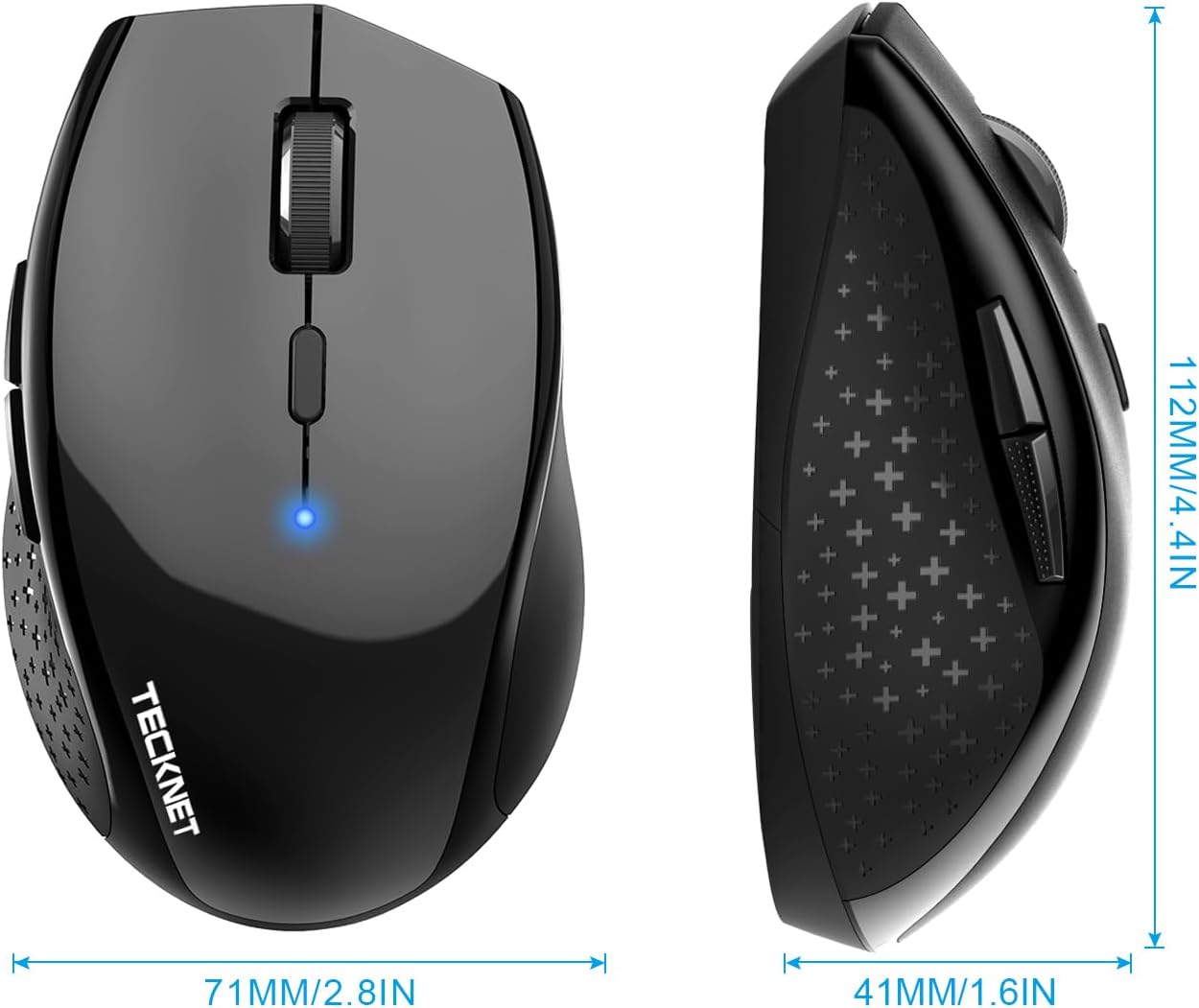
Image: Detailed dimensions of the TECKNET Bluetooth Mouse, showing its length (112mm/4.4in), width (71mm/2.8in), and height (41mm/1.6in).
Garantia i Suport
Ofertes de TECKNET 36 MESOS D'ASSISTÈNCIA for this product (registration may be required). If you encounter any problems in using the product or require assistance, please contact TECKNET's professional customer service team.
For further support, please visit the official TECKNET weblloc web o consulteu la informació de contacte que s'inclou amb l'embalatge del producte.
Ask a question about this manual
Ask about setup, troubleshooting, compatibility, parts, safety, or missing instructions. Manuals+ will review the question and use this page’s manual context to help answer it.