
1. Guia de configuració
This section provides instructions for the initial setup of your Rii RK200 Wireless Keyboard and Mouse Combo.
1.1 Contingut del paquet
- Rii RK200 Wireless Keyboard
- Rii Wireless Mouse
- Nano USB Receiver (stored in the mouse battery compartment)
1.2 Instal·lació de la bateria
The keyboard and mouse require batteries (not included) for operation. Please ensure correct polarity when inserting batteries.
Bateria del ratolí: Open the battery compartment cover on the underside of the mouse. Insert 1 bateria AA. The Nano USB receiver is also located here. Remove it before closing the compartment.

Bateria del teclat: Open the battery compartment cover on the underside of the keyboard. Insert 1 bateria AAA.
1.3 Connexió al dispositiu
The Rii RK200 combo uses a single Nano USB receiver for both the keyboard and mouse, offering a stable 2.4 GHz wireless connection up to 10 meters (33 feet).
- Locate the Nano USB receiver. It is typically stored in the battery compartment of the mouse.
- Plug the Nano USB receiver into an available USB port on your computer or compatible device.
- Engegueu el ratolí amb l'interruptor d'engegada que es troba a la part inferior.
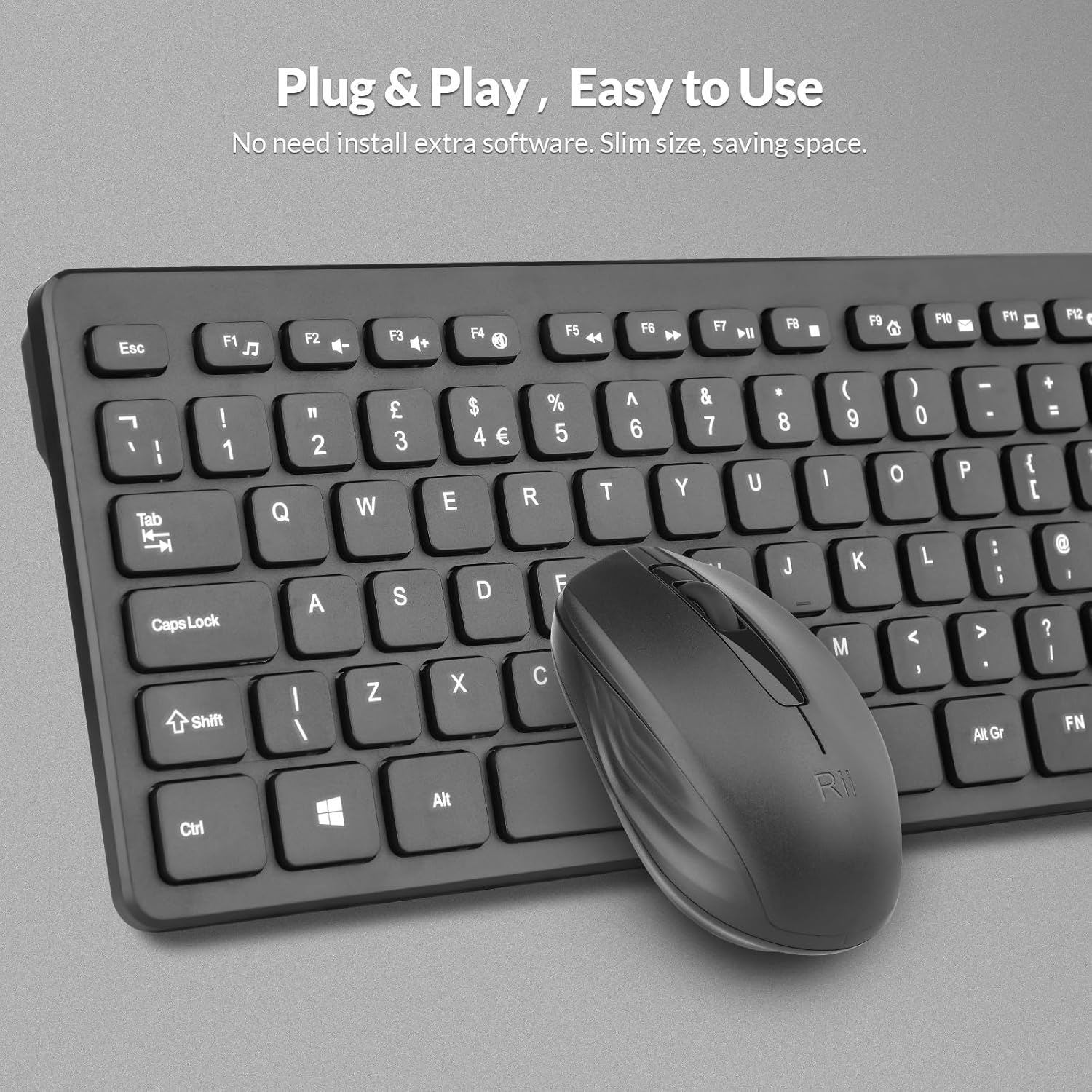
- Your device should automatically detect and install the necessary drivers. No additional software installation is required.

The Nano USB receiver provides a plug-and-play connection for both the keyboard and mouse.
1.4 Guia de vídeo de configuració
This video demonstrates the unboxing and initial setup steps for the Rii Wireless Keyboard and Mouse Combo, including battery installation and USB receiver connection.
2. Instruccions de funcionament
Learn how to effectively use your Rii RK200 Wireless Keyboard and Mouse Combo.
2.1 Característiques del teclat
The Rii RK200 keyboard features silent keys for a quiet typing experience and an ergonomic design with adjustable stands for comfort during extended use.
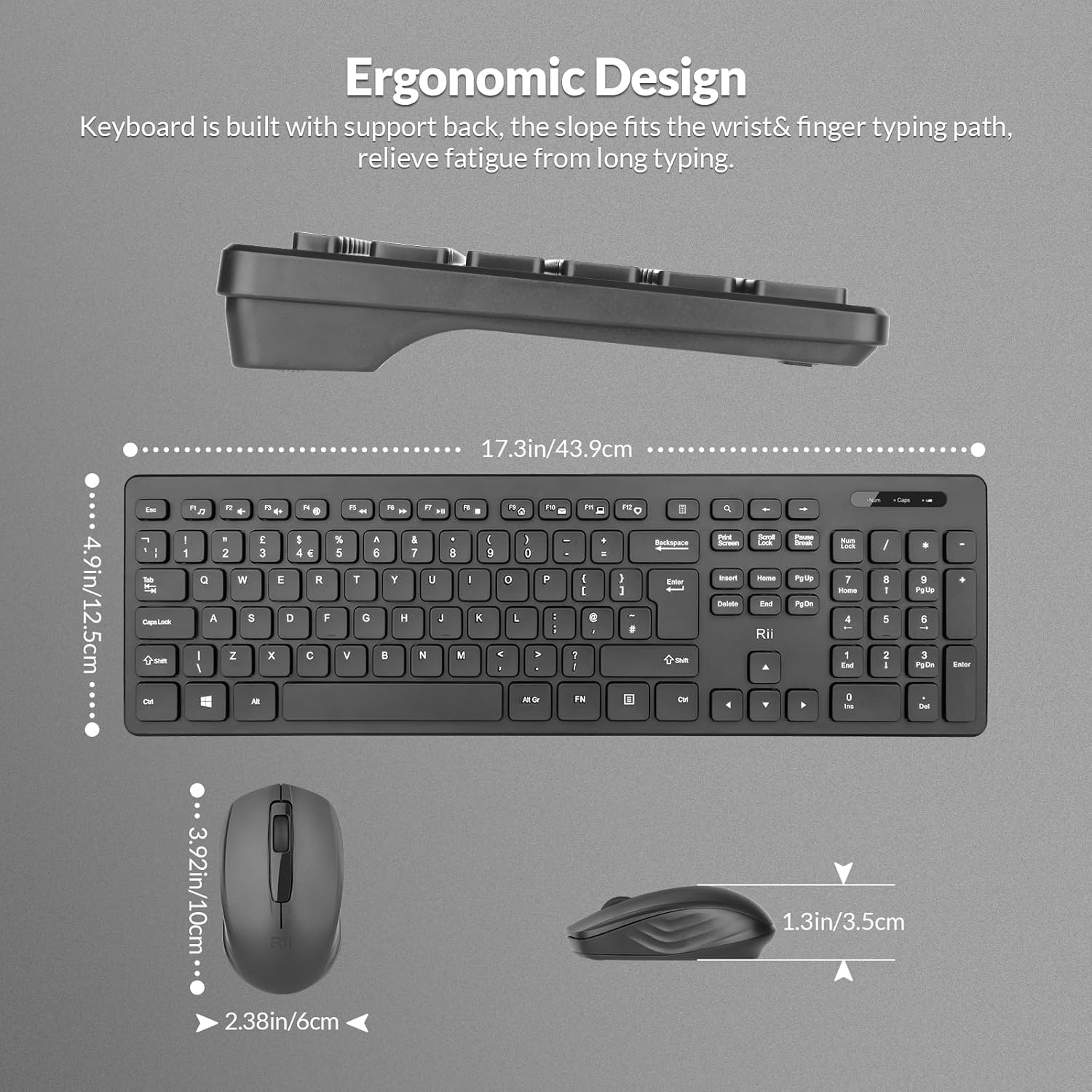
The keyboard is designed with a slight incline to reduce wrist strain.
Llums indicadores
The keyboard includes indicator lights for essential functions:
- NumLock Indicator: Lights up when the numeric keypad is active.
- Indicador de bloqueig de majúscules: S'il·lumina quan el bloqueig de majúscules està activat.
- Indicador de bateria baixa: Illuminates when the keyboard battery is low and requires replacement.

Indicator lights provide visual feedback on keyboard status.
Tecles de funció (F1-F12)
The keyboard features 12 function keys that can be used for multimedia control and other shortcuts. These keys often require pressing the Fn key simultaneously with the desired function key for their secondary functions.
2.2 Característiques del ratolí
The Rii RK200 mouse offers a comfortable, ergonomic design and a DPI of 1000 for precise cursor movement.

The mouse features a scroll wheel, left-click, and right-click buttons for standard navigation.
Configuració de DPI
The mouse operates at a fixed DPI of 1000, providing a balanced sensitivity for most tasks, from general browsing to office work.
Mode de repòs automàtic
To conserve battery life, both the keyboard and mouse enter a power-saving sleep mode after 10 minutes of inactivity. Press any key or click the mouse to reactivate them.
3. Manteniment
Proper care ensures the longevity and optimal performance of your Rii RK200 combo.
3.1 Neteja
- Use a soft, dry cloth to wipe the surfaces of the keyboard and mouse.
- Per a la brutícia persistent, lleugerament dampNetegeu el drap amb aigua o un netejador suau i no abrasiu. Eviteu la humitat excessiva.
- No ruixeu solucions de neteja directament sobre els dispositius.
- Feu servir aire comprimit per eliminar la pols i les restes que hi ha entre les tecles del teclat.
3.2 Emmagatzematge
When not in use for extended periods, store the keyboard and mouse in a cool, dry place. Consider removing batteries if storing for several months to prevent leakage.
4. Solució De Problemes
If you encounter issues with your Rii RK200 Wireless Keyboard and Mouse Combo, refer to the following solutions.
4.1 Problemes de connexió
- No hi ha resposta del teclat/ratolí: Ensure the Nano USB receiver is securely plugged into a working USB port on your device.
- Connexió intermitent: Try plugging the USB receiver into a different USB port. Ensure the keyboard and mouse are within the 10-meter (33-foot) operating range and there are no large metallic objects or other wireless devices causing interference.
- Mouse not moving: Check if the mouse power switch is in the 'ON' position.
4.2 Problemes d'energia
- Devices not turning on: Replace the batteries in both the keyboard (1 AAA) and mouse (1 AA) with fresh ones. Ensure batteries are inserted with correct polarity.
- Low-Battery Indicator is on: Replace the keyboard battery promptly.
4.3 Altres qüestions
- Les tecles no responen: Clean the keyboard to remove any debris that might be obstructing key presses.
- Cursor del ratolí erràtic: Netegeu el sensor òptic de la part inferior del ratolí. Assegureu-vos que feu servir el ratolí sobre una superfície adequada.
5. Especificacions
| Característica | Detall |
|---|---|
| Número de model | RK200 |
| Marca | veure |
| Tecnologia de connectivitat | Sense fil de 2.4 GHz (receptor USB) |
| Disposició del teclat | QWERTY, 104 Keys |
| Detecció de moviment del ratolí | Òptic |
| DPI del ratolí | 1000 |
| Keyboard Power Source | 1 pila AAA (no inclosa) |
| Mouse Power Source | 1 x piles AA (no incloses) |
| Interval d'operació | Fins a 10 metres (33 peus) |
| Sistemes operatius compatibles | Windows 7/8/10/11, Android OS, Mac OS, Raspberry Pi OS, iOS |
| Dispositius compatibles | Laptop, Personal Computer, Smart TV, Android TV Box, Raspberry Pi |
| Dimensions del producte (teclat) | 40 x 14 x 2 cm |
| Pes de l'article | 450 grams |
| País d'origen | Xina |
6. Garantia i Suport
6.1 Informació de la garantia
The Rii RK200 Wireless Keyboard and Mouse Combo comes with a 12 mesos de garantia des de la data de compra.
6.2 Atenció al client
For any issues or questions regarding your product, please contact our customer support team. We offer 7x24 service to assist you.
Please refer to your purchase platform or the Rii official weblloc web per obtenir dades de contacte específiques.