
1. Introducció
The Gembird EG-SST-01 is an external DVD±RW drive designed for convenient reading and writing of CD and DVD media. This device connects to your computer via a USB 2.0 interface, offering broad compatibility with various Windows operating systems. Its compact and lightweight design makes it an ideal portable solution for laptops and desktop computers without an integrated optical drive.
This manual provides essential information on setting up, operating, maintaining, and troubleshooting your Gembird EG-SST-01 drive to ensure optimal performance and longevity.
2. Contingut del paquet
Si us plau, verifiqueu que tots els elements siguin presents al paquet:
- Gembird EG-SST-01 External DVD±RW Drive (Black)
- Cable de connexió USB
- Manual d'usuari
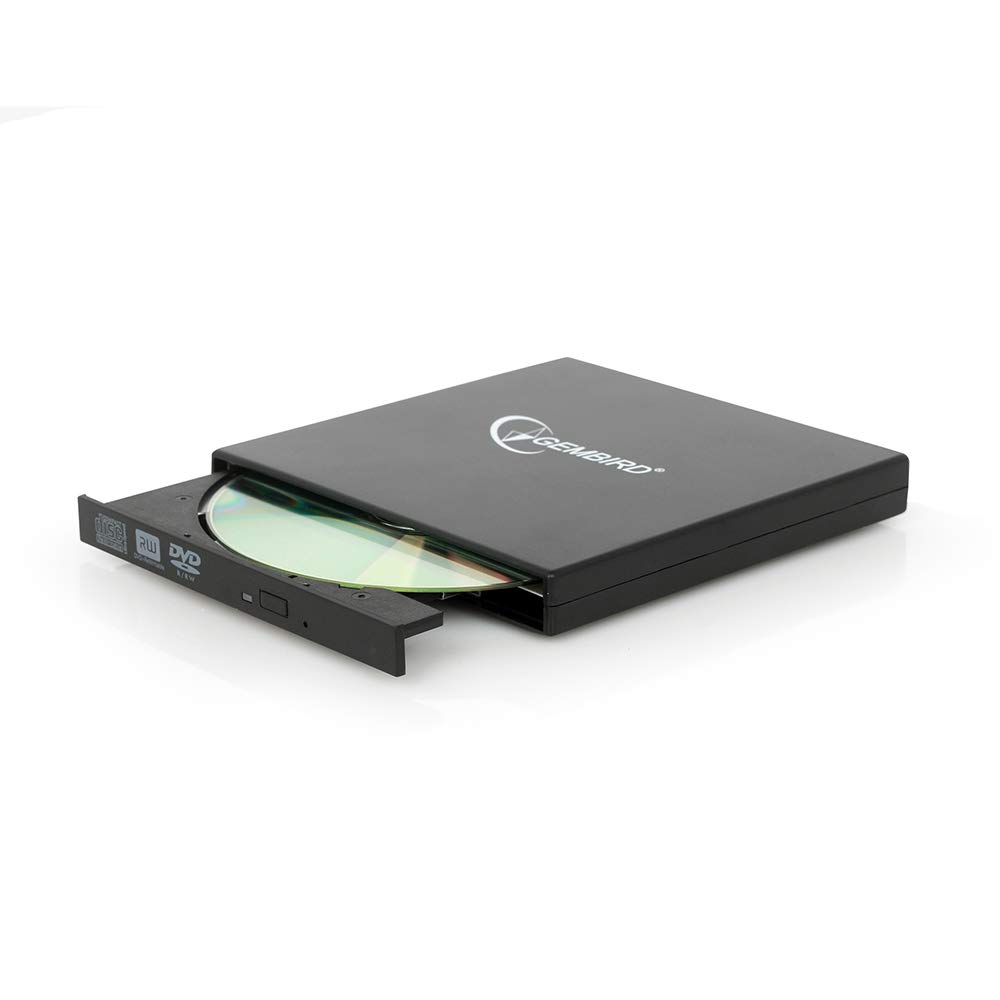
Image: The Gembird EG-SST-01 External DVD±RW Drive in black, shown with its USB connection cable. This image illustrates the compact design and the included accessories.
3. Instruccions de configuració
- Connecteu la unitat: Plug the USB cable into the Gembird EG-SST-01 drive and then connect the other end to an available USB 2.0 port on your computer. For optimal performance, use a direct USB port on your computer rather than a USB hub.
- Reconeixement del sistema: Your operating system (Windows 7, Windows 8, or Windows 10) should automatically detect and install the necessary drivers for the drive. No manual driver installation is typically required.
- Verifica la instal·lació: Once connected, the drive should appear in 'This PC' or 'My Computer' as a new optical drive. If it does not appear, try connecting to a different USB port or restarting your computer.
4. Instruccions de funcionament
4.1. Càrrega d'un disc
- Premeu suaument el botó d'expulsió a la part frontal de la unitat per obrir la safata del disc.
- Place the CD or DVD onto the tray with the label side facing up. Ensure the disc is seated correctly on the spindle.
- Empenyeu suaument la safata cap a dins de la unitat fins que es tanqui amb un clic.
4.2. Lectura de discs
- After loading a disc, your computer's operating system may automatically prompt you to choose an action (e.g., play a movie, open files, install software).
- If no prompt appears, navigate to 'This PC' or 'My Computer', locate the optical drive icon, and double-click it to browse the disc's contents.
- The drive supports CD read speeds of up to 24x and DVD read speeds of up to 8x (DVD-ROM).
4.3. Gravació de discs
- To write data to a blank CD-R/RW or DVD±R/RW/RAM disc, you will need compatible burning software (not included).
- Insert a blank, writable disc into the drive.
- Follow the instructions provided by your chosen burning software to select files, configure burning options, and start the writing process.
- The drive supports CD-R/RW write speeds of up to 24x and DVD±R/RW write speeds of up to 8x (5x for DVD-R DL, DVD+R DL, and DVD-RAM).
5. Manteniment
- Neteja: Use a soft, dry, lint-free cloth to clean the exterior of the drive. Do not use liquid cleaners or solvents. Avoid opening the drive casing.
- Cura del disc: Always handle discs by their edges. Keep discs clean and free from scratches, dust, and fingerprints to ensure reliable reading and writing.
- Emmagatzematge: Store the drive in a cool, dry place away from direct sunlight, extreme temperatures, and high humidity when not in use.
- Transport: When transporting the drive, ensure no disc is inside the tray and the tray is fully closed.
6. Solució De Problemes
- Unitat no reconeguda:
- Assegureu-vos que el cable USB estigui connectat correctament tant a la unitat com a l'ordinador.
- Prova de connectar la unitat a un port USB diferent de l'ordinador.
- Reinicieu l'ordinador.
- Check Device Manager (Windows) to see if the drive is listed without errors.
- Disc que no llegeix/escriu:
- Ensure the disc is clean and free from scratches or damage.
- Verify that the disc type (CD-R, DVD-RW, etc.) is compatible with the drive and the operation you are attempting.
- For writing, ensure you are using a blank, writable disc and appropriate burning software.
- Prova un disc diferent per descartar que sigui defectuós.
- Rendiment lent:
- Ensure the drive is connected to a USB 2.0 port or higher for optimal data transfer speeds.
- Tanqueu totes les aplicacions innecessàries que s'executen en segon pla i que puguin estar consumint recursos del sistema.
7. Especificacions
| Característica | Especificació |
|---|---|
| Número de model | EG-SST-01 |
| Tipus de producte | External DVD±RW Drive |
| Interfície | USB 2.0 |
| Disc Loading Type | Safata |
| Color | Negre |
| Dimensions (L x A x A) | 135 mm x 130 mm x 17 mm |
| Pes | 290 g |
| Sistemes operatius suportats | Windows 10, Windows 7, Windows 8 |
| CD Write Speed | 24x (CD-R, CD-RW) |
| DVD Write Speed | 8x (DVD+R, DVD-R, DVD+RW, DVD-RW), 5x (DVD-R DL, DVD+R DL, DVD-RAM) |
| CD Read Speed | 24x (CD, CD-R, CD-RW, CD-ROM) |
| DVD Read Speed | 8x (DVD+R, DVD-R, DVD-RW, DVD+RW, DVD-ROM), 6x (DVD-RAM), 4x (Video DVD) |
| Optical Disc Diameter | 80 mm, 120 mm |
| Certificacions | ISO 9002, CE, RoHS |
8. Garantia i Suport
The Gembird EG-SST-01 External DVD±RW Drive comes with a garantia de dos anys against factory defects. This warranty covers manufacturing faults and material defects under normal use conditions.
For technical support, warranty claims, or further assistance, please contact your retailer or visit the official Gembird website for contact information. Please have your product model number (EG-SST-01) and proof of purchase ready when seeking support.