
1. Informació important de seguretat
Read all instructions before using this product. Failure to follow these instructions may result in serious injury or property damage.
- Do not use this product if you have had oral or gum surgery in the previous 2 months. Consult your dentist if excessive bleeding occurs after using this product or if bleeding continues after 1 week of use.
- This appliance contains no user-serviceable parts. Do not modify or attempt to repair the appliance.
- Keep the charging base away from water. Do not place or store the product where it can fall or be pulled into a tub or sink.
- This product is designed for cleaning teeth, gums, and tongue only. Do not use it for any other purpose.
- Supervise children when using this product. This appliance is not intended for use by persons with reduced physical, sensory, or mental capabilities unless they have been given supervision or instruction.
2. Producte acabatview
Components
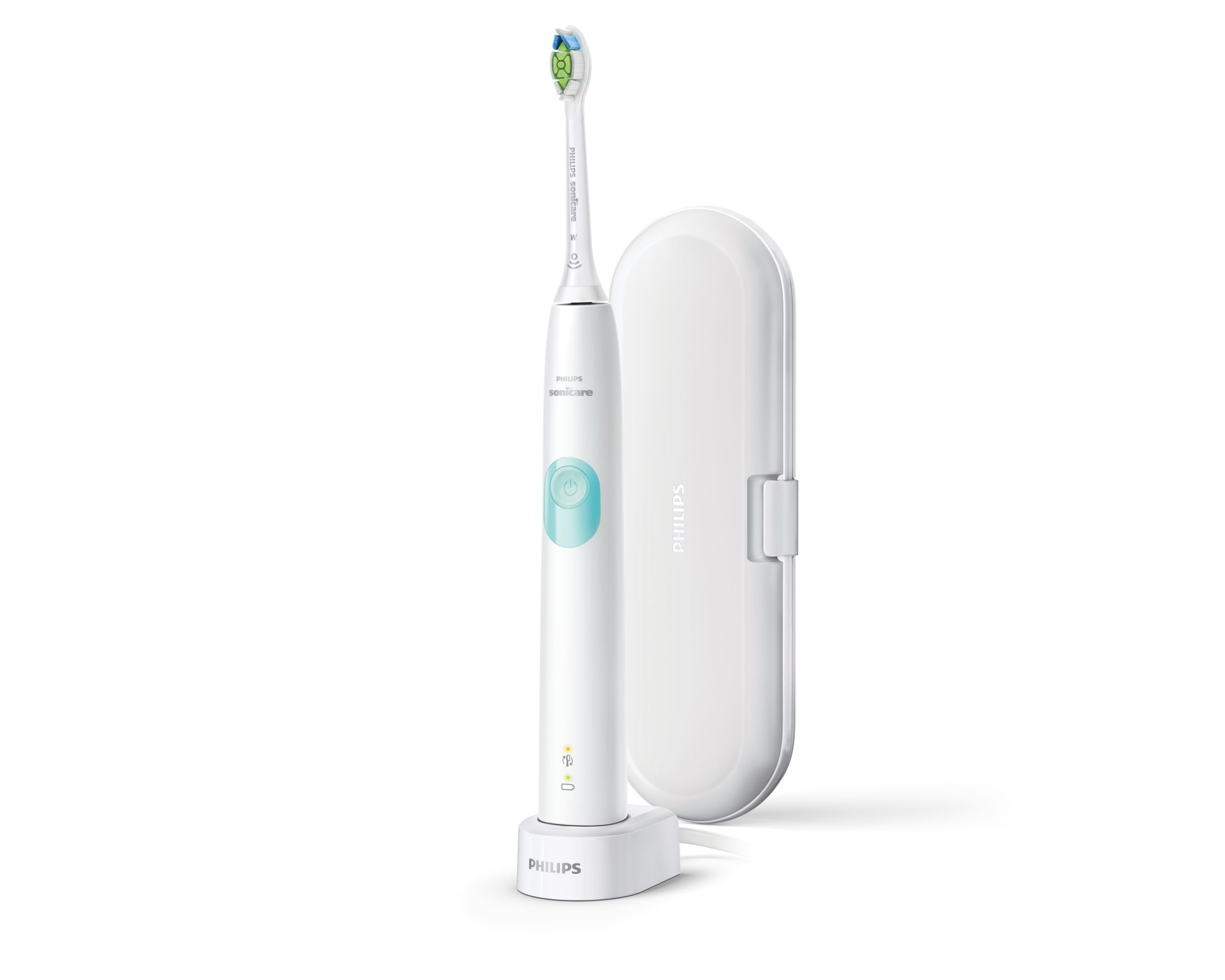
This image displays the Philips Sonicare 4300 Series electric toothbrush in white, featuring a light blue power button. It is shown standing on its charging base. To the right, a white travel case is visible, designed to protect the toothbrush and a brush head during transport.
- A. Cap de raspall
- B. Mànec
- C. Botó d'encesa/apagada
- D. Intensity indicator (Low/High)
- E. Pressure sensor light ring
- F. Indicador de bateria
- G. Charging base
- H. Travel case
3. Configuració
3.1 Charging the Toothbrush
- Place the handle on the charging base.
- Connecteu la base de càrrega a una presa de corrent.
- The battery indicator will flash to show the toothbrush is charging. A full charge takes approximately 24 hours.
- The battery indicator will glow solid green when fully charged.
3.2 Fixació del capçal del raspall
Align the brush head with the handle so the bristles face the same direction as the power button. Push the brush head down firmly onto the metal shaft until it stops.
4. Instruccions de funcionament
4.1 Brushing Your Teeth
- Mulleu les truges i apliqueu una petita quantitat de pasta de dents.
- Col·loca el capçal del raspall contra les dents amb un lleuger angle cap a la línia de les genives.
- Premeu el botó d'encesa per encendre el raspall de dents.
- Gently move the brush head slowly across your teeth in small back-and-forth motions, allowing the Sonicare to do the work.
- Continue brushing for the full 2-minute cycle.
4.2 Smartimer and QuadPacer
- Smartimer: The toothbrush automatically turns off after 2 minutes of brushing, indicating that you have brushed for the dentist-recommended time.
- QuadPacer: This feature beeps at 30-second intervals to signal when to move to the next quadrant of your mouth, ensuring thorough cleaning.
4.3 Sensor de pressió
The toothbrush features a built-in pressure sensor. If you apply too much pressure during brushing, the light ring on the handle will illuminate. Reduce pressure to turn off the light and protect your gums and teeth.
4.4 Modes and Intensity
The Philips Sonicare 4300 Series offers one cleaning mode with two intensity settings (Low and High).
- To change intensity, press the power button repeatedly while the toothbrush is on. The intensity indicator lights will show the current setting.
- The toothbrush remembers your last selected intensity setting for the next use.
5. Manteniment
5.1 Neteja
- After each use, rinse the brush head and bristles thoroughly under running water.
- Netegeu el mànec amb anunciamp tela. No submergiu el mànec en aigua.
- Clean the charging base periodically with a damp cloth. Ensure it is unplugged before cleaning.
5.2 Emmagatzematge
Store the toothbrush in a clean, dry place. If storing for an extended period, ensure the battery is fully charged before storage and recharge every 6 months.
5.3 Replacing the Brush Head
Replace your brush head every 3 months, or sooner if the bristles are splayed or worn. Worn bristles are less effective at cleaning.
6. Solució De Problemes
6.1 Problemes comuns
- El raspall de dents no s'encén: Ensure the battery is charged. Place the handle on the charging base for at least 24 hours.
- Toothbrush stops during use: The battery may be low. Recharge the toothbrush.
- Pressure sensor light activates frequently: You may be brushing too hard. Reduce the pressure applied to your teeth and gums.
- Reduced brushing effectiveness: Replace the brush head. Ensure the brush head is securely attached to the handle.
- Battery indicator not working: Ensure the toothbrush is correctly placed on the charging base and the base is plugged in.
7. Especificacions
7.1 Dades tècniques
| Característica | Especificació |
|---|---|
| Marca | PHILIPS |
| Número de model | HX6807/28 |
| Color | White/Mint |
| Number of Intensities | 2 |
| Compatibilitat | Adult |
| Característiques especials | LED Indicators, Pressure Sensor |
| Pes de l'article | 510 g |
| Font d'alimentació | Funciona amb bateria |
| Tecnologia de bateries | Ió de liti (Ió de liti) |
| Volum d’entrada de CAtage | 110 - 220 V |
| Temporitzador de 2 minuts | Sí |
| Sensor de pressió | Sí |
| Estoig de viatge | Sí |
8. Garantia i Suport
8.1 Informació de la garantia
This Philips Sonicare product is covered by a Garantia limitada d'2 any from the date of purchase. This warranty covers defects in materials and workmanship under normal use. It does not cover damage caused by misuse, neglect, unauthorized modification, or normal wear and tear.
Conserveu el vostre comprovant de compra per a reclamacions de garantia.
8.2 Atenció al client
For product support, troubleshooting assistance, or warranty service, please visit the official Philips website or contact Philips customer service in your region. Refer to the contact information provided in your product packaging or on the Philips weblloc.