
1. Introducció
This instruction manual provides essential information for the installation, operation, and maintenance of the Hikvision DS-7604NI-K1/4P 4-Channel 4K PoE Network Video Recorder (NVR). Please read this manual thoroughly before using the product to ensure correct and safe operation. Keep this manual for future reference.
2. Informació de seguretat
Observeu les següents precaucions de seguretat per evitar lesions o danys al dispositiu:
- Font d'alimentació: Use only the power adapter specified for this device. Ensure the power voltage is stable and meets the device's requirements.
- Ventilació: No bloquegeu les obertures de ventilació. Assegureu-vos que hi hagi un flux d'aire adequat per evitar el sobreescalfament.
- Medi ambient: Avoid exposing the device to extreme temperatures, humidity, dust, or corrosive environments. Do not place heavy objects on the device.
- Instal·lació: Install the device on a stable surface. Avoid strong vibrations or impacts.
- Manteniment: No intenteu desmuntar ni modificar el dispositiu. Encarregueu tot el manteniment a personal qualificat.
3. Producte acabatview
The Hikvision DS-7604NI-K1/4P is a 4-channel Network Video Recorder designed for surveillance systems. It supports up to 4K resolution for live view, recording, and playback, and features Power-over-Ethernet (PoE) interfaces for direct connection and power supply to compatible IP cameras.
3.1 Contingut del paquet
- Unitat NVR Hikvision DS-7604NI-K1/4P
- Adaptador d'alimentació
- Ratolí USB
- Screws for HDD Installation
- Guia d'inici ràpid
3.2 Tauler frontal
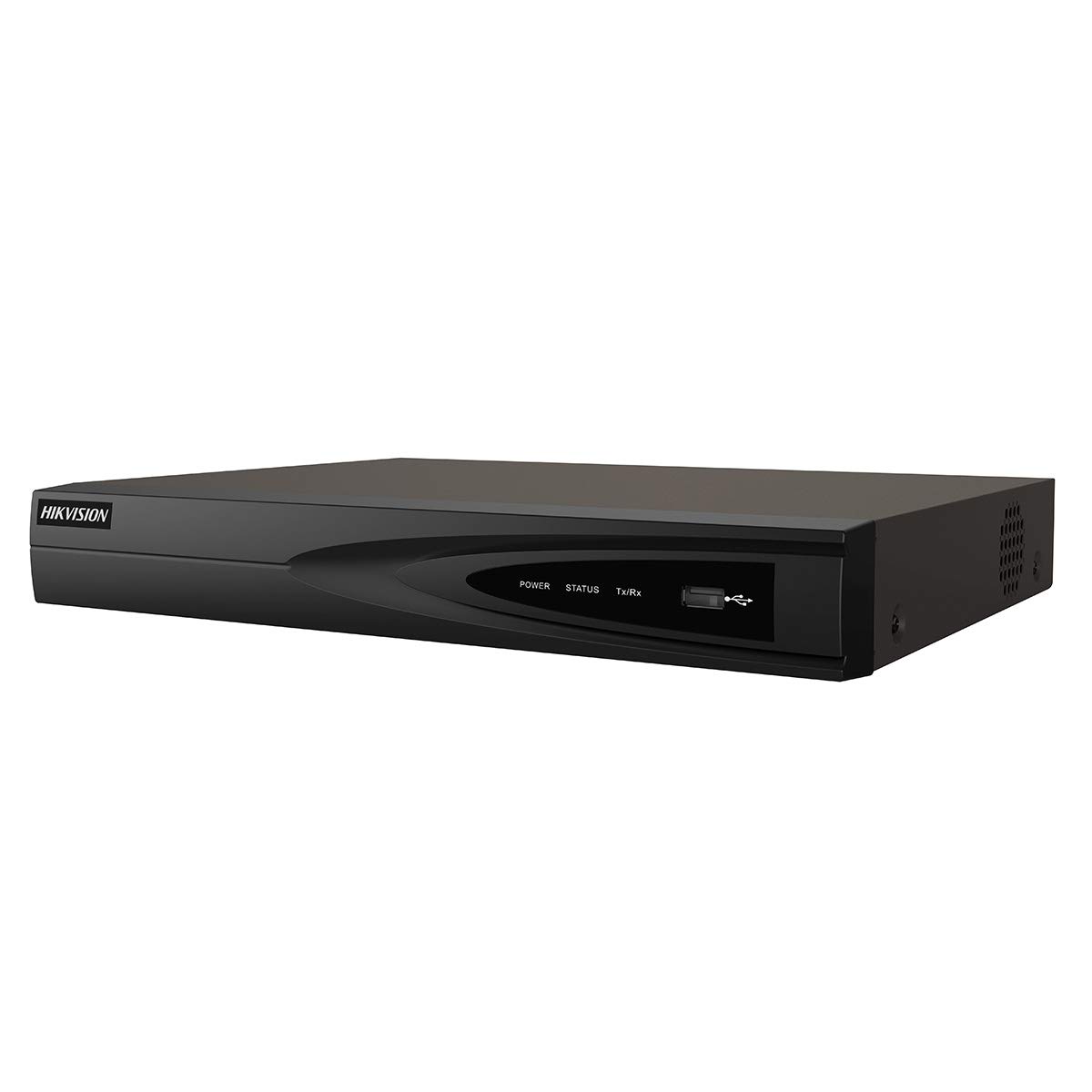
Imatge 1: Frontal view of the Hikvision DS-7604NI-K1/4P NVR. This image displays the front panel of the NVR, typically featuring status indicator lights and a USB port for peripheral connections.
3.3 Panell posterior
El panell posterior inclou diversos ports per a la connectivitat:
- PoE Ports (x4): For connecting IP cameras and providing power.
- Port LAN: For network connection to a router or switch.
- Sortida HDMI: For connecting to a monitor or TV for high-definition video output.
- Sortida VGA: For connecting to a monitor for video output.
- USB Ports (x2 total, typically one front, one rear): For mouse, USB drive, or other peripherals.
- Entrada d'àudio (RCA): For connecting an external audio source.
- Entrada d'alimentació: Per connectar l'adaptador de corrent.
4. Configuració
4.1 Instal·lació del disc dur (opcional)
The NVR supports one internal SATA hard drive for video storage (up to 6 TB). If a hard drive is not pre-installed, follow these steps:
- Unscrew and remove the NVR's top cover.
- Connecteu el cable de dades SATA i el cable d'alimentació al disc dur.
- Align the hard drive with the mounting holes and secure it with the provided screws.
- Replace the NVR's top cover and secure it with screws.
4.2 Connexió de perifèrics
- Monitor: Connecteu un monitor al port de sortida HDMI o VGA de l'NVR.
- Ratolí: Connect the USB mouse to a USB port on the NVR.
- Xarxa: Connecteu el port LAN de l'NVR al vostre encaminador o commutador de xarxa mitjançant un cable Ethernet.
- Càmeres: Connect IP cameras to the NVR's PoE ports. The NVR will automatically power and detect compatible Hikvision PoE cameras.
4.3 Engegada i configuració inicial
- Connecteu l'adaptador de corrent a l'entrada d'alimentació de l'NVR i després a una presa de corrent.
- The NVR will power on automatically.
- Upon first boot, the NVR will guide you through an initialization wizard. Follow the on-screen prompts to set up a strong password, network settings, and hard drive formatting (if applicable).
- Ensure the hard drive is formatted before recording can begin.
5. Funcionament
5.1 Viu View
After initial setup, the NVR will display the live video feed from connected cameras on the monitor. You can switch between single-camera view i una graella multicàmera view utilitzant els controls en pantalla o el ratolí.
5.2 Enregistrament
L'NVR admet diversos modes d'enregistrament:
- Gravació contínua: Records video constantly.
- Gravació de detecció de moviment: Records only when motion is detected in the camera's view.
- Enregistrament programat: Records based on a predefined schedule.
Configure recording settings via the NVR's menu interface (typically accessible by right-clicking on the live view screen and selecting 'Menu').
5.3 Reproducció
Per tornarview foo gravattage:
- Access the 'Playback' menu from the NVR's main interface.
- Seleccioneu la(es) càmera(es) desitjada(es) i l'interval de data/hora.
- Use the playback controls (play, pause, fast forward, rewind) to navigate through the footage.
5.4 Accés remot
Per a comandament a distància viewing and management, download the Hik-Connect app on your mobile device or use the Hik-Connect web portal. The NVR must be connected to the internet, and you will need to register the device with your Hik-Connect account. Refer to the Hik-Connect documentation for detailed instructions.
6. Manteniment
6.1 actualitzacions de microprogramari
Consulteu periòdicament la pàgina oficial de Hikvision website for firmware updates. Updating the firmware can improve performance, add new features, and enhance security. Follow the instructions provided with the firmware update package carefully.
6.2 Gestió del disc dur
Regularly check the health status of your hard drive through the NVR's menu. If the hard drive shows errors or is nearing its end of life, consider replacing it to prevent data loss. You may also need to format the hard drive periodically, which will erase all recorded data.
6.3 Neteja
Clean the exterior of the NVR with a soft, dry cloth. Do not use liquid cleaners or aerosols. Ensure ventilation openings are free from dust and debris.
7. Solució De Problemes
| Problema | Causa possible | Solució |
|---|---|---|
| No es mostra vídeo al monitor | Loose cable connection, incorrect input source on monitor, NVR not powered on. | Check HDMI/VGA cable connections. Ensure monitor is set to correct input. Verify NVR power. |
| Sense imatge de càmera | Camera not powered, network issue, camera not added/activated. | Check PoE cable connection. Ensure camera is powered. Verify camera IP address and add it to the NVR. |
| No es pot gravar vídeo | No hard drive, hard drive not formatted, hard drive full, recording schedule not set. | Install and format a hard drive. Check hard drive status. Configure recording schedule. |
| L'accés remot no funciona | NVR not connected to internet, incorrect network settings, Hik-Connect account issue. | Verify NVR network connection. Check network settings (IP, DNS). Ensure NVR is added to Hik-Connect. |
8. Especificacions
| Característica | Especificació |
|---|---|
| Número de model | DS-7604NI-K1/4P |
| Marca | Hikvision |
| Tecnologia de connectivitat | Ethernet |
| Dispositius compatibles | Càmera |
| Dimensions del producte (L x A x A) | 8.5 x 29.8 x 42.1 cm |
| Capacitat d'emmagatzematge de memòria | 6 TB |
| Mida del disc dur | 6 TB |
| Nombre de canals | 4 |
| Pes de l'article | 2.2 lliures |
| Digital Video Media Format | Disc dur |
| Entrada d'àudio | RCA |
| Ports USB totals | 2 |
| Entrada de vídeo | VGA, HDMI |
| Recompte d'unitats | 1.0 recompte |
| Fabricant | Hikvision |
| Número d'identificació comercial global | 06954273652883 |
| Número de part | KNVRDS7604NI-K1/4P |
9. Garantia i Suport
For warranty information, technical support, and service inquiries, please refer to the official Hikvision weblloc web o poseu-vos en contacte amb el vostre distribuïdor autoritzat de Hikvision. Conserveu el rebut de compra com a comprovant de compra per a reclamacions de garantia.
Recursos en línia: Visit the official Hikvision support page for FAQs, downloads, and contact information.