
Instruccions importants de seguretat
Please read these instructions carefully before operating the unit. Keep this manual for future reference.
- No obstruïu cap obertura de ventilació.
- No instal·leu a prop de cap font de calor.
- Eviteu que el cable d'alimentació sigui trepitjat o pessigat.
- Utilitzeu només accessoris/accessoris especificats pel fabricant.
- Desendolleu aquest aparell durant les tempestes amb llamps o quan no l'utilitzeu durant llargs períodes de temps.
- Demaneu tot el servei a personal de servei qualificat.
- ADVERTIMENT: Per reduir el risc d'incendi o descàrrega elèctrica, no exposeu aquest aparell a la pluja o la humitat.
Producte acabatview
The Victrola VS-120 is a versatile microsystem offering multiple audio playback options. It includes Bluetooth connectivity, a CD player, USB playback, an Aux-in port, and an FM radio.
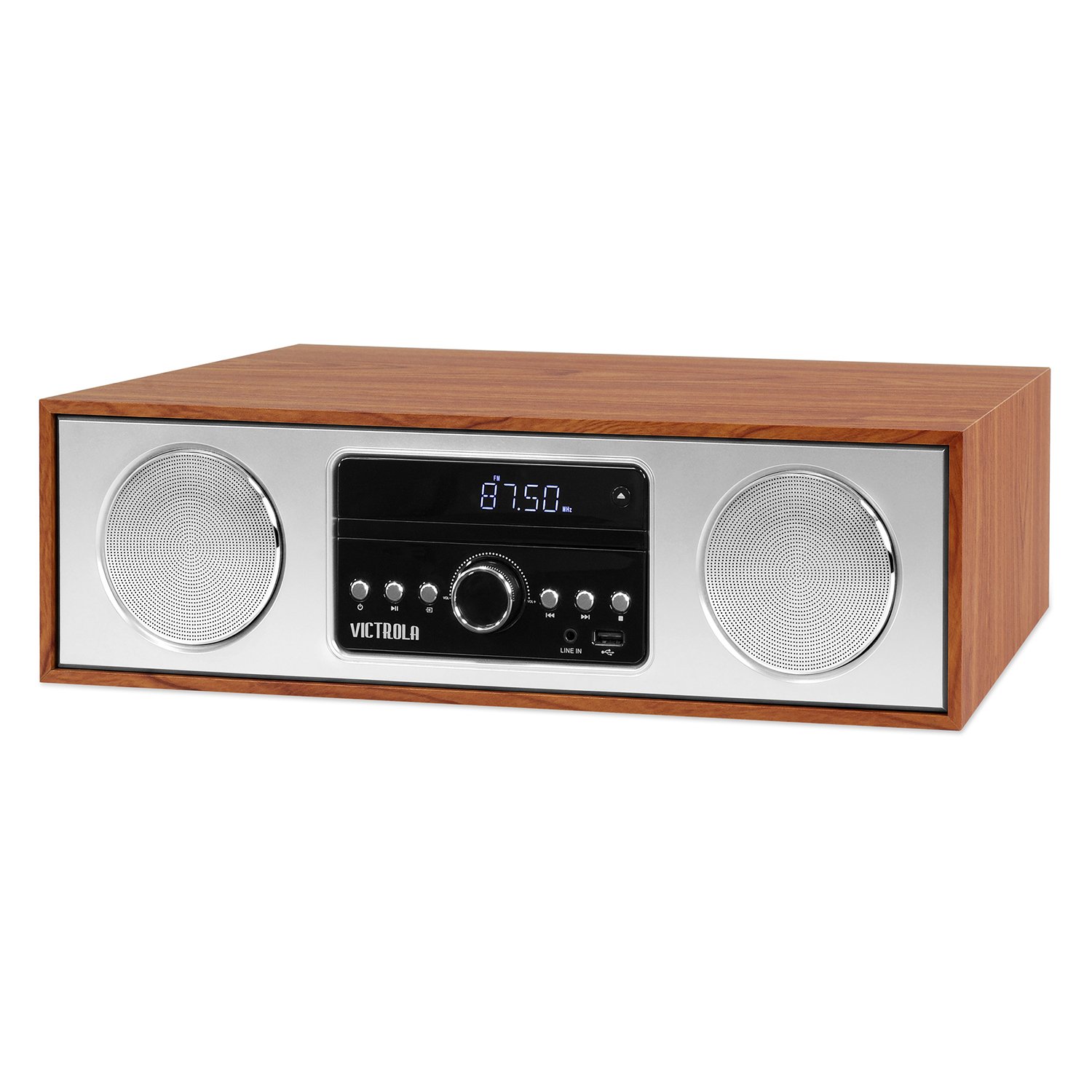
Davant view of the Victrola VS-120 Bluetooth Microsystem, showing the speaker, display, and control panel.

The Victrola VS-120 microsystem with its CD tray open, revealing a disc, and the included remote control positioned in the foreground.
Guia de configuració
Desembalatge
Carefully remove the unit from its packaging. Ensure all accessories are present:
- Victrola VS-120 Microsystem
- Control remot
- Adaptador d'alimentació
- Manual d'usuari (aquest document)
Connexió d'alimentació
- Insert the small end of the power adapter into the DC IN jack on the rear of the unit.
- Plug the other end of the power adapter into a standard wall outlet (AC 100-240V, 50/60Hz).
- The unit will enter standby mode, and the LED clock display will illuminate.
Antenna Connection (FM Radio)
For optimal FM radio reception, extend the FM wire antenna fully. Adjust its position for the best signal.
Instruccions de funcionament
Encès/Apagat
Premeu el botó PODER button on the unit or remote control to turn the system on or off (standby mode).
Selecció del mode
Premeu el botó MODE button on the unit or remote control repeatedly to cycle through available functions: Bluetooth, CD, USB, AUX, i Ràdio FM.
Funcionament Bluetooth
- Seleccioneu Bluetooth mode. The display will show "BT" and flash, indicating pairing mode.
- On your Bluetooth-enabled device (smartphone, tablet, etc.), enable Bluetooth and search for "Victrola VS-120".
- Select "Victrola VS-120" to pair. Once connected, the "BT" indicator will stop flashing and a confirmation tone will sound.
- You can now stream audio from your device to the microsystem.
- Use your device or the microsystem's controls (PLAY/PAUSE, NEXT, PREVIOUS) to manage playback.
Reproducció de CD
- Seleccioneu CD mode.
- Premeu el botó OBRIR/TANCAR botó per obrir la safata de CD.
- Place a CD (audio CD or MP3 CD) with the label side facing up into the tray.
- Premeu OBRIR/TANCAR de nou per tancar la safata. La unitat llegirà el disc i començarà la reproducció automàticament.
- Ús REPRODUCCIÓ/PAUSA, SEGÜENT, i ANTERIOR botons per controlar la reproducció.
Reproducció USB
- Insert a USB flash drive (FAT32 format, containing MP3 files) al port USB.
- Seleccioneu USB mode. The unit will automatically detect and begin playing MP3 files de la unitat.
- Ús REPRODUCCIÓ/PAUSA, SEGÜENT, i ANTERIOR botons per controlar la reproducció.
Funcionament de la ràdio FM
- Seleccioneu Ràdio FM mode.
- Manteniu premut el botó TUNE +/- botons per escanejar automàticament la següent emissora disponible.
- Premeu el botó TUNE +/- buttons briefly to manually adjust the frequency in small increments.
- To save a station as a preset, press the MEM botó i, a continuació, feu servir PRECONFIGURACIÓ +/- per seleccionar un número preestablert i premeu MEM de nou per confirmar.
- To recall a preset station, use the PRECONFIGURACIÓ +/- botons.
Connexió d'entrada auxiliar
- Connecteu un dispositiu d'àudio extern (per exemple, un reproductor MP3, un telèfon intel·ligent) al AUX IN connector mitjançant un cable d'àudio de 3.5 mm (no inclòs).
- Seleccioneu AUX mode.
- Controla la reproducció i el volum des del teu dispositiu extern.
Funcions de control remot
The included remote control provides full functionality. Ensure batteries are correctly inserted. Key functions include:
- POTÈNCIA: Turn unit on/off.
- Mode: Seleccioneu la font d'àudio.
- VOL +/-: Ajustar el volum.
- PLAY/PAUSE, NEXT, PREVIOUS: Control playback for CD, USB, and Bluetooth.
- TUNE +/-: Tune FM radio stations.
- MEM: Store FM presets.
- PRECONFIGURACIÓ +/-: Select FM presets.
- EQ: Cycle through equalizer settings (Flat, Rock, Pop, Jazz, Classic).
- RELOJ: Posa el rellotge.
- DIMMER: Ajusteu la brillantor de la pantalla.
Ajust de la configuració d'EQ
Premeu el botó EQ button on the remote control to cycle through preset equalizer modes: Flat, Rock, Pop, Jazz, and Classic. Select the mode that best suits your audio preference.
Configuració del rellotge
Per configurar el rellotge, premeu RELOJ button on the remote control. Use the TUNE +/- buttons to adjust the hour and minute, and press RELOJ de nou per confirmar cada configuració.
Manteniment
Neteja de la unitat
To clean the exterior of the unit, use a soft, dry cloth. Do not use abrasive cleaners, waxes, or solvents as these may damage the surface. Ensure the unit is unplugged before cleaning.
CD Player Care
Handle CDs by their edges. Keep them clean and free of scratches. If a CD is dirty, wipe it gently with a soft, lint-free cloth from the center outwards. Do not use solvents or abrasive cleaners on CDs.
Resolució de problemes
| Problema | Causa possible | Solució |
|---|---|---|
| Sense poder | Cable d'alimentació no connectat; Presa de corrent no activa. | Assegureu-vos que el cable d'alimentació estigui ben connectat; proveu una altra presa de corrent. |
| Sense so | Volume too low; Incorrect mode selected; External device not playing. | Increase volume; Select correct mode (BT, CD, USB, AUX, FM); Ensure external device is playing and its volume is up. |
| El CD no es reprodueix | CD inserit incorrectament; CD brut o ratllat; Format de disc no compatible. | Insert CD with label side up; Clean or replace CD; Ensure it's an audio CD or MP3 CD. |
| L'aparellament de Bluetooth falla | Unit not in pairing mode; Device too far; Device already paired to another unit. | Ensure unit is in BT mode and "BT" is flashing; Move device closer; Disconnect from other devices. |
| Mala recepció FM | Antena no estesa o no posicionada correctament. | Fully extend and reposition the FM wire antenna. |
| El comandament a distància no funciona | Piles gastades o inserides incorrectament; Obstrucció entre el comandament a distància i la unitat. | Replace batteries; Ensure correct polarity; Remove obstructions; Point remote directly at the unit's sensor. |
Especificacions
- Marca: Victrola
- Model: VS-120
- Connectivitat: Bluetooth, USB, Auxiliary (3.5mm)
- Fonts d'àudio: CD Player, USB Player, FM Radio, Bluetooth, Aux-in
- Potència de sortida: 30 watts
- Formats d'àudio compatibles: CD, MP3
- Dimensions (L x A x A): 15.97 x 4.69 x 10.83 polzades (40.56 x 11.91 x 27.51 cm)
- Pes: 10.76 lliures (4.88 kg)
- Entrada d'alimentació: CA 100-240V, 50/60Hz
- Color: Auró
Garantia i Suport
Victrola products are designed with quality and performance in mind. For detailed warranty information, please refer to the warranty card included with your product or visit the official Victrola website. For technical support or customer service inquiries, please contact Victrola customer support through their official channels.
Weblloc: www.victrola.com

