
TSL LTCMIP7342W-28M
LTS LTCMIP7342W-28M Platinum Network Vandal Dome IP Camera User Manual
Model: LTCMIP7342W-28M
Introducció
This manual provides comprehensive instructions for the installation, operation, and maintenance of your LTS LTCMIP7342W-28M Platinum Network Vandal Dome IP Camera. Please read this manual thoroughly before using the product to ensure proper setup and functionality. Keep this manual for future reference.
The LTS LTCMIP7342W-28M is a 4MP high-definition network vandal dome IP camera designed for robust surveillance applications. It features a 2.8mm fixed lens, True WDR (120dB), Matrix IR 2.0 with up to 100 feet range, and supports H.265/H.265+/H.264/H.264+ video compression. It is rated IP67 for weather resistance and IK10 for vandal resistance, making it suitable for outdoor use. The camera also includes a MicroSD slot supporting up to 128GB for local storage and can be powered by DC 12V or Power over Ethernet (PoE).
Contingut del paquet
Verifiqueu que tots els elements siguin presents al paquet abans de continuar amb la instal·lació.
- LTS LTCMIP7342W-28M Platinum Network Vandal Dome IP Camera
- Plantilla de trepant
- Cargols de muntatge i tacs de paret
- Llave hexagonal
- Kit de connectors impermeables
- Guia d'inici ràpid (consulteu aquest manual per obtenir instruccions detallades)
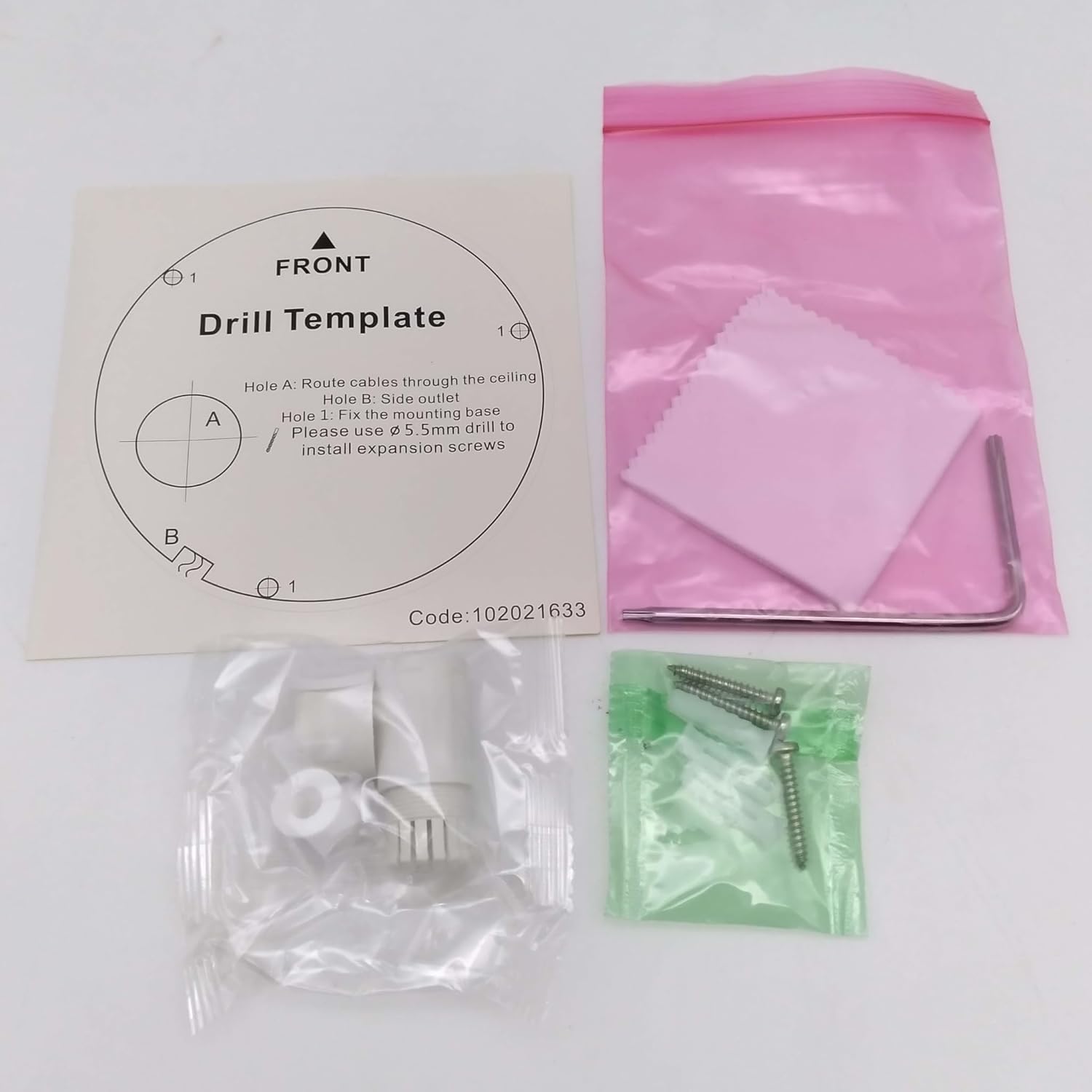
Imatge: Contents of the camera package. This includes a drill template, mounting hardware (screws and wall plugs), a hex wrench for adjustments, and a waterproof connector kit for network cables. These components are essential for proper installation.
Configuració
1. Precaucions de seguretat
- Assegureu-vos que l'alimentació estigui desconnectada abans de la instal·lació o el manteniment.
- Use only specified power adapters (DC 12V) or PoE (Power over Ethernet) compliant equipment.
- Avoid exposing the camera to extreme temperatures, humidity, or corrosive environments.
- Do not attempt to disassemble the camera. Refer all servicing to qualified personnel.
2. Càmera acabadaview
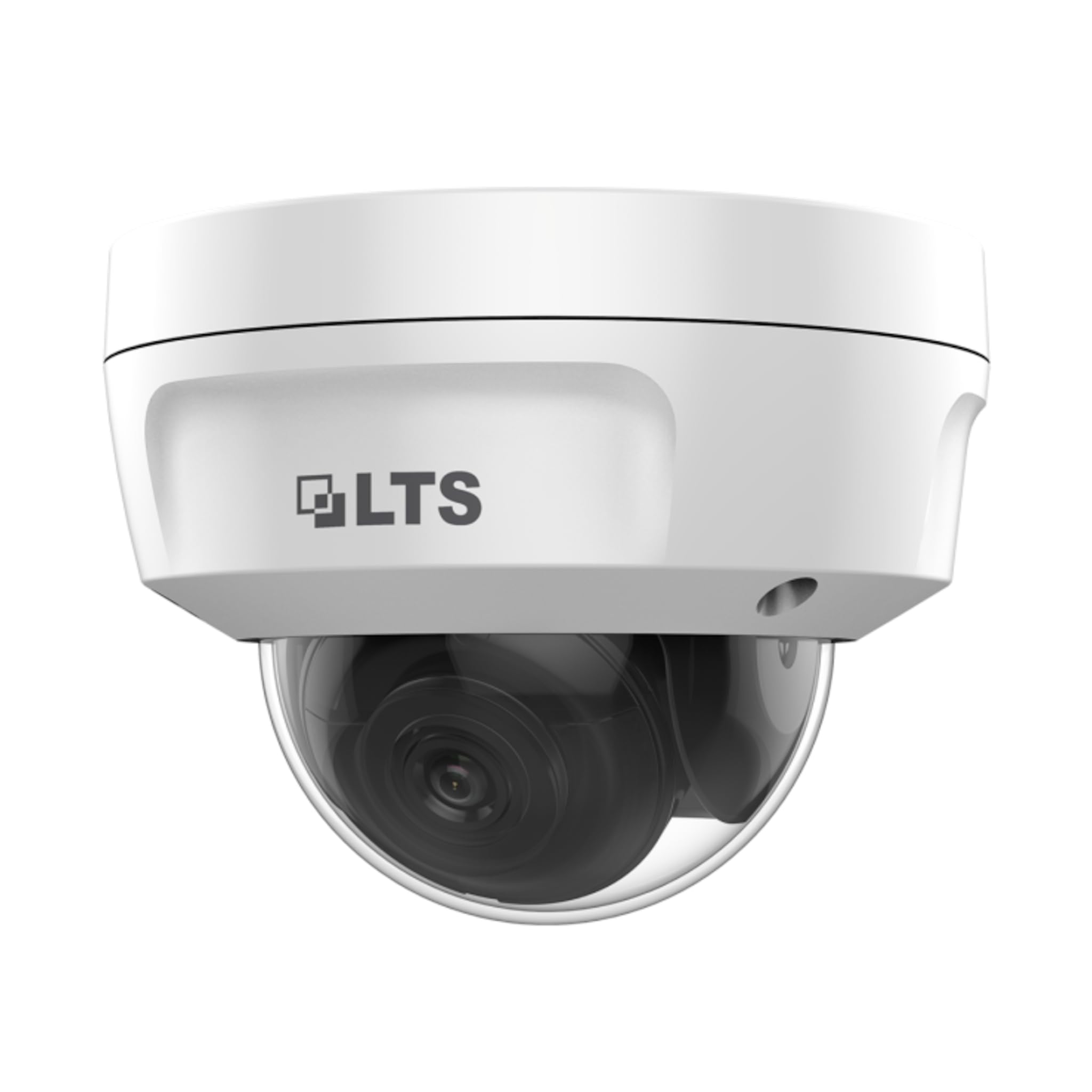
Imatge: Davant view of the LTS LTCMIP7342W-28M dome camera. This image shows the main body of the camera with its dome cover, indicating its compact and discreet design.

Imatge: lateral view of the LTS LTCMIP7342W-28M dome camera, showing the attached cables for power and network connectivity. This view highlights the integrated cable management for installation.
3. Cablejat i connectivitat
The LTCMIP7342W-28M camera primarily uses a network cable for both data and power (PoE). It is not compatible with traditional DC power and BNC video connections.

Imatge: This diagram illustrates the correct and incorrect wiring methods. On the left, a network cable (RJ45) is circled in green, indicating compatibility for both video and Power over Ethernet (PoE). On the right, DC power and BNC video connectors are circled in red, indicating they are not compatible with this camera model.
- Connexió de xarxa: Connect a standard Ethernet cable (Cat5e or Cat6) from the camera's RJ45 port to a PoE-enabled switch or NVR. If not using PoE, connect to a standard network switch and provide 12V DC power separately.
- Potència: The camera supports Power over Ethernet (PoE) or a 12V DC power supply. Ensure the power source meets the camera's requirements.
- Connector impermeable: Use the provided waterproof connector kit for outdoor installations to protect the RJ45 connection from moisture.
4. Muntatge de la càmera
- Prepareu la superfície de muntatge: Choose a suitable location, typically a ceiling or wall, ensuring it can support the camera's weight.
- Use the Drill Template: Place the provided drill template on the desired mounting surface. Mark the positions for the mounting screws and cable routing hole.
- Forats: Drill pilot holes for the mounting screws (typically 5.5mm diameter for expansion screws) and a larger hole for cable routing, if necessary.
- Cables de ruta: Pass the network cable through the cable routing hole.
- Fixeu la base de la càmera: Align the camera base with the drilled holes and secure it using the provided mounting screws and wall plugs.
- Ajust de l'angle de la càmera: Loosen the adjustment screws (if applicable) to position the camera lens for the desired viewAngle d'ajust. Estrenyeu els cargols un cop ajustats.
En funcionament
1. Initial Power-Up and Network Configuration
- After connecting the camera to power and the network, it will boot up. This may take a few minutes.
- Use the manufacturer's IP search tool (e.g., SADP Tool) to discover the camera's IP address on your network.
- Accedir a la càmera web interfície introduint la seva adreça IP a a web navegador.
- Follow the on-screen prompts to set a strong password for the camera (if it's a new installation or reset).
- Configure network settings (IP address, subnet mask, gateway, DNS) as required by your network infrastructure.
2. Configuració de vídeo
- Resolució: The camera supports up to 4MP (2560x1440) resolution at 30 frames per second. Adjust as needed for bandwidth and storage considerations.
- Compressió: Utilize H.265+ or H.265 for efficient video storage and bandwidth usage. H.264+ and H.264 are also supported.
- WDR (ampli rang dinàmic): Enable True WDR (120dB) in challenging lighting conditions to balance bright and dark areas in the image.
- Visió nocturna: The camera features Matrix IR 2.0 with a range up to 100 feet. IR LEDs automatically activate in low light.
3. Enregistrament i emmagatzematge
- Enregistrament NVR: Connecteu la càmera a un gravador de vídeo en xarxa (NVR) compatible per a la gravació contínua o basada en esdeveniments.
- Targeta MicroSD: Insert a MicroSD card (up to 128GB) into the camera's slot for local storage. Configure recording schedules and event triggers via the web interfície.
- Detecció de moviment: Set up motion detection zones and sensitivity to trigger recordings or alerts.
4. Accés remot
Per a comandament a distància viewing, configure port forwarding on your router or use a P2P/Cloud service provided by the manufacturer (if available) to access the camera feed via a mobile app or client software.
Manteniment
- Neteja de lents: Periodically clean the camera lens and dome cover with a soft, damp drap. Eviteu productes de neteja abrasius que puguin ratllar la superfície.
- Actualitzacions de firmware: Comproveu el del fabricant website for firmware updates to ensure optimal performance and security. Follow update instructions carefully.
- Inspecció del cable: Regularly inspect all cables and connections for signs of wear or damage, especially in outdoor installations.
- Controls ambientals: Assegureu-vos que l'entorn de la càmera es mantingui dins dels rangs de temperatura i humitat de funcionament especificats.
- Gestió de contrasenyes: Change passwords regularly and use strong, unique passwords for enhanced security.
Resolució de problemes
| Problema | Causa possible | Solució |
|---|---|---|
| Sense canal d'imatges/vídeos | No power; Network cable disconnected; Incorrect IP address; Camera malfunction. | Check power supply/PoE connection; Verify network cable is securely connected; Use IP search tool to find camera; Contact technical support if malfunction suspected. |
| Mala qualitat d'imatge | Dirty lens/dome; Low light conditions; Incorrect video settings; Network bandwidth issues. | Clean lens/dome; Ensure IR is active in low light; Adjust resolution, WDR, and other image settings; Check network connection speed. |
| No es pot accedir a la càmera de forma remota | Incorrect port forwarding; Firewall blocking access; Dynamic IP address changed; P2P/Cloud service offline. | Verify router port forwarding rules; Check firewall settings on router/NVR; Use DDNS service for dynamic IPs; Check status of P2P/Cloud service. |
| La targeta SD no grava | SD card full or faulty; Incorrect recording schedule; SD card not formatted. | Check SD card status and remaining space; Format SD card via camera interface; Verify recording schedule and event triggers. |
Especificacions
| Característica | Detall |
|---|---|
| Model | LTCMIP7342W-28M |
| Resolució de captura de vídeo | 4 MP (2560 x 1440) |
| Velocitat de fotogrames | 30 fps |
| Lent | Objectiu fix 2.8mm |
| WDR | WDR real de 120 dB |
| Rang IR | Up to 100 feet (Matrix IR 2.0) |
| Il·luminació mínima | 0.018 Lux @ F1.6 |
| Compressió de vídeo | H.265, H.265+, H.264, H.264+ |
| Emmagatzematge | MicroSD Slot (up to 128GB) |
| Font d'alimentació | DC 12V, PoE (802.3af) |
| Protecció d'entrada | IP67 |
| Resistència vàndal | IK10 |
| Tecnologia de connectivitat | Amb cable (Ethernet) |
| Tipus de muntatge | Muntatge al sostre |
| Temperatura de funcionament | (Refer to manufacturer's full datasheet for exact range) |
| Dimensions | Aprox. 7 x 7 x 7 polzades (dimensions del paquet) |
| Pes | Aprox. 2.5 lliures |
Garantia i Suport
For warranty information, technical support, and service inquiries, please contact your authorized TSL dealer or visit the official TSL weblloc web. Conserveu el rebut de compra com a comprovant de compra per a reclamacions de garantia.
Fabricant: LTS
Marca: TSL
Ask a question about this manual
Ask about setup, troubleshooting, compatibility, parts, safety, or missing instructions. Manuals+ will review the question and use this page’s manual context to help answer it.