
Monarch Specialties I 7414
Monarch Specialties Computer Desk User Manual
Model: I 7414 | Brand: Monarch Specialties
Introducció
Thank you for choosing the Monarch Specialties Computer Desk. This desk combines industrial design with rustic charm, offering a functional and stylish solution for your home office. Featuring a spacious tabletop, two side drawers with metal pulls, and a wide middle drawer with a leather pull, this desk is designed to accommodate your computer and other office essentials. This manual provides detailed instructions for assembly, operation, maintenance, and troubleshooting to ensure a long-lasting and satisfying experience with your new furniture.

Image: Monarch Specialties Computer Desk in a home office setting, showcasing el seu disseny i funcionalitat.
Informació de seguretat
Please read all instructions carefully before assembly and use. Failure to follow these guidelines may result in injury or damage to the product.
- Mantingueu totes les peces petites i els materials d'embalatge fora de l'abast dels nens i les mascotes per evitar riscos d'asfíxia.
- Assemble the desk on a soft, clean surface (e.g., carpet or cardboard) to prevent scratching.
- Ensure all screws and fasteners are securely tightened before using the desk. Periodically check and re-tighten as needed.
- Do not overload the desk or drawers. Refer to the specifications for weight capacities.
- Avoid placing hot items directly on the desk surface without protective padding.
- No us poseu drets ni asseguts a l'escriptori.
- Si falta alguna peça o està danyada, no procediu amb el muntatge. Poseu-vos en contacte amb el servei d'atenció al client immediatament.
Llista de peces
Before beginning assembly, verify that all components are present and undamaged. The following is a general list of parts you should expect:
- Desk Top Panel
- Side Drawer Units (2)
- Middle Drawer Unit (1)
- Metal Legs (4)
- Metal Crossbar (1)
- Drawer Pulls (3 - 2 metal, 1 leather)
- Maquinari de muntatge (cargols, perns, volanderes, clau Allen)

Image: Detailed diagram showing the dimensions of the Monarch Specialties Computer Desk and its individual drawer components.
Muntatge i muntatge
Assembly is required for this product. It is recommended to have two people for easier and safer assembly. Please follow these general steps:
- Desempaquetar i identificar les peces: Carefully remove all components from the packaging. Lay them out on a clean, soft surface. Refer to the parts list and diagrams to identify each piece.
- Attach Legs to Desk Top: Secure the metal legs to the underside of the desk top panel using the provided screws and an Allen wrench. Ensure the legs are oriented correctly as per the diagram.
- Instal·leu la barra transversal: Attach the metal crossbar between the legs to provide additional stability.
- Muntar calaixos: Follow the specific instructions for assembling the drawer boxes. This typically involves attaching the front, back, and side panels, and then the bottom panel.
- Instal·leu els lliscadors del calaix: Attach the drawer glides to the inside of the desk frame and to the sides of the assembled drawers. Ensure they are aligned for smooth operation.
- Inserir calaixos: Feu lliscar amb cura els calaixos muntats als seus compartiments respectius.
- Attach Drawer Pulls: Secure the metal and leather drawer pulls to the front of each drawer.
- Comprovació final: Once assembled, gently lift and move the desk to its desired location. Ensure all connections are tight and the desk is stable.

Image: The Monarch Specialties Computer Desk fully assembled, showcasing its taupe wood-look finish and black metal legs.
Instruccions de funcionament
The Monarch Specialties Computer Desk is designed for straightforward use in a home office environment.
- Superfície de l'escriptori: Use the spacious tabletop for your computer, laptop, monitor, and other work essentials. Consider using a desk pad to protect the surface from scratches and spills.
- Calaixos: The desk features two side drawers and one wide middle drawer. Pull the respective handles to open and push to close. Ensure drawers are fully closed when not in use to prevent accidental opening or damage.
- Distribució de pes: Distribute weight evenly across the desk surface and within the drawers to maintain stability and prevent tipping.
- Gestió de cables: While not explicitly designed with cable management features, you can use adhesive cable clips or ties (not included) to organize wires behind the desk for a tidy workspace.
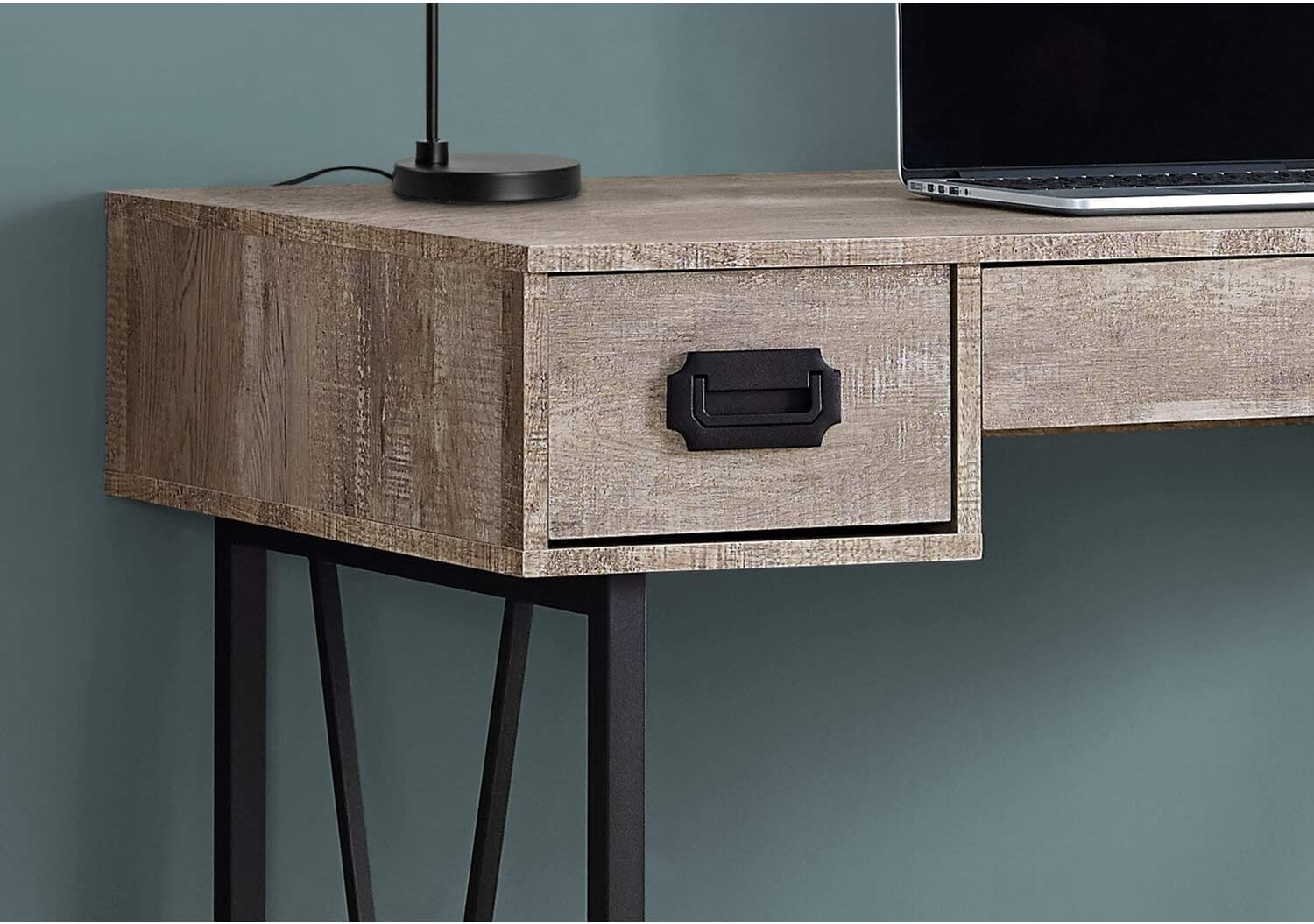
Imatge: Un primer pla view of one of the side drawers on the Monarch Specialties Computer Desk, highlighting the metal pull handle and wood-look finish.
Cura i Manteniment
Una cura adequada allargarà la vida útil i l'aspecte del vostre escriptori.
- Neteja: Wipe the desk surface and legs with a soft, damp drap. Eviteu utilitzar productes químics agressius, netejadors abrasius o poliments que puguin danyar l'acabat.
- Vessaments: Immediately wipe up any spills to prevent staining or damage to the laminate finish.
- Calor i humitat: Protect the surface from extreme heat and moisture. Use coasters for drinks and heat pads for hot items.
- Llum solar: Eviteu l'exposició prolongada a la llum solar directa, que pot causar decoloració o esvaïment amb el temps.
- Maquinari: Reviseu periòdicament tots els cargols i elements de fixació per assegurar-vos que romanen ajustats. Torneu a apretar-los si cal per mantenir l'estabilitat.
- Moviment: When moving the desk, lift it rather than dragging it to prevent damage to the legs and frame.
Resolució de problemes
Aquí teniu solucions a problemes comuns que podeu trobar:
- L'escriptori és tambaleant:
Solució: Ensure all assembly screws and bolts are securely tightened. Check that the desk is on a level surface. If not, use furniture glides or shims under the legs to stabilize it. - Els calaixos s'encallen o no llisquen suaument:
Solució: Check that the drawer glides are properly aligned and free of obstructions. Ensure the drawers are not overloaded. A small amount of silicone spray on the glides can improve smoothness. - Peces que falten o danyades:
Solució: Do not attempt to assemble the product with missing or damaged parts. Contact Monarch Specialties customer support with your model number and a description of the issue to request replacement parts. - Esgarrapades superficials:
Solució: For minor scratches, furniture repair markers or wax sticks matching the finish color may help. Always use a desk pad or protective mat to prevent future scratches.
Especificacions
| Característica | Detall |
|---|---|
| Marca | Especialitats Monarca |
| Número de model | I 7414 |
| Dimensions del producte (P x A x A) | 23.75 "P x 47.25" W x 30.75" H |
| Color | Taupe |
| Estil | CONTEMPORARY, INDUSTRIAL, MODERN |
| Material base | Metall |
| Tipus d'acabat | Fusta d'enginyeria |
| Característica especial | Compacte |
| Nombre de calaixos | 3 (2 side, 1 middle) |
| Pes de l'article | 61 lliures |
| Muntatge obligatori | Sí |
Garantia i Suport
Monarch Specialties products are manufactured to high standards. For specific warranty information, please refer to the documentation included with your purchase or visit the official Monarch Specialties website. If you require assistance with assembly, have questions about your product, or need to report missing/damaged parts, please contact Monarch Specialties customer support directly. Keep your purchase receipt and model number handy for faster service.
Per a més informació, podeu visitar el Monarch Specialties Store on Amazon.
Ask a question about this manual
Ask about setup, troubleshooting, compatibility, parts, safety, or missing instructions. Manuals+ will review the question and use this page’s manual context to help answer it.