
1. Introducció
Thank you for choosing the Amazon Basics Over-Ear Studio Monitor Headphones. These headphones are designed to provide clear audio reproduction and comfort for extended listening sessions, making them suitable for studio monitoring, field recording, and general audio enjoyment. This manual provides essential information for the proper use and care of your headphones.
2. Contingut del paquet
- Amazon Basics Over-Ear Studio Monitor Headphones
- Detachable Audio Cable (3.5mm to 3.5mm with 6.35mm adapter)
3. Producte acabatview
The Amazon Basics Over-Ear Studio Monitor Headphones feature a robust design with user comfort and audio clarity in mind.
- Disseny supraaural: Helps isolate sound and minimize external noise, ideal for focused listening environments.
- Ajust còmode: Contoured ear-cups and a self-adjustable, flexible leather headband ensure comfort during prolonged use.
- Swivel Ear-cups: 90-degree swivel functionality allows for single-ear monitoring.
- Disseny plegable: Ear-cups fold inward for compact storage and easy transport.
- High-Quality Drivers: Equipped with 40 mm diameter drivers for clear audio output.
- Cable desmuntable: Features a DJ-style 9.8-foot coiled cable with a detachable standard 6.3mm plug adapter for versatile connectivity.

Figura 1: Angle view of the Amazon Basics Over-Ear Studio Monitor Headphones.
4. Instruccions de configuració
- Desempaquetar contingut: Traieu amb cura els auriculars i tots els accessoris de l'embalatge.
- Connecteu el cable d'àudio: Insert the smaller 3.5mm end of the detachable audio cable into the audio jack located on the left earcup of the headphones. Ensure it is securely seated.
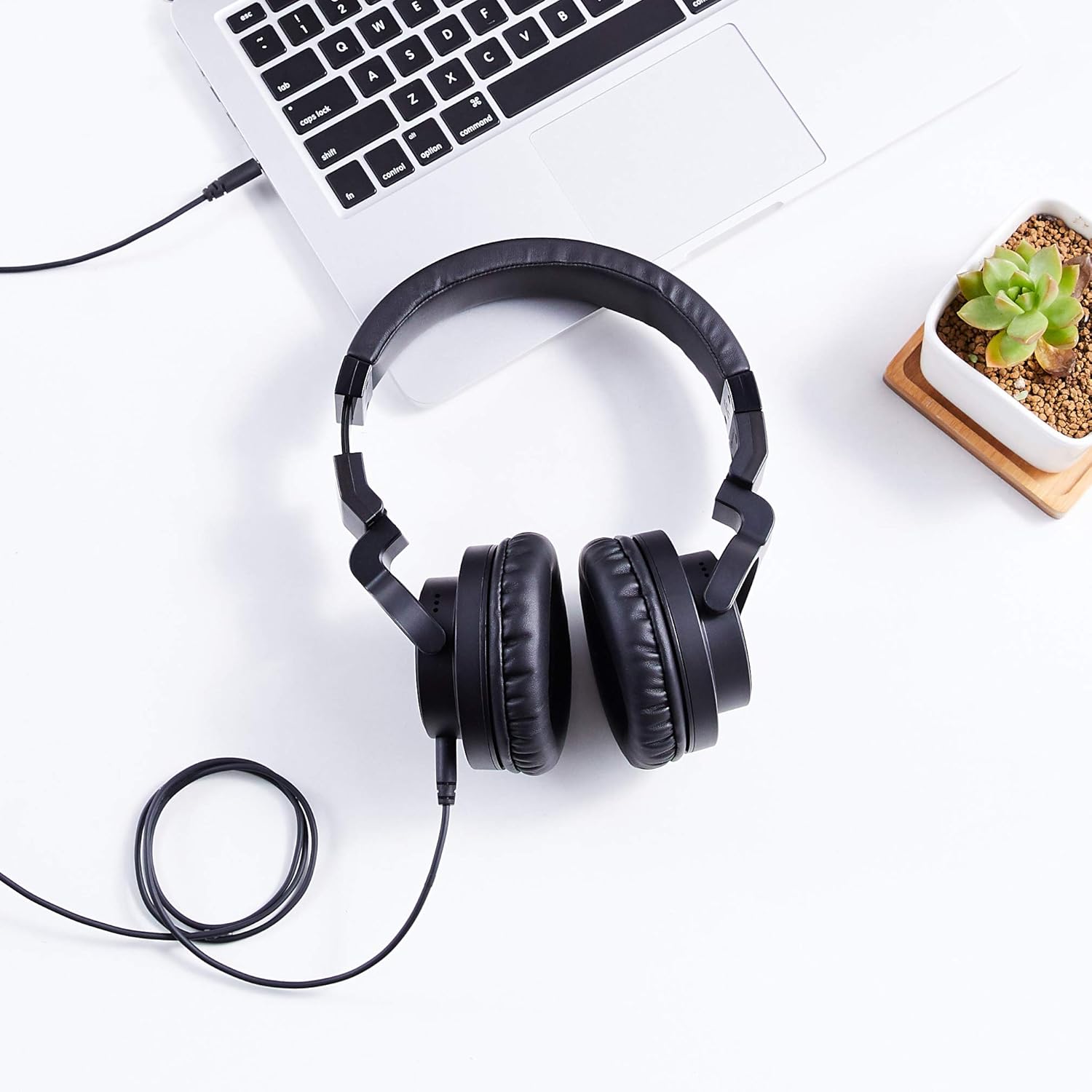
Figure 2: The detachable coiled audio cable with 3.5mm and 6.35mm connectors.
- Connecteu-vos a la font d'àudio:
- For devices with a 3.5mm audio output (e.g., smartphones, laptops, MP3 players), connect the larger 3.5mm end of the cable directly to the device's audio jack.
- For devices with a 6.35mm audio output (e.g., audio interfaces, mixing consoles, amplifiers), attach the included 6.35mm adapter to the larger 3.5mm end of the cable, then connect it to the device's audio jack.

Figure 3: Headphones connected to a laptop via the audio cable.
- Ajustar la diadema: Place the headphones on your head. Adjust the headband by sliding the earcups up or down until they fit comfortably over your ears. The headband is self-adjustable for optimal fit.
- Posició dels auriculars: Ensure the earcups fully enclose your ears for the best sound isolation and comfort. The earcups are designed to swivel 90 degrees for single-ear monitoring if needed.

Figure 4: Earcup swiveled for single-ear monitoring.
5. Instruccions de funcionament
- Font d'àudio d'encesa: Ensure your audio source device is powered on and playing audio.
- Ajustar el volum: Control the audio volume directly from your connected audio source device. These headphones do not feature inline volume controls.
- Monitorització d'orella única: For situations requiring awareness of your surroundings or specific audio monitoring techniques, rotate one earcup 90 degrees to listen with a single ear.
- Optimal Listening: For the best audio experience, ensure both earcups are fully covering your ears and the headband is adjusted for a secure yet comfortable fit.
6. Manteniment
Un manteniment adequat garanteix la longevitat i el rendiment dels teus auriculars.
- Neteja dels auriculars: Netegeu suaument els auriculars i la diadema amb un drap suau i sec. Per a la brutícia persistent, netegeu lleugerament.amp es pot fer servir un drap, però eviteu la humitat excessiva. No utilitzeu productes químics agressius ni netejadors abrasius.
- Cura del cable: Avoid sharply bending or twisting the audio cable. When storing, coil the cable loosely. The detachable design allows for easy replacement if the cable becomes damaged.
- Emmagatzematge: When not in use, store the headphones in a clean, dry place. The foldable design allows for compact storage. Avoid exposing them to extreme temperatures, humidity, or direct sunlight.
- Eviteu les gotes: Protegiu els auriculars de caigudes i impactes, que poden danyar els components interns.
7. Solució De Problemes
Si teniu problemes amb els auriculars, consulteu els problemes i solucions més comuns següents:
| Problema | Causa possible | Solució |
|---|---|---|
| Sense so ni volum baix |
|
|
| So distorsionat o de mala qualitat |
|
|
| Els auriculars són incòmodes |
|
|
8. Especificacions
| Característica | Detall |
|---|---|
| Marca | Conceptes bàsics d'Amazon |
| Número de model | MHP-1190-01A |
| Tecnologia de connectivitat | Amb cable |
| Conector d'auriculars | 3.5 mm (with detachable 6.35 mm adapter) |
| Mida del controlador | 40 mm |
| Col·locació de l'orella | Sobre l'orella |
| Factor de forma | Sobre l'orella |
| Material | Leather (earcups and headband) |
| Color | Negre |
| Pes de l'article | 8 unces (0.5 lliures) |
| Dimensions del producte | 7.88 x 3.78 x 7.09 polzades |
| Característica del cable | Detachable, Coiled |
9. Garantia i Suport
These Amazon Basics Over-Ear Studio Monitor Headphones are backed by an Amazon Basics 1-year limited warranty. For detailed warranty information or support, please refer to the official Amazon Basics weblloc web o contacteu amb el servei d'atenció al client d'Amazon.
Per obtenir més ajuda, visiteu el Botiga bàsica d'Amazon.