
Bouncie B07H8NS5MS
Bouncie GPS Tracker for Vehicles Instruction Manual
Model: B07H8NS5MS
1. Introducció
This manual provides essential information for the proper installation, operation, and maintenance of your Bouncie GPS Tracker for Vehicles. Please read this manual thoroughly before using the device to ensure optimal performance and safety. The Bouncie GPS Tracker offers real-time location tracking, detailed route history, driving behavior monitoring, geo-fencing capabilities, and accident notifications.
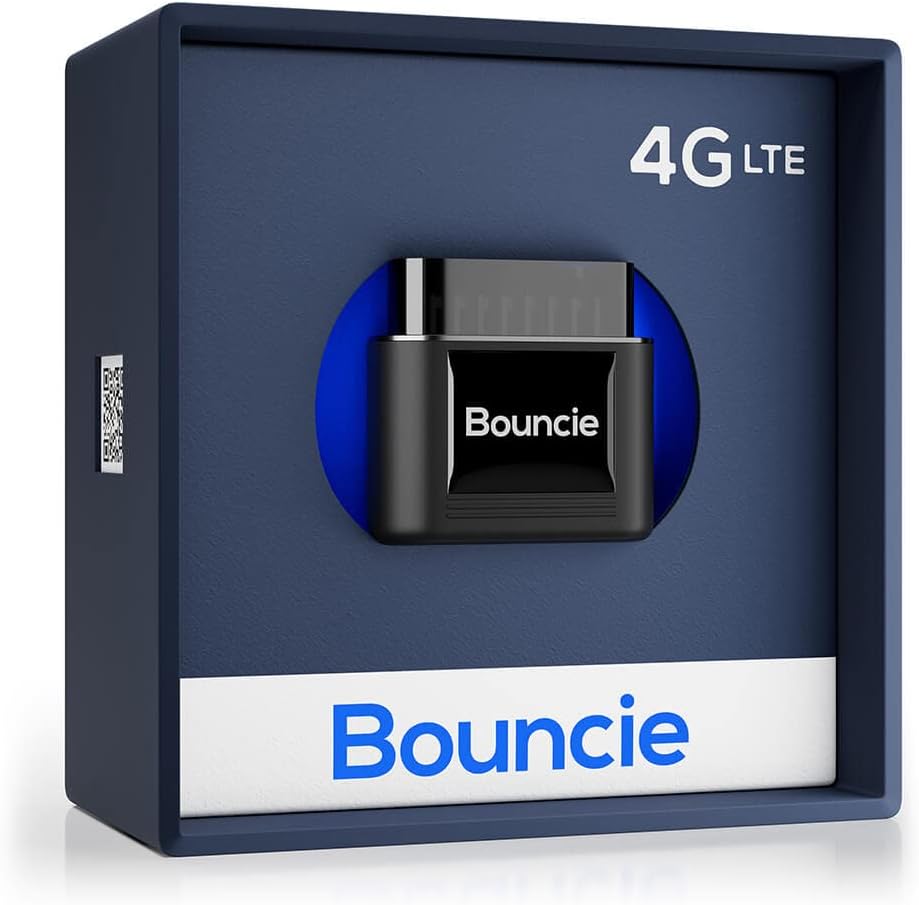
Image 1.1: Bouncie GPS Tracker device in its retail packaging.
2. Configuració i instal·lació
The Bouncie GPS Tracker is designed for simple, tool-free installation. It connects directly to your vehicle's On-Board Diagnostics II (OBD-II) port.
2.1 Compatibilitat
The device is compatible with most vehicles manufactured in 1996 or newer that are equipped with an OBD-II port.
2.2 Passos d'instal·lació
- Localitzeu el port OBD-II: The OBD-II port is typically located under the dashboard on the driver's side, often near the steering column or above the foot pedals. Consult your vehicle's owner's manual if you have difficulty locating it.
- Connecteu el dispositiu: Firmly insert the Bouncie GPS Tracker into the OBD-II port. Ensure it is securely seated. No tools or wiring are required.
- Download the Bouncie App: Download the official Bouncie application from the Apple App Store or Google Play Store on your smartphone.
- Activa el teu dispositiu: Follow the in-app instructions to create an account and activate your Bouncie device. A monthly subscription is required for service activation.

Image 2.1: Plugging the Bouncie device into the vehicle's OBD-II port.
3. Operating the Bouncie GPS Tracker
Once installed and activated, the Bouncie device continuously monitors your vehicle and transmits data to the Bouncie application.
3.1 Seguiment de la ubicació en temps real
View your vehicle's current location on a detailed map within the Bouncie app. Location updates are provided in real-time, allowing you to monitor movement accurately.

Image 3.1: Bouncie app displaying real-time vehicle location and map details.
3.2 Route History
Access unlimited trip history, including detailed routes, stops, and mileage for each journey. This feature allows for comprehensive review of past travel.
3.3 Driving Insights and Alerts
The device monitors various driving behaviors and provides insights and alerts for:
- Supervisió de velocitat: Receive alerts for excessive speed.
- Acceleració: Detects rapid acceleration events.
- Frenada forta: Identifies instances of sudden or harsh braking.
- Temps d'inactivitat: Tracks periods when the vehicle is running but stationary.

Image 3.2: Bouncie app displaying driving event notifications.
3.4 Geo-Fencing
Set up custom geographical boundaries (geo-fences) within the app. You will receive notifications when your vehicle enters or exits these designated areas.
3.5 Accident Detection
Equipped with advanced sensors, the Bouncie tracker can detect significant impacts. In the event of an accident, it sends immediate SMS alerts to pre-configured emergency contacts.

Image 3.3: Bouncie app displaying an accident detection alert.
4. Vehicle Health Monitoring
The Bouncie device continuously monitors your vehicle's diagnostic engine data, providing alerts for potential maintenance issues.
4.1 Diagnostic Trouble Codes (DTC)
The tracker can decode and alert you to Diagnostic Trouble Codes (DTCs) generated by your vehicle's engine. This helps in identifying and addressing issues proactively, potentially preventing downtime.

Image 4.1: Bouncie app displaying vehicle diagnostic trouble codes.
5. Especificacions
| Característica | Detall |
|---|---|
| Número de model | B07H8NS5MS |
| Dimensions del producte | 1.75 x 1.87 x 1 polzades |
| Pes de l'article | 1.28 unces |
| Tecnologia de connectivitat | 4G LTE Cel·lular |
| Tecnologia sense fils | 4G LTE CAT M1 |
| Característiques especials | Internal SIM Card, Silent Operation, Integrated GPS, Tamper Detection, Engine DTC Decoding, 3-Axis Accelerometer, No Battery Required, No Charging Required |
| Cobertura | North America (US, Canada, Mexico) |
| Retenció de dades | Il·limitat |
| Tecnologia de cartografia | Google (Street & Satellite) |
| Aplicacions compatibles | Location Tracking, Route History, Speed Monitoring, Accident Notification, GeoFence |
| Usos específics | Seguiment i seguiment de vehicles |
| Fabricant | Bouncie |
| Primer disponible | 14 de juliol de 2018 |

Image 5.1: Internal components and dimensions of the Bouncie GPS Tracker.
6. Solució De Problemes
If you encounter any issues with your Bouncie GPS Tracker, consider the following:
- No Data/Connectivity: Ensure the device is firmly seated in the OBD-II port. Verify that your subscription is active. Check your vehicle's compatibility.
- Ubicació incorrecta: Ensure your vehicle is in an area with good cellular and GPS signal reception.
- Problemes amb l'aplicació: Ensure your Bouncie app is updated to the latest version. Try restarting the app or your smartphone.
For further assistance, please contact Bouncie customer support.
7. Assistència i garantia
7.1 Atenció al client
Bouncie provides US-based customer support. For technical assistance, account inquiries, or troubleshooting, please refer to the support section within the Bouncie application or visit the official Bouncie weblloc.
7.2 Subscription Information
A monthly subscription is required for the Bouncie GPS Tracker service. Subscription fees are billed monthly, with no hidden activation or return fees. You may cancel your subscription at any time.
7.3 Informació de la garantia
For detailed warranty information regarding your Bouncie GPS Tracker, please refer to the documentation provided with your purchase or visit the official Bouncie weblloc web. Els termes i condicions de la garantia estan subjectes a canvis per part del fabricant.
Ask a question about this manual
Ask about setup, troubleshooting, compatibility, parts, safety, or missing instructions. Manuals+ will review the question and use this page’s manual context to help answer it.