
1. Introducció
Thank you for choosing the Macally USB Type C Wired Mouse. This manual provides detailed instructions for setting up, operating, and maintaining your new mouse. Designed for simplicity and reliability, this plug-and-play mouse offers comfortable use with adjustable DPI settings for various computing needs.
2. Contingut del paquet
- Macally USB Type C Wired Mouse
- Manual d'instruccions
3. Configuració
The Macally USB Type C Wired Mouse is designed for easy plug-and-play functionality, requiring no additional drivers for most operating systems.
- Connecteu el ratolí: Locate an available USB-C port on your computer (MacBook Pro, iMac, PC, Laptop, Tablet, etc.). Insert the USB-C connector of the mouse cable firmly into the USB-C port.
- Reconeixement automàtic: Your operating system should automatically detect and configure the mouse. No software installation is typically required.
- Començar a utilitzar: Un cop reconegut, el ratolí està llest per al seu ús immediat.

Image: The Macally USB-C mouse connected to a laptop via its USB-C cable, demonstrating the plug-and-play setup.
Video: A demonstration of connecting the wired USB-C mouse to a laptop, highlighting its plug-and-play functionality for Type-C computers.
4. Instruccions de funcionament
4.1 Ús bàsic
The mouse features a standard 3-button layout for intuitive control:
- Botó esquerre de clic: S'utilitza per seleccionar elements, obrir files i executant ordres.
- Botó dret: Used for accessing contextual menus and additional options.
- Roda de desplaçament: S'utilitza per desplaçar-se pels documents i web pages. The scroll wheel can also be pressed as a middle click button for specific functions in some applications.

Imatge: Vista de dalt a baix view of the Macally USB-C mouse, clearly showing the left-click, right-click, and scroll wheel buttons.
4.2 Ajust de DPI
The mouse features a dedicated DPI (Dots Per Inch) switch to adjust cursor sensitivity. This allows you to change the speed and responsiveness of the cursor to suit your preference or task.
- Premeu el botó Botó DPI (located below the scroll wheel) to cycle through the available sensitivity settings: 800, 1200, 1600, and 2400 DPI.
- Select the DPI setting that provides the most comfortable and efficient cursor movement for your current activity.
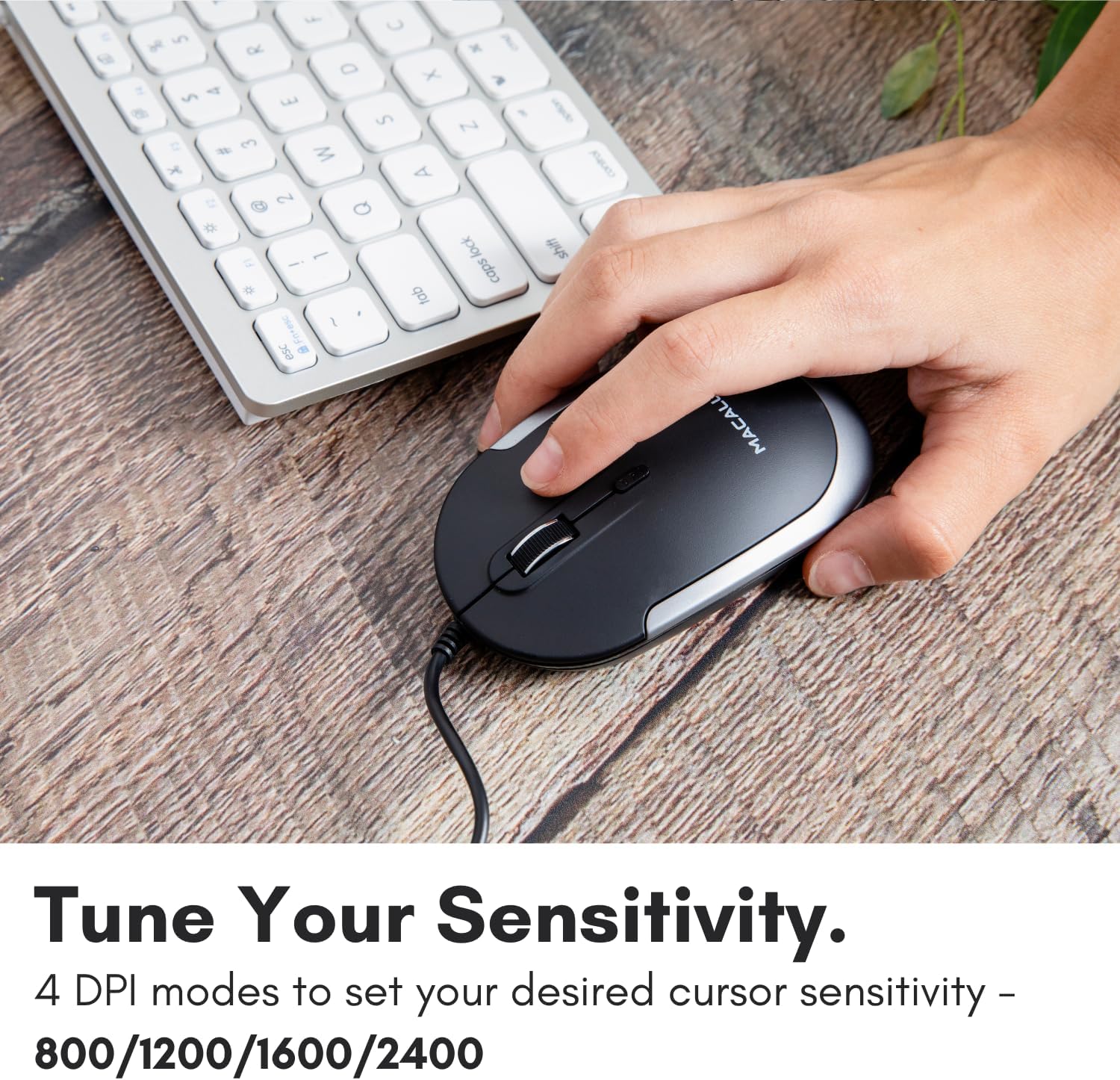
Image: A hand demonstrating how to press the DPI button on the Macally USB-C mouse to adjust sensitivity.
4.3 Compatibilitat
The Macally USB Type C Wired Mouse is universally compatible with a wide range of devices and operating systems:
- Mac (macOS)
- PC (Windows)
- iPadOS
- Android devices with USB-C ports

Image: The Macally USB-C mouse displayed with compatibility logos for Mac, PC, iPadOS, and Android operating systems.
5. Característiques clau
- Connectivitat USB-C: Specifically designed for modern laptops and computers with USB-C ports, ensuring a reliable wired connection.
- Disseny prim i compacte: With a height of only 1 inch, the mouse is slim, comfortable, and portable, fitting snugly in your hand.
- Botons de clic silenciosos: Reduces clicking noise by 90% compared to traditional mice, providing a quieter work environment.
- DPI ajustable: Easily switch between 800, 1200, 1600, and 2400 DPI settings for precise cursor control.
- 5-Foot Cable: Proporciona ample length for flexible setup and comfortable use, even with desktop computers.
- Disseny ambidextre: Apte tant per a usuaris dretans com esquerrans.

Image: The Macally USB-C mouse highlighting its elegant and slim design with dimensions.
Video: A detailed look at the Macally USB-C Optical Mouse, emphasizing its quiet click buttons and compatibility with Mac and PC.
6. Manteniment
To ensure the longevity and optimal performance of your Macally USB Type C Wired Mouse, follow these simple maintenance guidelines:
- Neteja: Feu servir un drap suau, sec i sense borrissol per netejar la superfície del ratolí. Per a la brutícia persistent, netegeu lleugeramentampNetegeu el drap amb aigua o una solució de neteja suau. Eviteu utilitzar productes químics agressius o materials abrasius.
- Sensor òptic: Mantingueu el sensor òptic de la part inferior del ratolí net i lliure de pols o restes. Feu servir un bastonet de cotó o aire comprimit si cal.
- Cura del cable: Avoid sharp bends or excessive pulling on the USB-C cable to prevent damage. Store the cable neatly when not in use.
- Emmagatzematge: Quan no l'utilitzeu, guardeu el ratolí en un entorn net i sec, allunyat de temperatures extremes.
7. Solució De Problemes
If you encounter any issues with your Macally USB Type C Wired Mouse, please refer to the following common solutions:
| Problema | Solució |
|---|---|
| El ratolí no respon. |
|
| El moviment del cursor és erràtic o irregular. |
|
| Buttons or scroll wheel are not working. |
|
8. Especificacions
| Marca | Macally |
| Número de model | UCDYNAMOUSESG |
| Tecnologia de connectivitat | USB-C amb cable |
| Tecnologia de detecció de moviment | Òptic |
| Configuració de DPI | 800, 1200, 1600, 2400 |
| Longitud del cable | 5 peus (aprox. 1.5 metres) |
| Botons | 3 (Left, Right, Scroll Wheel/Middle Click) + DPI Switch |
| Pes de l'article | 2.56 unces (aproximadament 72.5 grams) |
| Dimensions del producte (LxWxH) | 2.8 x 4.21 x 1 polzades (aprox. 7.1 x 10.7 x 2.5 cm) |
| Compatibilitat | Mac (macOS), PC (Windows), iPadOS, Android (with USB-C) |
9. Garantia i Suport
Macally provides a 1 any de garantia for this product. For technical support, troubleshooting assistance, or warranty claims, please contact Macally customer service. You can find contact information and additional resources on the official Macally weblloc:
Weblloc: www.macally.com
Macally also offers easy returns and lifetime support with your purchase.