
1. Introducció
This manual provides essential information for the proper installation, operation, and maintenance of your Audiovox Push Button Switch, Model 1364288. This component is designed for automotive applications, featuring a normally open contact type and a surface mount design. Please read this manual thoroughly before installation and use to ensure safe and efficient operation.
2. Informació de seguretat
ADVERTIMENT: Failure to follow these safety instructions may result in fire, electric shock, or other injury or damage.
- Always disconnect the vehicle's battery before performing any electrical installation or maintenance.
- Assegureu-vos que totes les connexions del cablejat estiguin ben fixades i degudament aïllades per evitar curtcircuits.
- Do not exceed the specified electrical ratings for the switch.
- Consult a qualified automotive technician if you are unsure about any installation steps.
- Keep the switch away from moisture and extreme temperatures.
3. Configuració i instal·lació
The Audiovox Push Button Switch (Model 1364288) is designed for surface mounting and features a pin header connector. Follow these steps for proper installation:
- Prepareu la superfície de muntatge: Select a clean, dry, and flat surface for mounting the switch. Ensure there is sufficient space for the switch (dimensions: 0.05 x 0.03 x 0.04 inches) and its wiring.
- Assegureu l'interruptor: Use appropriate fasteners (not included) to securely attach the switch to the chosen surface. Ensure it is firmly in place and will not vibrate loose during vehicle operation.
- Connexions de cablejat: The switch features a Normally Open (NO) contact type and a pin header connector. Connect the appropriate wires from your automotive circuit to the switch's pins. Typically, one pin will connect to the power source (or signal input) and the other to the device or circuit you intend to control. When the button is pressed, the circuit will close, allowing current to flow.
- Connexions aïllades: After making all electrical connections, ensure they are properly insulated using electrical tape or heat shrink tubing to prevent accidental short circuits.
- Funcionalitat de prova: Reconnect the vehicle's battery and test the switch's operation to ensure it functions as intended before fully reassembling any removed panels.
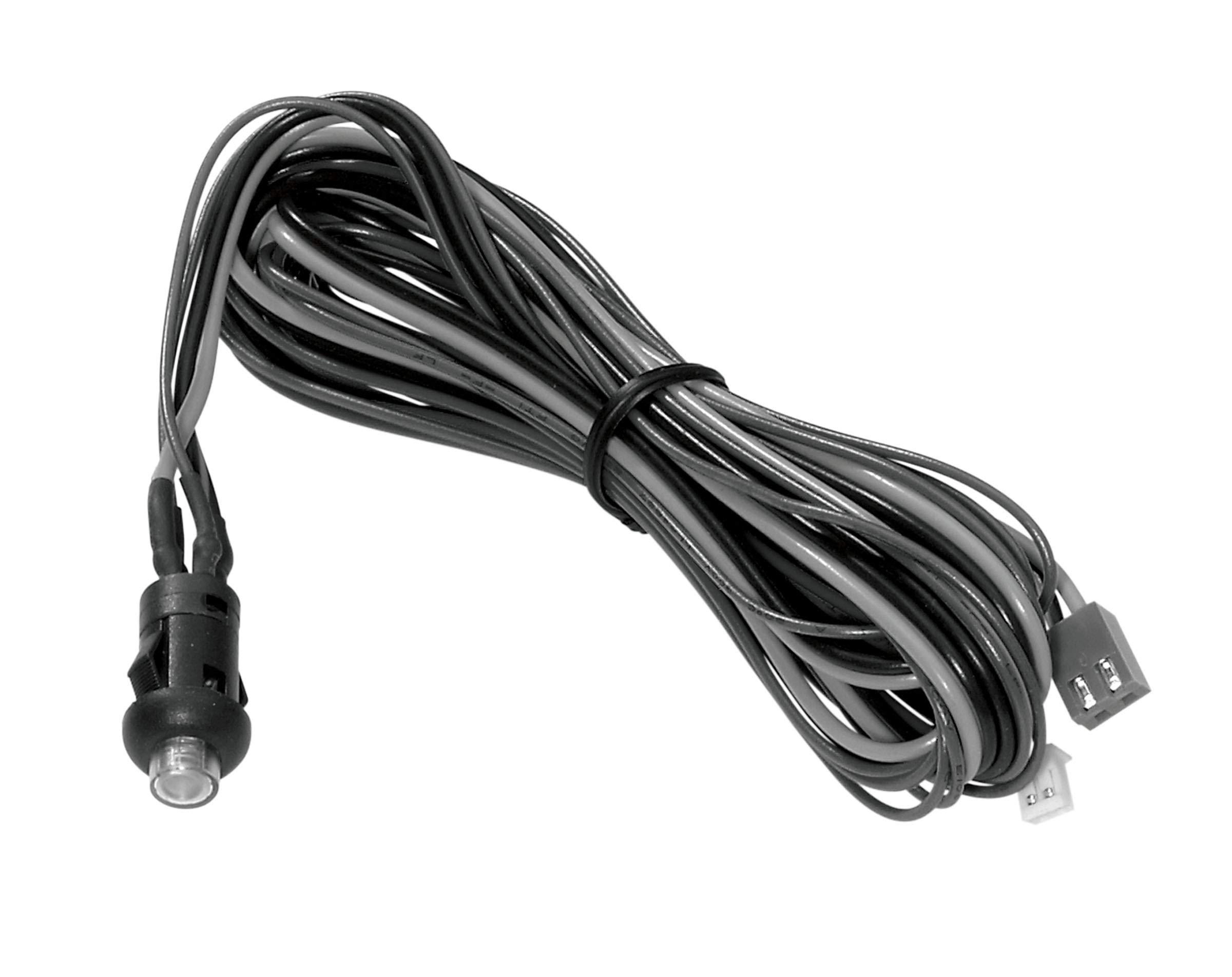
Figure 3.1: The Audiovox Push Button Switch (Model 1364288). This image shows the compact black push-button switch, highlighting its design suitable for surface mounting in automotive applications.
4. Instruccions de funcionament
The Audiovox Push Button Switch (Model 1364288) operates as a simple momentary switch with a Normally Open (NO) contact type.
- Activació: To activate the connected circuit or device, firmly press the button. While the button is pressed, the internal contacts close, completing the circuit.
- Desactivació: To deactivate the connected circuit or device, release the button. Upon release, the internal contacts open, breaking the circuit.
This switch is designed for applications requiring a temporary electrical connection, such as activating a horn, a momentary light, or a specific function within an automotive system.
5. Manteniment
The Audiovox Push Button Switch (Model 1364288) is designed for durability and requires minimal maintenance.
- Neteja: Periodically wipe the exterior of the switch with a soft, dry cloth to remove dust and debris. Avoid using harsh chemicals or abrasive cleaners.
- Inspecció: Regularly inspect the wiring connections to ensure they remain secure and free from corrosion. Check for any signs of physical damage to the switch housing or button.
- Protecció del medi ambient: Ensure the switch remains protected from excessive moisture and direct exposure to harsh environmental elements, which could degrade its performance over time.
6. Solució De Problemes
If you experience issues with your Audiovox Push Button Switch, refer to the following common troubleshooting steps:
| Problema | Causa possible | Solució |
|---|---|---|
| Switch does not activate device. | Connexió de cablejat fluixa o incorrecta. No hi ha alimentació al circuit. Interruptor defectuós. | Check all wiring connections for security and correct polarity. Ensure the circuit has power. Test the switch with a multimeter for continuity when pressed. Replace if faulty. |
| Funcionament intermitent. | Mala connexió. Desgast o restes internes. | Inspect wiring for corrosion or loose terminals. Ensure the switch is clean. If the issue persists, the switch may need replacement. |
| El botó està enganxat o és difícil de prémer. | Debris lodged around the button. Dany físic. | Carefully clean around the button. Do not force the button. If damaged, replace the switch. |
7. Especificacions
| Característica | Detall |
|---|---|
| Marca | Audiovox |
| Número de model | 1364288 |
| Mode d'operació | Push button (Momentary) |
| Tipus de contacte | Normalment obert (NO) |
| Tipus de connector | Capçalera de pin |
| Tipus de canvi | Pulsador |
| Dimensions (L x A x A) | 0.05 x 0.03 x 0.04 polzades |
| Tipus de circuit | 1 vies |
| Tipus de muntatge | Muntatge en superfície |
| Tipus d'actuador | Pulsador |
| Mètode de control | Toca |
| Protocol de connectivitat | X-10 (Note: This may refer to a specific internal component or compatibility, not necessarily a direct user interface protocol.) |
| Color | Negre |
| Recompte d'unitats | 1 recompte |
| UPC | 044476040528 |
| ASIN | B07HP882SM |
8. Informació de la garantia
Audiovox products are manufactured to high-quality standards. This product is covered by the manufacturer's standard limited warranty. Please refer to the official Audiovox website or contact customer support for detailed warranty terms and conditions, including coverage period and claim procedures. Keep your proof of purchase for warranty validation.
9. Atenció al client
For technical assistance, troubleshooting beyond this manual, or warranty inquiries, please contact Audiovox customer support.
- Weblloc: Visit the official Audiovox weblloc web amb recursos de suport, preguntes freqüents i informació de contacte.
- Telèfon/Correu electrònic: Refer to the Audiovox website for the most current phone numbers and email addresses for customer service.
Quan contacteu amb el servei d'assistència, tingueu a mà el número de model del vostre producte (1364288) i el comprovant de compra.