
Bewinner PC101
Bewinner PC101 Portable Water Quality Tester
Manual d'usuari
1. Introducció
Thank you for choosing the Bewinner PC101 Portable Water Quality Tester. This electronic device is designed for quick and accurate measurement of chlorine and pH levels in swimming pools and spas. Its large LCD screen provides clear readings, making water quality analysis straightforward and efficient. Please read this manual thoroughly before operation to ensure proper use and longevity of your device.
2. Informació de seguretat
To prevent personal injury or equipment damage, please observe the following safety precautions:
- Do not immerse the probe in any liquid other than pool or spa water.
- No intenteu desmuntar, modificar o reparar el producte vosaltres mateixos. Unauthorized modifications can lead to malfunction and void the warranty.
- Always rotate the switch to the "OFF" position when the tester is not in use to conserve battery life.
- Guardeu el provador en un lloc fresc i sec, allunyat de la llum solar directa i de temperatures extremes.
- Mantenir fora de l'abast dels nens.

Image: A warning label indicating not to disassemble, modify, or repair the product.
3. Producte acabatview i Components
The Bewinner PC101 Water Quality Tester consists of a main unit with an LCD display and a probe with two metal rods connected by a coiled cable.
- Unitat principal: Houses the battery compartment, control switch (CL/OFF/PH), and the large LCD display for reading measurements.
- Sonda: Features two metal rods for immersion into the water. Connected to the main unit via a coiled cable.
- Botó d'ajust: Located on the main unit, used for calibration.

Image: The Bewinner PC101 Water Quality Tester showing the main unit and the attached probe.

Imatge: Un primer pla view of the tester's LCD display, showing the pH and Chlorine scales.
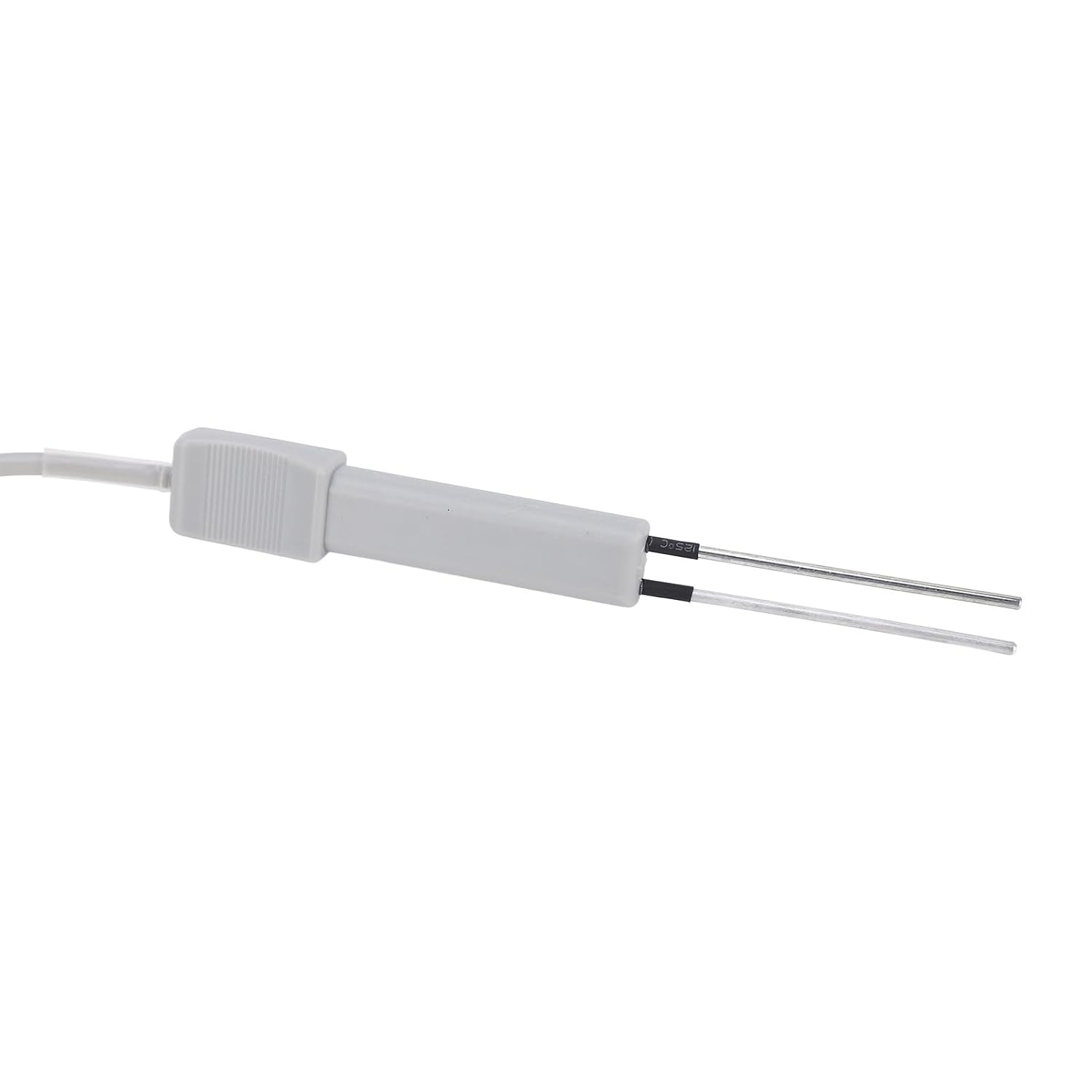
Imatge: Una imatge detallada view of the two metal probes at the end of the tester's cable.
4. Configuració i calibratge
Before using the Bewinner PC101 for the first time, or any time you use it to test the pH level, it is crucial to calibrate the device. This ensures accurate readings.
4.1 Instal·lació de la bateria
The device requires 1x AA battery (not included). Open the battery compartment on the back of the main unit and insert the battery, observing the correct polarity.

Image: The back of the Bewinner PC101 tester, showing the battery compartment and quick reference guide.
4.2 pH Calibration (Adjustment Point)
The pH calibration is essential for accurate measurements. You will need a reliable reference pH measurement (e.g., from a liquid test kit or test strips) of your pool or spa water.
- Ensure the switch is in the "OFF" position.
- Using a traditional liquid test kit or test strips, determine the pH level of your pool or spa water.
- Immerse the metal probes of the tester into the water.
- Turn the switch to the "PH" position.
- Using a small screwdriver, carefully turn the adjustment knob on the side of the main unit until the needle on the display matches the pH reading obtained from your reference test kit.
- Once calibrated, turn the switch to the "OFF" position.
Nota: The manufacturer recommends adjusting the tester to the "adjustment point" (calibrating) before each use for pH measurement to ensure optimal accuracy. The pH measurement range for this device is 7.2-7.8.
5. Instruccions de funcionament
Follow these steps to measure chlorine and pH levels in your pool or spa water.
5.1 Measuring Chlorine (CL) Level
- Ensure the switch is in the "OFF" position.
- Hold the main unit in one hand and the probe in the other.
- Immerse the metal probes into the pool or spa water up to the black plastic level.
- Turn the switch to the "CL" position.
- Wait for the needle to settle and read the chlorine level on the display. The ideal chlorine range is typically 1.2 to 1.7 ppm.
- After reading, turn the switch to the "OFF" position.

Image: The Bewinner PC101 tester being used at the edge of a swimming pool.
5.2 Measuring pH Level
- Ensure the switch is in the "OFF" position.
- Perform pH calibration as described in Section 4.2 before proceeding.
- Immerse the metal probes into the pool or spa water up to the black plastic level.
- Turn the switch to the "PH" position.
- Wait for the needle to settle and read the pH level on the display. The ideal pH range is typically 7.2 to 7.8.
- After reading, turn the switch to the "OFF" position.

Image: The Bewinner PC101 tester positioned with a swimming pool lane in the background.

Image: The Bewinner PC101 tester surrounded by icons representing various water sources like swimming pools, spring water, sauna centers, and spas, indicating its wide application.
6. Manteniment
Proper maintenance will extend the life of your Bewinner PC101 tester.
- Cleaning the Probes: After each use, gently wipe the metal probes with a clean, soft cloth to remove any residue. Do not use abrasive cleaners or harsh chemicals.
- Emmagatzematge: Always turn the switch to the "OFF" position before storing. Store the tester in a cool, dry place, away from direct sunlight and extreme temperatures.
- Substitució de la bateria: If the display becomes dim or the readings are inconsistent, replace the AA battery.
7. Solució De Problemes
| Problema | Causa possible | Solució |
|---|---|---|
| Sense pantalla o pantalla tènue | Bateria baixa o gastada; instal·lació incorrecta de la bateria. | Replace the AA battery, ensuring correct polarity. |
| Lectures inexactes o inconsistents | Improper calibration; dirty probes; water temperature outside optimal range; device malfunction. | Recalibrate the pH (Section 4.2). Clean the probes thoroughly. Ensure water temperature is within recommended operating range. If issues persist, contact customer support. |
| Needle does not move | Switch not in correct position (CL or PH); probes not fully immersed; internal fault. | Ensure switch is set to CL or PH. Ensure probes are immersed up to the black plastic level. If still unresponsive, contact customer support. |
8. Especificacions
- Nom del producte: Bewinner PC101 Portable Water Quality Tester
- Model: PC101
- Marca: Guanyador
- Measurement Range (pH): pH de 7.2 a 7.8
- Measurement Range (Chlorine): 0.5 - 3.0 ppm (parts per million)
- Precisió: 0.1 pH / 0.1 ppm Chlorine
- Font d'alimentació: 1 x piles AA (no incloses)
- Dimensions del producte: Aproximadament 12.2 x 8.27 x 1.57 polzades
- Pes del producte: Aproximadament 7.41 unces
- Ús recomanat: Swimming pool and spa water testing
9. Garantia i Suport
Bewinner is committed to providing quality products. This product comes with a standard manufacturer's warranty. For specific warranty terms and conditions, please refer to the documentation included with your purchase or visit the official Bewinner weblloc.
If you encounter any issues or have questions regarding your Bewinner PC101 Water Quality Tester, please contact Bewinner customer support. Your satisfaction is our main concern.
- Assistència en línia: Visita el Botiga Bewinner a Amazon per a preguntes freqüents i informació de contacte.
- Suport per correu electrònic: Refer to your product packaging or the Bewinner weblloc web per a contacte directe per correu electrònic.
Ask a question about this manual
Ask about setup, troubleshooting, compatibility, parts, safety, or missing instructions. Manuals+ will review the question and use this page’s manual context to help answer it.