
1. Introducció
This manual provides detailed instructions for the setup, operation, and maintenance of your INQMEGA IL-HIP291G-2M-AI FHD 1080P WiFi Pan/Tilt Security Camera. Please read this manual thoroughly before using the product to ensure correct usage and optimal performance. This camera is designed for indoor use to monitor your home, pets, or family members.
2. Producte acabatview
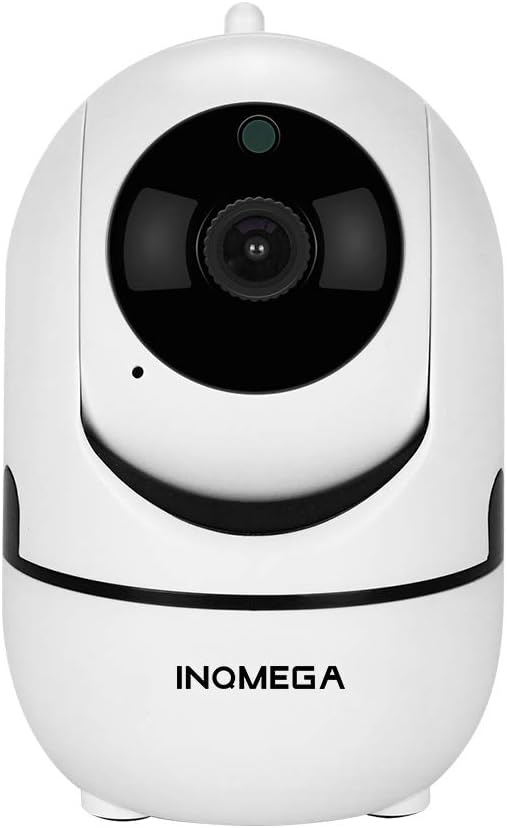
Figura 0: The INQMEGA IL-HIP291G-2M-AI FHD 1080P WiFi Pan/Tilt Security Camera.
2.1 Contingut del paquet
Verifiqueu que tots els elements siguin presents al vostre paquet:
- 1 x INQMEGA 2.4G WIFI Camera
- 1 x adaptador de corrent
- 1 x cable USB
- 1 x Mounting bracket and screws
- 1 x Manual d'usuari (aquest document)
2.2 Components de la càmera
Familiarize yourself with the various parts of your INQMEGA security camera.

Figura 1: Davant i posterior view of the INQMEGA camera with labeled components including IR Sensor, Lens, Microphone, Antenna, Speaker, Reset button, and DC 5V power input.
- Sensor IR: Detects ambient light for automatic night vision activation.
- Lent: Captura vídeo footage.
- Micròfon: Per a comunicació d'àudio bidireccional.
- Antena: Per a la connectivitat Wi-Fi.
- Ponent: Per a comunicació d'àudio bidireccional.
- Botó de restabliment: S'utilitza per restablir la càmera a la configuració de fàbrica.
- Entrada DC 5V: Power connection port.
2.3 Característiques clau
- Vídeo Full HD 1080p: Captures clear video at 1920x1080 resolution.
- Connectivitat Wi-Fi de 2.4 GHz: Connects to your home network (5GHz Wi-Fi is not supported).
- Funcionalitat de panoràmica i inclinació: Horizontal 360° pan and vertical 110° tilt for wide area coverage.
- Smart Motion Tracking: Automatically detects and tracks moving objects, bodies, or pets.
- Visió nocturna: Automatic switching to infrared night vision, with a range of up to 30 feet (9 meters).
- Àudio bidireccional: Built-in microphone and speaker for remote communication.
- Emmagatzematge al núvol i compatibilitat amb targetes SD: Options for video recording storage (up to 128GB MicroSD card).
- Control d'aplicacions mòbils: Remot viewing, control, and settings customization via a smartphone app.
3. Guia de configuració
3.1 Engegar la càmera
- Connect the provided USB cable to the camera's DC 5V input port.
- Connecteu l'adaptador d'alimentació a una presa de corrent estàndard.
- The camera will power on, and an indicator light will illuminate. Wait for the camera to complete its self-test (usually involves a brief rotation).
3.2 Instal·lació de l'aplicació i registre del compte
- Download the official INQMEGA app from your smartphone's app store (iOS App Store or Google Play Store).
- Obre l'aplicació i segueix les instruccions que apareixen a la pantalla per registrar un compte nou o iniciar la sessió si ja en tens un.
3.3 Connexió a Wi-Fi
Important: The camera only supports 2.4GHz Wi-Fi networks. Ensure your smartphone is connected to a 2.4GHz Wi-Fi network during setup.
- A l'aplicació, toca la icona "Afegeix dispositiu" o "+".
- Select your camera model or choose the "Smart Camera" option.
- Follow the app's instructions to connect the camera to your Wi-Fi network. This typically involves scanning a QR code displayed on your phone with the camera lens or entering Wi-Fi credentials.
- Un cop connectada, l'indicador lluminós de la càmera canviarà i l'aplicació confirmarà l'emparellament correcte.
3.4 Muntatge de la càmera (opcional)
The camera can be placed on a flat surface or mounted to a wall or ceiling using the included bracket and screws.
- Trieu una ubicació adequada per a un ús òptim viewing.
- Attach the mounting bracket to the desired surface using the screws.
- Fixeu la càmera de manera segura al suport de muntatge.
4. Instruccions de funcionament
4.1 Viu View
After successful setup, open the app and select your camera from the device list to access the live video feed.
4.2 Control de panoràmica i inclinació
En directe view interface, use the directional controls within the app to remotely adjust the camera's viewing angle (horizontal 360°, vertical 110°).
4.3 Àudio bidireccional
To use two-way audio:
- Tap the microphone icon in the app's live view.
- Parla al micròfon del telèfon. La teva veu es transmetrà a través de l'altaveu de la càmera.
- Release the microphone icon to listen through the camera's microphone.
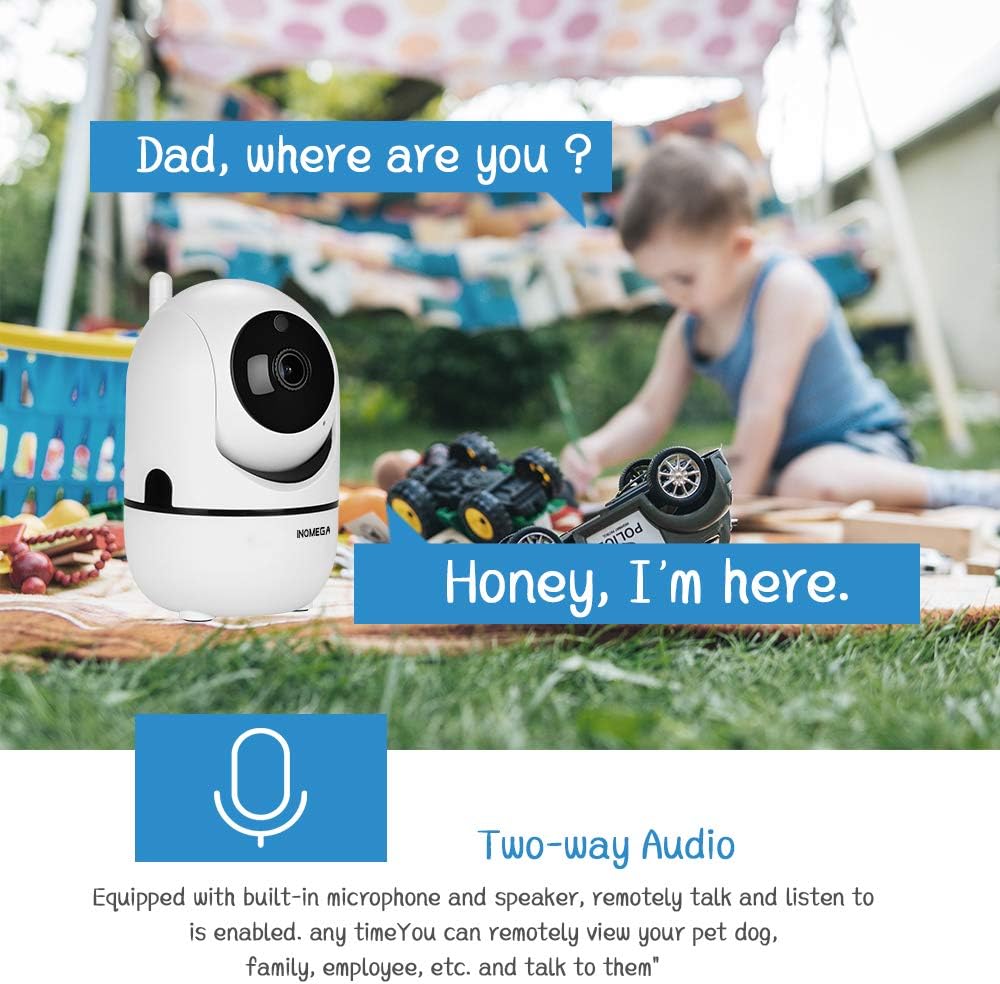
Figura 2: Illustration of the two-way audio feature, allowing remote communication through the camera.
4.4 Detecció de moviment i seguiment automàtic
The camera can detect motion and automatically track moving subjects.
- Activa la detecció de moviment: Go to the camera settings in the app and enable motion detection. You can adjust sensitivity levels.
- Seguiment automàtic: Activate the "Smart Track" function in the app. The camera will automatically pan and tilt to follow detected movement.
- Alertes: When motion is detected, the app will send instant push notifications to your smartphone.

Figura 3: Visual representation of the motion auto-tracking feature, where the camera follows movement within its field of view.
4.5 Visió nocturna
The camera automatically switches to infrared night vision mode in low-light conditions, providing clear black and white video up to 30 feet.

Figura 4: The camera's smart night vision feature, automatically activating in low light to monitor sleeping subjects.
4.6 Enregistrament i emmagatzematge de vídeo
La càmera admet dues opcions d'emmagatzematge:
- Targeta MicroSD: Insert a MicroSD card (up to 128GB, not included) into the designated slot on the camera. The camera will automatically begin recording based on your settings (e.g., continuous, motion-triggered).
- Emmagatzematge al núvol: The camera offers cloud storage services. Refer to the app for subscription details and to activate cloud recording.

Figura 5: Cloud storage option for secure and accessible video recordings.
4.7 Compartició de càmera
You can share access to your camera's live feed with other users through the app. Navigate to the camera settings and select the sharing option to invite family members or trusted individuals.
5. Manteniment
- Neteja: Feu servir un drap suau i sec per netejar la lent i el cos de la càmera. Eviteu productes de neteja o dissolvents abrasius.
- Actualitzacions de firmware: Periodically check the app for available firmware updates. Keeping your camera's firmware updated ensures optimal performance and security.
- Gestió de la targeta SD: If using an SD card, regularly back up important footage and consider formatting the card periodically through the app to maintain performance.
- Cicle d'alimentació: Si la càmera té problemes, prova de desconnectar-la de la font d'alimentació durant 10 segons i després torna-la a connectar.
6. Solució De Problemes
| Problema | Possible solució |
|---|---|
| La càmera no es connecta a la Wi-Fi. |
|
| Mala qualitat de vídeo o retard. |
|
| La detecció de moviment no funciona o és massa sensible. |
|
| L'àudio bidireccional no funciona. |
|
| La targeta SD no grava. |
|
7. Especificacions
| Característica | Detall |
|---|---|
| Número de model | IL-HIP291G-2M-AI |
| Resolució de captura de vídeo | 1080p (Full HD) |
| Resolució de vídeo efectiva | 1080 píxels |
| Velocitat de fotogrames | 25 fotogrames per segon |
| Tecnologia de connectivitat | Sense fil (Wi-Fi) |
| Comunicació sense fils | Wi-Fi de 2.4 GHz (5 GHz no compatibles) |
| Viewangle ing | Horitzontal 360 graus, Vertical 110 graus |
| Gamma de visió nocturna | 30 peus (aprox. 9 metres) |
| Característiques especials | Night Vision, Motion Detection, Auto Tracking, Two-Way Audio |
| Ús interior/exterior | Interior |
| Opcions d'emmagatzematge | Cloud Storage, MicroSD Card (up to 128 GB) |
| Font d'alimentació | AC/DC (5V, 5W) |
| Tipus de muntatge | Muntatge de paret |
| Material | Plàstic |
| Dimensions (L x A x A) | 8.13 x 8.13 x 10.92 cm (3.2 x 3.2 x 4.3 polzades) |
| Pes | 250 g |
| Fabricant | Shenzhen SECTEC CO., LIMITED |
8. Garantia i Suport
For warranty information, please refer to the documentation provided at the time of purchase or contact your retailer. For technical support or further assistance, please contact the manufacturer, Shenzhen SECTEC CO., LIMITED, or refer to the support section within the INQMEGA mobile application.