
iCarsoft CR Pro
iCarsoft CR Pro Multi-Systems Diagnostic Scan Tool User Manual
Model: CR Pro | Brand: iCarsoft
1. Introducció
The iCarsoft CR Pro is a professional, universal all-in-one diagnostic device designed for error analysis and troubleshooting across a wide range of vehicle brands. This manual provides essential information for setting up, operating, maintaining, and troubleshooting your CR Pro diagnostic tool.
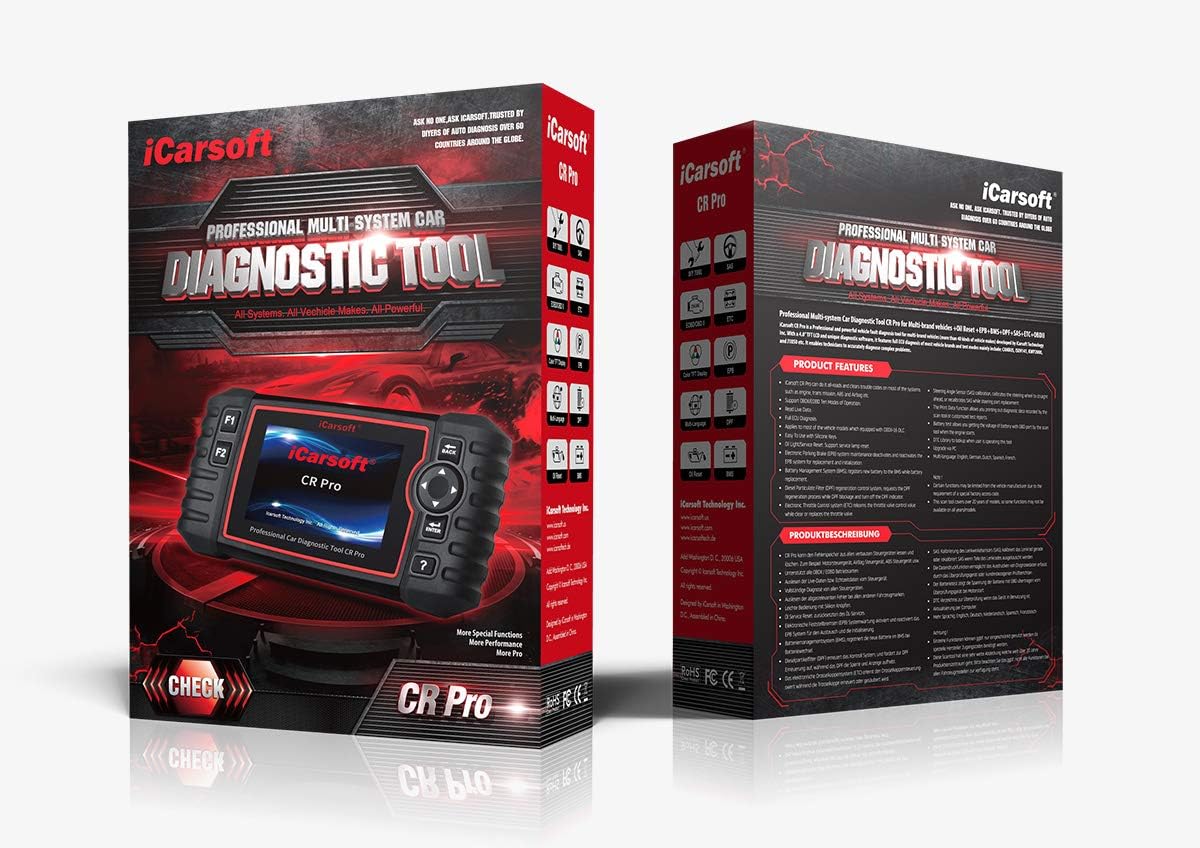
Figure 1.1: The iCarsoft CR Pro diagnostic tool and its retail packaging.
2. Característiques clau
The iCarsoft CR Pro offers comprehensive diagnostic capabilities and special functions:
- Diagnòstic complet del sistema: Reads and clears trouble codes on most vehicle systems, including Engine, Transmission, ABS, Airbag, Central Locking, and more.
- OBD II/EOBD Support: Supports all ten modes of OBD II/EOBD operation for full ECU diagnosis.
- Oil Light/Service Reset: Resets the oil service light after maintenance.
- Electronic Parking Brake (EPB) Maintenance: Services the electronic parking brake system.
- Steering Angle Sensor (SAS) Calibration: Calibra el sensor d'angle de direcció.
- Diesel Particulate Filter (DPF) Regeneration Control System: Manages DPF regeneration.
- Restabliment del control electrònic de l'accelerador (ETC): Resets the electronic throttle control system.
- Restabliment del sistema de gestió de bateries (BMS): Resets the BMS (functionality may vary by vehicle).
- Sagnat de l'ABS: Releases air to restore ABS brake sensitivity or relearns after ABS replacement.
- Codificació de l'injector: Relearns injector control parameters when injectors are renewed or replaced.
- Live Data Reading: Displays real-time data streams from vehicle sensors.
- Prova de la bateria: Supports testing of the vehicle's battery.
- Data Checking and Printing: Permet review and printing of diagnostic data.
- Suport en diversos idiomes: Includes English, French, Spanish, Dutch, and German.
- Actualitzacions gratuïtes: Regular free updates available via computer.
3. Contingut del paquet
En obrir el paquet, comproveu que hi hagi tots els elements següents:
- iCarsoft CR Pro Diagnostic Device (Main Unit)
- Manual d'usuari
- Main Cable (OBD II connection cable)
- Cable USB
- Targeta de memòria (preinstal·lada o separada)
- Nylon Carrying Case
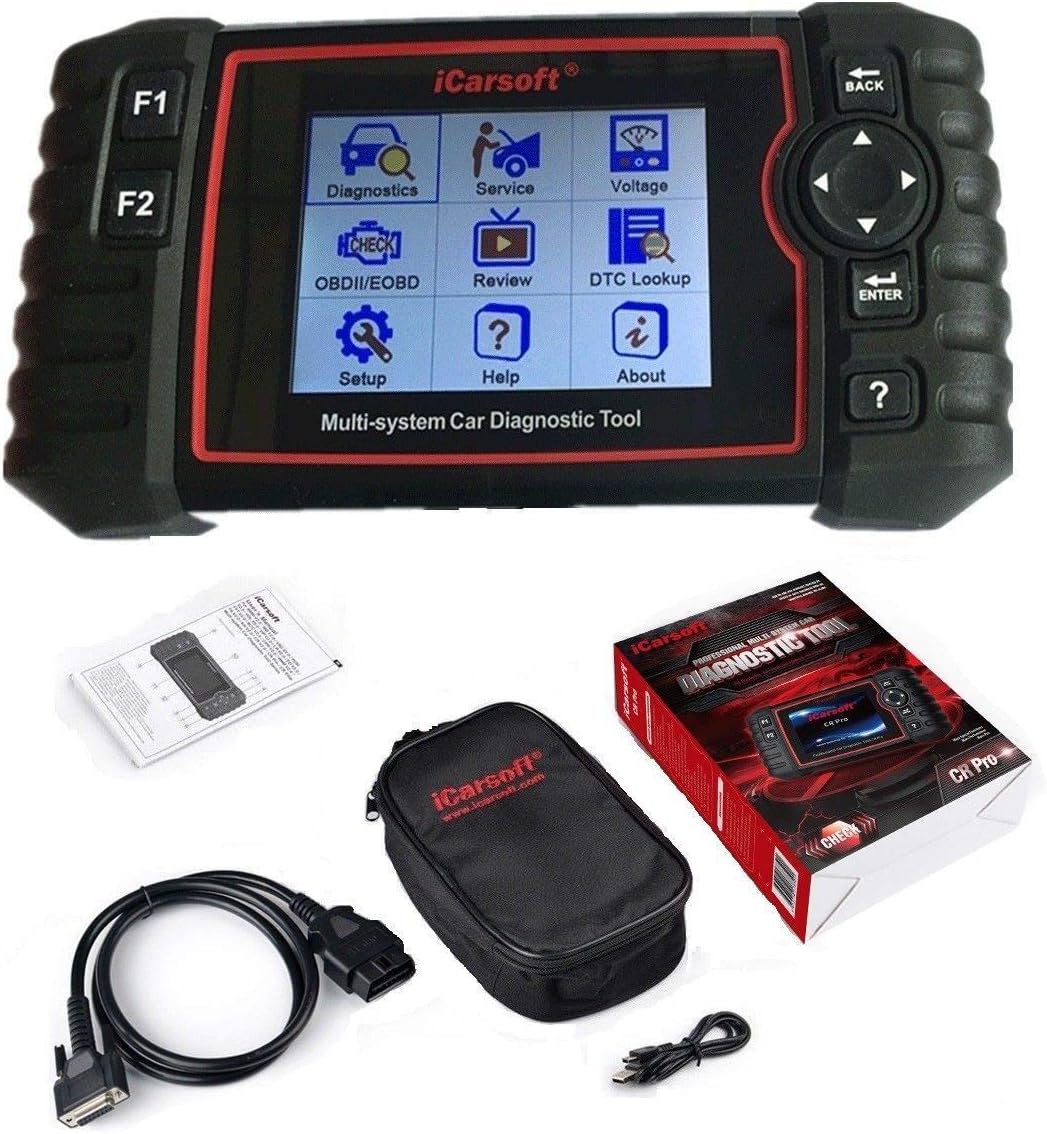
Figure 3.1: The iCarsoft CR Pro device along with its included accessories: main cable, USB cable, and carrying case.
4. Configuració
Follow these steps to set up your iCarsoft CR Pro diagnostic tool:
- Locate the OBD II Port: The OBD II (On-Board Diagnostics II) port is typically located under the dashboard on the driver's side of the vehicle. Refer to your vehicle's owner's manual if you cannot find it.
- Connecteu el cable principal: Plug one end of the main cable into the OBD II port of your vehicle and the other end into the diagnostic port on the iCarsoft CR Pro device.
- Encès: The device will typically power on automatically once connected to the vehicle's OBD II port, drawing power directly from the vehicle (9V - 18V operating voltage). No external power source is required.
- Engegada inicial: Allow the device to complete its initial boot-up sequence. The main menu will appear on the 4.0-inch TFT LCD screen.

Figura 4.1: lateral view of the iCarsoft CR Pro, highlighting the diagnostic port for cable connection.
5. Instruccions de funcionament
Navigating and using the iCarsoft CR Pro is intuitive. Here are the basic operating procedures:
5.1. Device Navigation
- Botons direccionals: Use the arrow buttons (Up, Down, Left, Right) to navigate through menu options.
- Botó ENTER: Press the 'ENTER' button to confirm a selection or enter a submenu.
- Botó TORNAR: Press the 'BACK' button to return to the previous screen or menu.
- Botons F1/F2: These are function keys, their purpose will be displayed on the screen depending on the current menu.
- Question Mark Button (?): Provides help or information related to the current screen or function.

Figure 5.1: The main menu interface of the iCarsoft CR Pro, showing various diagnostic and service options.
5.2. Realització d'una exploració de diagnòstic
- From the main menu, select 'Diagnostics' or 'OBDII/EOBD' depending on your desired scan type.
- Select your vehicle's make, model, and year as prompted.
- Choose the system you wish to scan (e.g., Engine, ABS, Airbag) or select 'Full System Scan' if available.
- The device will communicate with the vehicle's ECU and display any detected Diagnostic Trouble Codes (DTCs).
- You can then choose to 'Read DTCs' to view detailed descriptions or 'Clear DTCs' to erase them (ensure the underlying issue is resolved before clearing codes).
5.3. Using Special Functions
Access special functions like Oil Reset, EPB, BMS, SAS, DPF, ETC, ABS Bleeding, and Injector Coding from the 'Service' menu. Follow the on-screen prompts for each specific function.
6. Manteniment
Proper care and maintenance will extend the lifespan of your iCarsoft CR Pro:
- Neteja: Feu servir un drap suau i sec per netejar el dispositiu. No utilitzeu productes de neteja abrasius ni dissolvents.
- Emmagatzematge: Store the device in its nylon carrying case in a clean, dry environment when not in use. Avoid extreme temperatures.
- Cura del cable: Do not bend or crimp the diagnostic cables excessively. Store them neatly to prevent damage.
- Actualitzacions de programari: Regularly check the iCarsoft official website for free software updates to ensure optimal performance and compatibility with new vehicle models. Use the provided USB cable to connect the device to a computer for updates.
7. Solució De Problemes
If you encounter issues with your iCarsoft CR Pro, refer to the following common problems and solutions:
| Problema | Causa possible | Solució |
|---|---|---|
| El dispositiu no s'encén. | Loose connection; Vehicle OBD II port issue; Vehicle battery low. | Ensure the main cable is securely connected to both the device and the vehicle's OBD II port. Check vehicle battery voltage. Try on another vehicle if possible. |
| Error de comunicació amb el vehicle. | Incorrect vehicle selection; Faulty cable; Vehicle ECU issue. | Verify vehicle make, model, and year are correctly selected. Check cable for damage. Ensure vehicle ignition is on. |
| La pantalla es bloqueja o el dispositiu no respon. | Software glitch; Temporary error. | Disconnect the device from the vehicle, wait a few seconds, then reconnect. If the issue persists, perform a software update. |
| No es poden esborrar els DTC. | Underlying vehicle fault still present; Incorrect procedure. | Ensure the vehicle's fault has been physically repaired or addressed. Follow the on-screen instructions precisely for clearing codes. Some codes may require multiple drive cycles to clear. |
8. Especificacions tècniques
Below are the technical specifications for the iCarsoft CR Pro diagnostic tool:
- Visualització: 10.16 cm (4.0 inch) TFT LCD, 480 x 320 pixels
- Temperatura de funcionament: De 0 °C a 50 °C (32 °F a 122 °F)
- Temperatura d'emmagatzematge: -20 °C a 70 °C (-4 °F a 158 °F)
- Vol. Operatiutage: 9 V - 18 V
- Corrent de funcionament: 150 mA @ 12 V
- Consum d'energia: 1.8 W
- Dimensions (L x A x A): 205 mm x 110 mm x 32.6 mm (8.07 x 4.33 x 1.28 polzades)
- Pes de l'article: Aproximadament 1.6 lliures
- Sistema operatiu: Linux
- Protocols admesos: OBDII/EOBD (ISO9141, KWP2000, J1850 VPW, J1850 PWM, CAN)

Figura 8.1: posterior view of the iCarsoft CR Pro, displaying the product label with serial number and basic specifications.
9. Garantia i Suport
iCarsoft is committed to providing high-quality products and customer service:
- Garantia: The iCarsoft CR Pro comes with a 1-year warranty.
- Actualitzacions gratuïtes: Enjoy lifetime free software updates to ensure your device remains current with the latest vehicle models and diagnostic capabilities.
- Hardware Repair: Lifetime free hardware repair service is provided.
- Suport tècnic: Prompt 24/7 reply from professional engineers is available for technical assistance. For support, please visit the official iCarsoft weblloc web o contacteu directament amb el seu servei d'atenció al client.
Ask a question about this manual
Ask about setup, troubleshooting, compatibility, parts, safety, or missing instructions. Manuals+ will review the question and use this page’s manual context to help answer it.