
NOERDEN 6970754370589
NOERDEN LIFE2 Hybrid Smart Watch User Manual
Model: 6970754370589 | Brand: NOERDEN
1. Introducció
The NOERDEN LIFE2 is a sophisticated hybrid smartwatch that combines the timeless elegance of a traditional analog watch with advanced smart functionalities. Designed for seamless integration into your daily life, it offers comprehensive activity tracking, sleep analysis, smart notifications, and more, all while maintaining a classic aesthetic. This manual provides detailed instructions to help you set up, operate, and maintain your NOERDEN LIFE2 watch.

Davant view of the NOERDEN LIFE2 Hybrid Smart Watch, showcasing its red silicone band and white watch face with red hands.

En angle view of the NOERDEN LIFE2 Hybrid Smart Watch, highlighting its stainless steel case and red silicone strap.
2. Configuració
Before using your NOERDEN LIFE2 watch, it is essential to set it up correctly by pairing it with the dedicated NOERDEN Smart APP on your smartphone.
2.1 Desembalatge i inspecció inicial
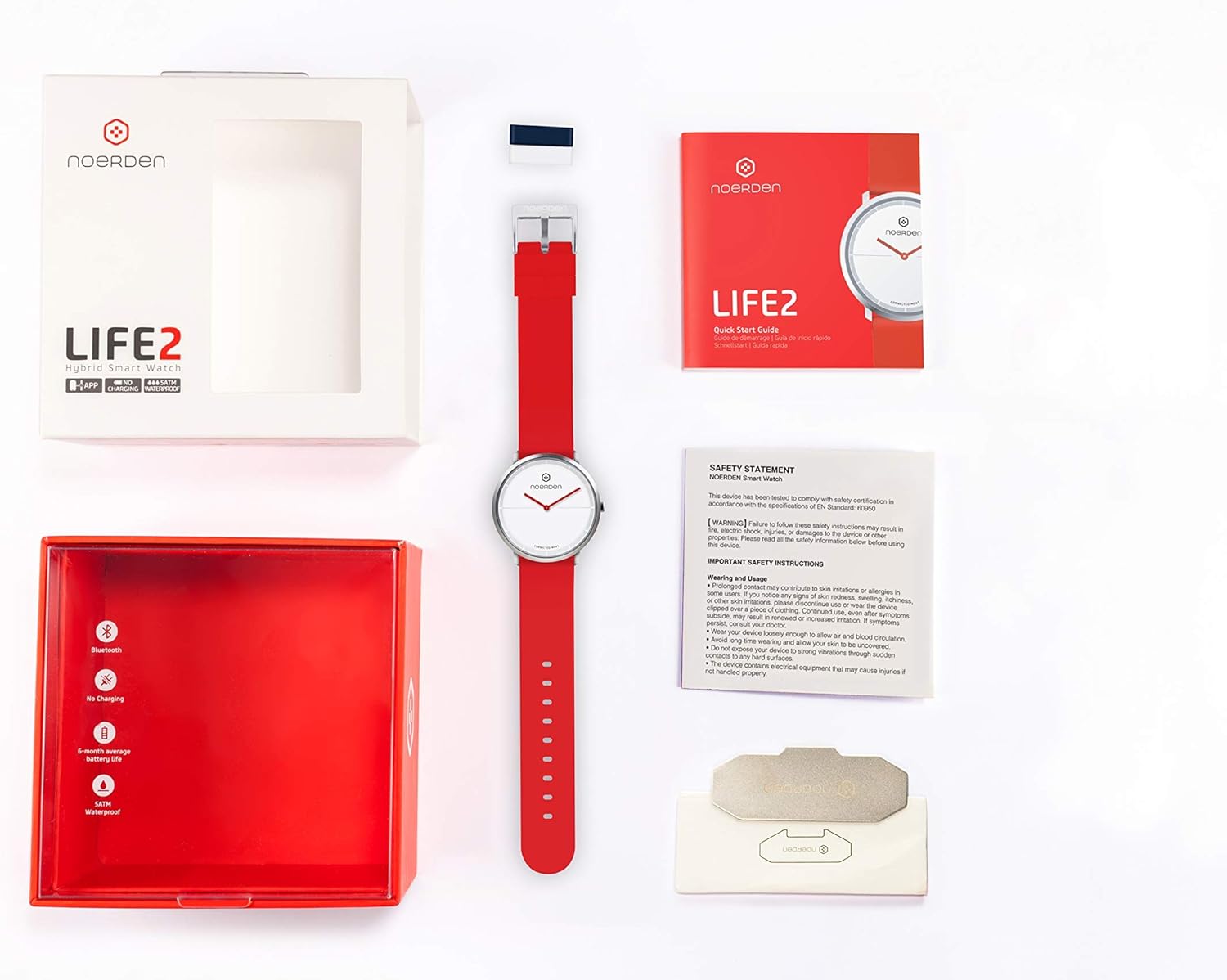
En obrir el paquet, assegureu-vos que hi hagi tots els components:
- NOERDEN LIFE2 Hybrid Smart Watch
- Guia d'inici ràpid
- Declaració de seguretat

Contents of the NOERDEN LIFE2 watch box, including the watch, quick start guide, and safety statement.
2.2 Descàrrega i instal·lació d'aplicacions
- Download the official NOERDEN Smart APP from your smartphone's app store. The app is compatible with iOS 11.0 and Android 6.0 operating systems or newer.
- Install the app and grant necessary permissions for Bluetooth and notifications.
2.3 Emparellar el rellotge
- Assegureu-vos que el Bluetooth estigui habilitat al vostre telèfon intel·ligent.
- Open the NOERDEN Smart APP and follow the on-screen instructions to create your personal profile.
- The app will guide you through the pairing process. Select your NOERDEN LIFE2 from the list of available devices.
- Once paired, the watch will synchronize its time automatically with your phone. If the time does not match, you may need to manually adjust the time within the app to ensure accurate synchronization.
3. Operating Your NOERDEN LIFE2
The NOERDEN LIFE2 offers a range of smart functions accessible through the watch and the companion app.
3.1 Seguiment d'activitat
Your watch continuously tracks your daily activity:
- Passos: Counts the number of steps taken throughout the day.
- Distància: Estima la distància recorreguda en funció dels passos i la longitud de la gambada.
- Calories: Calculates calories burned during your activities.
- Automatic Running Sensor: Automatically detects and tracks running sessions.
All activity data is synchronized with the app, allowing you to view trends, history, and track your goal completion.
3.2 Sleep Analysis
Wear your watch to bed for automatic sleep monitoring:
- Light vs. Deep Sleep: Differentiates between sleep stages.
- Durada: Records total sleep time.
- Wake-ups: Identifies periods of wakefulness during sleep.
Detailed sleep data and analysis are available in the NOERDEN Smart APP.
3.3 Smart Notifications and Alerts
Receive discreet alerts directly on your wrist:
- Vibration Notifications: For incoming calls, SMS, emails, and social media alerts.
- Rebuig de trucada: Reject incoming calls directly from your watch.
- Alarma silenciosa: Set a vibrating alarm that wakes you gently without disturbing others.
3.4 Funcions intel·ligents addicionals
- Control de música: Controla la reproducció de música al teu telèfon intel·ligent (reproduir, pausar, saltar pistes).
- Comandament a distància de la càmera: Feu servir el rellotge com a disparador remot per a la càmera del vostre telèfon intel·ligent.
- Troba el meu telèfon: Trigger an alert on your phone to locate it quickly.
- World Time Synchronization: Automatically updates time based on your location.
A user interacting with the NOERDEN Smart APP on their smartphone, with the watch visible on their wrist, demonstrating data tracking.
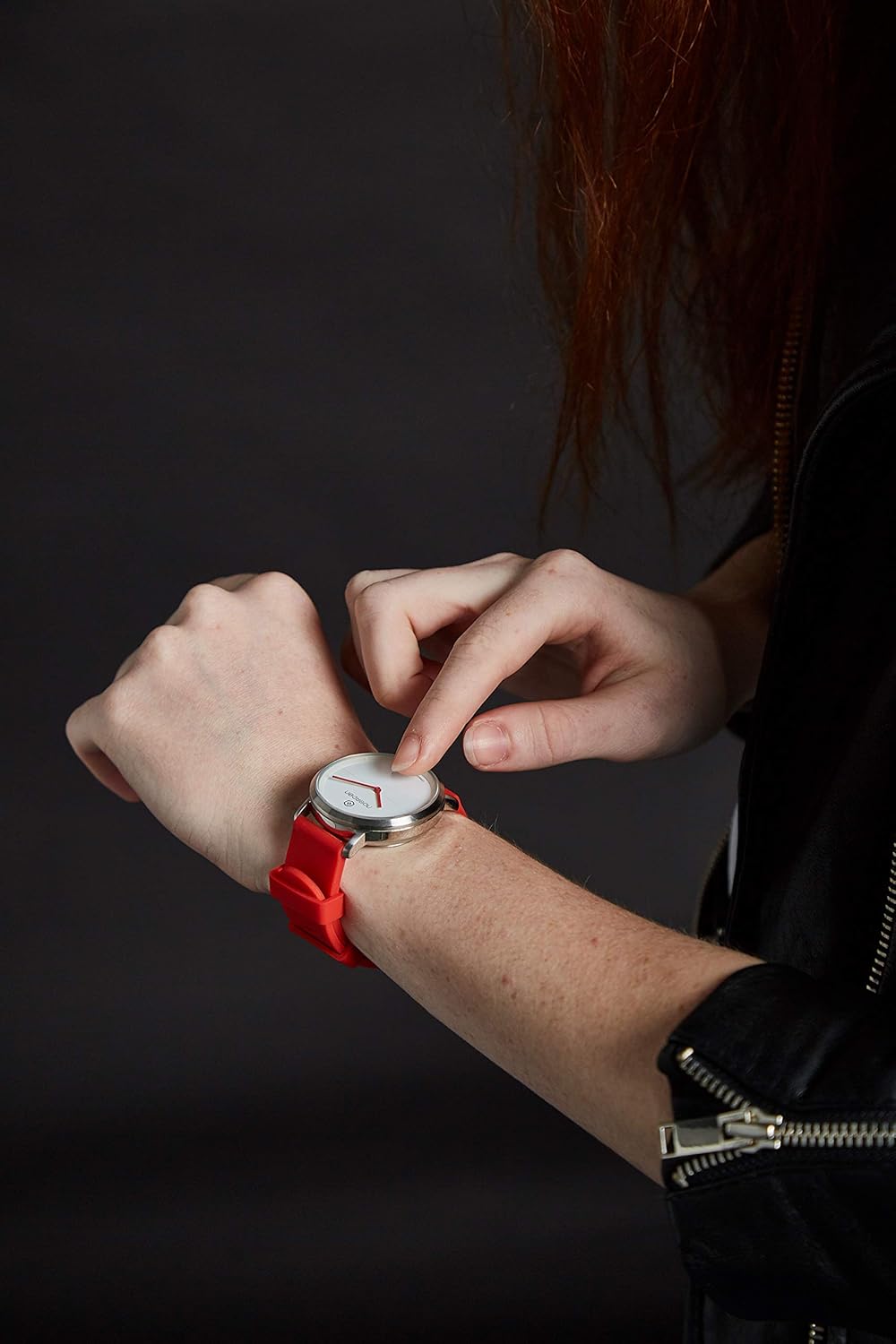
A user touching the watch face of the NOERDEN LIFE2, indicating interaction with the device.
3.5 Data Synchronization and Power Saving
- Sincronització de dades: Your activity and sleep data can be synchronized with Apple Health and WeChat Sport for broader health tracking.
- Mode d'estalvi d'energia: The app includes a power-saving mode to optimize battery life.
4. Manteniment
Proper maintenance ensures the longevity and optimal performance of your NOERDEN LIFE2 watch.
4.1 Durada i substitució de la bateria
The NOERDEN LIFE2 is powered by a CR2 battery, offering an impressive battery life of 6 months to 1 year, depending on usage. When the battery is low, the app will notify you. Battery replacement should be performed by a qualified technician or by following the instructions provided by NOERDEN to ensure water resistance is maintained.
4.2 Resistència a l'aigua
The watch is water-resistant up to 5 ATM, meaning it can withstand splashes, rain, and brief immersion in water. It is suitable for showering and swimming in shallow water. However, it is not recommended for diving or high-pressure water activities. Do not press any buttons while the watch is wet.
4.3 Neteja i cura
- Netegeu la caixa i la corretja del rellotge regularment amb un drap suau iamp tela.
- Avoid using harsh chemicals, abrasive cleaners, or solvents, as these can damage the watch's finish and materials.
- Ensure the watch is dry before storing it or wearing it again.
- The silicon band is interchangeable, allowing for easy cleaning or replacement.
5. Solució De Problemes
If you encounter issues with your NOERDEN LIFE2 watch, try the following troubleshooting steps:
- Watch Not Connecting to App:
- Assegureu-vos que el Bluetooth estigui habilitat al vostre telèfon intel·ligent.
- Make sure the watch battery is not depleted.
- Restart both your smartphone and the NOERDEN Smart APP.
- Prova de desvincular i tornar a vincular el rellotge a través de la configuració de l'aplicació.
- Hora no sincronitzada:
- Verify that the watch is successfully connected to the app.
- Manually adjust the time within the NOERDEN Smart APP if automatic synchronization fails.
- Activity Data Not Syncing:
- Ensure the app is open or running in the background.
- Check your phone's internet connection for data upload to cloud services.
- Durada de la bateria curta:
- Ensure you are using the power-saving mode in the app.
- Frequent use of smart functions (e.g., notifications, music control) can reduce battery life.
- If battery life is significantly shorter than expected, consider replacing the battery.
6. Especificacions
| Característica | Detall |
|---|---|
| Número de model | 6970754370589 |
| Dimensions de la caixa | 38 mm de diàmetre, 13 mm de gruix |
| Material de la caixa | Acer inoxidable |
| Tipus de vidre | Vidre mineral |
| Material de la corretja | Silicone (interchangeable 20mm) |
| Moviment | Ronda Movement (Mechanical Hands) |
| Tipus de bateria | 1 bateria CR2 |
| Durada de la bateria | 6 mesos a 1 any |
| Resistència a l'aigua | 5 caixers automàtics |
| Connectivitat | Bluetooth 4.0/4.1 |
| Compatibilitat de sistemes operatius | iOS 11.0 & Android 6.0 or newer |
| Dimensions del producte | 7.5 x 12.5 x 13 cm |
| Pes de l'article | 57.5 g |
7. Informació important de seguretat
This device has been tested to comply with safety certification as required by applicable regulations. Failure to follow these safety instructions may result in fire, electric shock, injury, or damage to the device or other properties. Please read all the safety information below before using the device.

Image of the Safety Statement document included with the NOERDEN Smart Watch.
7.1 Wearing and Usage
- Some users may experience skin irritations or allergies to certain materials. If you experience redness, swelling, itchiness, or other skin irritations, please consult a doctor before continuing use.
- Prolonged contact with the device may cause skin irritation in some individuals. May result in renewed or increased irritation. If symptoms persist, consult a doctor.
- No exposeu el dispositiu a temperatures extremes ni a la llum solar directa.
- Avoid long-time wearing and allow your skin to breathe.
- Netegeu el dispositiu regularment amb un drap suau iamp tela. No utilitzeu productes químics durs.
- The device contains electrical equipment that may cause injuries if not handled properly.
8. Garantia i Suport
Specific warranty details for the NOERDEN LIFE2 Hybrid Smart Watch are not provided in the available product information. For warranty claims, technical support, or further assistance, please refer to the official NOERDEN weblloc web o contacteu directament amb el seu servei d'atenció al client. Conserveu el comprovant de compra per a qualsevol consulta relacionada amb la garantia.
Documents relacionats6970754370589

Ask a question about this manual
Ask about setup, troubleshooting, compatibility, parts, safety, or missing instructions. Manuals+ will review the question and use this page’s manual context to help answer it.