
1. Introducció
This manual provides essential information for the proper setup, operation, and maintenance of your FEITIAN bR301-C45 BLE Bluetooth Smart Card Reader. This device is designed for secure ID authentication, e-payment, and access control applications, supporting various smart card types.
2. Informació de seguretat
- No exposeu el dispositiu a temperatures extremes, humitat ni llum solar directa.
- Eviteu deixar caure o sotmetre el dispositiu a forts impactes.
- No intenteu desmuntar ni modificar el dispositiu. Això anul·larà la garantia.
- Feu servir només el cable de càrrega proporcionat o recomanat.
- Mantenir fora de l'abast dels nens.
3. Contingut del paquet
Verifiqueu que tots els elements siguin presents al vostre paquet:
- FEITIAN bR301-C45 BLE Bluetooth Smart Card Reader
- USB Type-C to USB-A Charging/Data Cable
- Guia d'inici ràpid (no inclosa en aquest manual)

Figura 3.1: Package contents including the bR301-C45 reader and USB cable.
4. Producte acabatview
Familiarize yourself with the components of your smart card reader.

Figura 4.1: Davant view of the bR301-C45 reader, showing the card insertion slot and FEITIAN logo.

Figura 4.2: Enrere view of the bR301-C45 reader, displaying regulatory compliance marks (RoHS, CE, FC) and Bluetooth logo.
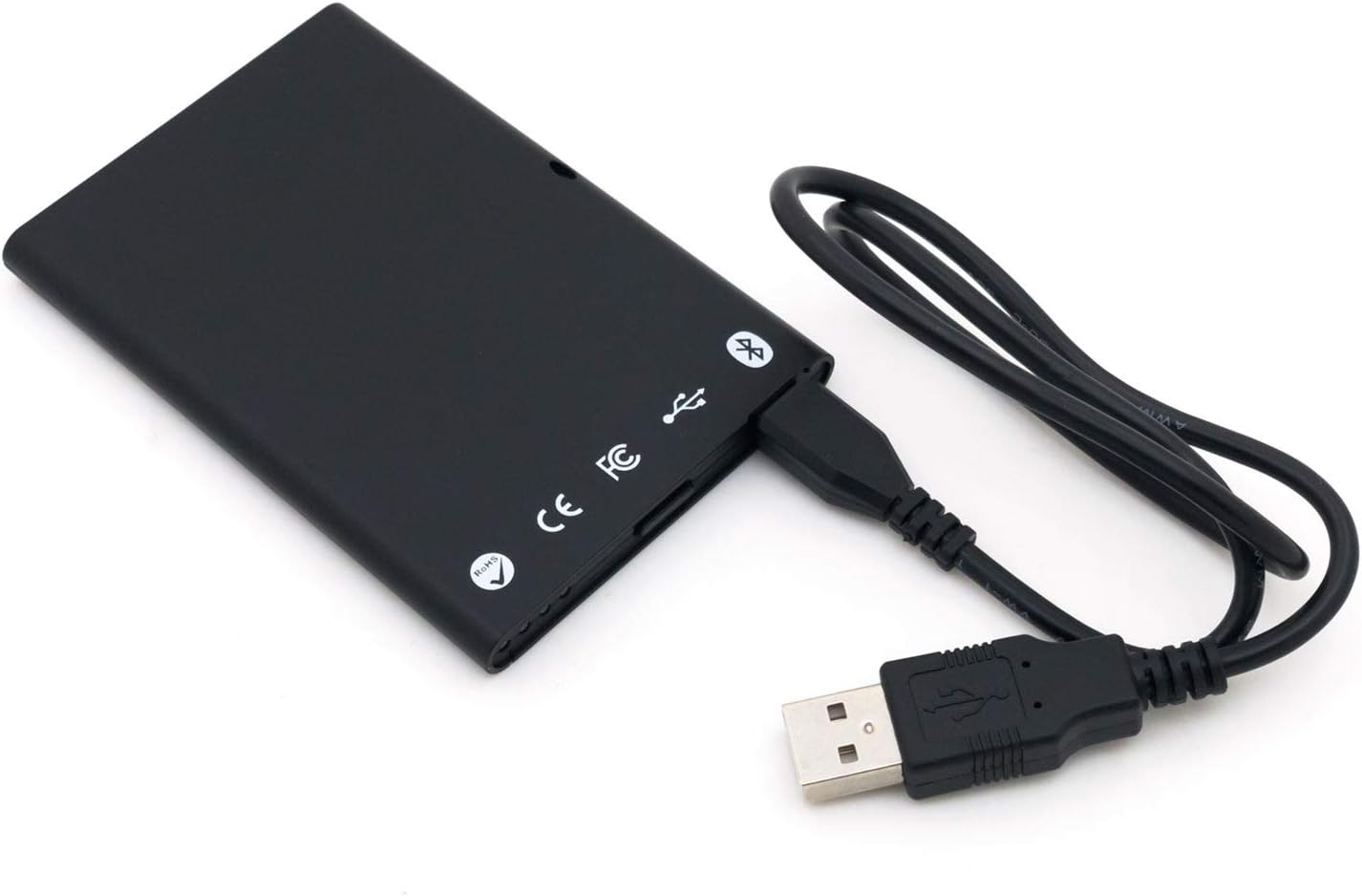
Figura 4.3: The bR301-C45 reader connected to a USB cable, illustrating the USB-C port location.
5. Configuració
5.1 Càrrega del dispositiu
The bR301-C45 reader includes a 350mAh Li-Ion battery. Before initial use, or if the battery is low, charge the device using the provided USB cable.
- Connect the USB Type-C end of the cable to the reader's port.
- Connect the USB-A end of the cable to a powered USB port on a computer or a USB wall adapter.
- The device will indicate charging status (e.g., an LED indicator, refer to specific product documentation for LED behavior).
5.2 USB Connection (Plug and Play)
For direct connection to a computer, the bR301-C45 supports plug-and-play functionality, requiring no additional drivers for basic operation.
- Ensure the reader is charged or connected to a power source.
- Connect the USB Type-C end of the cable to the reader.
- Connecteu l'extrem USB-A del cable a un port USB disponible de l'ordinador.
- Your operating system should automatically detect and configure the device.
5.3 Bluetooth (BLE) Connection
The bR301-C45 can connect wirelessly via Bluetooth Low Energy (BLE) to compatible devices.
- Ensure the reader is sufficiently charged.
- Activeu el Bluetooth al dispositiu amfitrió (per exemple, telèfon intel·ligent, tauleta, ordinador).
- Put the bR301-C45 into pairing mode (refer to specific product documentation for button presses or indicators).
- Cerca dispositius Bluetooth disponibles al dispositiu amfitrió.
- Select "FEITIAN bR301-C45" or a similar identifier from the list and complete the pairing process.
Nota: For certain applications, especially those involving government CAC or PIV cards, specific software or utilities (e.g., "Smart Card Utility") may be required on your host device. These applications may involve additional licensing or configuration steps not covered in this general manual. Consult the software provider's documentation for details.
6. Funcionament del dispositiu
6.1 Inserció d'una targeta intel·ligent
- Identify the correct orientation for your smart card. Typically, the chip on the card faces upwards and is inserted into the reader.
- Gently slide the smart card into the card slot until it is fully seated. Do not force the card.
- The reader or associated software will indicate successful card detection.
6.2 Extracció d'una targeta intel·ligent
To remove a smart card, gently pull it out from the slot. Ensure no active operations are being performed with the card before removal to prevent data corruption.
6.3 Ús amb aplicacions
Once connected and a smart card is inserted, the bR301-C45 reader facilitates secure communication between the smart card and your application. This includes:
- Secure ID Authentication: For logging into systems or verifying identity.
- E-Payment: For secure transactions.
- Control d'accés: For gaining access to restricted areas or digital resources.
The specific steps for using the reader will depend on the application you are using. Refer to the documentation for your specific software or service.
7. Manteniment
7.1 Neteja
To clean the device, use a soft, dry, lint-free cloth. Do not use liquid cleaners, aerosols, or solvents, as these can damage the device.
7.2 Cura de la bateria
- Eviteu descarregar completament la bateria amb freqüència.
- Guardeu el dispositiu en un lloc fresc i sec quan no el feu servir durant períodes prolongats.
- Charge the device periodically if stored for a long time to maintain battery health.
8. Solució De Problemes
- Dispositiu no reconegut per USB:
- Prova amb un port USB diferent.
- Assegureu-vos que el cable USB estigui connectat correctament pels dos extrems.
- Reinicieu l'ordinador.
- Problemes d'emparellament per Bluetooth:
- Ensure the reader is in pairing mode.
- Comproveu que el Bluetooth estigui habilitat al dispositiu amfitrió.
- Move the reader closer to the host device.
- Remove previous pairings and try again.
- Smart card not detected:
- Ensure the smart card is inserted correctly and fully seated.
- Check if the smart card is damaged or dirty.
- Verify that the necessary software/drivers are installed and configured on your computer for the specific smart card type.
- La bateria no es carrega:
- Ensure the USB cable is functional and properly connected.
- Prova una font d'alimentació USB diferent.
- Si el problema persisteix, contacteu amb el servei d'assistència.
9. Especificacions
| Característica | Detall |
|---|---|
| Número de model | bR301 C45 |
| Connectivitat | USB Type C, Bluetooth Low Energy (BLE) |
| Tipus de targetes compatibles | 1.8V, 3V, and 5V smart cards |
| Bateria | Ió de liti de 350 mAh (inclosa) |
| Compatibilitat de sistemes operatius | All operating systems (Plug & Play for USB) |
| Dimensions (LxWxH) | 3.66 x 2.09 x 0.31 polzades |
| Pes | 1.27 unces |
| Color | Negre |
10. Informació de la garantia
FEITIAN products typically come with a limited warranty. For specific warranty terms and conditions, please refer to the warranty card included with your product or visit the official FEITIAN weblloc web. Conserveu el comprovant de compra per a reclamacions de garantia.
11. Suport
For further assistance, technical support, or to download the latest drivers and software, please visit the official FEITIAN weblloc:
You may also contact FEITIAN customer service through the contact information provided on their weblloc.