
Reloop AMS-RP-2000-USB-MK2
Reloop RP2000 Professional Direct Drive USB Turntable System
Manual d'instruccions
Introducció
This manual provides comprehensive instructions for the setup, operation, maintenance, and troubleshooting of your Reloop RP2000 Professional Direct Drive USB Turntable System. Please read this manual thoroughly before using the product to ensure proper function and longevity.
The Reloop RP-2000 USB Mk2 is a versatile turntable designed for DJs and vinyl enthusiasts. It features a direct drive motor for high torque and stable platter rotation, a built-in phono pre-amplifier, and a USB audio output for digitizing vinyl records. The Mk2 version includes an improved top panel construction and enhanced metallic buttons for a better tactile experience.
Contingut del paquet
En desembalar-lo, comproveu que tots els components que s'enumeren a continuació hi són presents i en bon estat:
- Reloop RP-2000 USB Mk2 Turntable Unit
- Plat
- OM Black pick-up system (by Ortofon)
- Caputxa
- Slipmat
- Contrapès
- Cable d'alimentació
- Operating Instruction Manual (this document)
If any items are missing or damaged, please contact your dealer or Reloop customer support immediately.
Configuració
1. Desembalatge i col·locació
Carefully remove the turntable from its packaging. Place the turntable on a stable, level surface, away from direct sunlight, heat sources, and excessive vibration. Ensure adequate ventilation around the unit.

Image: The Reloop RP2000 USB Mk2 turntable with its dust cover open, showcasing the platter, tonearm, and controls. This view illustrates the overall design and components of the unit.
2. Platter Installation
- Carefully place the platter onto the center spindle of the turntable.
- Ensure the platter sits securely and rotates freely.
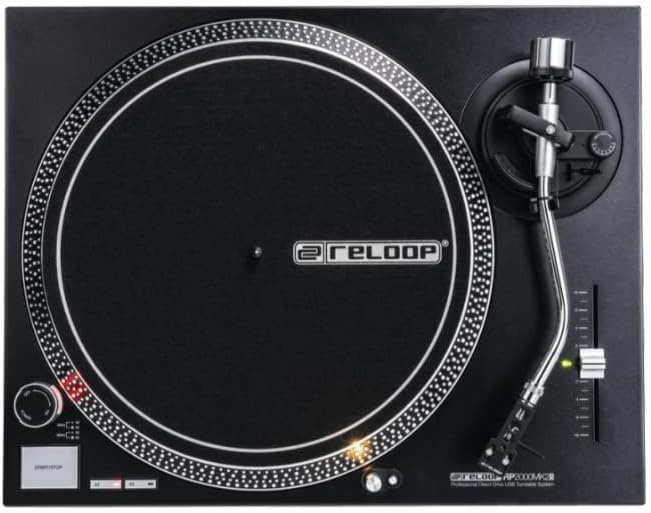
Image: A top-down perspective of the Reloop RP2000 USB Mk2 turntable, highlighting the precision-engineered platter and the layout of the controls on the top panel.
3. Tonearm and Cartridge Assembly
- Attach the provided headshell with the pre-fitted OM Black pick-up system to the tonearm. Secure it by rotating the locking ring.
- Thread the counterweight onto the rear of the tonearm.
- Adjust the counterweight to balance the tonearm horizontally. Once balanced, set the tracking force according to the cartridge manufacturer's recommendations (typically 2-4 grams for the OM Black).
- Ajusteu el dial antipatinatge perquè coincideixi amb la configuració de la força de seguiment.
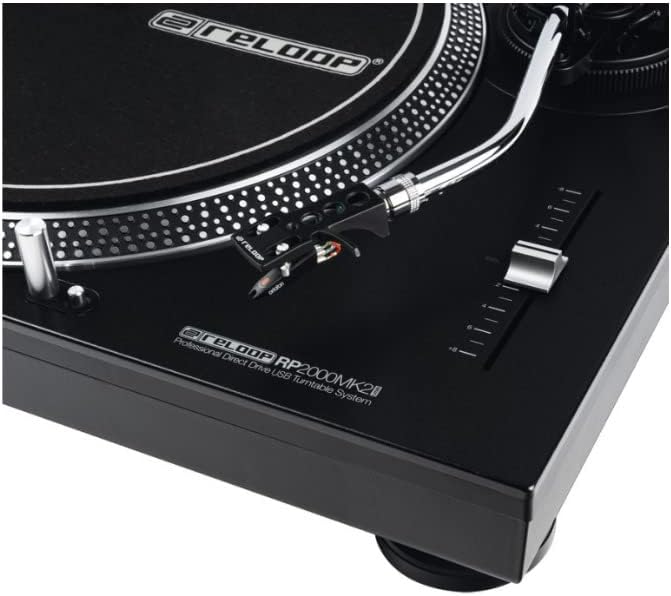
Image: A detailed close-up of the tonearm and pitch control slider on the Reloop RP2000 USB Mk2 turntable, showing the headshell and stylus assembly.
4. Connexions d'àudio
The RP-2000 USB Mk2 features a built-in phono pre-amplifier, allowing for direct connection to a line-level input on your mixer or amplifier. No separate grounding wire is required.
- Connect the RCA cables from the turntable's audio output to a line-level input (e.g., CD, AUX) on your audio system.
- For digital recording, connect the USB cable from the turntable's USB port to your computer.

Imatge: Un costat view of the Reloop RP2000 USB Mk2 turntable, clearly showing the USB output port and power input, indicating its connectivity options.
5. Connexió d'alimentació
Connect the power cord to the turntable and then to a suitable electrical outlet. Ensure the power switch is in the OFF position before connecting.
Instruccions de funcionament
1. Reproducció bàsica
- Place a vinyl record on the slipmat on the platter.
- Select the desired speed (33 1/3 or 45 RPM) using the speed selector buttons.
- Premeu el botó START/STOP per iniciar la rotació del plat.
- Gently lift the tonearm using the cue lever and position the stylus over the desired groove on the record.
- Slowly lower the cue lever to place the stylus onto the record.
- To stop playback, lift the tonearm, return it to the tonearm rest, and press the START/STOP button.
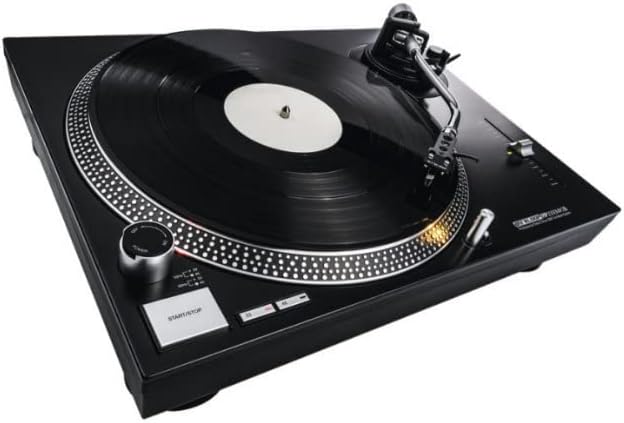
Image: The Reloop RP2000 USB Mk2 turntable with a vinyl record spinning on its platter, demonstrating its primary function for audio playback.
2. Control de to
The pitch control slider allows for fine adjustment of the playback speed, with a range of +/- 8%. Move the slider up or down to increase or decrease the platter speed.
3. Target Light
The aluminum target light can be extended by pressing its button. This illuminates the needle position, which is particularly useful in low-light environments.
4. Digitizing Vinyl via USB
The RP-2000 USB Mk2 can be connected to a computer via USB to digitize your vinyl collection. No special drivers are required for most operating systems.
- Connect the turntable to your computer using a USB cable.
- Open your preferred audio recording software (e.g., Audacity, GarageBand).
- Select the turntable as the audio input device within your software settings.
- Begin recording in your software, then start playback on the turntable.
- Monitor audio levels to prevent clipping.
- Save your digitized audio files in your desired format.

Image: The Reloop RP2000 USB Mk2 turntable connected to a laptop, illustrating its capability for digitizing vinyl records through its USB audio output.
Manteniment
1. Neteja
- Regularly wipe the turntable's surface with a soft, dry, lint-free cloth.
- Per a marques difícils, utilitzeu una mica de damp drap i després eixugueu-lo bé. Eviteu productes de neteja o dissolvents abrasius.
- Clean the stylus gently with a soft brush designed for stylus cleaning, moving from back to front.
2. Substitució del llapis òptic
The stylus (needle) is a consumable part and will wear out over time. A worn stylus can damage your records and degrade sound quality. Replace the stylus according to the manufacturer's recommendations or if you notice a decrease in sound quality or increased record wear.
3. Coberta de pols
Keep the dust cover closed when the turntable is not in use to protect it from dust and debris.
Resolució de problemes
| Problema | Causa possible | Solució |
|---|---|---|
| Sense poder | Cable d'alimentació no connectat; Presa de corrent defectuosa | Ensure power cord is securely connected; Try a different power outlet |
| No sound or low sound output | RCA cables not connected correctly; Amplifier/mixer input incorrect; Stylus dirty or damaged | Check RCA connections; Ensure correct input is selected on amplifier/mixer; Clean or replace stylus |
| So distorsionat | Tracking force incorrect; Stylus worn; Record dirty | Adjust tracking force; Replace stylus; Clean record |
| El plat no gira | START/STOP button not pressed; Power issue | Press START/STOP button; Check power connection |
| Soroll de brunzit | Grounding issue (unlikely with built-in pre-amp); Interference from other electronics | Ensure all connections are secure; Move turntable away from other electronic devices |
Especificacions
| Característica | Detall |
|---|---|
| Nom del model | RP-2000 USB MK2 Professional Direct Drive USB Turntable System |
| Número de model de l'article | AMS-RP-2000-USB-MK2 |
| Tipus de conducció | Conducció directa |
| Motor | Quartz-driven |
| Velocitats | 33 1/3, 45 RPM |
| Control de la parcel·la | +/- 8% |
| Braç de to | Statically balanced S-shaped tonearm with hydraulic lift and anti-skating mechanism |
| Cartutx | Ortofon OM Black (pre-fitted) |
| Sortida d'àudio | Line-level RCA (built-in phono pre-amp) |
| Sortida digital | USB Audio (no driver required) |
| Dimensions (L x P x A) | 17.72 x 13.86 x 5.67 polzades (aprox. 450 x 352 x 144 mm) |
| Pes | 17.94 lliures (aprox. 8.14 kg) |
| Color | Negre |
| Font d'alimentació | Elèctric amb cable, 220 volts |
| Material | Plàstic |
Informació de la garantia
Reloop products are covered by a limited warranty against defects in materials and workmanship. The specific terms and duration of the warranty may vary by region and retailer. Please retain your proof of purchase for warranty claims.
For detailed warranty information, please refer to the warranty card included with your product or visit the official Reloop weblloc.
Suport
For technical assistance, troubleshooting beyond this manual, or spare parts inquiries, please contact Reloop customer support or your authorized dealer.
You can find contact information and additional resources on the official Reloop weblloc: www.reloop.com
Ask a question about this manual
Ask about setup, troubleshooting, compatibility, parts, safety, or missing instructions. Manuals+ will review the question and use this page’s manual context to help answer it.