
1. Introducció
Gràcies per la compraasing the DACOM GF7 TWS V4.2 Bluetooth Earbuds. This manual provides detailed instructions on how to set up, operate, and maintain your earbuds to ensure optimal performance and longevity. Please read this manual thoroughly before using the product and retain it for future reference.
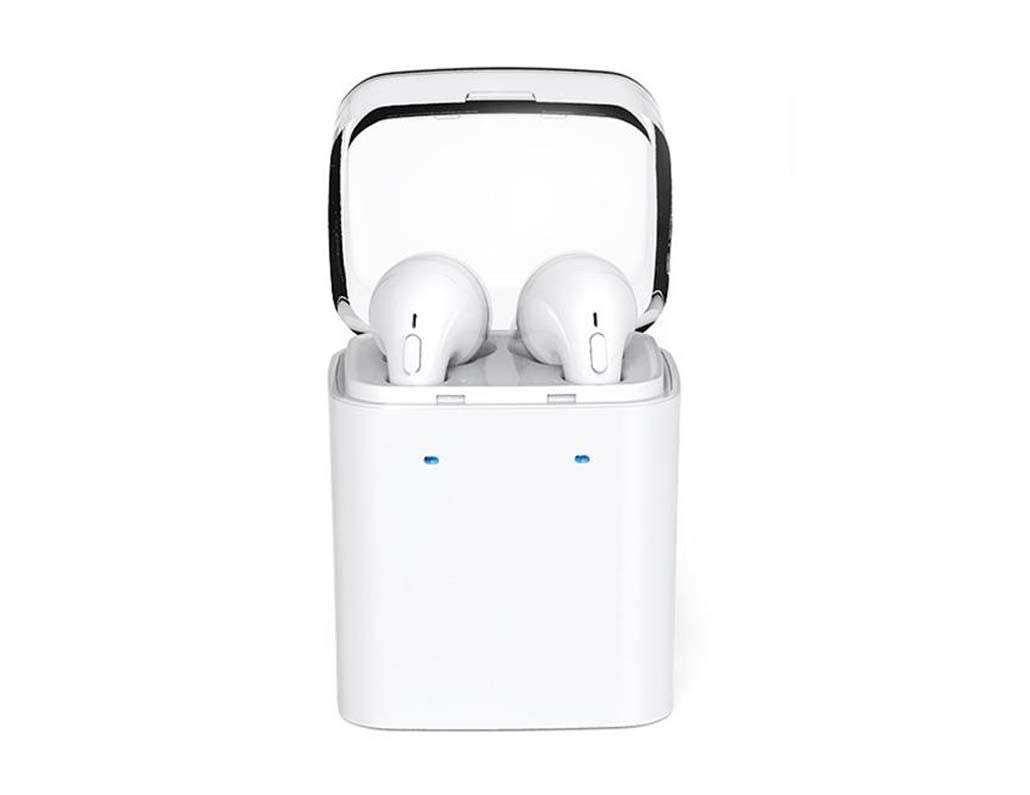
Image 1.1: DACOM GF7 TWS V4.2 Bluetooth Earbuds in their charging case.
2. Contingut del paquet
Si us plau, comproveu el contingut del paquet en desembalar-lo. Si falta algun article o hi ha algun dany, poseu-vos en contacte amb el vostre distribuïdor.
- DACOM GF7 TWS V4.2 Bluetooth Earbuds (Left and Right)
- Estoig de càrrega portàtil
- Cable de càrrega USB
- Coixins per a les orelles (diverses mides)
- Manual d'usuari (aquest document)
3. Producte acabatview
Familiarize yourself with the components of your DACOM GF7 TWS V4.2 Earbuds and charging case.

Image 3.1: Detailed diagram showing the Multifunction Button (MFB), Indicator Light, Microphone (Mic), Air Gate, DC5V Charge Jack Cover, Headphone Charging Indicator Light, USB Charging Input Port, and the Charging Indicator Light of the bottom on the DACOM GF7 TWS V4.2 Earbuds and Charging Case.
- Botó multifunció (MFB): Used for power, playback, call management, and voice assistant activation.
- Llum indicadora: Displays pairing status, charging status, and power status.
- Micròfon: Built-in microphone for calls and voice commands.
- Porta d'aire: Acoustic vent for sound performance.
- DC5V Charge Jack Cover: Protects the charging port on the earbuds.
- Headphone Charging Indicator Light: Shows charging status of individual earbuds within the case.
- USB Charging Input Port: For charging the portable charging case.
- Charging Indicator Light of the bottom: Shows charging status of the case.
4. Configuració
4.1. Càrrega dels auriculars i de l'estoig de càrrega
- Càrrega de la caixa: Connect the USB charging cable to the USB Charging Input Port on the charging case and the other end to a 5V USB power adapter (not included). The Charging Indicator Light at the bottom of the case will illuminate to indicate charging. Once fully charged, the indicator light may change color or turn off.
- Càrrega dels auriculars: Place the earbuds into their respective slots in the charging case. Ensure the earbuds are properly seated. The Headphone Charging Indicator Light on the case will show the charging status of the earbuds. The earbuds' indicator lights will also show charging status (e.g., red while charging, off when fully charged).
- Per al primer ús, carregueu completament tant els auriculars com l'estoig de càrrega.
4.2. Emparellament Bluetooth
- Encès: Take both earbuds out of the charging case. They will automatically power on and attempt to pair with each other. You will hear an audible prompt indicating they are connected to each other.
- Mode de sincronització: Once the earbuds are paired with each other, one earbud's indicator light will flash red and blue alternately, indicating it is in pairing mode and ready to connect to your device.
- Connecta't al dispositiu: On your smartphone or Bluetooth-enabled device, go to the Bluetooth settings and search for available devices. Select "DACOM GF7 TWS" (or similar name) from the list.
- Connexió correcta: Once connected, the earbud's indicator light will stop flashing, and you will hear a confirmation sound.
- Reconnexió automàtica: After initial pairing, the earbuds will automatically connect to the last paired device when taken out of the charging case, provided Bluetooth is enabled on your device.
5. Instruccions de funcionament
The DACOM GF7 TWS V4.2 Earbuds feature a Multifunction Button (MFB) for various controls.
5.1. Encendre/apagar
- Encès: Take the earbuds out of the charging case. They will power on automatically. Alternatively, press and hold the MFB on both earbuds for approximately 3 seconds until you hear a power-on prompt.
- Apagar: Place the earbuds back into the charging case. They will power off automatically. Alternatively, press and hold the MFB on both earbuds for approximately 5 seconds until you hear a power-off prompt.
5.2. Reproducció de música
- Reproduir/pausa: Premeu una vegada el botó multifunció de qualsevol dels auriculars.
- Pista següent: Double press the MFB on the right earbud.
- Pista anterior: Double press the MFB on the left earbud.
5.3. Gestió de trucades
- Respondre/Finalitzar la trucada: Premeu una vegada el botó multifunció de qualsevol dels auriculars.
- Rebutja la trucada: Press and hold the MFB on either earbud for approximately 2 seconds.
5.4. Assistent de veu
- Activa l'Assistent de veu: Triple press the MFB on either earbud to activate your device's voice assistant (e.g., Siri, Google Assistant).
5.5. Cancel·lació de soroll
- The DACOM GF7 TWS V4.2 features active noise cancellation. Specific activation methods may vary. Refer to the product's quick start guide or manufacturer's website for precise instructions if not detailed here. Typically, a long press or specific tap sequence on an MFB or dedicated button activates/deactivates ANC.
6. Manteniment
Un manteniment adequat garanteix la longevitat i el rendiment dels teus auriculars.
- Neteja: Netegeu regularment els auriculars i l'estoig de càrrega amb un drap suau, sec i sense borrissol. No utilitzeu productes químics agressius ni materials abrasius.
- Consells per a les orelles: Traieu i netegeu les puntes de les orelles periòdicament amb anuncisamp cloth and mild soap, then rinse and dry thoroughly before reattaching.
- Emmagatzematge: Quan no els utilitzeu, guardeu els auriculars a la seva funda de càrrega per protegir-los de la pols i els danys.
- Eviteu la humitat: Keep the earbuds and charging case away from water, excessive humidity, and extreme temperatures.
7. Solució De Problemes
Si teniu problemes amb els auriculars, consulteu els problemes i solucions més comuns següents.
| Problema | Solució |
|---|---|
| Els auriculars no s'aparellen entre ells. |
|
| Els auriculars no es connecten al dispositiu. |
|
| No se sent cap so dels auriculars. |
|
| Charging case or earbuds not charging. |
|
8. Especificacions
| Nom de marca | DACOM |
| Nom del model | GF7 TWS |
| Número de model | 7 TWS |
| Color | Blanc |
| Factor de forma dels auriculars | In-orella |
| Control de soroll | Cancel·lació activa del soroll |
| Tecnologia de connectivitat | Sense fil (Bluetooth) |
| Tecnologia de comunicació sense fils | Bluetooth V4.2 (inferred from title) |
| Components inclosos | Coixinets per a les orelles |
| Característiques especials | Cancel·lació de soroll, micròfon inclòs |
| Mètode de control | Toca |
| Dispositius compatibles | Tots els dispositius |
| Material | PU Metal Eraser (likely referring to ear tip material or casing finish) |
9. Informació de seguretat
Please read and follow these safety guidelines to prevent injury or damage to your device.
- No desmunteu, repareu ni modifiqueu el producte. Això pot provocar incendis, descàrregues elèctriques o danys totals al producte.
- Keep the product away from extreme temperatures (hot or cold), direct sunlight, and sources of heat.
- Eviteu exposar el producte a aigua o altres líquids.
- No utilitzeu el producte a un volum alt durant períodes prolongats per evitar danys auditius.
- Utilitzeu només els cables i adaptadors de càrrega proporcionats o recomanats.
- Mantenir fora de l'abast dels nens i les mascotes. Les peces petites poden suposar un perill d'asfíxia.
- Be aware of your surroundings when using the earbuds, especially in traffic or other potentially dangerous situations.
10. Garantia i Suport
DACOM products are designed and manufactured to the highest quality standards. For detailed warranty information, please refer to the warranty card included with your purchase or visit the official DACOM weblloc.
For technical support, troubleshooting assistance, or to inquire about replacement parts, please contact DACOM customer service through their official weblloc web o la informació de contacte que es proporciona a l'embalatge del producte.
- Assistència en línia: Visit the official DACOM weblloc web amb preguntes freqüents, articles de suport i formularis de contacte.
- Suport per correu electrònic: Refer to your product packaging for customer service email addresses.