
1. Introducció
The FEITIAN bR500-C45F is a versatile and portable smart card reader designed for secure ID authentication, e-payment, and access control. It supports both USB and Bluetooth connectivity, making it compatible with a wide range of devices including mobile phones, tablets, and computers. This manual provides essential information for setting up, operating, and maintaining your bR500-C45F reader.
2. Característiques del producte
- Plug and Play: Easy setup with most operating systems.
- Readily Compliant: Meets industry standards for smart card reading.
- Suits Any Application: Ideal for secure ID authentication, e-payment, and access control.
- Alta fiabilitat: Meantime Between Failure (MTBF) of 500,000 hours.
- Llarga vida útil de la bateria: Equipped with a 350mAh Li Battery, providing over a week of normal usage.
3. Contingut del paquet
Si us plau, verifiqueu que tots els elements siguin presents al vostre paquet:
- FEITIAN bR500-C45F Smart Card Reader
- Càrrega USB/Cable de dades

Figure 3.1: FEITIAN bR500-C45F Smart Card Reader and USB cable as packaged.
4. Configuració
4.1 Càrrega inicial
Before first use, it is recommended to fully charge the bR500-C45F. Connect the provided USB cable to the reader's port and the other end to a USB power source (e.g., computer USB port, USB wall adapter).
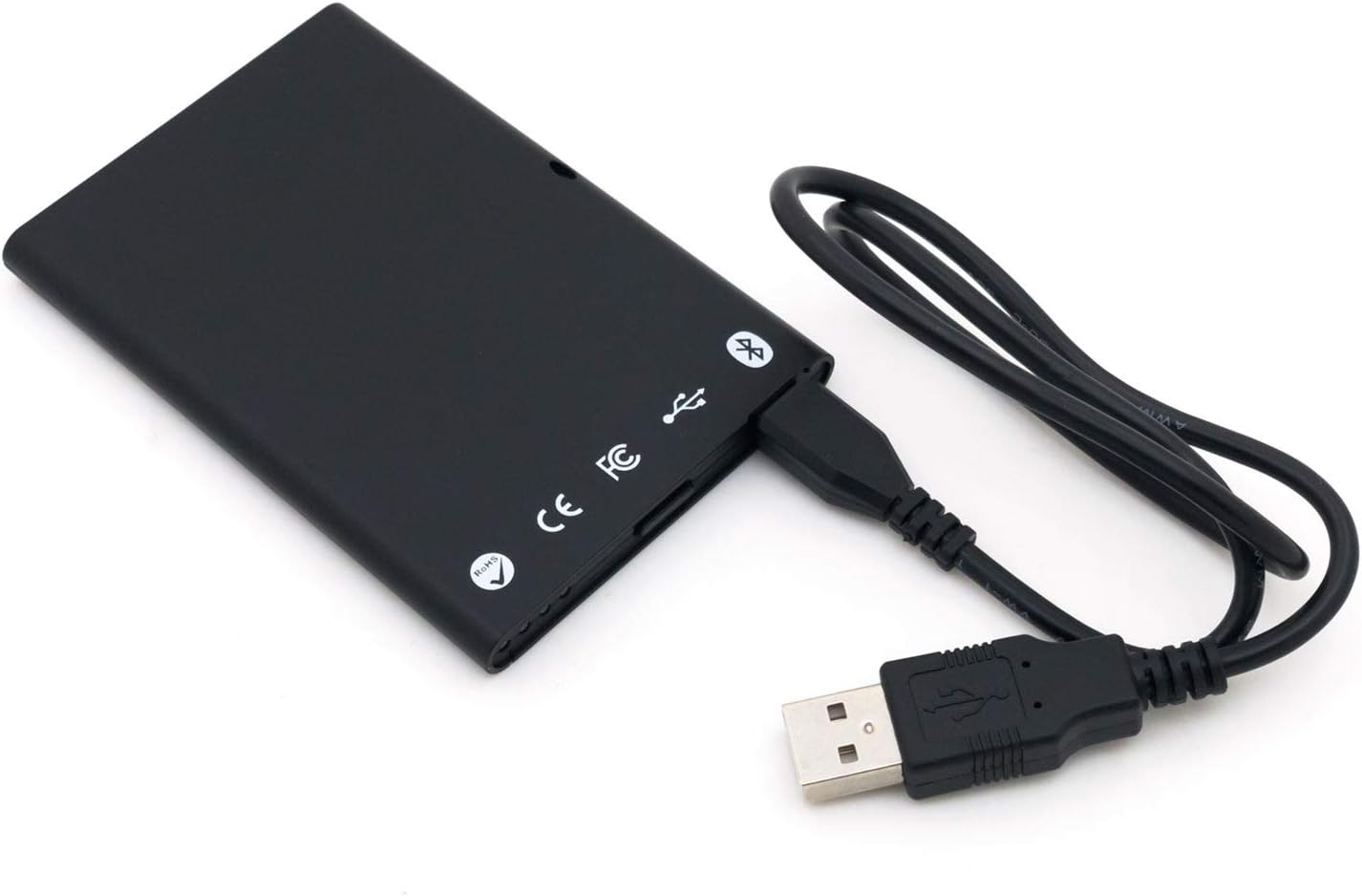
Figure 4.1: Connecting the bR500-C45F to a USB power source.
4.2 Connexió mitjançant USB
For direct connection to a computer, simply plug the USB cable into the reader and then into an available USB port on your computer. The device is designed to be Plug and Play, and necessary drivers should install automatically.
4.3 Connexió mitjançant Bluetooth
- Ensure the bR500-C45F is charged.
- Turn on the reader (if applicable, refer to device indicators for power status).
- Activa el Bluetooth al teu dispositiu mòbil o ordinador.
- Cerca available Bluetooth devices. The reader should appear as 'FEITIAN bR500-C45F' or similar.
- Select the reader to pair. Follow any on-screen prompts for pairing codes if required (typically 0000 or 1234).
5. Instruccions de funcionament
5.1 Reading Contactless Smart Cards
The bR500-C45F is designed for contactless smart card operations. To read a card, hold the smart card directly over the designated contactless symbol on the reader's surface. Ensure the card is flat against the reader for optimal communication.

Figura 5.1: Frontal view of the bR500-C45F, showing the contactless reading area.
5.2 Compatibilitat de programari
This reader is compatible with various applications requiring secure ID authentication, e-payment, and access control. Ensure that the software you are using supports standard smart card reader protocols (e.g., PC/SC). For mobile use, specific applications may be required to interface with the reader via Bluetooth.
6. Manteniment
6.1 Neteja
To clean the device, use a soft, dry cloth. Do not use abrasive cleaners, solvents, or harsh chemicals, as these can damage the surface and internal components.
6.2 Cura de la bateria
To prolong battery life, avoid exposing the device to extreme temperatures. If storing the device for an extended period, ensure it has a partial charge (around 50%) and recharge it periodically.
7. Solució De Problemes
- El dispositiu no es connecta:
- Assegureu-vos que el dispositiu estigui carregat.
- Per a l'USB, prova un port o cable USB diferent.
- For Bluetooth, ensure Bluetooth is enabled on your host device and the reader is in pairing mode. Try unpairing and re-pairing.
- La targeta no es llegeix:
- Ensure the card is placed correctly over the contactless symbol.
- Verify the card type is supported by the reader and your application.
- Ensure the reader's firmware is up to date (check manufacturer's weblloc).
- Problemes de programari:
- Ensure your application software is compatible with the bR500-C45F.
- Check for updated drivers or software from the manufacturer.
8. Especificacions
| Característica | Especificació |
|---|---|
| Número de model | BR500-C45F |
| Dimensions (LxWxH) | 3.66 x 2.52 x 0.28 polzades |
| Pes de l'article | 1.16 unces |
| Tecnologia de connectivitat | Bluetooth, USB |
| Bateria | 1 bateria de ions de liti (350 mAh) |
| MTBF | 500,000 hores |

Figura 8.1: Esquena view of the bR500-C45F with regulatory markings.

Figure 8.2: Product box rear, listing key specifications and manufacturer contact.
9. Garantia i Suport
For warranty information, technical support, and the latest drivers or firmware updates, please visit the official FEITIAN weblloc:
Conserveu el vostre comprovant de compra per a reclamacions de garantia.