
1. Introducció
Thank you for choosing the Spigen Rugged Armor Case for your Samsung Galaxy S10 (2019). This case is designed to provide robust protection for your device while maintaining a sleek profile. Please read this manual carefully to ensure proper installation and care.
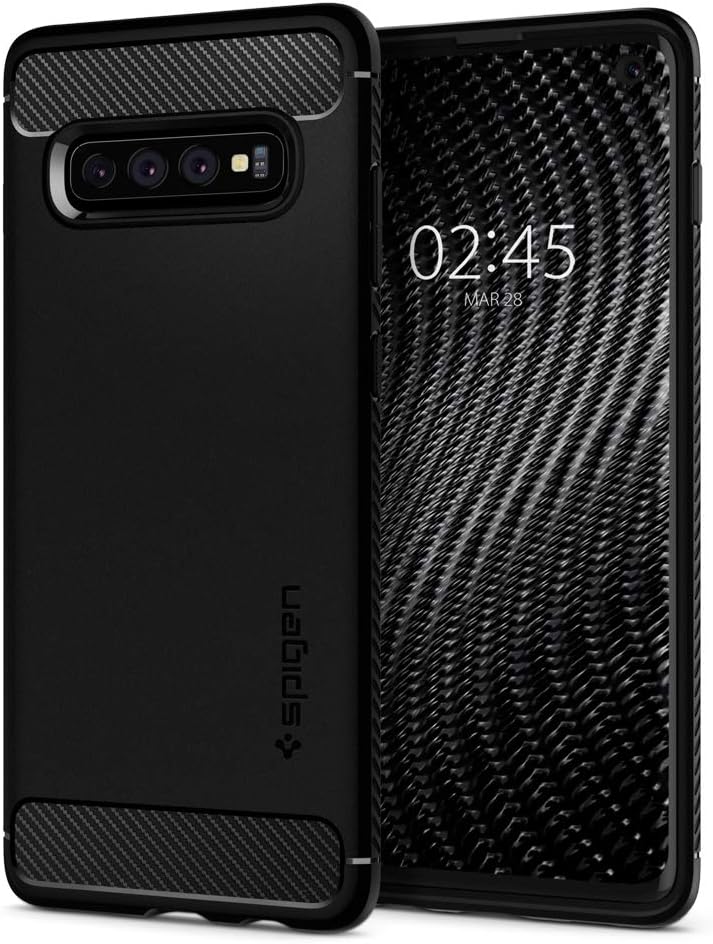
Image 1.1: Spigen Rugged Armor Case for Samsung Galaxy S10 in Matte Black.
2. Característiques clau
The Spigen Rugged Armor Case offers several features designed to protect and enhance your Samsung Galaxy S10 experience:
- Optimized Wireless Charging: Designed to allow seamless wireless charging without removing the case.
- Flexible TPU Construction: Made from Thermoplastic Polyurethane (TPU) with an interior spider-web pattern for enhanced shock absorption.
- Raised Lip Protection: Features a raised lip around the screen and camera to protect against scratches and direct impacts when placed on flat surfaces.
- Air Cushion Technology: Integrated Air Cushion Technology in the corners provides superior shock absorption for drop protection.
- Tactile Buttons: Precisely engineered button covers offer solid feedback and an easy press, maintaining the original feel of your phone's buttons.
- Compatibilitat: Specifically designed for the Samsung Galaxy S10 (2019) model.
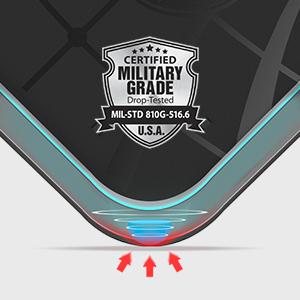
Image 2.1: Illustration of Air Cushion Technology for shock absorption.
3. Instal·lació
Follow these steps to properly install the Spigen Rugged Armor Case on your Samsung Galaxy S10:
- Neteja el teu dispositiu: Ensure your Samsung Galaxy S10 is clean and free of dust or debris before installation. This prevents scratches and ensures a snug fit.
- Insereix a dalt primer: Gently slide the top edge of your Samsung Galaxy S10 into the top of the case, aligning the camera cutout and top ports.
- Press Down Sides: Once the top is aligned, gently press the sides of your phone into the case, working your way down to the bottom. Ensure all edges are securely seated within the case.
- Comprova l'ajust: Verify that the case fits snugly around your phone, and all buttons and ports are accessible and aligned correctly.
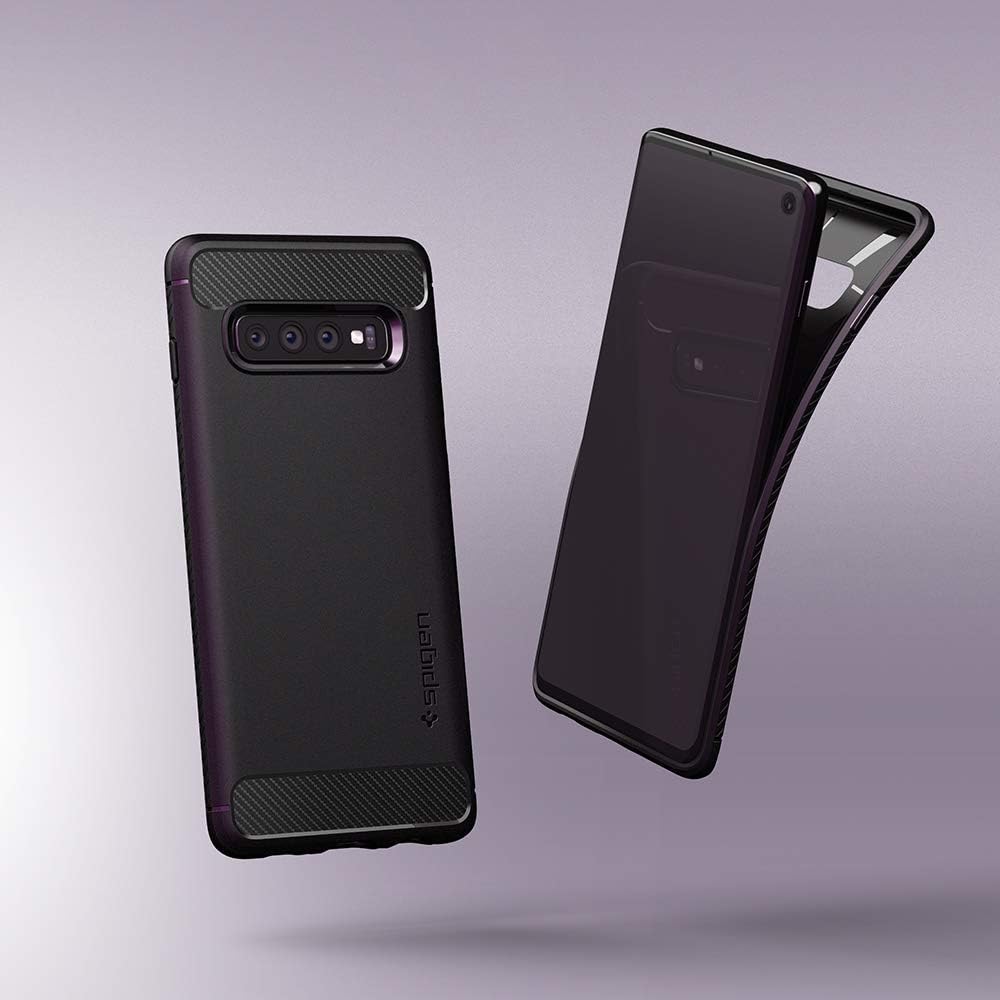
Image 3.1: Demonstrates the flexible nature of the case for easy installation and removal.
4. Funcionament i ús
The Spigen Rugged Armor Case is designed for everyday use, providing protection without hindering functionality.
4.1 Button Access
The case features precise cutouts and tactile button covers for easy access to all ports, speakers, and buttons (power, volume, Bixby). The tactile design ensures a responsive feel when pressing buttons.

Imatge 4.1: Lateral view of the case highlighting accessible buttons and ports.
4.2 Wireless Charging and PowerShare
The case is engineered to be compatible with wireless charging and Samsung's Wireless PowerShare feature. You can charge your device wirelessly or use PowerShare to charge other compatible devices without removing the case.

Image 4.2: Demonstrates the case's compatibility with Wireless PowerShare.
4.3 Demostració en vídeo
For a visual guide on the case's features and usage, please watch the official product video below:
Video 4.3: Official Spigen product video showcasing the Rugged Armor case for Samsung Galaxy S10. This video demonstrates the case's design, fit, and protective features.
5. Manteniment i cura
To keep your Spigen Rugged Armor Case in optimal condition and ensure its longevity, follow these simple care instructions:
- Neteja regular: Netegeu la carcassa regularment amb un drap suauamp drap per eliminar la pols, la brutícia i les empremtes dactilars.
- Eviteu productes químics durs: Do not use abrasive cleaners, solvents, or harsh chemicals, as these can damage the case material and finish.
- Inspeccionar per danys: Periodically inspect the case for any signs of wear or damage. A damaged case may not provide adequate protection.
- Emmagatzematge: Quan no l'utilitzeu, guardeu la funda en un lloc fresc i sec, allunyat de la llum solar directa i de temperatures extremes.
6. Solució De Problemes
If you encounter any issues with your Spigen Rugged Armor Case, consider the following common solutions:
- La carcassa no encaixa correctament:
- Ensure you have the correct case model for your Samsung Galaxy S10 (2019).
- Remove the case and re-install it, ensuring all edges are properly seated.
- Check for any foreign objects or debris between the phone and the case.
- Botons que no responen:
- Verify the case is correctly aligned with your phone's buttons.
- Ensure no debris is lodged under the button covers.
- Problemes amb la càrrega sense fil:
- Ensure your wireless charger is compatible and functioning correctly.
- Reposition the phone on the wireless charger to find the optimal charging spot.
- Remove any metal objects or cards stored between the phone and the case, as these can interfere with wireless charging.
7. Especificacions
Detailed specifications for the Spigen Rugged Armor Case (Model: 605CS25800):
| Marca | Spigen |
| Número de model | 605CS25800 |
| Models de telèfon compatibles | Samsung Galaxy S10 |
| Color | Negre mat |
| Material | Poliuretà termoplàstic (TPU) |
| Nivell de resistència a l'aigua | Resistent a l'aigua |
| Característiques addicionals | Shock-Absorbent, Air Cushion Technology, Raised Lip Protection, Tactile Buttons |
| Pes de l'article | 1 unces |
| Dimensions de l'article (L x A x A) | 6 x 3 x 0.4 polzades |
8. Informació de la garantia
Warranty information for this product is not explicitly provided in the available data. For details regarding warranty coverage, please refer to the official Spigen website or contact Spigen customer support directly.
9. Atenció al client
For further assistance, technical support, or inquiries regarding your Spigen Rugged Armor Case, please visit the official Spigen weblloc o poseu-vos en contacte amb el seu departament d'atenció al client.
- Spigen Official Weblloc: www.spigen.com
- Consulteu el website for contact methods such as email, phone, or live chat.