
1. Introducció
This manual provides detailed instructions for the Redragon K503 Gaming Keyboard. Please read this guide thoroughly to ensure proper setup, operation, and maintenance of your device. The Redragon K503 is a multimedia gaming keyboard featuring RGB LED backlighting and a comfortable wrist rest, designed for use with Windows and MacOS PC systems.
2. Configuració
2.1 Contingut del paquet
- Redragon K503 Gaming Keyboard
- Cable USB (integrat)
2.2 Connexió del teclat
- Localitzeu un port USB disponible al vostre ordinador.
- Plug the USB connector of the Redragon K503 keyboard into the USB port.
- Your operating system (Windows or MacOS) should automatically detect and install the necessary drivers. No additional software installation is typically required for basic functionality.
- The keyboard's RGB backlighting will illuminate upon successful connection.
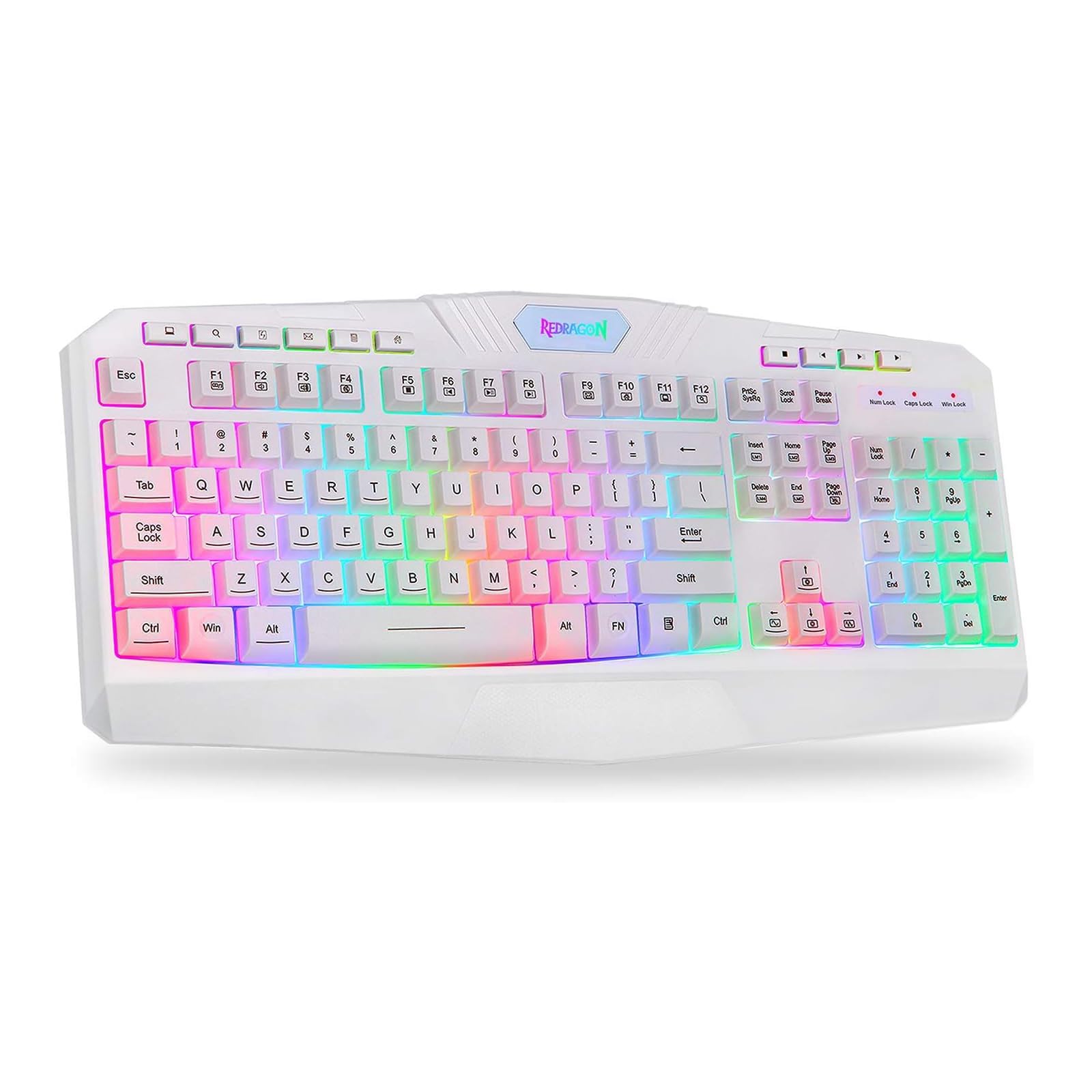
This image shows the Redragon K503 Gaming Keyboard, highlighting its full layout and white finish. The keys feature RGB backlighting, visible around the keycaps.
3. Instruccions de funcionament
3.1 Funcions bàsiques
The Redragon K503 functions as a standard QWERTY keyboard for typing and input. All standard keys operate as labeled.
3.2 Tecles multimèdia
The keyboard includes dedicated multimedia keys for convenient control of media playback and system functions. These keys are typically located above the function keys (F1-F12) or integrated with them via the 'Fn' key. Common functions include:
- Control de volum: Increase, decrease, or mute audio.
- Reproducció multimèdia: Play/pause, stop, previous track, next track.
- Web Navegador: Launch default web navegador.
- Correu electrònic: Launch default email client.
3.3 RGB LED Backlighting
The K503 features customizable RGB LED backlighting. The lighting modes and brightness can be adjusted directly on the keyboard using specific key combinations. Refer to the keycap legends for specific lighting control keys, often involving the 'Fn' key combined with other function keys (e.g., Fn + Scroll Lock, Fn + Home/End, or dedicated lighting keys).
- Canvi de modes d'il·luminació: Press the designated key combination to cycle through various lighting effects (e.g., static, breathing, wave).
- Ajust de brillantor: Use the specified key combination to increase or decrease the backlight intensity.
- Canvi de colors: Some modes allow for color customization using specific key presses.
4. Manteniment
4.1 Neteja del teclat
Per mantenir un rendiment i un aspecte òptims, netegeu el teclat regularment:
- Desconnecteu el teclat de l'ordinador abans de netejar-lo.
- Utilitzeu un drap suau i sense pelusa lleugerament dampEsbandiu amb aigua o una solució netejadora suau per netejar les tecles i la superfície.
- Per a la pols i les restes entre les tecles, feu servir aire comprimit.
- No utilitzeu productes químics agressius, netejadors abrasius ni submergiu el teclat en líquids.
5. Solució De Problemes
5.1 El teclat no respon
- Assegureu-vos que el cable USB estigui ben connectat tant al teclat com a l'ordinador.
- Prova de connectar el teclat a un port USB diferent de l'ordinador.
- Prova el teclat en un altre ordinador per determinar si el problema és amb el teclat o amb el port/controladors USB de l'ordinador.
- Reinicieu l'ordinador.
5.2 La retroiluminació no funciona o és incorrecta
- Check if the backlighting has been turned off or set to the lowest brightness level using the keyboard's lighting control keys.
- Ensure the keyboard is properly connected to the computer.
- If a specific key's backlight is not working, it may indicate a hardware issue.
5.3 Specific Keys Not Functioning
- Clean around and under the affected keycap to remove any debris that might be obstructing its movement.
- Si el problema persisteix, pot indicar un mal funcionament del maquinari.
6. Especificacions
| Marca | Redragon |
| Número de model | K503W-RGB |
| Tecnologia de connectivitat | USB |
| Dispositius compatibles | PC (Windows, MacOS) |
| Descripció del teclat | Multimèdia |
| Característica especial | Lighting (RGB LED Backlit) |
| Color | Blanc |
| Dimensions del producte | 17.6 cm de llargada x 7.9 cm d'amplada x 1.2 cm d'alçada |
| Material | Estirol acrilonitril butadiè |
| Components inclosos | Cable USB |
7. Informació de la garantia
Redragon products are typically covered by a limited manufacturer's warranty. The specific terms and duration of the warranty may vary by region and retailer. Please retain your proof of purchase for warranty claims. For detailed warranty information, refer to the warranty card included with your product or visit the official Redragon weblloc.
8. Atenció al client
If you encounter any issues not covered in this manual or require further assistance, please contact Redragon customer support. Contact information can usually be found on the official Redragon website or on the product packaging. When contacting support, please have your product model number (K503) and proof of purchase ready.