
Sceptre C248B-144RN
Sceptre 24-Inch C248B-144RN Curved Gaming Monitor Instruction Manual
Model: C248B-144RN
1. Producte acabatview
The Sceptre C248B-144RN is a 24-inch Full HD curved monitor designed for gaming. It features a 165Hz refresh rate and supports AMD FreeSync for smooth visuals. This monitor includes DisplayPort, HDMI, and Audio Out Jack connectivity. Its curved display offers an immersive viewing experience, and it incorporates features like Anti-Flicker and specialized game modes (FPS/RTS).
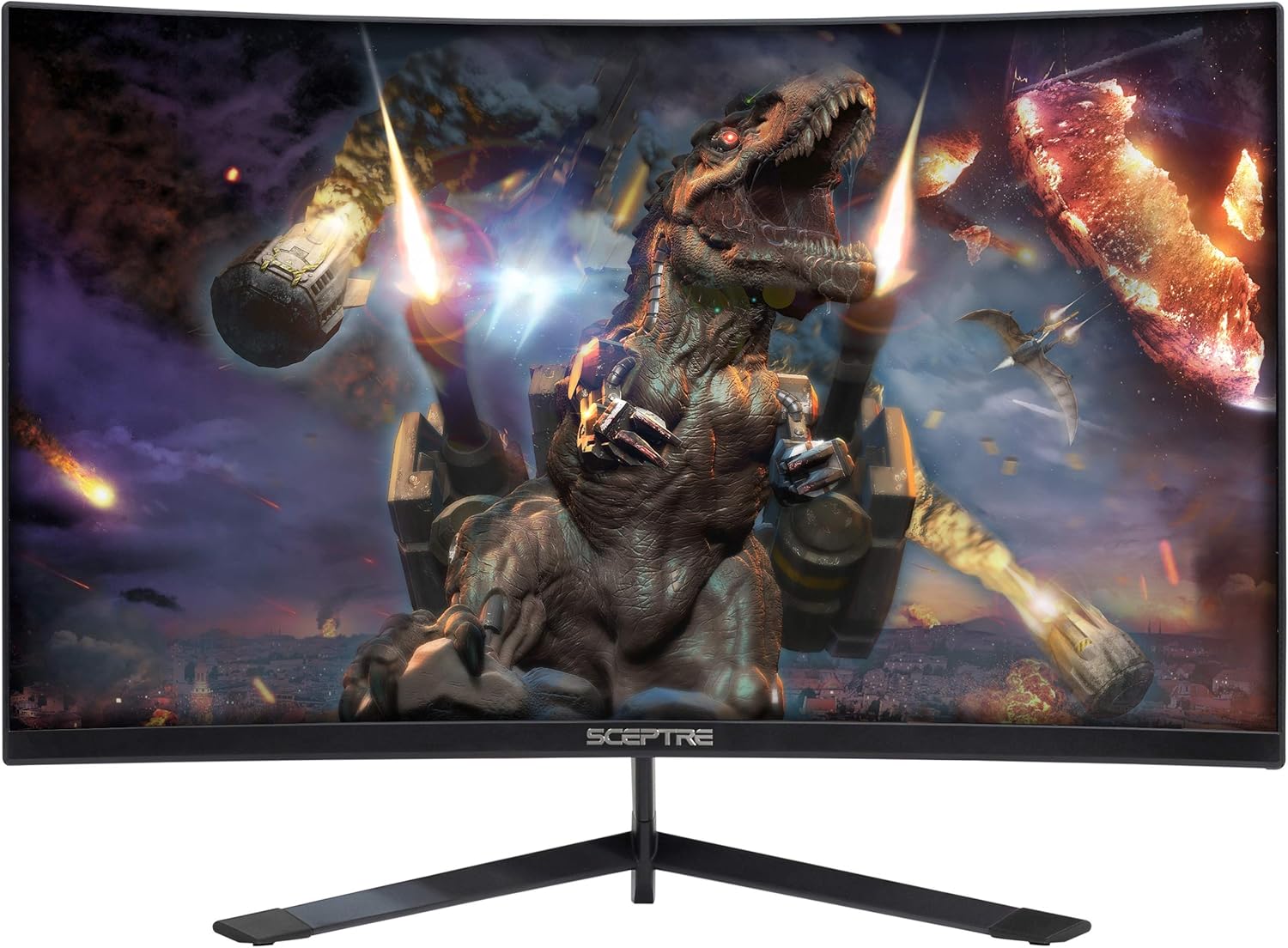
Figura 1: Frontal view of the Sceptre C248B-144RN Curved Gaming Monitor.
2. Instruccions de configuració
2.1. Muntatge del monitor
Carefully remove the monitor and its components from the packaging. Follow these steps to assemble the stand:
- Fixeu el coll del suport al panell del monitor.
- Fixeu la base del suport al coll del suport amb els cargols proporcionats.
- Col·loqueu el monitor muntat sobre una superfície plana i estable.

Figure 2: Sceptre C248B-144RN monitor with its stand assembled.
2.2. Connexió a un dispositiu
The monitor supports DisplayPort and HDMI connections. Ensure your device is powered off before connecting cables.
- DisplayPort: Connect one end of a DisplayPort cable to your computer's graphics card and the other end to the DisplayPort input on the monitor.
- HDMI: Connect one end of an HDMI cable to your computer's graphics card or other HDMI-enabled device and the other end to an HDMI input on the monitor. The monitor has 1 HDMI 2.0 port (up to 165Hz) and 2 HDMI 1.4 ports (up to 144Hz).
- Sortida d'àudio: For external audio, connect speakers or headphones to the Audio Out Jack.

Figura 3: posterior view of the monitor displaying the various input ports including DisplayPort and HDMI.
2.3. Connexió d'alimentació
Connect the power adapter to the monitor's DC IN port, then plug the power cable into a wall outlet.
2.4. VESA Wall Mount (Optional)
The monitor is VESA compatible, allowing for wall mounting. Ensure you use a VESA-compliant mount and follow its instructions for safe installation. The VESA pattern allows for flexible placement.
3. Instruccions de funcionament
3.1. Encendre/apagar
Press the power button located on the monitor to turn it on or off. The power indicator light will change color to indicate its status (e.g., blue for on, red for standby).
3.2. Menú de visualització en pantalla (OSD).
Use the buttons on the back or bottom of the monitor to navigate the OSD menu. The OSD allows you to adjust various settings:
- Configuració de la imatge: Adjust brightness, contrast, sharpness, and other visual parameters.
- Configuració de color: Modifiqueu la temperatura de color, el gamma i els valors RGB individuals.
- Configuració del sistema: Access options like FreeSync, Overdrive, Sleep Mode, Language, OSD Position, OSD Timer, Volume, and Reset.

Figura 4: lateral view of the monitor highlighting the location of the OSD control buttons.
3.3. Característiques de joc
- AMD FreeSync: This technology synchronizes the monitor's refresh rate with your GPU's frame rate to eliminate screen tearing and stuttering. Enable FreeSync in the OSD menu and ensure it's enabled in your graphics card settings.

Figure 5: Visual comparison demonstrating the effect of AMD FreeSync on screen tearing.
- FPS/RTS Game Modes: The monitor includes pre-set display settings optimized for First Person Shooter (FPS) and Real-Time Strategy (RTS) games. These modes enhance visibility and response for specific game genres.
- Anti-parpelleig: This feature reduces screen flickering, providing a more comfortable viewing experience and reducing eye strain during extended use.

Figure 6: Illustration of the Anti-Flicker technology reducing visual artifacts.
- Filtre de llum blava: Reduces blue light emissions to minimize eye strain, especially during nighttime use.

Figure 7: Demonstration of the Blue Light Filter feature for reduced eye strain.
3.4. Curved Display
The 1500R curved screen provides an immersive viewing experience, wrapping images around your field of vision for enhanced depth and engagement.

Figura 8: De dalt a baix view illustrating the 1500R curvature of the monitor.
3.5. Vídeo oficial del producte
Vídeo 1: Un producte oficial acabatview video for the Sceptre 24-inch Curved Gaming LED Monitor, showcasing les seves característiques i disseny.
4. Manteniment
Per garantir la longevitat i el rendiment òptim del monitor, seguiu aquestes pautes de manteniment:
- Neteja de la pantalla: Netegeu suaument la pantalla amb un drap suau i sense borrissol. Per a marques difícils, netegeu suaument.ampNetegeu el drap amb aigua o una solució de neteja específica per a pantalles. Eviteu productes químics agressius o materials abrasius.
- Neteja de la Casing: Feu servir un drap suau i sec per netejar el monitor casing.
- Ventilació: Assegureu-vos que les obertures de ventilació del monitor no estiguin bloquejades per evitar el sobreescalfament.
- Emmagatzematge: Quan no l'utilitzeu durant períodes prolongats, guardeu el monitor en un lloc fresc i sec, preferiblement en el seu embalatge original.
5. Solució De Problemes
If you encounter issues with your Sceptre C248B-144RN monitor, refer to the following common problems and solutions:
| Problema | Causa possible | Solució |
|---|---|---|
| No hi ha imatge a la pantalla | Power cable disconnected, video cable loose, incorrect input source. | Check power connections. Ensure video cables (DisplayPort/HDMI) are securely connected. Select the correct input source via the OSD menu. |
| La imatge és borrosa o distorsionada | Incorrect resolution, faulty video cable, graphics driver issue. | Set the display resolution to 1920x1080. Try a different video cable. Update your graphics card drivers. |
| La pantalla parpelleja | Refresh rate mismatch, FreeSync not enabled, external interference. | Ensure refresh rate is set to 165Hz (or 144Hz for HDMI 1.4). Verify FreeSync is enabled in OSD and GPU settings. Check for nearby electronic devices causing interference. |
| Sense àudio | Volume muted, incorrect audio output selected, faulty audio cable. | Check monitor volume in OSD. Ensure correct audio output is selected on your computer. Verify external speakers/headphones are connected correctly. |
| Vertical or horizontal lines on screen | Faulty video cable, graphics card issue, panel defect. | Try a different video cable. Test the monitor with another device. If the problem persists, contact customer support. |
5.1. Examples of Display Issues (User-Submitted Videos)
The following videos, submitted by users, illustrate common display problems. These are examples of issues and not official troubleshooting guides.
Video 2: This user-submitted video shows a monitor with a damaged screen, potentially due to physical impact.
Video 3: This user-submitted video demonstrates a monitor displaying a red line across the screen, which could indicate a panel defect or a faulty connection.
Video 4: This user-submitted video shows a monitor with a black screen despite being powered on, potentially indicating a signal input problem or internal display issue.
6. Especificacions del producte
| Característica | Detall |
|---|---|
| Marca | Cetre |
| Número de model | C248B-144RN |
| Mida de la pantalla | 24 polzades |
| Resolució | FHD 1080p (1920 x 1080 píxels) |
| Freqüència d'actualització | 165 Hz |
| Temps de resposta | 3 mil·lisegons |
| Relació d'aspecte | 16:9 |
| Curvatura | 1500R |
| Tipus de visualització | LED |
| Relació de contrast | 1,000,000:1 |
| Brillantor | 250 cd/m² |
| Viewangle ing | 178 graus |
| Connectivitat | 1x DisplayPort, 1x HDMI 2.0, 2x HDMI 1.4, Audio Out Jack |
| Sincronització adaptativa | AMD FreeSync |
| Tipus de muntatge | VESA Wall Mountable |
| Característiques addicionals | Blue Light Filter, Built-In Speakers, Curved, Flicker-Free, Frameless, Tilt Adjustment |
| Item Dimensions (WxHxD) | 21.61 cm x 16.06 cm x 6.55 cm (amb suport) |
| Pes de l'article | 6.3 lliures |
| Consum d'energia | 30 watts |
7. Informació de la garantia
The Sceptre C248B-144RN monitor comes with a limited 1-year warranty. This warranty covers manufacturing defects and malfunctions under normal use. Please retain your proof of purchase for warranty claims. For full details on warranty terms and conditions, refer to the official Sceptre weblloc o contacteu amb el servei d'atenció al client.
8. Atenció al client
For technical assistance, troubleshooting beyond this manual, or warranty inquiries, please contact Sceptre customer support:
- Weblloc: Visit the official Sceptre weblloc web per a preguntes freqüents, descàrregues de controladors i recursos d'assistència.
- Informació de contacte: Refer to the contact section on the Sceptre weblloc web per obtenir números de telèfon o assistència per correu electrònic.
When contacting support, please have your monitor model number (C248B-144RN) and serial number ready.
Ask a question about this manual
Ask about setup, troubleshooting, compatibility, parts, safety, or missing instructions. Manuals+ will review the question and use this page’s manual context to help answer it.