
Other C547
Other 30m RJ45 Ethernet Network Patch Cable C547 User Manual
Model: C547
1. Introducció i finalview
This manual provides essential information for the proper use and maintenance of your Other 30m RJ45 Ethernet Network Patch Cable, Model C547. This cable is designed to connect various hardware destinations within a Local Area Network (LAN), facilitating data transmission between devices.
Les característiques clau inclouen:
- Connects all hardware destinations on a Local Area Network (LAN).
- Optimized for use with 10 Base-T, 100 Base-T, and 1000 Base-T networks.
- Equipped with two RJ-45 male connectors.
- Features 50-micron gold-plated connectors for reliable signal transmission.
- Disseny lleuger i durador.
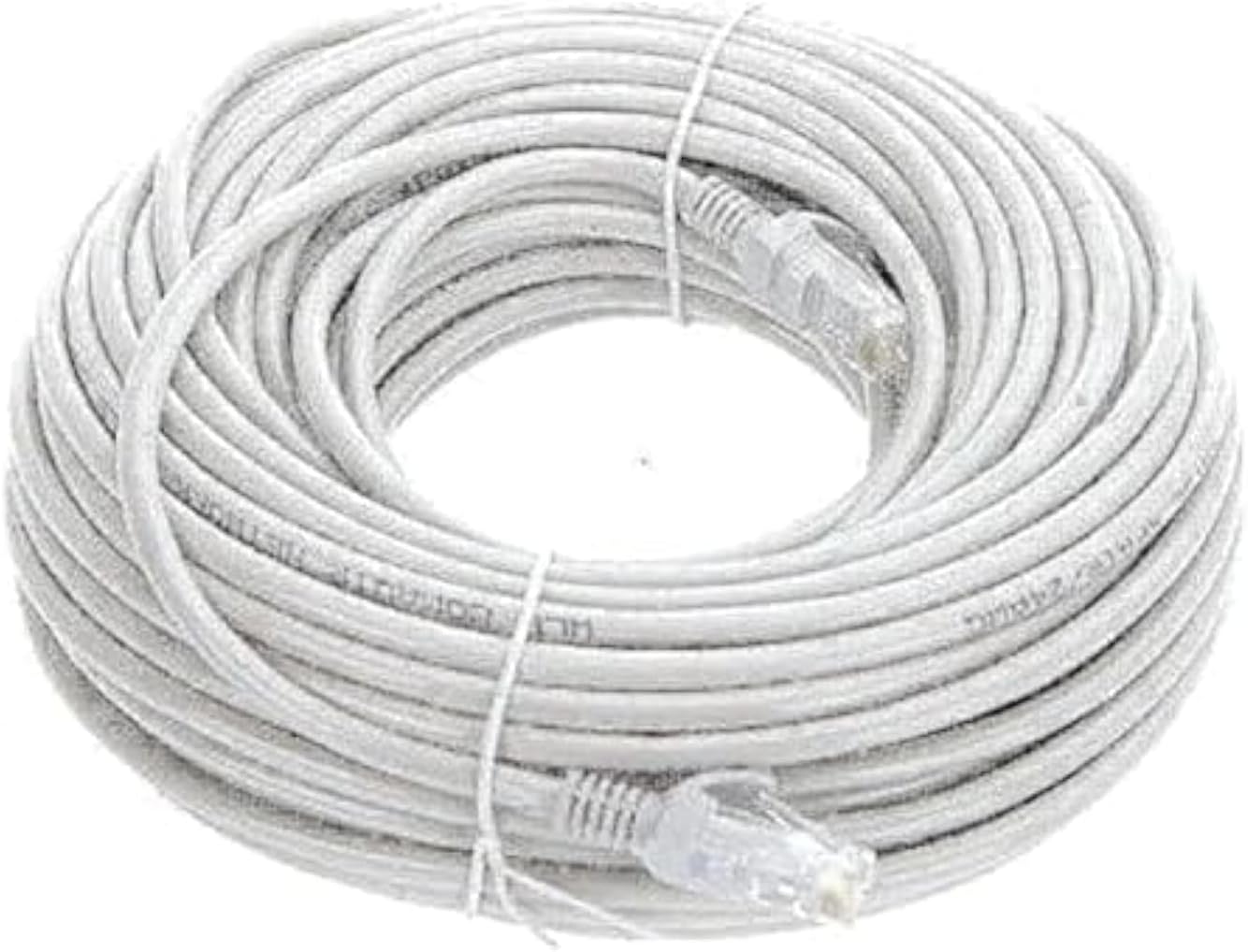
Figure 1: The 30m RJ45 Ethernet Network Patch Cable, coiled for packaging.
2. Configuració i connexió
The Other 30m RJ45 Ethernet Network Patch Cable is designed for straightforward plug-and-play connectivity. Follow these steps to establish a network connection:
- Identifica els ports: Locate the RJ45 Ethernet ports on the devices you wish to connect (e.g., computer, router, modem, network switch). These ports are typically rectangular and slightly larger than a phone jack.
- Connecta el primer dispositiu: Insert one end of the RJ45 Ethernet cable into the Ethernet port of your first device. Ensure the connector clicks securely into place.
- Connecta el segon dispositiu: Insert the other end of the RJ45 Ethernet cable into the Ethernet port of your second device. Again, ensure a secure connection.
- Verifica la connexió: La majoria de dispositius indicaran una connexió correcta amb un llum LED il·luminat a prop del port Ethernet. Consulteu el manual del dispositiu per obtenir indicadors específics.

Figura 2: Un primer pla view of an RJ45 connector, showing the locking tab and gold-plated pins.
For optimal performance, avoid bending the cable sharply or placing it under heavy objects, as this can damage the internal wiring and affect signal quality.
3. Principis de funcionament
This Ethernet patch cable functions as a physical medium for transmitting data packets between network devices. It supports various Ethernet standards, including 10BASE-T (10 Mbps), 100BASE-T (100 Mbps), and 1000BASE-T (1 Gbps), making it suitable for a wide range of home and office network applications.
The gold-plated connectors enhance conductivity and resist corrosion, contributing to a stable and clear data transmission. The cable facilitates communication for activities such as internet browsing, file sharing, online gaming, and streaming media.

Figure 3: Both ends of the Ethernet cable featuring RJ45 male connectors.
4. Manteniment i cura
To ensure the longevity and optimal performance of your Ethernet cable, consider the following maintenance guidelines:
- Evita l'estrès físic: Do not excessively bend, twist, or pull the cable. Sharp bends can damage the internal conductors, leading to signal loss or degradation.
- Protegir els connectors: Keep the RJ45 connectors clean and free from dust or debris. Avoid touching the gold-plated pins directly.
- Emmagatzematge adequat: When not in use, coil the cable loosely. Avoid tight coiling or kinking.
- Condicions ambientals: Store and use the cable in a dry environment, away from extreme temperatures and direct sunlight.

Figure 4: An illustration of the internal twisted pair wiring within an Ethernet cable, crucial for signal integrity.
5. Solució De Problemes
Si teniu problemes amb la connexió de xarxa, tingueu en compte els passos següents per resoldre'ls:
- Sense connexió de xarxa:
- Assegureu-vos que els dos extrems del cable estiguin ben connectats als seus ports respectius.
- Check if the network indicator lights on your devices are active.
- Try connecting a different, known-working Ethernet cable to rule out cable damage.
- Restart your network devices (modem, router, computer).
- Velocitat de xarxa lenta:
- Verify that your network devices (router, network card) support the desired speed (e.g., Gigabit Ethernet).
- Ensure the cable is not damaged or kinked, as this can degrade performance.
- Test with a shorter cable if possible, especially if the 30m length is close to maximum recommended distances for certain cable categories.
- Connexió intermitent:
- Comproveu si hi ha connexions soltes en ambdós extrems.
- Inspect the cable for visible damage, such as cuts or severe bends.
- Ensure the cable is not running near sources of strong electromagnetic interference.
6. Especificacions
| Característica | Detall |
|---|---|
| Número de model | C547 |
| Marca | Altres |
| Tipus de cable | Cable de connexió Ethernet |
| Tipus de connector | RJ45 Mascle a Mascle |
| Longitud del cable | 30 metres |
| Ethernet Category | Cat 5e (Supports 10/100/1000 Base-T networks) |
| Connector de xapa | 50-micron Gold Plated |
| Color | Gray (as per description, though product image is white/clear) |
| Dimensions del producte | 35 x 35 x 20 cm (packaged); 80 g (weight) |
| Dispositius compatibles | Personal Computers, Routers, Modems, Network Switches, etc. |
Note: The product description states "Color: Gray", while the main image appears white/clear. Please refer to the product packaging for the exact color.
7. Garantia i Suport
Information regarding specific warranty terms or direct support contacts for the "Other" brand is not provided with this product. For any issues or inquiries, please refer to the retailer or point of purchase for assistance.
Ask a question about this manual
Ask about setup, troubleshooting, compatibility, parts, safety, or missing instructions. Manuals+ will review the question and use this page’s manual context to help answer it.