
Introducció
This manual provides instructions for the proper setup, operation, and maintenance of your Gembird MUS-4B-01 USB Optical Mouse. Please read this manual thoroughly before using the device to ensure optimal performance and longevity.
Configuració
Follow these steps to connect your Gembird MUS-4B-01 USB Optical Mouse to your computer.
- Desempaqueta el ratolí: Traieu amb cura el ratolí del seu embalatge.
- Connectar a un port USB: Locate an available USB port on your computer. Insert the USB connector of the Gembird MUS-4B-01 mouse firmly into the USB port.
- Instal·lació automàtica del controlador: Your operating system (Windows 7/8/10) will typically detect the new hardware and install the necessary drivers automatically. This process may take a few moments.
- Verificació de la funcionalitat: Once the drivers are installed, move the mouse to check if the cursor on your screen responds. If the cursor moves, the mouse is ready for use.
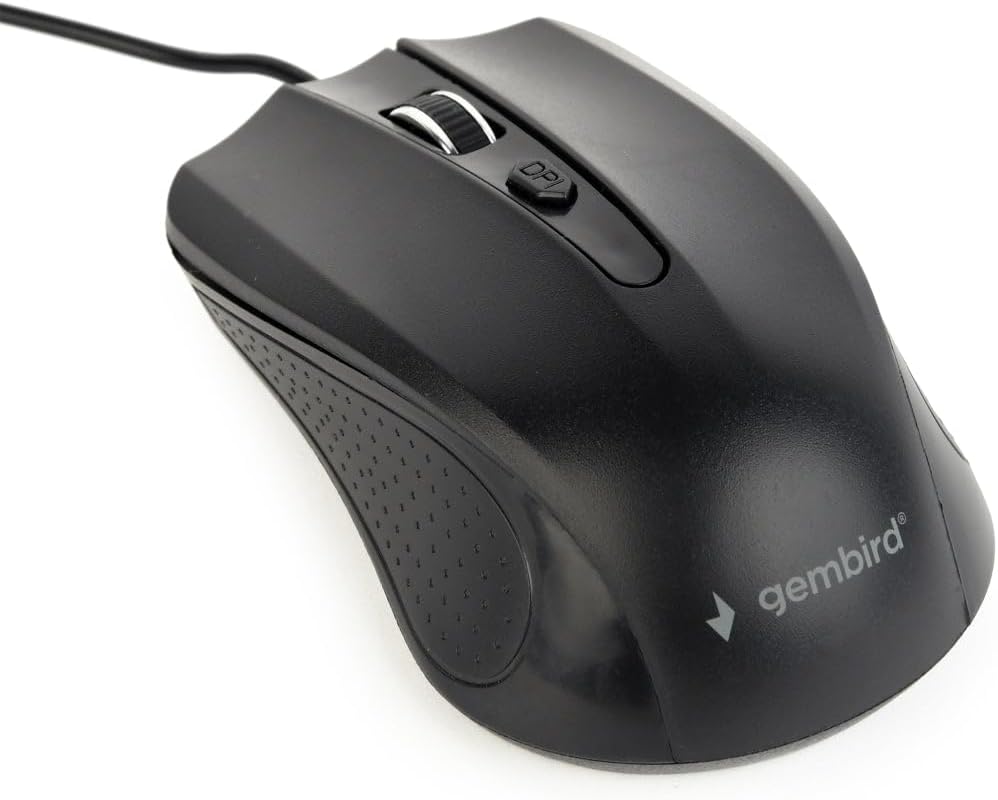
Image: The Gembird MUS-4B-01 USB Optical Mouse, showing its black design and USB cable, ready for connection.
Instruccions de funcionament
The Gembird MUS-4B-01 mouse features standard controls for efficient navigation.
- Botó esquerre: Used for selecting items, clicking links, and performing primary actions.
- Botó dret: Used for accessing context menus and secondary functions.
- Roda de desplaçament: Desplaceu-vos amunt o avall per desplaçar-vos pels documents i web pages. The scroll wheel can also be pressed as a middle button for additional functions (e.g., opening links in new tabs).
- Botó DPI: Located behind the scroll wheel, this button allows you to adjust the mouse's sensitivity (Dots Per Inch) on the fly. Press it to cycle through available DPI settings to match your preference.

Imatge: Un primer pla view of the Gembird MUS-4B-01 mouse, highlighting the scroll wheel and the DPI adjustment button.
Manteniment
Un manteniment adequat garanteix la longevitat i el rendiment òptim del ratolí.
- Neteja: Feu servir un drap suau i sec per netejar la superfície del ratolí. Per a la brutícia persistent, netegeu lleugerament.ampNetegeu el drap amb aigua o una solució de neteja suau. Eviteu productes químics agressius o materials abrasius.
- Sensor òptic: Periodically check the optical sensor on the underside of the mouse for dust or debris. Use a soft brush or compressed air to gently clean the sensor area. Do not touch the sensor directly.
- Cura del cable: Avoid bending or twisting the USB cable sharply. Store the mouse in a way that prevents the cable from being crimped or damaged.
- Emmagatzematge: Quan no l'utilitzeu durant períodes prolongats, guardeu el ratolí en un entorn net i sec, allunyat de temperatures extremes.
Resolució de problemes
If you encounter issues with your Gembird MUS-4B-01 mouse, refer to the following common solutions.
- El ratolí no respon:
- Assegureu-vos que el cable USB estigui ben connectat a un port USB que funcioni de l'ordinador.
- Prova de connectar el ratolí a un port USB diferent.
- Reinicieu l'ordinador.
- Proveu el ratolí en un altre ordinador per determinar si el problema és del ratolí o de l'ordinador.
- El moviment del cursor és erràtic o irregular:
- Netegeu el sensor òptic de la part inferior del ratolí.
- Assegureu-vos que feu servir el ratolí sobre una superfície neta, no reflectant i uniforme (per exemple, una alfombrilla de ratolí).
- Ajusteu la configuració de DPI amb el botó DPI del ratolí.
- Els botons o la roda de desplaçament no funcionen:
- Comproveu si hi ha obstruccions físiques al voltant dels botons o la roda de desplaçament.
- Ensure the mouse drivers are correctly installed. You can check Device Manager on Windows.
- Proveu de reiniciar l'ordinador.
Especificacions
Key technical specifications for the Gembird MUS-4B-01 USB Optical Mouse.
| Característica | Detall |
|---|---|
| Marca | Gembird |
| Nom del model | MUS-4B-01 |
| Tecnologia de connectivitat | USB |
| Tecnologia de detecció de moviment | Òptic |
| Nombre de botons | 4 |
| Orientació de la mà | Ambidextre |
| Sistemes operatius compatibles | Windows 7/8/10 |
| Plataforma de maquinari | PC |
| Pes de l'article | 71 grams |
| Color | Negre |
Garantia i Suport
For warranty information or technical support, please refer to the documentation included with your purchase or visit the official Gembird weblloc web. Conserveu el comprovant de compra per a reclamacions de garantia.