
Introducció
This manual provides detailed instructions for the installation, operation, and maintenance of your ASHATA MP5-SWM9601 Car Stereo. This single-DIN multimedia player features a 7-inch retractable touchscreen, Bluetooth connectivity for calls and music streaming, and supports various audio and video formats via USB, TF card, and AUX input. Please read this manual thoroughly before using the product to ensure proper function and safety.
Característiques del producte
- 7-inch high-definition retractable touchscreen display.
- Bluetooth per a trucades de mans lliures i transmissió d'àudio.
- Supports various audio formats including APE, FLAC, WAV, DIS, MP3, WMA, ACC, OGG, RA, AC3, MP2, AMR.
- Supports various video formats including AVI, MP4, FLV, PMP, RM, RMVB, MPG.
- USB 2.0 and TF card slot for media playback.
- AUX audio input for external devices.
- Supports rear view camera input for parking assistance.
- Electronic sound processing (EQ) with adjustable treble, bass, balance, and sound field.
- Memory playback function for songs.
- Remote control included for convenient operation.
Configuració i instal·lació
Proper installation is crucial for the performance and safety of your car stereo. It is recommended to have this unit installed by a professional technician. Ensure the vehicle's battery is disconnected before starting installation.
Dimensions
Before installation, verify that the unit's dimensions are compatible with your car's dashboard opening. The unit is a standard single-DIN size.

Figura 1: Dimensions of the ASHATA MP5-SWM9601 car stereo. The unit measures approximately 18.4 cm (7.2 inches) in width, 6.2 cm (2.4 inches) in height, and 17.8 cm (7.0 inches) in depth.
Esquema de cablejat
Refer to the following diagram for correct wiring connections. Incorrect wiring can cause damage to the unit or your vehicle's electrical system.
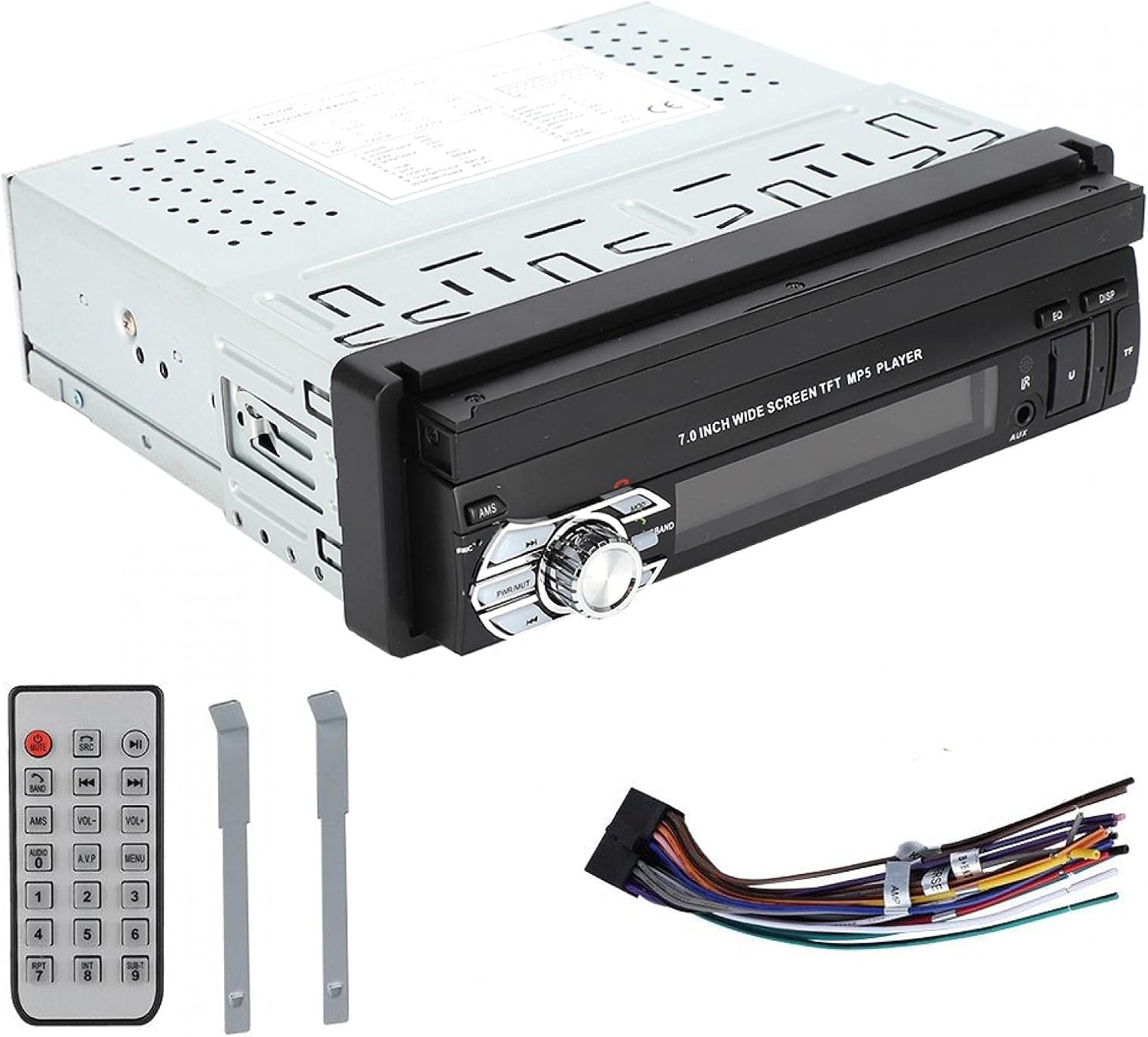
Figura 2: posterior view of the ASHATA MP5-SWM9601 showing the wiring harness connector and RCA outputs for audio and video. The wiring harness typically includes connections for power (ACC, B+, Ground), speakers, antenna, and steering wheel controls (if applicable).
- Connexions d'alimentació: Connect the yellow wire to the constant 12V power supply (B+), the red wire to the accessory 12V power supply (ACC), and the black wire to ground.
- Connexions d'altaveus: Connect the speaker wires to the corresponding positive and negative terminals for each speaker (e.g., front left +, front left -).
- Antena: Connect the car's radio antenna to the antenna input.
- posterior View Càmera: Connect the video input from your rear view camera to the designated video input on the unit. Ensure the reverse trigger wire is connected to activate the camera display when reversing.
- Sortides RCA: Use the RCA outputs for connecting external amplifiers or additional displays.
Instruccions de funcionament
Encès/apagat i controls bàsics

Figura 3: Front panel of the ASHATA MP5-SWM9601 showing the main controls, including the power/volume knob, mode button, band button, and USB/AUX/TF card slots.
- Encès/apagat: Premeu el botó PWR/MUT button to turn the unit on. Press and hold to turn off. A short press will mute/unmute the audio.
- Control de volum: Gireu el botó central per ajustar el volum.
- Selecció del mode: Premeu el botó MODE button to cycle through available sources (Radio, USB, TF, AUX, Bluetooth).
- Retract/Extend Screen: The screen can be manually or automatically retracted/extended. Refer to the on-screen menu for specific settings.
Connectivitat Bluetooth
Pair your mobile phone with the car stereo to enjoy hands-free calling and wireless audio streaming.
- Turn on the unit and select Bluetooth mode using the MODE botó.
- Al telèfon mòbil, activa el Bluetooth i cerca els dispositius disponibles.
- Select "ASHATA" or a similar device name from the list. If prompted for a password, enter "0000" or "1234".
- Once paired, you can make/receive calls and play music through the car stereo.
Reproducció multimèdia (USB/TF/AUX)
- Reproducció USB: Insert a USB drive into the USB port. The unit will automatically switch to USB mode and begin playing compatible media files.
- Reproducció de la targeta TF: Insert a TF (MicroSD) card into the TF card slot. The unit will automatically switch to TF mode and begin playing compatible media files.
- Entrada AUX: Connect an external audio device (e.g., MP3 player, phone) to the AUX input using a 3.5mm audio cable. Select AUX mode using the MODE botó.
- Formats admesos:
- Audio: DIS, MP3, WMA, ACC, OGG, WAV, RA, AC3, MP2, AMR, APE, FLAC.
- Video: AVI, MP4, FLV, PMP, RM, RMVB, MPG.
- Image: JPEG.
Configuració de so
Adjust the audio output to your preference using the electronic sound processing (EQ) features.
- Premeu el botó EQ button to access equalizer presets or custom settings.
- Navigate through the menu to adjust electronic volume, treble, bass, left/right balance, and front/rear sound field.

Figura 4: The display showing sound adjustment options, including electronic volume, treble, bass, left and right balance, and front and rear sound field settings.
posterior View Funció de càmera
Quan una part posterior view camera is connected and the vehicle is in reverse gear, the unit will automatically display the camera feed on the screen, providing assistance for parking and maneuvering.
Manteniment
- Neteja de la pantalla: Use a soft, dry, lint-free cloth to gently wipe the touchscreen. Do not use abrasive cleaners or solvents.
- Neteja de la unitat: Wipe the exterior of the unit with a soft, dry cloth. Avoid getting liquids inside the unit.
- Temperatura: Eviteu exposar la unitat a temperatures extremes o a la llum solar directa durant períodes prolongats.
Resolució de problemes
| Problema | Causa possible | Solució |
|---|---|---|
| Sense poder | Cablejat incorrecte; Fusible fundit; Bateria del vehicle baixa. | Check power connections (B+, ACC, Ground). Inspect and replace fuse if necessary. Check vehicle battery. |
| Sense so | Volume too low; Mute function active; Incorrect speaker wiring; Faulty speakers. | Increase volume. Press PWR/MUT to unmute. Check speaker connections. Test with different speakers if possible. |
| Bluetooth no connectat | Bluetooth not enabled on phone/unit; Incorrect pairing procedure; Device out of range. | Ensure Bluetooth is active on both devices. Repeat pairing steps. Move phone closer to the unit. |
| La targeta USB/TF no es reprodueix | Incompatible file format; suport corrupte; targeta/unitat no inserida correctament. | Assegureu-vos files are in supported formats. Try a different USB drive/TF card. Reinsert the media. |
| La pantalla no es retreu/s'estén | Mechanical obstruction; Software glitch. | Check for any physical obstructions. Try resetting the unit (if a reset button is available, or disconnect power briefly). |
Si el problema persisteix després d'intentar aquestes solucions, poseu-vos en contacte amb l'atenció al client.
Especificacions
| Característica | Detall |
|---|---|
| Marca | ASHATA |
| Número de model | MP5-SWM9601 (9601G) |
| Tecnologia de connectivitat | Bluetooth |
| Tipus de controlador | Control remot |
| Característica especial | Reproductor multimèdia |
| Dispositius compatibles | MP3 Player, Mobile Phone |
| Tipus de connector | USB |
| Mode de sortida d'àudio | estèreo |
| Configuració del canal de so envoltant | 2.0 |
| Nombre de canals | 2 |
| Mètode de control | Control remot |
| Tipus de sortida d'àudio | AUX, Speaker, USB |
| Compatibilitat amb la llar intel·ligent | Not Smart Home Compatible |
| Format de mitjans digitals | AVI, WAV, WMA (also supports DIS, MP3, ACC, OGG, RA, AC3, MP2, AMR, APE, FLAC, MP4, FLV, PMP, RM, RMVB, MPG, JPEG) |
| UPC | 783335388899 |
| País d'origen | Xina |
Garantia i Suport
Per obtenir informació sobre la garantia o assistència tècnica, consulteu la documentació que s'inclou amb la compra o poseu-vos en contacte directament amb el distribuïdor/fabricant. Conserveu el comprovant de compra per a qualsevol reclamació de garantia.